

-
Competitor rules
Please remember that any mention of competitors, hinting at competitors or offering to provide details of competitors will result in an account suspension. The full rules can be found under the 'Terms and Rules' link in the bottom right corner of your screen. Just don't mention competitors in any way, shape or form and you'll be OK.
You are using an out of date browser. It may not display this or other websites correctly.
You should upgrade or use an alternative browser.
You should upgrade or use an alternative browser.
The Radeon RX9070XT / RX9070 Owners Thread
- Thread starter CAT-THE-FIFTH
- Start date
More options
Thread starter's posts


Not seen that before, have you tried deleting the game profile and re-adding it?any ideas?, adrenaline is having a paddy, cant turn off chill or switch anything on BF6 settings as shown
I just bought this PSU - good to hear its stable. Are you RMA'ing the old PSU? It could have a ten year warranty.Sharing my completed undervolt testing with my new 9070:
Timespy GS: 25795
Steel Nomad: 1440P: 20578
Final Update
Well its been an eventful *and expensive* couple of days for me as when I was swapping out PSU cables my AX1600i decided to finally die after almost 8 years. Thankfully it was disconnected from the motherboard at the time as it blew a cap when I pressed the PSU test button a single time *gulp* so it was replaced with a HX1500i 2025 edition from OCUK ( love you guys <3 ). After getting back into my PC after 2 days without it I was able to once again do some undervolt testing and I found thanks to my new PSU that my 9070 was able to hold the -105mv undervolt better than it did before as there was still some tuning needed with the AX1600i to get it to work but with the new PSU everything is rock solid. Was able to achieve a much more sizable drop in power draw vs the 225W stock 9070's and the PURE'S 245W bios and was also able to also lower the VRAM clocks a little to help with temps even more while maintaining 100% performance. I think at this point its the best undervolt I am likely going to get and if I try to push it even lower I risk starting to go below 100% of the stock performance of the card
Merry Christmas Everyone!!!

Associate
- Joined
- 21 Oct 2004
- Posts
- 2,309
- Location
- Wales
Nah not going to bother ( too much like effort  ) its had its day and honestly going ahead its likely better to have an ATX 3.1 PSU anyway
) its had its day and honestly going ahead its likely better to have an ATX 3.1 PSU anyway
For the price you would have paid, i think i would put the effort in, even if just to sell on.Nah not going to bother ( too much like effort

Associate
- Joined
- 21 Oct 2004
- Posts
- 2,309
- Location
- Wales
Update:  - Decided what the hell and I have put in an RMA request to Corsair
- Decided what the hell and I have put in an RMA request to Corsair
Last edited:
Associate
- Joined
- 19 Dec 2009
- Posts
- 1,802
Couple of questions for you all. I got my 9070 xt reaper today
1. Any recommendations for what sort of undervolt I can apply to it? Currently I have it set to -15% power limit and -20 mV voltage offset; everything else is left untouched.
2. I've noticed that at low RPM, the fans seems to produce an audible, high pitched ringing (it's not coil whine it's definitely the fans). Has anyone else encountered this? Reckon it will go away? I haven't really investigated further (if it's a particular fan for example.
1. Any recommendations for what sort of undervolt I can apply to it? Currently I have it set to -15% power limit and -20 mV voltage offset; everything else is left untouched.
2. I've noticed that at low RPM, the fans seems to produce an audible, high pitched ringing (it's not coil whine it's definitely the fans). Has anyone else encountered this? Reckon it will go away? I haven't really investigated further (if it's a particular fan for example.
i set mine around-50-70hz and-20-30 power for my reaper, generally higher models can go lower, but its best mess around and see what suits you, im playing through cyberpunk and RDR2 again both set -25 and -65hz. lowered power a lot but still not losing too many fps
coil while is subjective ive always thought. some folk susceptible some not(myself included) someone will help on that
coil while is subjective ive always thought. some folk susceptible some not(myself included) someone will help on that
Last edited:

Associate
- Joined
- 17 Mar 2025
- Posts
- 594
- Location
- solent sound
am i the only one whos using a mild [-40 to -45mv usually] undervolt and not reducing the power limit? i actually set my power limit to +10% my thinking is where ive left the actual clocks alone im making it use slightly less power per cycle [by undervolting] which both leaves more power available for more cycles per second and same with the heat generated if your generating slightly less at x speed you now have more thermal headroom.....
the idea being that in theory at least it can now use its boost clocks a lot mroe, so not getting any more actual clock out of it but being able to use the boost for longer more sustained periods of time before having to clock down for heat or power reasons
seems everyone ive read so far have been pulling hte power limits down but im sticking mine up as far as it will allow me lol [+10%]
the idea being that in theory at least it can now use its boost clocks a lot mroe, so not getting any more actual clock out of it but being able to use the boost for longer more sustained periods of time before having to clock down for heat or power reasons
seems everyone ive read so far have been pulling hte power limits down but im sticking mine up as far as it will allow me lol [+10%]
I'm similar but been lazy on trying anything new with it. I just leave it ticking over as its coool, Quiet and does its job.am i the only one whos using a mild [-40 to -45mv usually] undervolt and not reducing the power limit? i actually set my power limit to +10% my thinking is where ive left the actual clocks alone im making it use slightly less power per cycle [by undervolting] which both leaves more power available for more cycles per second and same with the heat generated if your generating slightly less at x speed you now have more thermal headroom.....
the idea being that in theory at least it can now use its boost clocks a lot mroe, so not getting any more actual clock out of it but being able to use the boost for longer more sustained periods of time before having to clock down for heat or power reasons
seems everyone ive read so far have been pulling hte power limits down but im sticking mine up as far as it will allow me lol [+10%]
see your point. but what's in point getting more than 144 fps for my 144hz tv. like im 4k RDR2(atm) at 190w(approx) pointless running at stock as visuals will be no better just over 300w for slightly more fps in my case, but im guessing its game and monitor/tv dependantam i the only one whos using a mild [-40 to -45mv usually] undervolt and not reducing the power limit? i actually set my power limit to +10% my thinking is where ive left the actual clocks alone im making it use slightly less power per cycle [by undervolting] which both leaves more power available for more cycles per second and same with the heat generated if your generating slightly less at x speed you now have more thermal headroom.....
the idea being that in theory at least it can now use its boost clocks a lot mroe, so not getting any more actual clock out of it but being able to use the boost for longer more sustained periods of time before having to clock down for heat or power reasons
seems everyone ive read so far have been pulling hte power limits down but im sticking mine up as far as it will allow me lol [+10%]
Last edited:
Associate
- Joined
- 17 Mar 2025
- Posts
- 594
- Location
- solent sound
i did just have another blast with 3d mark steel nomad and got 7606 which i think is the best ive gotten so far lol
-85mv
2728mhz vram clock
stock gpu clock
+10% pl
and fan curve very slightly upped
one thing ive noticed
when i first got the card and the first few times i used memtest vulkan to do the vram clocking
it use to when you went to far it would just platau because of hte ecc kicking in but it would still run
now if i go too far even just 2mhz over a set limit it literally hard resets as if id hit restart no warning nothing just a sudden restart and all settings reset to default lol

 www.3dmark.com
for reference
x570 tuf gaming plus [wifi]
5900x latest revision [b2 stepping i think?]
64gb [4x16] corsair 3600 cl18 ddr4
990 pro as my boot drive
seasonic focus gx1000
full noctua cooling and corsair frame 4000 case
soon upgrading to am5 but this is where im at with her as it stands right now
i think this score isnt too bad?
-85mv
2728mhz vram clock
stock gpu clock
+10% pl
and fan curve very slightly upped
one thing ive noticed
when i first got the card and the first few times i used memtest vulkan to do the vram clocking
it use to when you went to far it would just platau because of hte ecc kicking in but it would still run
now if i go too far even just 2mhz over a set limit it literally hard resets as if id hit restart no warning nothing just a sudden restart and all settings reset to default lol
I scored 7 606 in Steel Nomad
AMD Ryzen 9 5900X, AMD Radeon RX 9070 XT x 1, 65536 MB, 64-bit Windows 11}
www.3dmark.com
for reference
x570 tuf gaming plus [wifi]
5900x latest revision [b2 stepping i think?]
64gb [4x16] corsair 3600 cl18 ddr4
990 pro as my boot drive
seasonic focus gx1000
full noctua cooling and corsair frame 4000 case
soon upgrading to am5 but this is where im at with her as it stands right now
i think this score isnt too bad?
Associate
- Joined
- 17 Mar 2025
- Posts
- 594
- Location
- solent sound
i hardly ever actually game with mine if I'm honest lolsee your point. but what's in point getting more than 144 fps for my 144hz tv. like im 4k RDR2(atm) at 190w(approx) pointless running at stock as visuals will be no better just over 300w for slightly more fps in my case, but im guessing its game and monitor/tv dependant
i use it for music production [starting to get vst plugins that run on the gpu instead of the cpu seems to be really good for 3d ambient reverb and delay/echo type effects
actually i do use her [mostly as a joke] to run furmark or putting hte heating on as i call it when i wake up cold in the morning LOL!
so really based on my usage i should just undervolt her to like -90mv or something down clock to like -50mhz and power limit down to like -20% proper eco mode style
but i like the performance even if im not using it lol
i do play gta v occasionally and worms Armageddon but thats about as far as i go with gaming tbh
i am slowly getting into a tiny bit of gaming though lol yeah im jsut weird i guess lol
your settings make far more sense given your usage than mine does lol
my use case really makes no sense at all i should really just get a glorified pixel pusher for what im actually doing but i do love my 9070xt so ehhhhhh
yup im really weird
Associate
- Joined
- 17 Mar 2025
- Posts
- 594
- Location
- solent sound
couldn't agree more absolutelythats what makes life great we all different, just imagine how boring it would be if we all did the same
Associate
- Joined
- 19 Dec 2009
- Posts
- 1,802
I'm going to be honest, I'm not really sure what the power limit does. I mean, I know what those words mean and I think I can guess (it lowers the maximise power the GPU can use) but I'm not sure how to balance that with Voltage Offset (which my understanding is the offset for how much voltage is used for the requested clock speed).
Running Steel Nomad benchmark, I get 6747 with a 5700x3D (which itself is undervolted), and my 9070 xt reaper at -20 mV, -15%. Not sure if that's okay.
I'll give the card a week or 2 to see if I get annoyed by its fan noise / coil whine etc, or see if it diminishes. I think I'm a bit too old to let myself be burdened by fan noises
Running Steel Nomad benchmark, I get 6747 with a 5700x3D (which itself is undervolted), and my 9070 xt reaper at -20 mV, -15%. Not sure if that's okay.
I'll give the card a week or 2 to see if I get annoyed by its fan noise / coil whine etc, or see if it diminishes. I think I'm a bit too old to let myself be burdened by fan noises
basedi do play gta v occasionally and worms Armageddon but thats about as far as i go with gaming tbh
Last edited:
Associate
- Joined
- 17 Mar 2025
- Posts
- 594
- Location
- solent sound
the voltage offset basically controls how much you allow it to use to complete the clock cycle and i think its either per core or per block of cores or something.
the power limit is exactly that... the total power the whole board collectively uses.
so if your undervolting slightly it should use less power to complete each clock cycle [meaning in theory you should be able to either do more cycles on the same power or you just use less if you dont actually use it ]
the power limit literally limits the max power , as i said i actually set mine to +10% because im not trying to save electricity
ive worded this terribly
the power limit is exactly that... the total power the whole board collectively uses.
so if your undervolting slightly it should use less power to complete each clock cycle [meaning in theory you should be able to either do more cycles on the same power or you just use less if you dont actually use it ]
the power limit literally limits the max power , as i said i actually set mine to +10% because im not trying to save electricity
ive worded this terribly
it seems to work well for moi undervolting. i never like my gddr6 going high and these 9070xt memory can get toasty so like to keep heat down on the card,
seen memory hitting 3 figures on some cards, which i believe is in spec for some cards, eek
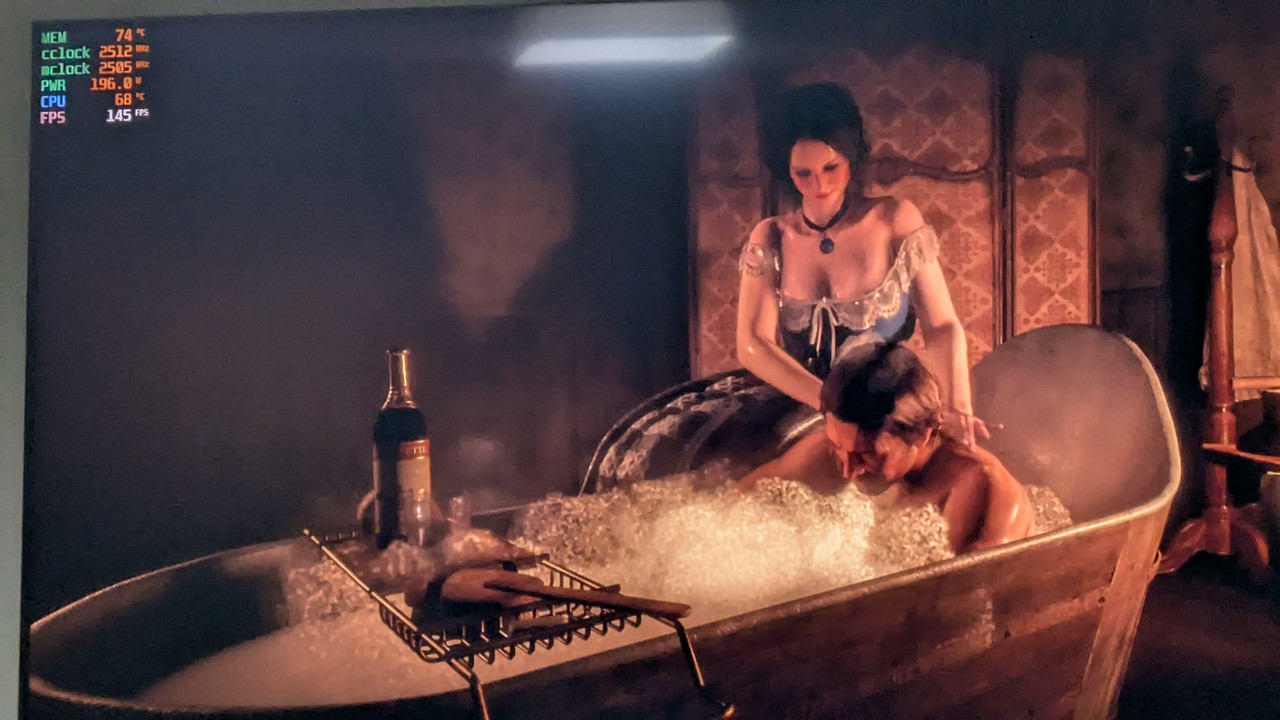
seen memory hitting 3 figures on some cards, which i believe is in spec for some cards, eek
Associate
- Joined
- 19 Dec 2009
- Posts
- 1,802
I did a bit of snooping on reddit and found other people who are having similar issues to me with the 9070 xt reaper (high pitched ringing sound from the fans). Got a replacement on the way and sending the current one back so we'll see if it's a faulty card, or if Powercolor just don't really care about this stuff (and it's me being overly sensitive to this sort of thing).
Either way, if it still annoys me, I might upgrade to a larger ITX case and just go for a 9070 XT which is more catering towards those who want silence. I have an Ncase M1 so the Reaper was the only choice for me but if I upgrade to a larger case, then I supposed I could go for osmething like a Sapphire Pure.
Either way, if it still annoys me, I might upgrade to a larger ITX case and just go for a 9070 XT which is more catering towards those who want silence. I have an Ncase M1 so the Reaper was the only choice for me but if I upgrade to a larger case, then I supposed I could go for osmething like a Sapphire Pure.
Last edited: