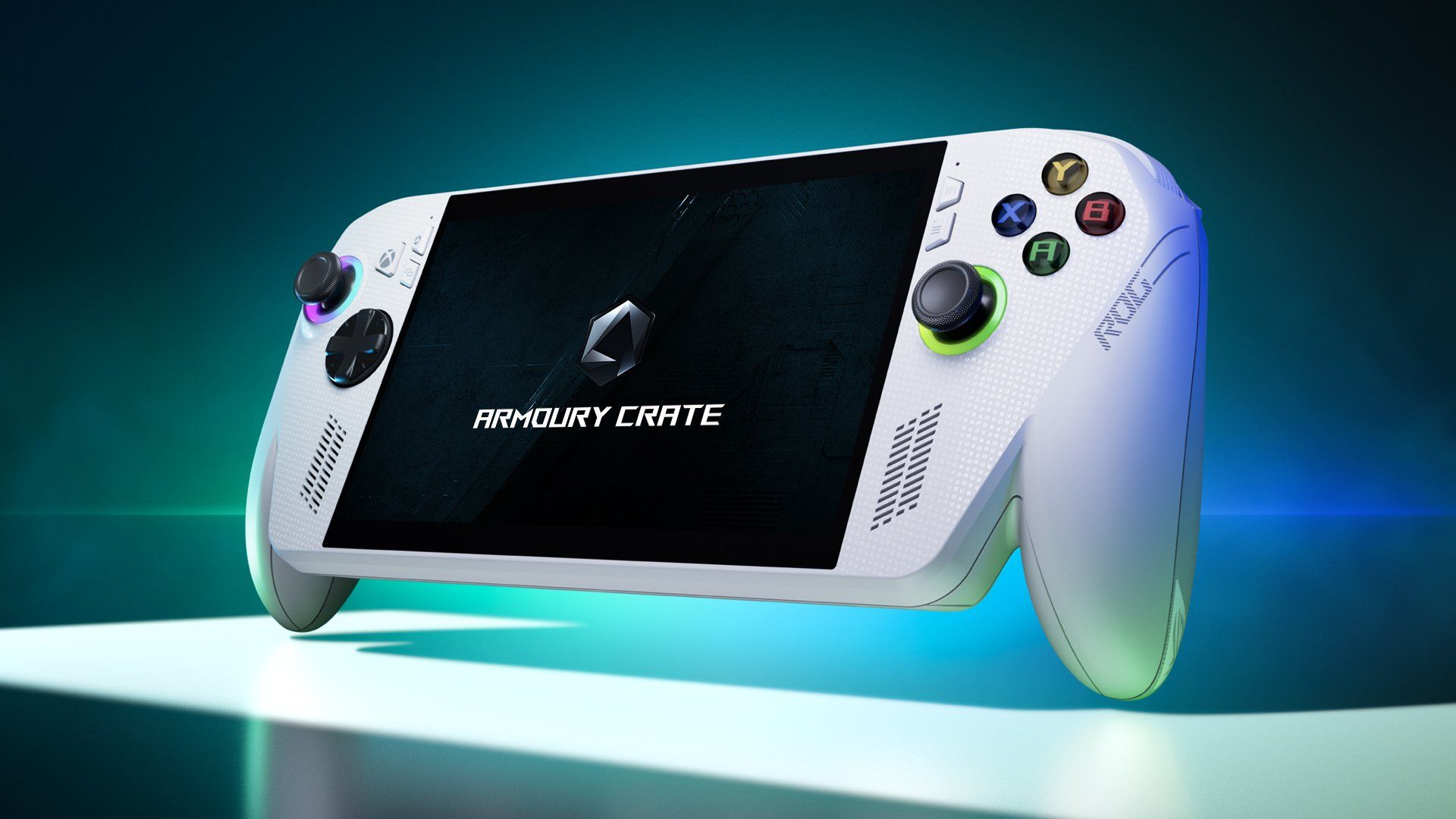
*** ROG XBOX Ally X Discussion Thread ***

Will upload to GitHub. You'll need a Pro ISO. I stripped out all my unwanted apps using OSDBuilder but this will do the same thing.

Is it an Ally X you have? (Drivers are different)
Nah got the ROG Xbox Ally X.

Will this have any issues with future updates to armory crate and the FSE do you think?
 
Nah got the ROG Xbox Ally X.

Will this have any issues with future updates to armory crate and the FSE do you think?
No - and from this point forward, for the foreseeable, you can just redo with Win11 26H2, 27H2, etc. g-helper can be checked and updated by running:
Code:
winget upgrade --all

Here is the repo on GitHub - I created it last night - any problems or questions, feel free to ask here or raise an Issue in GitHub:

 
Last edited:
No - and from this point forward, for the foreseeable, you can just redo with Win11 26H2, 27H2, etc. g-helper can be checked and updated by running:
Code:
winget upgrade --all

Here is the repo on GitHub - I created it last night - any problems or questions, feel free to ask here or raise an Issue in GitHub:

Thanks I will definitely investigate this when I get some time.
 
Firmware update came out today. You need to run Windows Update AND the Armory Crate SE.


I am absolutely obsessed with my Xbox Ally X. Use it all the time at the minute. Playing Outer Worlds 2 whilst the mrs watches I'm a Celeb is perfect.

Quick 30 minute blast during lunch break on Deep Rock Galactic Survivors. Spot on.
 
Can the Xbox ally x act as a competent desktop? Don’t weather to build in a tiny ncase matx and stream to my iPhone/ipad or get one of these, just a lot of money with no upgrade path.

Can the memory be upgraded?
 
Can the Xbox ally x act as a competent desktop? Don’t weather to build in a tiny ncase matx and stream to my iPhone/ipad or get one of these, just a lot of money with no upgrade path.

Can the memory be upgraded?

Yes, it's running a normal desktop version of Windows. Just with an gaming GUI.

Only the SSD can be upgraded.
 
In addition it has USB4 unlike prior Ally so you can put any number of Thunderbolt or USB docks on it.

I did this with my daughter, she switched her desktop for a handheld and a dock to monitor/keyboard etc. and uses it as a PC when she wants to do serious things.

Whilst memory is not upgradeable if you got a dock with a GPU you would free up the RAM for the system and mean it can perform better on a big screen.
 
These machines are plenty good enough to be a desktop machine, obviously the GPU grunt is the let down so you won't be doing gaming at any higher settings than you do on the handheld like when you dock a switch but it is still OK.
 
Last edited:
These machines are plenty good enough to be a desktop machine, obviously the GPU grunt is the let down so you won't be doing gaming at any higher settings than you do on the handheld like when you dock a switch but it is still OK.
Ah, hmmm…was thinking of an egpu but so expensive
 
Just bought one from ASUS direct, seems to be out of stock everywhere else atm, or up for inflated prices on eBay!

Hoping it's here before Xmas, but no biggy if it isnt.

I've also got a JSAUX RGB Docking Station and a ARZOPA 16.1'' 144Hz Portable Monitor with Kickstand, 106% sRGB 1920×1080P FHD HDR 144HZ Gaming Monitor to go with it.

Basically this is going to replace my Alienware gaming laptop (ok its got a 4090 mobile in it which the Xbox Ally X wont match) which isn't getting enough use to justify it.

Will use the Ally Rog in desktop mode on the dock as a general purpose machine, which is all the Alienware laptop has been used for next to my gaming PC, then when away from it'll fill in for gaming duties, easier to carry rather than two laptops.
 
Last edited:
Does anyone else's charger get really hot during charging. Even if the console is switched off and not in use the power pack gets too hot to hold on a very quick time.
 
Does anyone else's charger get really hot during charging. Even if the console is switched off and not in use the power pack gets too hot to hold on a very quick time.

I didnt get an charger with mine. I use the same USB charger I got with my Dell and Lenovo laptops.
 
I decided to buy the Xbox ally x using Christmas vouchers I had been saving from work. Managed to buy one outright from Curry's without it costing me a penny.

Took a little while to get used to but so far it seems to be a capable machine and has seamlessly linked with my other accounts on Steam and Battlenet. Also easy to use Xbox remote play by linking to my Series X. Pretty funny that you can actually also just use it as an Xbox controller when doing this if you sit in the same room as your Xbox console and have the TV on. I've also had it working with Playstation remote play also.

It's a shame about the limited play anywhere library, but for my use case, my PS5 will remain my primary console and the combination of PC gamepass, Steam, Battlenet etc. will probably be enough for me. I see the play anywhere library expanding over time and becoming the default, with Xbox ally x compatibility baked into new titles. But even if I'm wrong, I now don't really see a use case for retaining my Series X console.

I have separately bought a Benq dock and a dell 130w power supply so can easily link it to one of my monitors and run full power mode. Although there's some messing about to get an Xbox controller to work with a game in docked mode that requires a specific sequence of disabling onboard controller, connecting the external controller and starting the game I want to play. This is disappointing and is not intuitive at all. Some work to do there in my view.

Fired up some office apps and connected a Bluetooth mouse and keyboard and all that worked fine too.

In handheld mode I find the screen is a tad small for most games, but it's workable. Although some of the text is just far too small, and there doesn't seem to be any universal way of increasing font sizes. I'm getting by though.

My other half has been hogging my PS5 over Xmas and so I've been playing Cyberpunk 2077 pretty much exclusively in handheld mode (connected to power). Runs well and looks good. Super happy with cross platform saves which have added a degree of versatility with how I can game, and where. Fans are noticeable but not intrusive in my view and the standard power supply gets mildly warm under load, but not hot.

I've also connected it to my 4k TV with mixed results depending on using windows or gaming. The overscan issue is evident and took some manual setting up on my TV, but I got there in the end. Definitely not a machine for 4k TV use, but then again I didn't expect it to be, I was just curious more than anything.

Overall, seems to be a very capable device but a bigger screen would have been better for me personally. The versatility of connecting to a 1080p monitor and running it like a normal PC is great, and the cross platform / cross account linking is also super useful and for the most part seamless. Just some minor issues with cross platform saves here and there, but nothing too bad.

I'm now wondering if I should buy a Legion Go 2 for that lovely larger OLED screen! :p
 
Last edited:
I'm now wondering if I should buy a Legion Go 2 for that lovely larger OLED screen!

Bigger screen makes a hell of a difference, much easier to use and appreciate the graphics etc, that Legion is great. When I got fed up of the smaller screen I picked up a 10.95" X1 Pro, this was a gamechanger but then you are halfway to a laptop :D The problem I have had with most of the handhelds is I just prefer using a wireless PS/Xbox gamepad rather than the handheld bolt on controllers, they are just nicer to use.

If you want it to drive bigger screens you have USB4 so you can get docks with GPUS in that can drive the larger screens with much better framerates that are pretty discreet as mentioned above, you can go all the way to a 5090 if you have the coin. Or just sub to Geforce Now, this works really well on handhelds when driving a big screen to give good quality, uses no power and top tier is a 5080 GPU links to accounts and games you own very easily.
 
Last edited:
The Ally Xbox X is a great bit of kit,

I've got the Jsaux Steam deck dock, I managed to find a 3d printable riser stand for it which I resized, and printed it so that the Jsaux dock sits on top of it and is raised off the table enough for the Ally X to sit in the dock safely.

It's a capable office machine as well as a gaming machine.

Have office and so on installed on it.

One thing I will say is dont forget to install some form of anti virus peeps, Its a fully fledged handheld PC at the end of the day :)
 
7inch is a bit small though, the legion is a nice size screen, I think the biggest problem with Legion is the price, I mean at that level you are closing in on the Strix Halo handhelds and they'd give you double the performance at the same power it'd be worth spending the little bit more, even more than double the performance if you open up the TDP taps which go up to 80W.

Though they do have a weight problem too, but you can detach the battery and play the handheld with power cable,
 
Last edited:
I'm now wondering if I should buy a Legion Go 2 for that lovely larger OLED screen! :p

That GO 2 screen just looks dam incredible from some the video's i seen of it.:eek:
I would really love to see it and have a go in real life

After seeing the video's of that GO 2 screen it had me checking my bank balance and telling myself No No NO you're not going to spend that :cry:
 
Last edited:
Back
Top Bottom