-
Competitor rules
Please remember that any mention of competitors, hinting at competitors or offering to provide details of competitors will result in an account suspension. The full rules can be found under the 'Terms and Rules' link in the bottom right corner of your screen. Just don't mention competitors in any way, shape or form and you'll be OK.
You are using an out of date browser. It may not display this or other websites correctly.
You should upgrade or use an alternative browser.
You should upgrade or use an alternative browser.
Overclocking my Q6600 Advice.
- Thread starter psd99
- Start date
More options
Thread starter's posts

this is the sticky at the top of the overclocking and cooling section
should get you to grips with the terminology
go and check the overclocking and cooling section - there are loads of q6600 threads all detailing similar settings
this is my thread - should give you a few pointers
out of reference
i set my q6600 to 3GHz by changing 2 things in the bios
multiplier of 9
FSB set to 333
then make sure your ram is running at the right speed - and you are away
if you want to push further you will have to delve into the voltages
should get you to grips with the terminology
go and check the overclocking and cooling section - there are loads of q6600 threads all detailing similar settings
this is my thread - should give you a few pointers
out of reference
i set my q6600 to 3GHz by changing 2 things in the bios
multiplier of 9
FSB set to 333
then make sure your ram is running at the right speed - and you are away
if you want to push further you will have to delve into the voltages
why did you choose ddr3 memory btw?
Thanks I'll check out the link you provided.
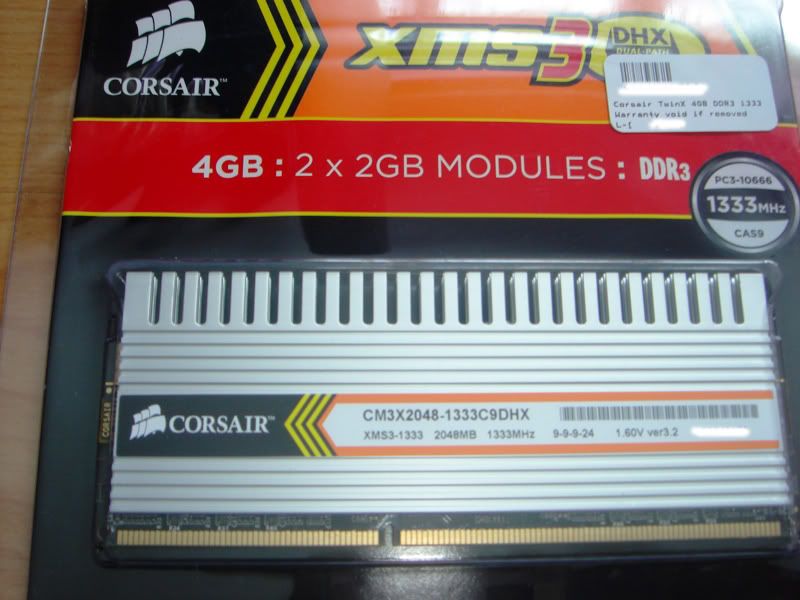
I wanted to get the latest type of memory. I knew that DDR3 triple channel would be out though at some point. I didn't want to end up with a board that has DDR2 because I reckon in about 6 months time DDR2 will be old news. Purely to future proof myself I actually jumped from DDR1 to DDR3!
eeek - personally i would have got some fast ddr2
there is no point in upgrading to i7 yet as its a workstation based platform that sees no real improvements in home computing tasks
so it kind of makes ddr3 pointless
plus all X58 boards warn you not to put the memory voltage past a [restrictivley] low setting as it damages the cpu
i guess its your call - personally i would have only gone for ddr3 if i had an x48 board and really knew exactly what i was doing when it came to overclocking
there is no point in upgrading to i7 yet as its a workstation based platform that sees no real improvements in home computing tasks
so it kind of makes ddr3 pointless
plus all X58 boards warn you not to put the memory voltage past a [restrictivley] low setting as it damages the cpu
i guess its your call - personally i would have only gone for ddr3 if i had an x48 board and really knew exactly what i was doing when it came to overclocking

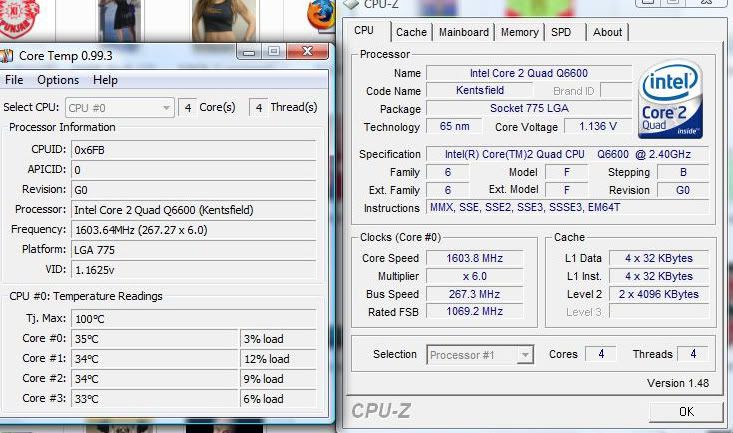
Anyway the question I want to ask you all is how are you all checking your new overclocked CPU speed?
Just through systems menu in vista/XP or does the BIOS show it?
Download CPU-Z, it'll tell you everything you need to know.

Thanks will check it out.
By the way what is the highest and safest CPU temperature for my Q6600 at the moment without any overclocking it runs between 35C to 44C.
Don't worry about idle temp, just try to stay below 65 and at max 70C when in heavy use.

Well it was so strange gentlemen. I swear this alarm was going off on a temperature of 245C it was insane. If my CPU was that hot it would have melted my case!
I restarted the PC and looked in the BIOS it looked fine as does it now in the OS.
I'll check out that program you mentioned hope it is freeware otherwise this program called Everest will come to mind.
I restarted the PC and looked in the BIOS it looked fine as does it now in the OS.
I'll check out that program you mentioned hope it is freeware otherwise this program called Everest will come to mind.
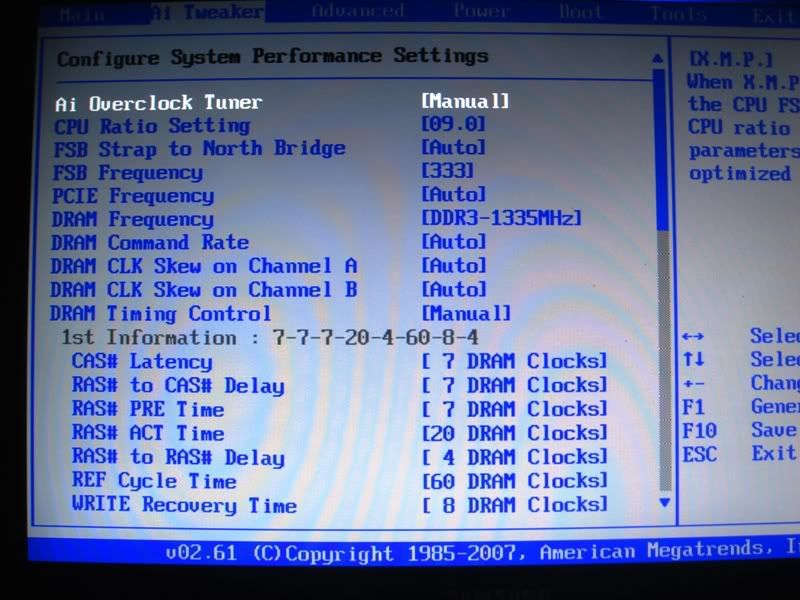
I changed the FSB to 333 but I couldn't find the CPU multiplier is that the same as CPU ratio? Well I changed that to 9 as I thought it was the multiplier. I saved and restarted. I got no POST HEART IN MY MOUTH.....
Then turned it off and on and it said "overclocking has failed. Press F1 for setup and F2 for default values."
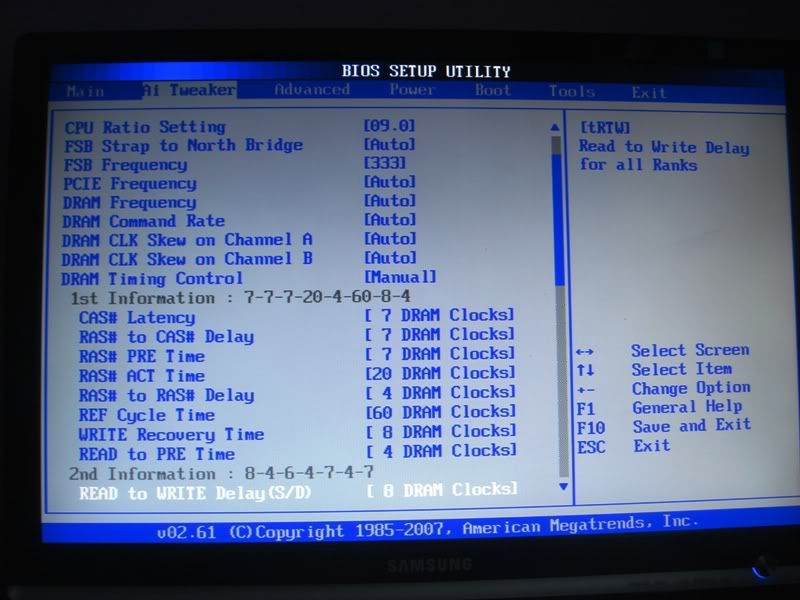
Here is a picture of my BIOS screen.
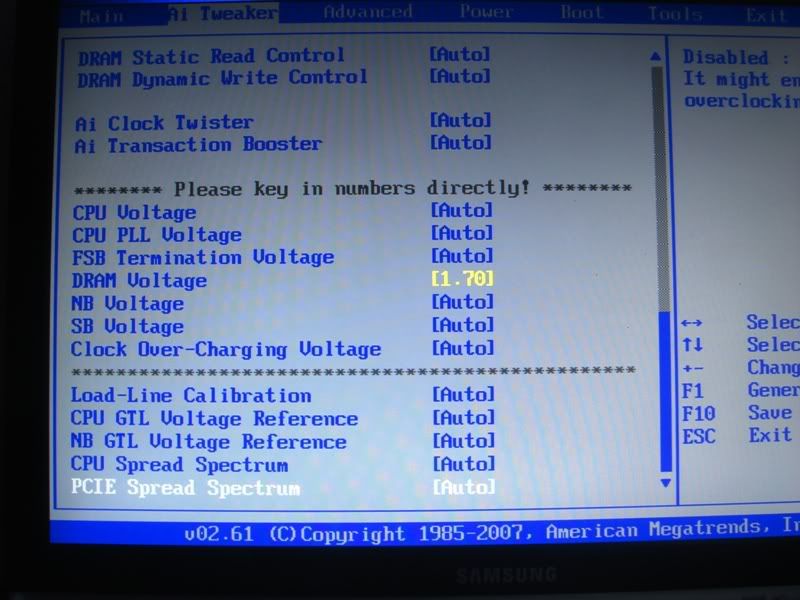
I changed the settings on this page. My memory timings had to be changed like they are because the PC kept on crashing when set to auto:
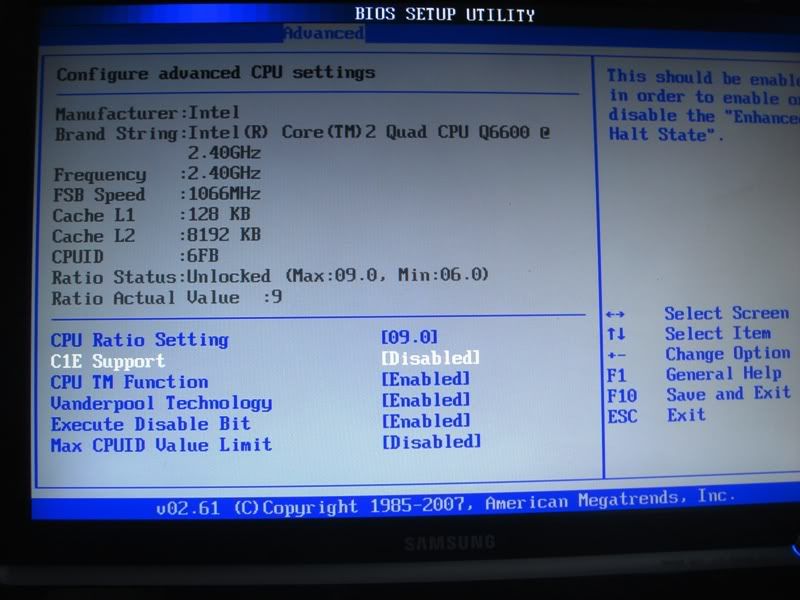
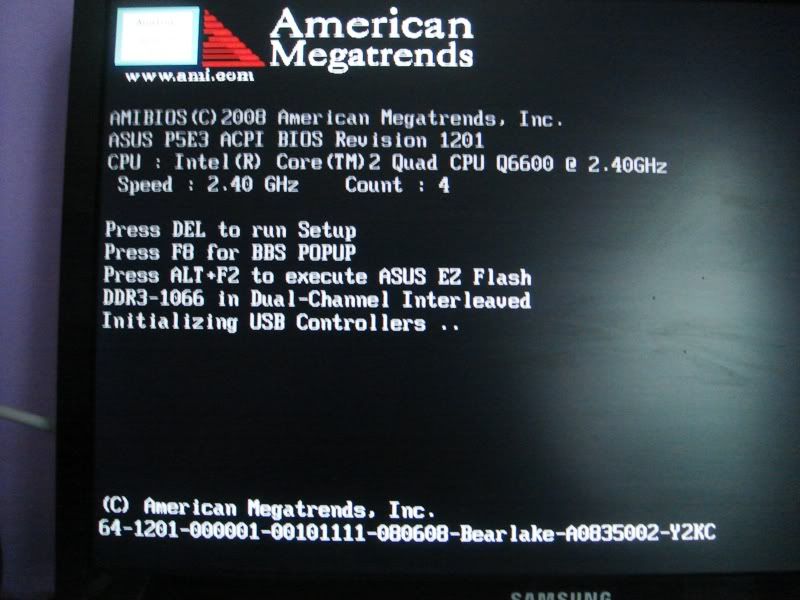
Then here is the BIOS what am I doing wrong here? My memory is 1333mhz and it comes up as DDR3 1066 is it because of my CPU?
Help is greatly appreciated thank you gentlemen.
Then turned it off and on and it said "overclocking has failed. Press F1 for setup and F2 for default values."
Here is a picture of my BIOS screen.
I changed the settings on this page. My memory timings had to be changed like they are because the PC kept on crashing when set to auto:
Then here is the BIOS what am I doing wrong here? My memory is 1333mhz and it comes up as DDR3 1066 is it because of my CPU?
Help is greatly appreciated thank you gentlemen.