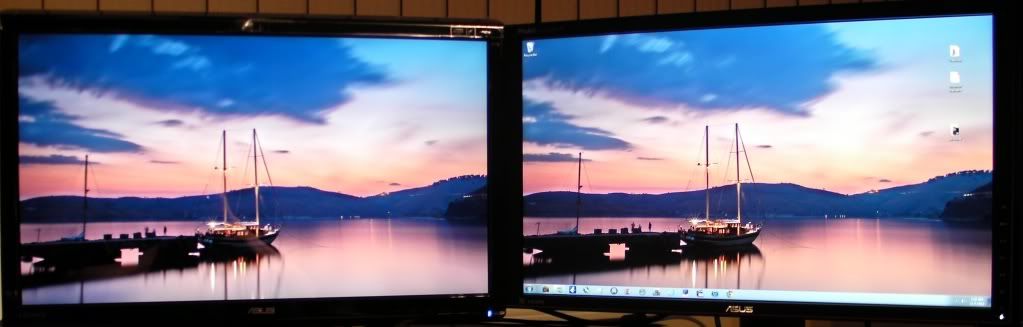
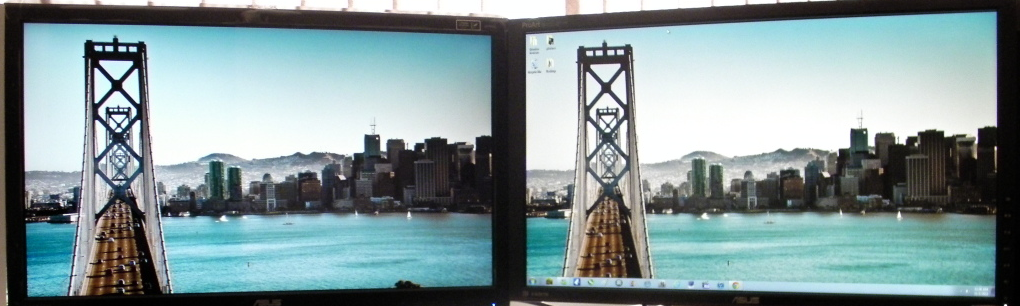
Asus VG278H and Samsung S27A950D comparison

Associate
Joined
13 Oct 2005
Posts
309
hi guys,

so i received the samsung today and decided to do a little writeup on both screens, as i saw that some people were wondering about the differences.

please be aware, that this is by no means a review, i am just going to describe my experiences with both screens.

(please excuse the lousy picture quality, not my camera, i just borrowed it)

ASUS VG278H

properties:

  • matte screen
  • height, tilt and swivel adjustment

4hpC1.jpg


i had this screen for a week before RMA-ing it. there was nothing wrong with it technically. my only problem (and my reason for returning it) was the colour reproduction.

now, you have to understand, i am quite obsessive about how the colours look like on a 600 euro monitor. i have a dual monitor setup, my previous combo was DELL 2209WA for surfing and DELL U2311H for gaming - both IPS panels. i got kind of spoiled in the matters of colour reproduction quality.

while i do understand the difference between a TN and an IPS, i did expect the Asus to get at least reasonably near the colour qualities of the Dell. not a chance, at least not my piece.

please bear in mind that the below are merely my obervations, i don't have any measuring tools (such as a colorimeter).

the monitors gamma is totally out of proportions, it has six modes if i am not mistaken - neither of those fit me in terms of gamma - it was either too low, or too high, which made the colours look either washed out, or the colours looked ok, but shadows in games were unnaturally black, etc. so i thought "ok, lets try to fiddle around with nvidia control panel"...i played around with gamma, hue and saturation, but i simply couldn't get the right combination to make it work for me. this and the my firm belief that a monitor should be set up using only OSD (impossibruuuu for me) made me return it on my 7th day of ownership.

i have tried all settings for this monitor that google could find, yet none of them worked. no matter what i tried, the blues were violet-ish, reds were purple-ish, etc.

Samsung S27A950D

a very good in depth review here by PCM2:

S27A950D review by pcmonitors.org

VIDYH.jpg

DYnVz.jpg


properties:

  • only 20 degrees tilt
  • glossy screen
  • super thin

now, i was very reluctant to order this one, because to be honest, i do not like glossy screens. i only have one glossy monitor in like 10 years - HP w2207 - and although i cannot really say a bad about that one, i still didn't like the glossy screen on it.

also, i didn't (a i still don't) like the fact that this monitor doesn't have almost ANY ergonomic features, save for the useless tilt.

also, no VGA connector (i was using that one for my company notebook), so i have to get a HDMI cable, wich is not supplied with the monitor (not with mine anyway, there was only the daul link DVI cable).

the thing is, i can get over all of those issues, just because of how awesome the picture is. crystal clear (thanks to the glossy surface) and the colors, while certainly not as good as the DELL (remember, this is my personal preference), are a whole different league, compared to the asus.

i set it up follow PCM2s guidelines (in the linked review) and MAN, i am still blown away :)

it has a slight backlight bleed in both bottom corners, just as PCM2 stated, but to be honest, it's not an issue for me, it's not even visible normally, only on very dark and uniform backgrounds.

so far, this one is a keeper, but i only had it for a day, so i'm not ruling out a RMA ;) it is quite a heavy investment, so i expect the best.

i didn't mention 3d, because frankly, i do not care about it. i bought the monitor(s) purely for 2d 120Hz gaming.

last mention, as you probably guessed, the monitor on the right is my older U2311H i am going to flip it to pivot mode later, surfing is much more comfortable with that :)

hope this helps you guys a bit, it's not a review by any stretch, i just felt like typing what i think about both the screens.

i am not saying you should buy one or the other, you have to make that decision for yourself.

question? shoot :)

edit: happy new year everyone :)
 
Last edited:
thanks for the thoughts skuko. Im really tempted by the 950d. Does the screen itself sit perfectly straight or does it sag to the left slightly with the hinge only being on one side?
 
thanks for the thoughts skuko. Im really tempted by the 950d. Does the screen itself sit perfectly straight or does it sag to the left slightly with the hinge only being on one side?

The screen itself is very light and the metal hinge very strong, so it sits straight.
 
thanks pcm2. Whilst your here, i know you've reviewed both the 750d and 950d, did you see a definate difference in backlight bleed between the two models, favouring the 750d for having less?
 
thanks pcm2. Whilst your here, i know you've reviewed both the 750d and 950d, did you see a definate difference in backlight bleed between the two models, favouring the 750d for having less?

Comparing the S27A750D to the S27A950D and T27A950D I tested, yes. User feedback suggests this is also the case. There have also been reports of issues with the backlight on SA750 series monitors - the S27A750D I reviewed had particularly good black uniformity even for an SA750. It seems that the stand design of the 950s creates a lot of pressure, making backlight bleed towards the bottom in particular more troublesome compared to the 750s. There will always be some degree of variation between units beyond this.
 
IPS monitors are all ridicolous, Some people love to over hype ad exaggerate the image quality differences between TN and IPS panels.

Asus VG236 TN vs PA238Q IPS :

comparison001.jpg

Untitled.png


Considering that Samsung is much vibrant and better than Asus VG series......
 
Last edited:
Bit disappointed to read about the Asus's colour reproduction abilities, especially as I am (was?) looking to purchase this monitor. Thanks to the OP for sharing anyway.

Areas like colour reproduction are always going to be a subjective matter, so it may not be a huge problem for me.

PCM - are you going to review the Asus screen at all? Your detailed input is always appreciated :)
 
PCM - are you going to review the Asus screen at all? Your detailed input is always appreciated :)

I don't think so. ASUS aren't very forthcoming with providing me a sample and I don't think I can source this one another way without buying (which I don't want to do really). I would also be unable to test Nvidia 3D Vision on my current AMD setup. I could probably get hold of an Nvidia setup but by the time I've done all of that the next thing will be out. :D
 
the monitors gamma is totally out of proportions, it has six modes if i am not mistaken - neither of those fit me in terms of gamma - it was either too low, or too high, which made the colours look either washed out, or the colours looked ok, but shadows in games were unnaturally black, etc. so i thought "ok, lets try to fiddle around with nvidia control panel"...i played around with gamma, hue and saturation, but i simply couldn't get the right combination to make it work for me. this and the my firm belief that a monitor should be set up using only OSD (impossibruuuu for me) made me return it on my 7th day of ownership.

Well i agree with that and had the same problem with gamma either being to low or to high. like on gaming mode. You can see dark areas better but the gamma is to high. I just use theater mode for desktop with 10 brightness and 65 contrast and scenery mode for games and movies.

I also turn up the bightness from the ingame menu so the low gamma doesnt seem as bad. Glossy screen are nice but my old asus vg236he gave me bad eye strain every night
 
i am growing increasingly frustrated with the Samsung as well.

having an IPS panel alongside it, the colour reproduction difference is really annoying the more i look at both screens.

the gamma is fine on this one, but the colours are weird. as an example - the facebook top bar with the logo is "pastel" blue on the DELL U2311H, DELL 2209WA, HP LP2065 and my HP notebook screen, yet it looks like "paris" blue (so a couple of shades into violet-ish) on the samsung S27A950D.

i'm having a really hard time trying to adjust this to look even close to the IPS - currently using the settings from the review by PCM2, but i am really on the verge of RMA-ing it and sticking to the 60Hz IPS even for gaming, although it's gonna be hard to get used to 60Hz again.

coupled with the non-existent ergonomic features (i am really missing height adjustment - the monitor is sitting really high, so when i lean back in my chair, the top edge starts to go dark due to the poor viewing angles) and the backlight bleed on the lower corners (which seems to get worse every day - but this might be placebo)- it makes me think that it's more hassle than it's worth, especially for a 560 euro screen.

i'd love any suggestions from you guys, still have a couple of days before the grace period expires. i might return it and wait for a review on the Benq XL2420T or wait for the new LG IPS screens and hpe they are at least as good for gaming as the U2311H i own now.

any sugestions are more than welcome.

edit: i'll post the DELL osd settings when i get home from work.
 
Last edited:
If you look at the OcUK blues (both dark and light) you should notice that the blue appears dark at the top and becomes lighter further down. Now move your head slightly up and down when looking at that Facebook bar - it will shift between various shades. This is a limitation that applies to all Twisted Nematic monitors and is readily apparent on monitors that are as large as 27". This is covered in the review which you have taken the settings from and explained in more detail. It is scant consolation but the Samsung monitors are actually relatively good in this department for a TN panel monitor of that size! This is what I refer to when I discuss colour consistency in relation to a monitor. This weakness will apply to the XL2420T and any other TN panel monitor I can guarantee you - it may be less noticeable on a smaller screen but if the XL2420T is anything like other 24" TN panel monitors I've tried recently it will bother you on that if it bothers you on the Samsung. It's a world of compromise - you've quite clearly stated that the 60Hz refresh rate and overall lack of responsiveness of a 60Hz IPS monitor would bother you. Usually the lack of colour consistency isn't a big issue unless you are needing to do colour-critical work. But it's just another one of those things that is easy to focus on once you notice it and particularly if you do side-by-side comparisons and have it looming over you like that. If the monitor is sitting 'really high' then that exacerbates the issue - it will probably look even darker at the top than it normally would. I know the lack of ergonomic adjustability is frustrating - is there any way you can raise your chair height a bit to compensate?

I would suggest you give yourself some time to settle your thoughts before considering initiating another return. If you just accept that there are compromises no matter which screen you go for and remember all the positive feelings you've had towards the Samsung then you might just change your mind.
 
Last edited:
in all honesty PCM2, i don't think it's the angle. the blue shades are very different, be it this forum or the facebook bar - no matter the angle...the angle makes the colour look darker/lighter, but i am talking about the (damn, i can't put my finger on what it is exactly) "richness"? of the colours. it's bugging me to the point where i even think that my eyes and my brain are going crazy, but when i come to work where i have two completely different screens, the colours are roughly the same as the DELL IPS, that is what is puzzling for me and making me think the colours on the samsung are not ok.

i am aware of the compromises one has to make with a TN vs IPS panel, the thing is that i am starting to question, whether the 120Hz is worth it...

i'm sorry if this bothers someone, i'm not trying to be annoying or anything, i'm mostly thinking my concerns out loud, maybe someone is in a similar position.
 
In all honesty if you're comparing to an uncalibrated U2311H then it goes without saying that there will be differences. In the review of the S27A750D we had a calibrated Apple Cinema Display running alongside it and when the S27A750D was also 'calibrated' (using OSD adjustments - no ICC/ICM profiles) the colour representation was surprisingly good. Part of the differences in richness are undoubtedly down to the screen surfaces - you can search for the kind of results people get removing that matte surface from their Dell UltraSharps and the difference they observe to the image. Also have a read of this article which explains why there is such a difference.

If you are only noticing such issues on the desktop, browsing the web etc. (which is usual) and they are bothering you then I can pass you over an ICC profile for the SA950 that should give you a better balance. If you don't own a colorimeter and don't have a reference calibrated screen to compare to then you shouldn't let any differences you see concern you. They are only a problem if you need to do image manipulation - and if you do then you should have a colorimeter!
 
Do you have contrast set to "normal" if so put it on low.... I noticed colours looked washed out on normal, I use normal for REALLY DARK games only.

Edit theres also an Official ICC profile available for the monitor.
 
HDMI black levels alter the balance of blacks and dark colours based on the image signal and are designed for when the monitor is connected to an 'AV' device (games console for example). These devices are set up to send out a 'TV' not 'Monitor' colour signal. Basically if you are using HDMI Black Level 'low' on the PC you will have no effect on the blackest blacks, you will simply darken some shades so they appear darker than they should. In effect you 'crush' blacks and dark details into one another and lose detail without gaining anything. It is best to leave this on normal, especially as the colours should look rich and vivid using the suggested settings.

Edit: Sorry if not all of this is relevant - it was taken from another thread. With MagicAngle set to 'GroupView' the colours should appear rich and vibrant (as noted in the first post of this thread and elsewhere) without needing to mess around with HDMI black levels and upsetting contrast performance.
 
Ok I'll change the settings when I get home. I am using DVI dual link on it if that makes a difference. The colours definitly look more vivid when I set it to low with my current settings but on blacks as you point out I lose detail. This is the reason I use normal on dark games.

Edit: Yeah I saw you mention groupview in your review which was something I was itching to get home and try :D
 
Last edited:
HDMI black levels alter the balance of blacks and dark colours based on the image signal and are designed for when the monitor is connected to an 'AV' device (games console for example). These devices are set up to send out a 'TV' not 'Monitor' colour signal. Basically if you are using HDMI Black Level 'low' on the PC you will have no effect on the blackest blacks, you will simply darken some shades so they appear darker than they should. In effect you 'crush' blacks and dark details into one another and lose detail without gaining anything. It is best to leave this on normal, especially as the colours should look rich and vivid using the suggested settings.

Edit: Sorry if not all of this is relevant - it was taken from another thread. With MagicAngle set to 'GroupView' the colours should appear rich and vibrant (as noted in the first post of this thread and elsewhere) without needing to mess around with HDMI black levels and upsetting contrast performance.

interesting info....and yes the DELL is not calibrated, i am just using the cool preset on the DELL because the whites appear really nice white and the colours appear vibrant to me like that. also, using the PC graphics preset.

i will list my complete settings for the DELL later when i get home from work (working till 22:00 this week). i also found a nice review with calibration results for the DELL on flatpanelshd, so i will test that one out too and report back.

regarding the MagicAngle - PCM2 can you advise in which order to set this? hen i set MA to group view, the RGB settings get reset to 50/50/50 and when i set the colours, the MA gets set to custom. so i gather i should set MA first and then adjust the colours, am i right?
 
Back
Top Bottom