• Competitor rules

    Please remember that any mention of competitors, hinting at competitors or offering to provide details of competitors will result in an account suspension. The full rules can be found under the 'Terms and Rules' link in the bottom right corner of your screen. Just don't mention competitors in any way, shape or form and you'll be OK.

**GEFORCE EXPERIENCE EXCLUSIVE FROM OVERCLOCKERS UK!**

OcUK Staff
Joined
17 Oct 2002
Posts
39,562
Location
OcUK HQ
Hi there


NVIDIA have spent a lot of time and research on their GeForce Experience, I remember seeing it back in April at a NVIDIA conference and it was rather impressive.

Well now it is finally ready, here is some blurb:-


GeForce Experience - Auto-Optimise Your Games Want to know the best settings to play your games? GeForce Experience will figure it out for you. GeForce Experience connects you to NVIDIA's cloud datacenter to download optimal game settings tailored to your PC based on your CPU, GPU and monitor. Optimal settings maximize image quality while maintaining great performance so you get the best experience. A built-in interactive screenshot viewer helps you learn more about each setting and their benefits.

imagegibbo.jpg


Some videos:-


NVIDIA Download Link: http://www.geforce.co.uk/drivers/geforce-experience

OcUK Downlink Link: Coming in 24-48hrs

NVIDIA are limiting this download to 10,000 downloads, however OcUK have managed to obtain the file which we shall be hosting shortly.

If your a gamer who is not so technical knowledge or is unsure on what in-game settings are the best for your PC specification this new software from NVIDIA will do it and make it very easy for you, so give it a try. :)

 
Tried registering, No captcha image, had to download it (took forever) I'm guessing the sites servers are utter gash tbh Now just bouncing off a page time out lol
 
This sounds like a great idea for someone who has trouble balancing quality and performance on a less than high end rig (i.e. me :p). Unfortunately my 560Ti has gone to silicon heaven and I have to RMA it with 3 weeks left on the warranty.

I will definitely grab this from OCUK in preparation of it's reincarnation. Thanks Gibbo :).
 
lol I finaly got an image and then clicked submit and got "The page cannot be displayed" error. I was just curious to see what it was like but oh well.
 
tried to install this 3 times now (windows 8, run as admin) and each time it just hangs at the last little bit.

Will wait till they update and retry :)
 
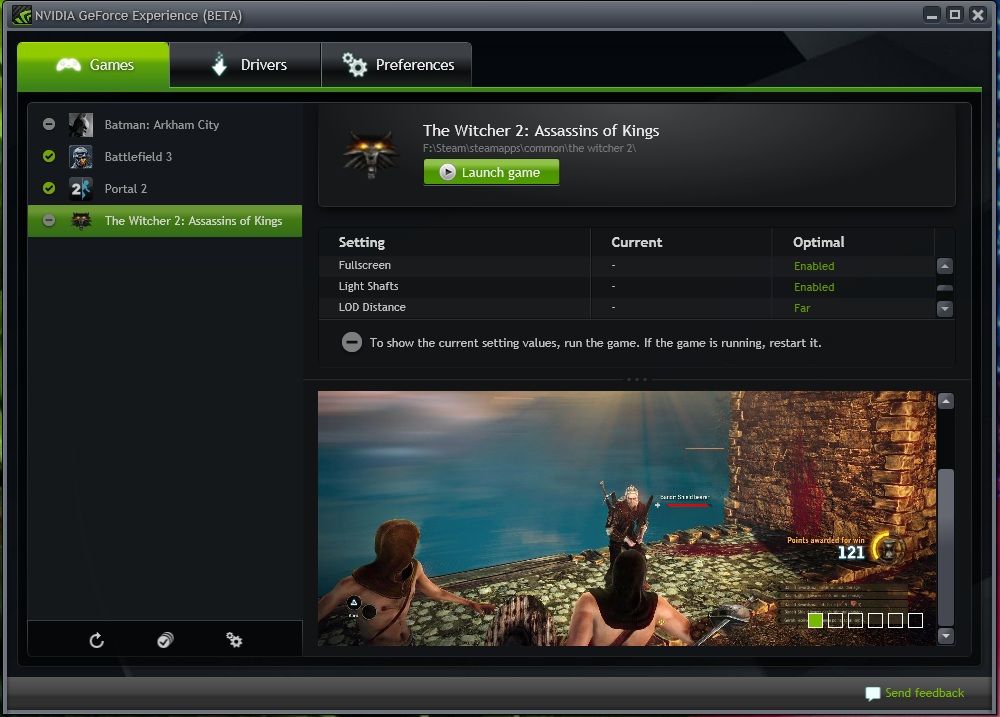
Got it but a little disappointed. It is beta so hopefully the release will be a little better but out of all my games, it only found 4 on my PC. I even tried to add them manualy but no go :(

geforceexperience.jpg


The 4 games added.

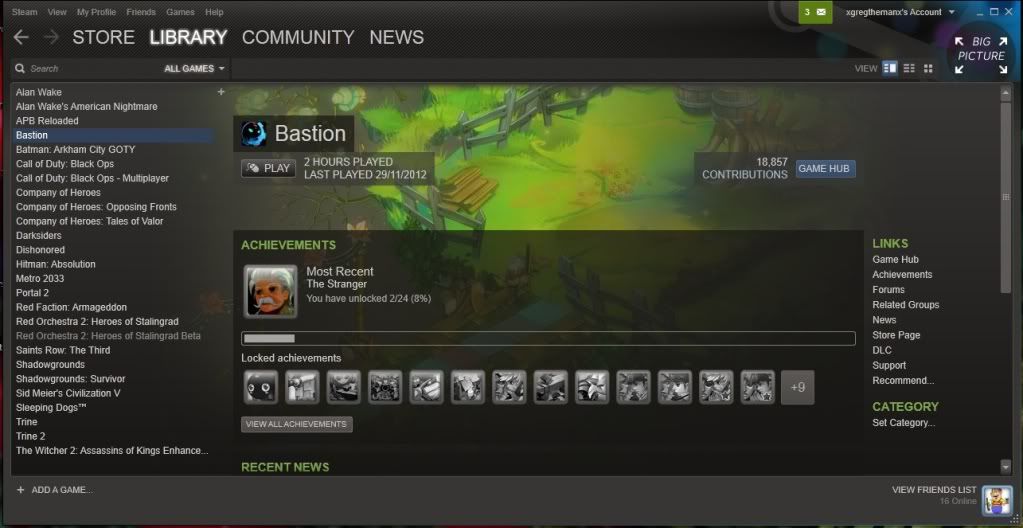
steamgames.jpg


This is just my Steam games...It missed quite a few for some reason. As I say, I can see good potential in this and this is a beta, so no problem.
 
Installed it - Didn't even need to register? it just downloaded... Installed it and it's the most gimmicky thing ever.

Anyone who's a solid pc gamer (who would have this kind of software), frequently checks for updated graphics drivers. I don't need a program to do this for me. Also, why do I need a program to "optimise" my settings. Basically, change a few of the game graphics settings around - much like the usual in game "load optimised defaults" or similar.

Gimmicky imo, uneeded bloatware.
 
tried and works ok for me but im going to remove it since the games that were detected was using the optimum settings already plus it add another icon in my notification area :p
 
shame that it doesn't give an estimate of how many fps to expect in optimized vs current settings.

edit - Does it also determine which settings are best for 3d gaming? and collect crushdump logs for windows 8?
 
Last edited:
Installed it - Didn't even need to register? it just downloaded... Installed it and it's the most gimmicky thing ever.

Anyone who's a solid pc gamer (who would have this kind of software), frequently checks for updated graphics drivers. I don't need a program to do this for me. Also, why do I need a program to "optimise" my settings. Basically, change a few of the game graphics settings around - much like the usual in game "load optimised defaults" or similar.

Gimmicky imo, uneeded bloatware.

This is not aimed at you. I won't use it either.

However when I build a gaming PC for a friend that hasn't got a clue it saves me phoning him asking if he has set the resolution to 1080p or trying to explain to him what Ambient Occlusion is.

It's a great idea and a good program coming from Nvidia and you shouldn't dismiss it just because you have no use for it.
 
This is not aimed at you. I won't use it either.

However when I build a gaming PC for a friend that hasn't got a clue it saves me phoning him asking if he has set the resolution to 1080p or trying to explain to him what Ambient Occlusion is.

It's a great idea and a good program coming from Nvidia and you shouldn't dismiss it just because you have no use for it.

^
I'd second that statment.
Trying to get a clueless friend to turn the right settings on and off is hard work, having some background software that does it all for you is ideal.
 
Installed it - Didn't even need to register? it just downloaded... Installed it and it's the most gimmicky thing ever.

Anyone who's a solid pc gamer (who would have this kind of software), frequently checks for updated graphics drivers. I don't need a program to do this for me. Also, why do I need a program to "optimise" my settings. Basically, change a few of the game graphics settings around - much like the usual in game "load optimised defaults" or similar.

Gimmicky imo, uneeded bloatware.

I think you're forgetting that everyone who PC games isn't as clued up as your average OcUK Graphics Card forum member :)
 
Back
Top Bottom