


PowerColor PCS+ R9 390X 8GB
As some of you may know I won a recent competition ran jointly by OCUK and KitGuru to win a PowerColor Devil 13 dual core 390X.
Unfortunately it wasn’t comparible with my PC so I was offered two PowerColor PCS+ R9 390X cards as an alternative.
About PowerColor
PowerColor, established by Tul Corporation in 1997, is a graphics industry leading brand name now and well known for its outstanding performance and innovative technology. As a leading provider of graphics card, PowerColor offers powerful, reliable and cost-effective solutions to customers worldwide.
Specifications from the PowerColor website
Part Number AXR9 390X 8GBD5-PPDHE
Graphics Engine RADEON R9 390X
Video Memory 8GB GDDR5
Engine Clock 1060MHz
Memory Clock 1500MHz x4 (6.0 Gbps)
Memory Interface 512bit
DirectX Support 12
Bus Standard PCIE 3.0
Display Connectors DL DVI-D/ DL DVI-D/ HDMI/Display Port
Packaging and contents
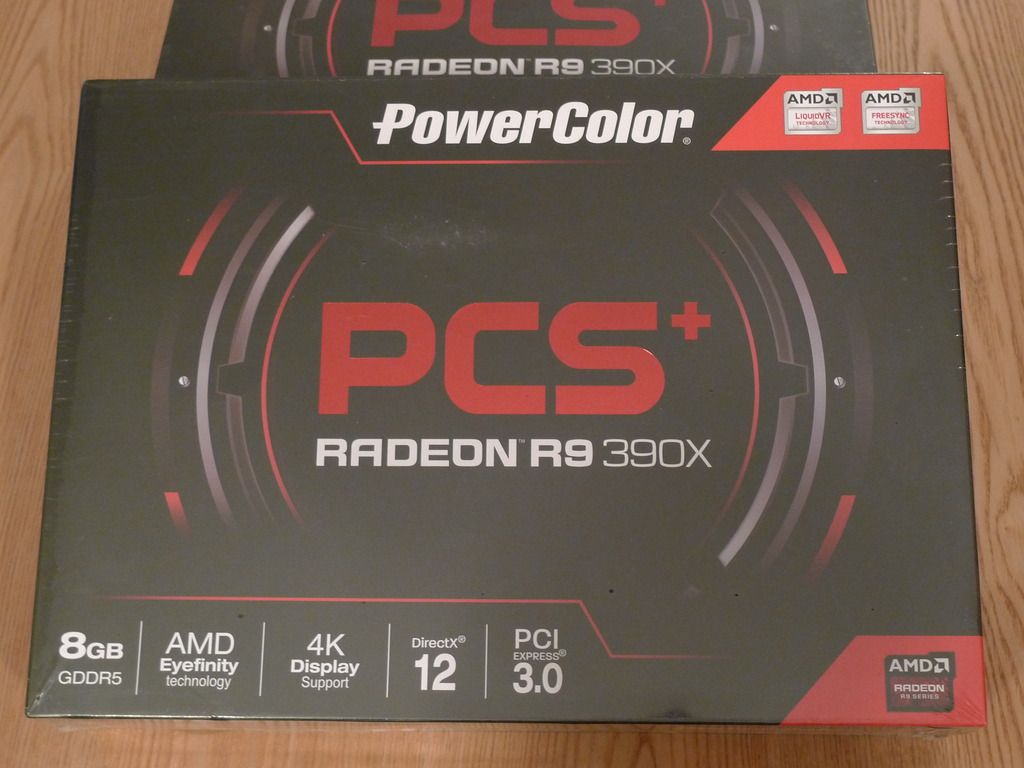
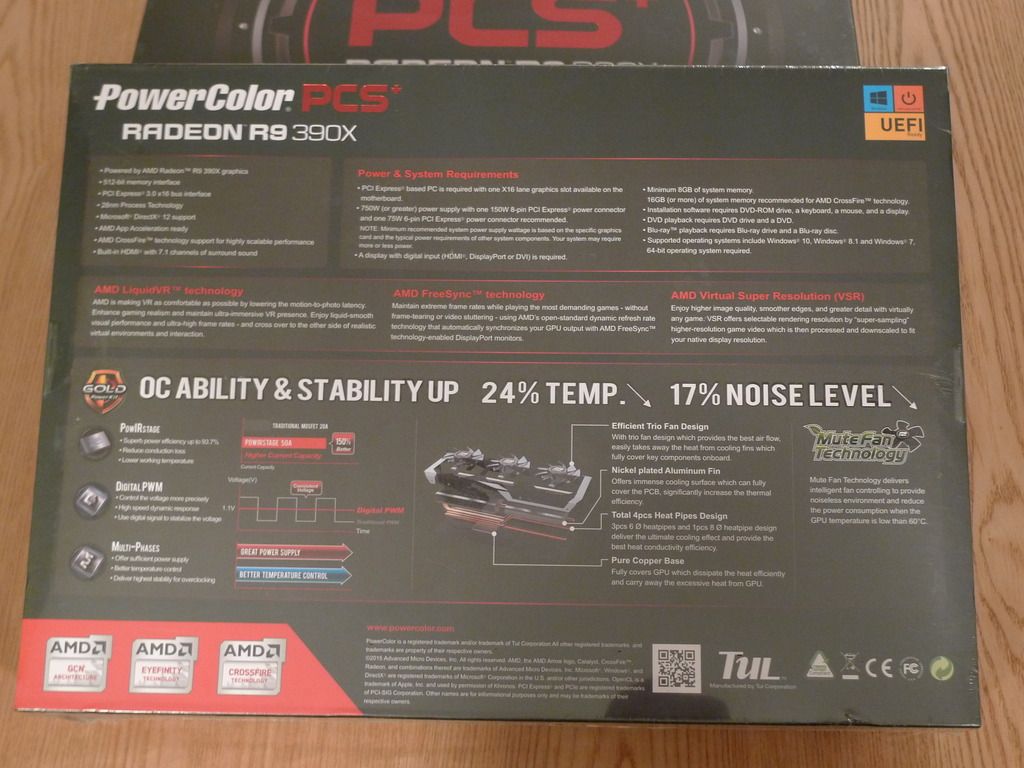
The PowerColor 390X comes packaged in a black box displaying some of the features and system requirements.
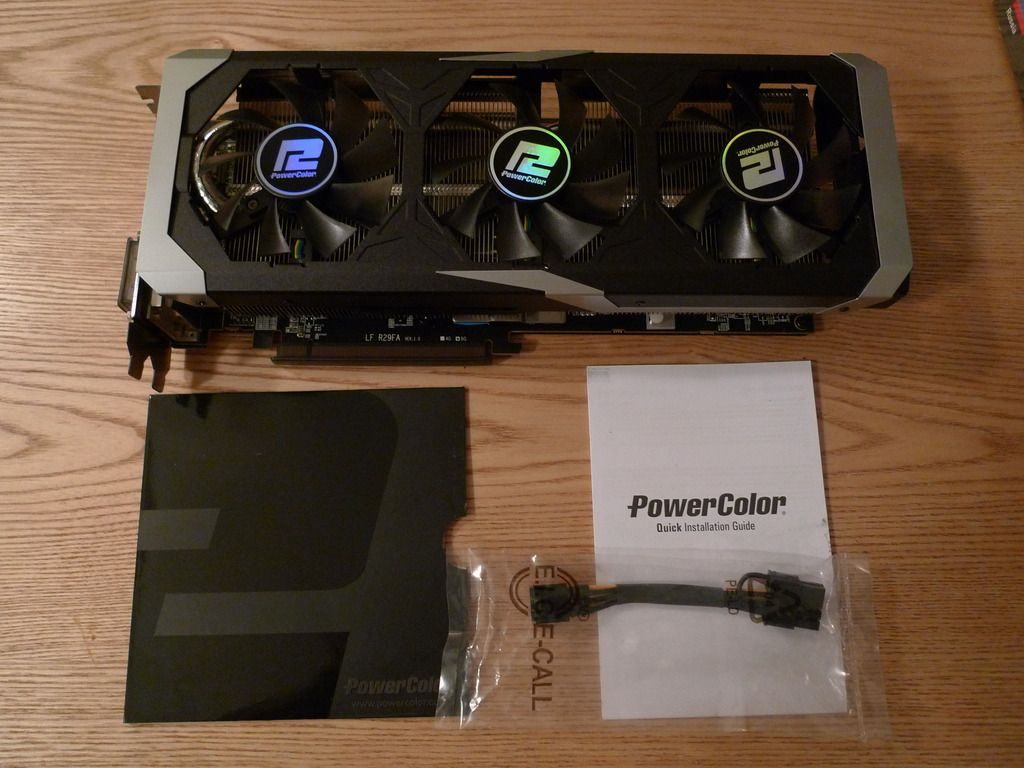
It comes bundled with a driver disk, quick installation guide and a 6 to 8 pin power cable.
The card
The 390X is really an updated version of the 290X sharing the same Hawaii GPU and 2816 shaders but this one has 8GB of GDDR5 memory running at 1500 Mhz compared to the 290X which had 4GB clocked at 1250 Mhz.
PowerColor have two 390X models in their current line up and this one the PCS+ has a GPU clock of 1060 Mhz.

The display outputs consists of two DVI-D, a single HDMI and a single Display Port.
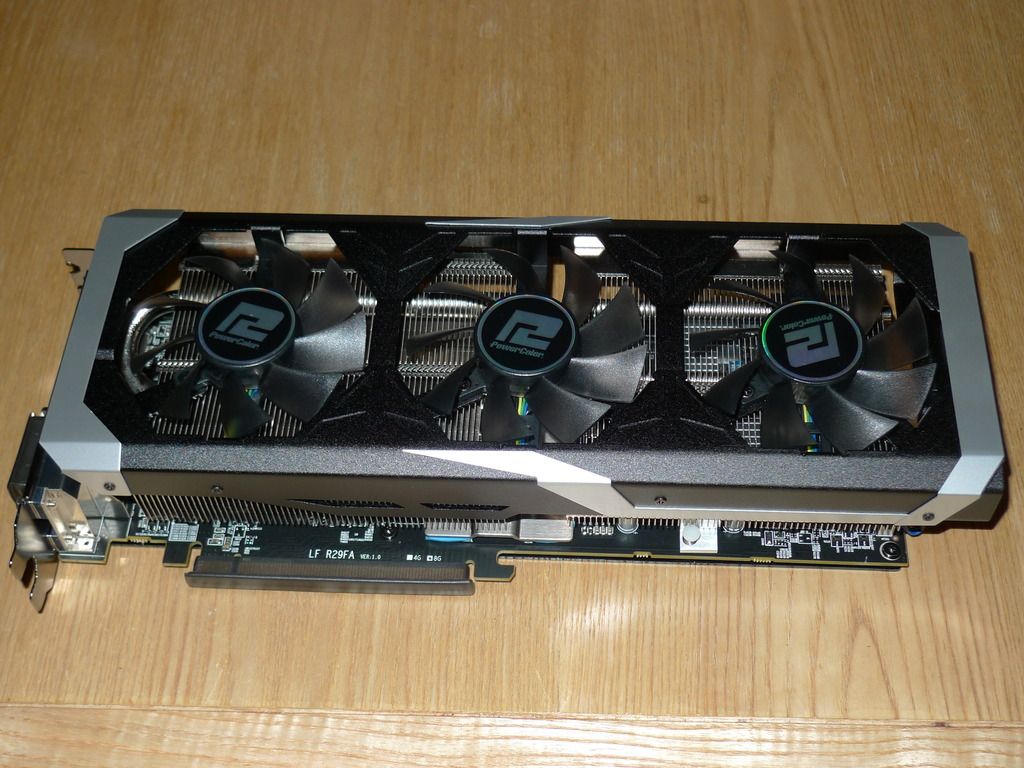
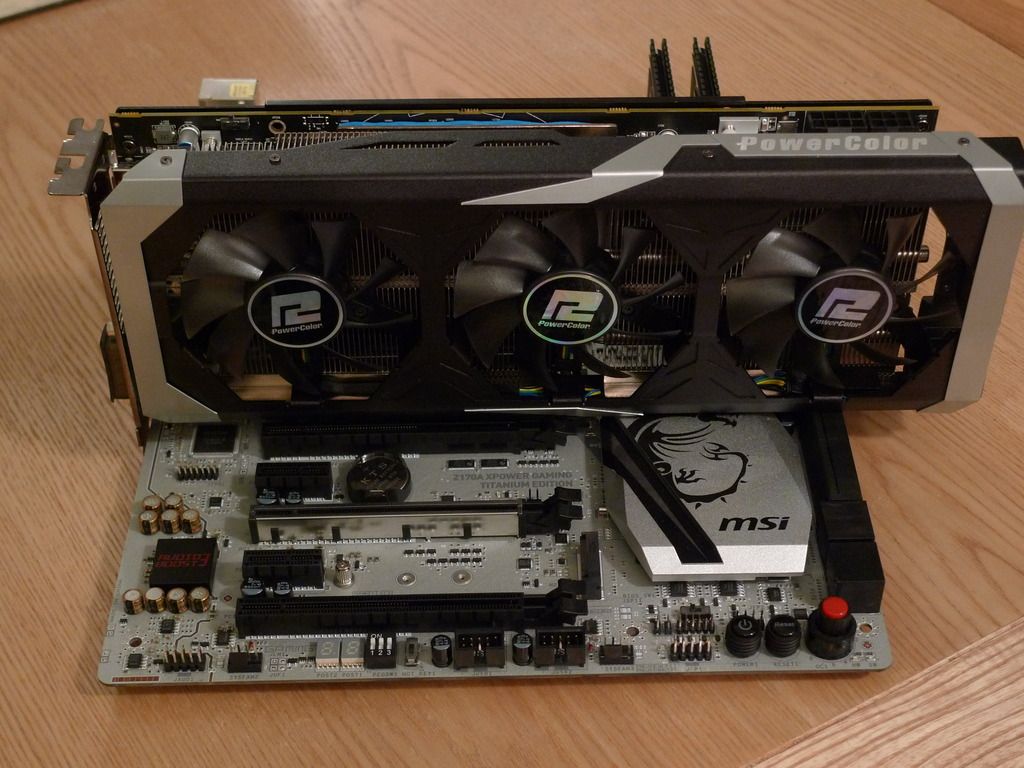
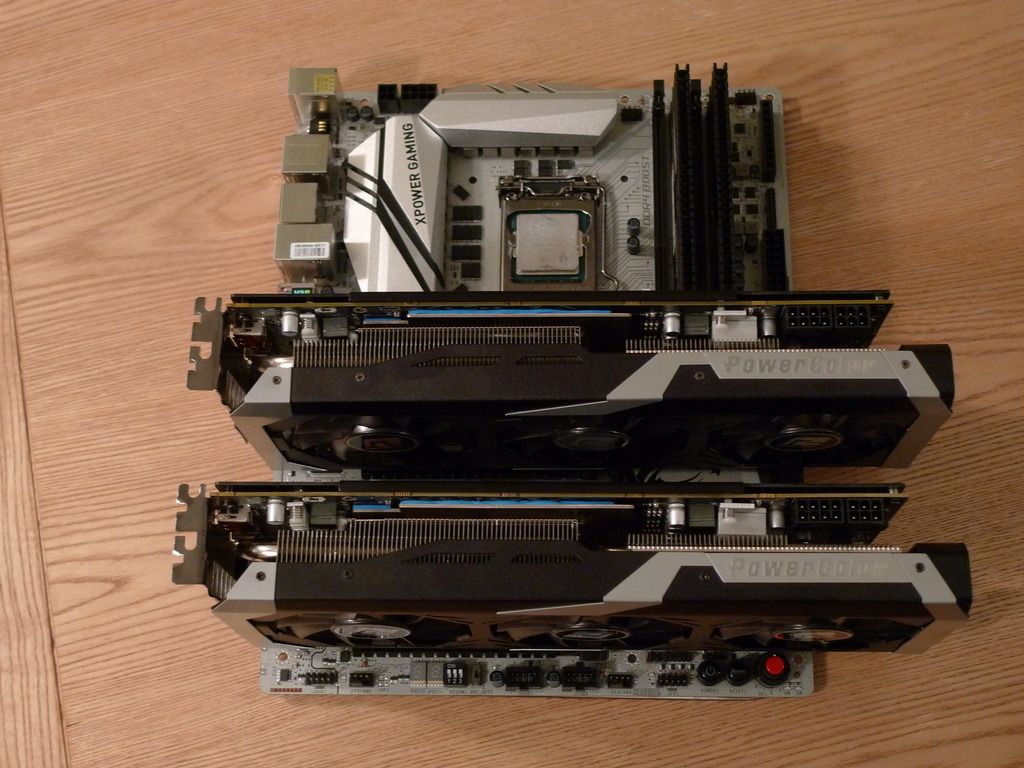
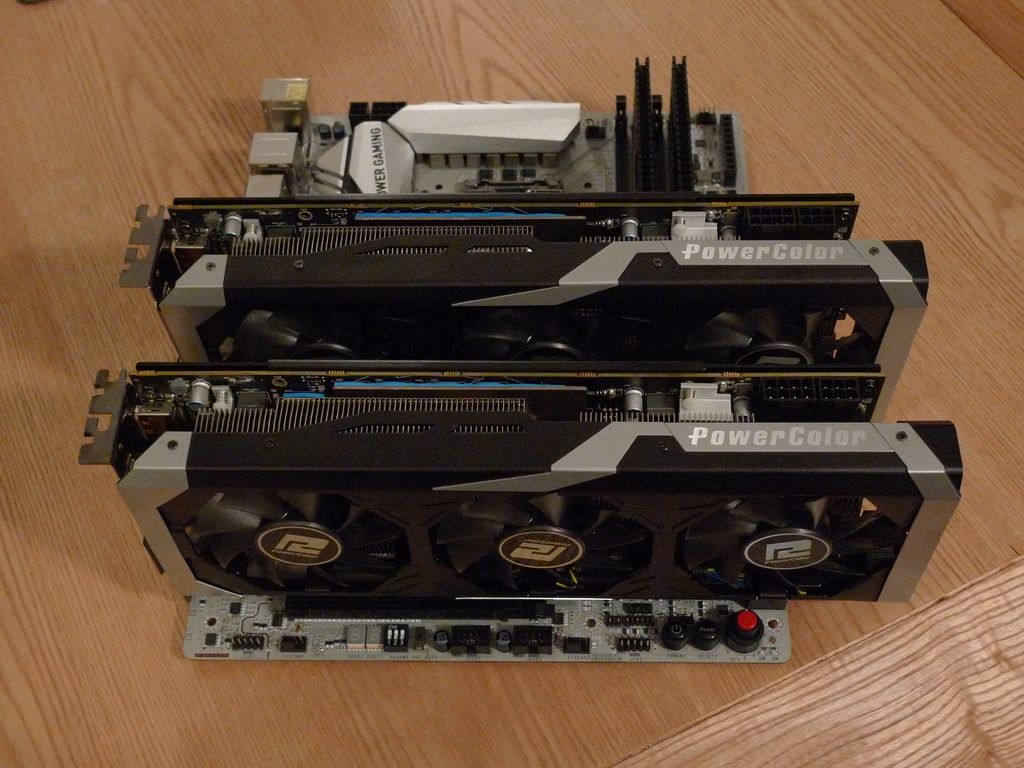
The cooling is provided by three fans and a large heatsink which runs the length of the card.
It features PowerColor Mute fan technology which means that the fans won’t come on providing a noiseless environment and reducing the power consumption when the GPU temperature is low than 60°C.
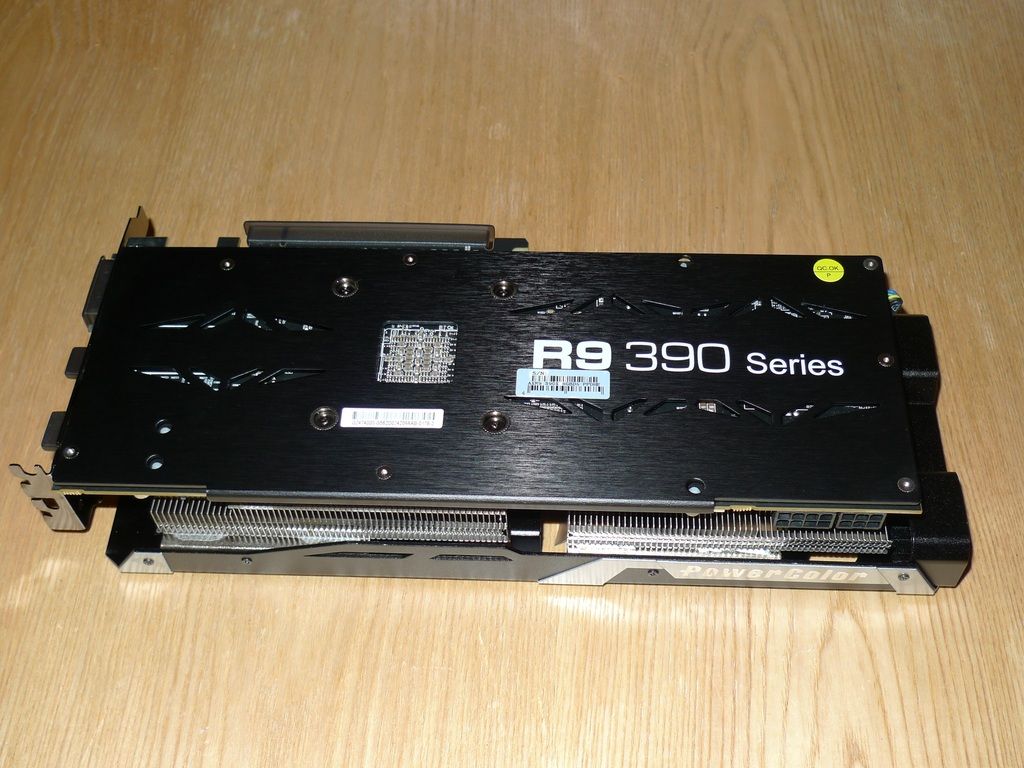
The PowerColor 390X has a black metal backplate with R9 390 Series printed on it in white, The power is supplied by means of an 8-pin and 6-pin connectors.
Test setup
Motherboard: MSI Z170A XPOWER Gaming Titanium Edition
Processor: Intel Core i7 6700K
Memory: Kingston Hyper X Predator 2 x 4GB HX426C13PB2K4/16 DDR4
Single card performance
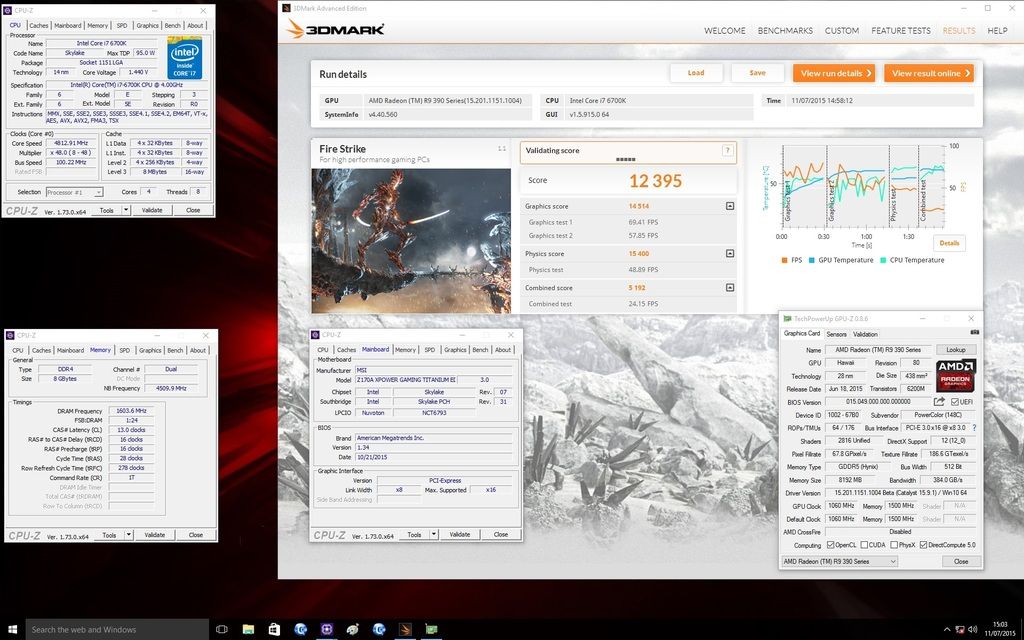
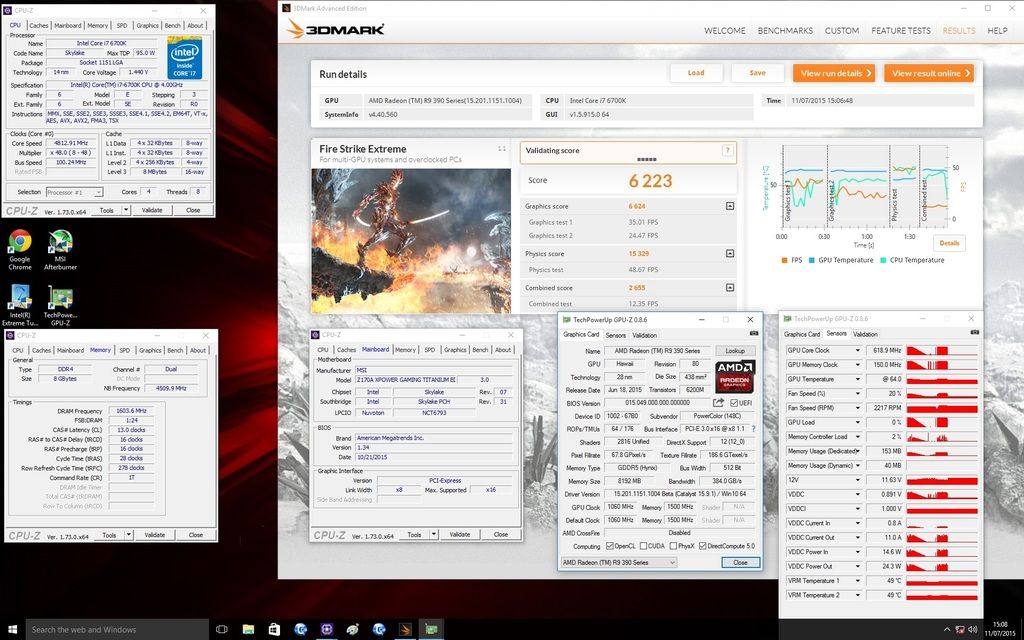
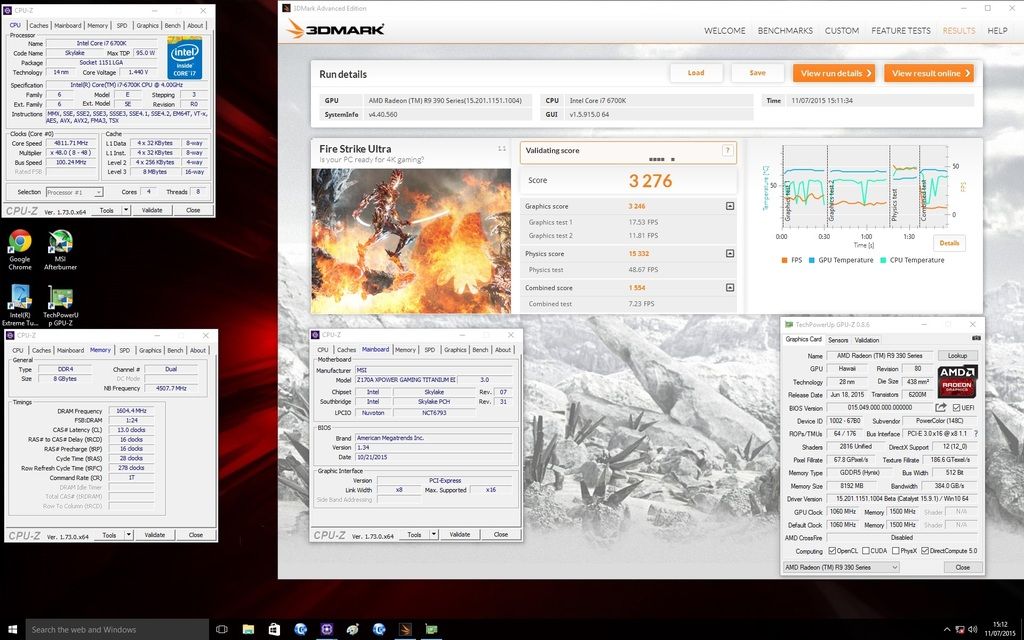
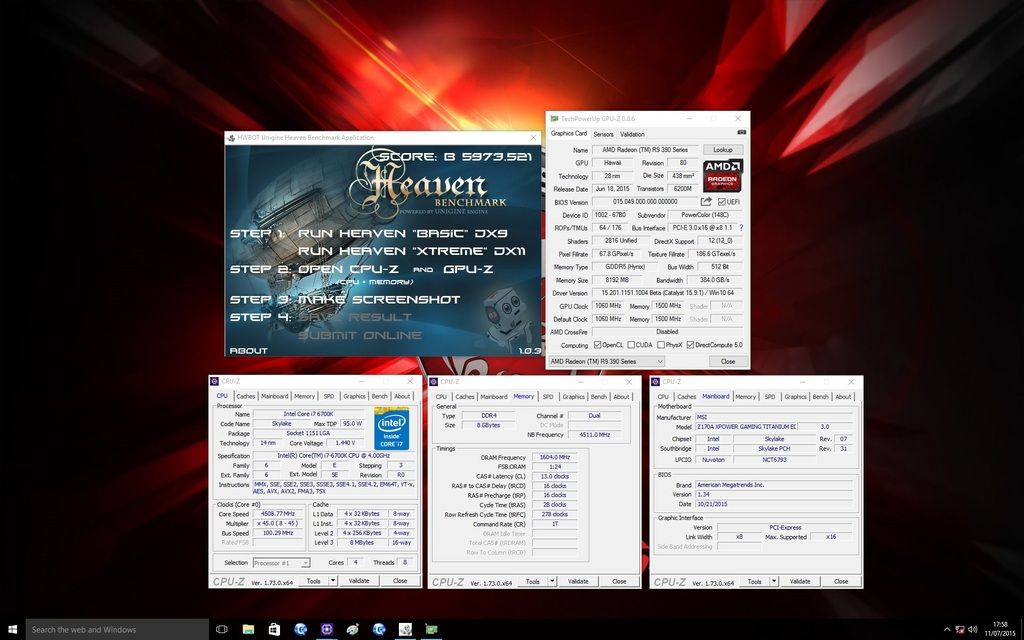
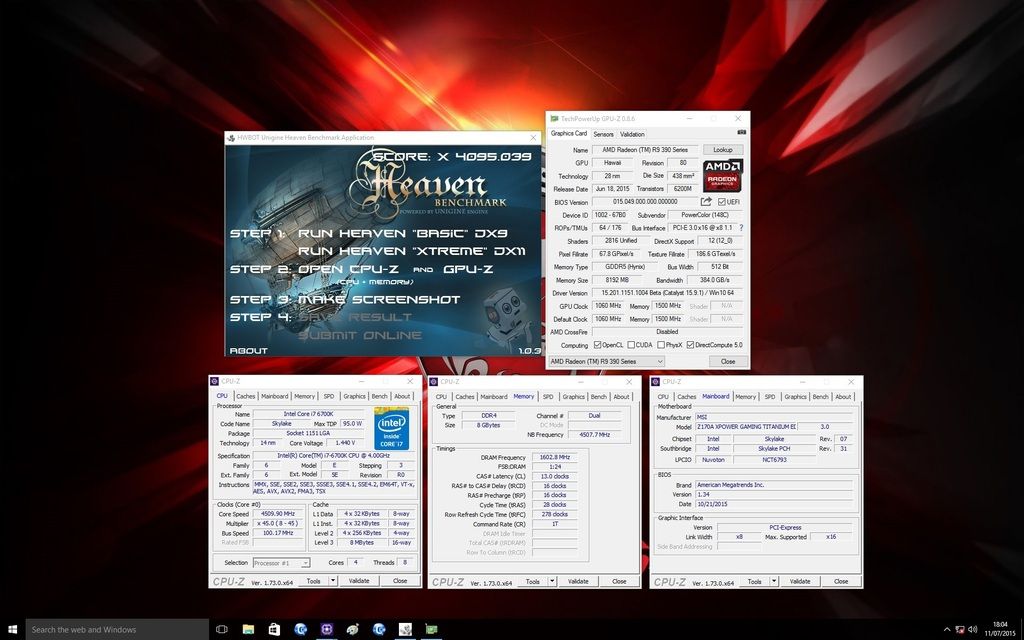
Here are some results with the card running at the defaults clocks.
Fire Strike
Fire Strike Extreme
Fire Strike Ultra
Unigine Heaven Basic DX9
Unigine Heaven Xtreme DX11
Overclocking the 390X
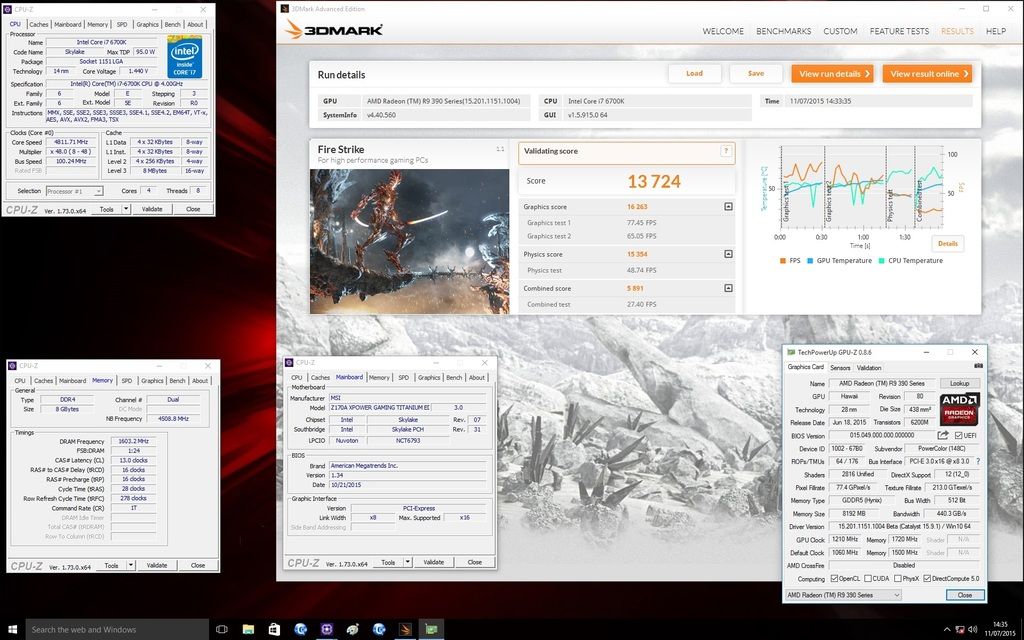
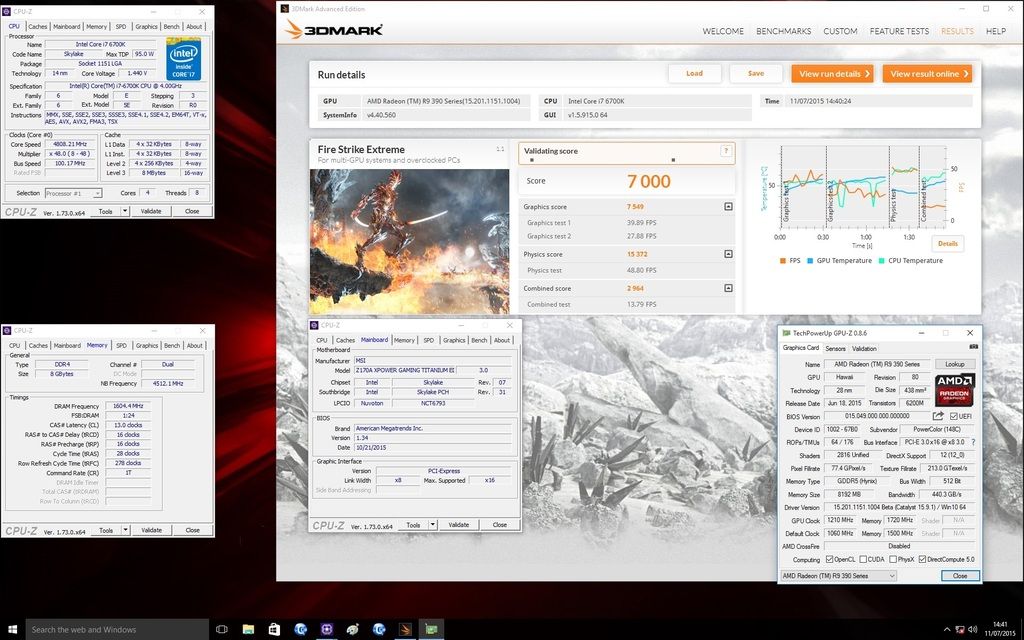
To overclock the card I used Afterburner to achieve a stable 1200 Mhz GPU clock and 1700 Mhz on the memory.
A nice improvement in scores are seen in all the benchmarks.
Fire Strike
Fire Strike Extreme
Fire Strike Ultra
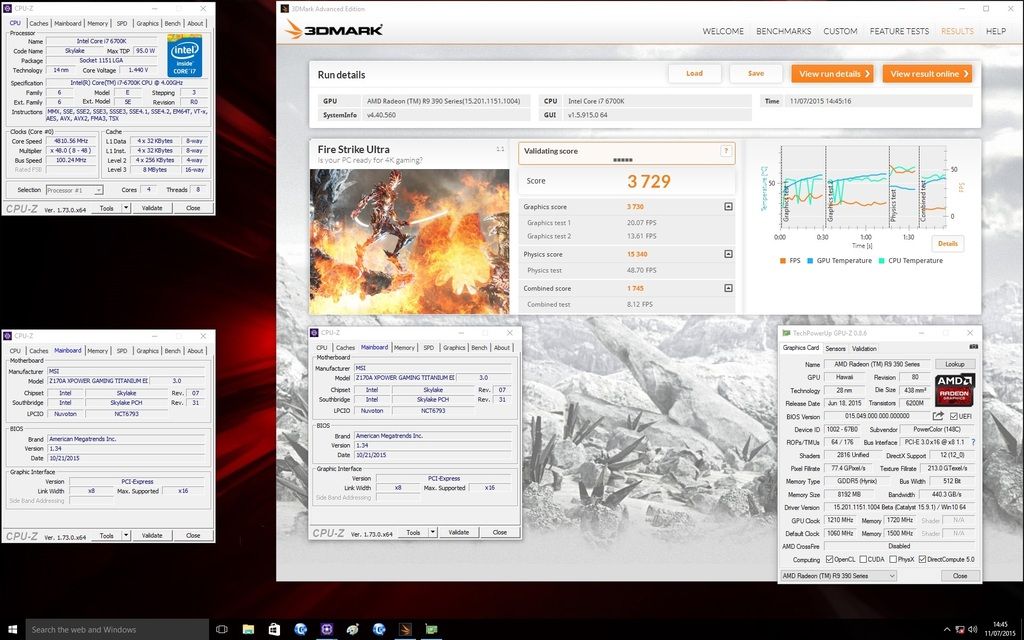
Unigine Heaven Basic DX9
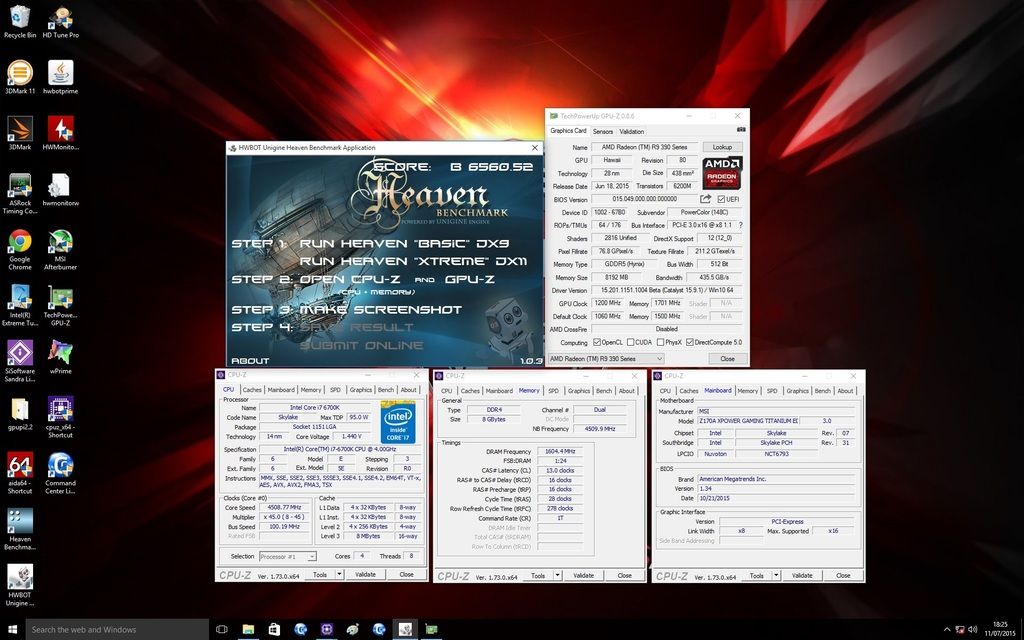
Unigine Heaven Xtreme DX11
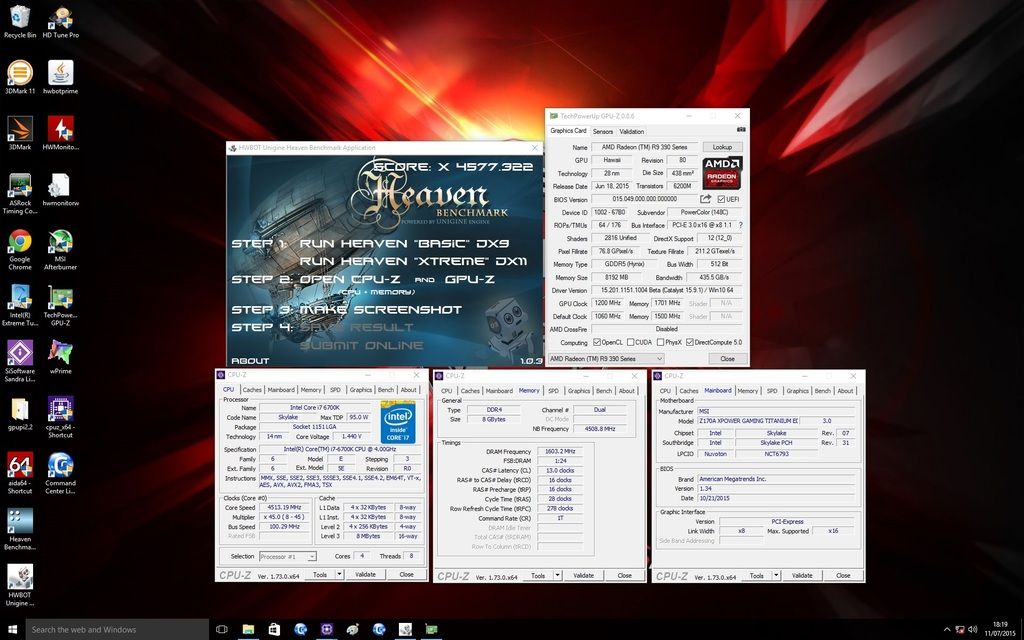
Dual 390X performance
Results at default speeds
Fire Strike
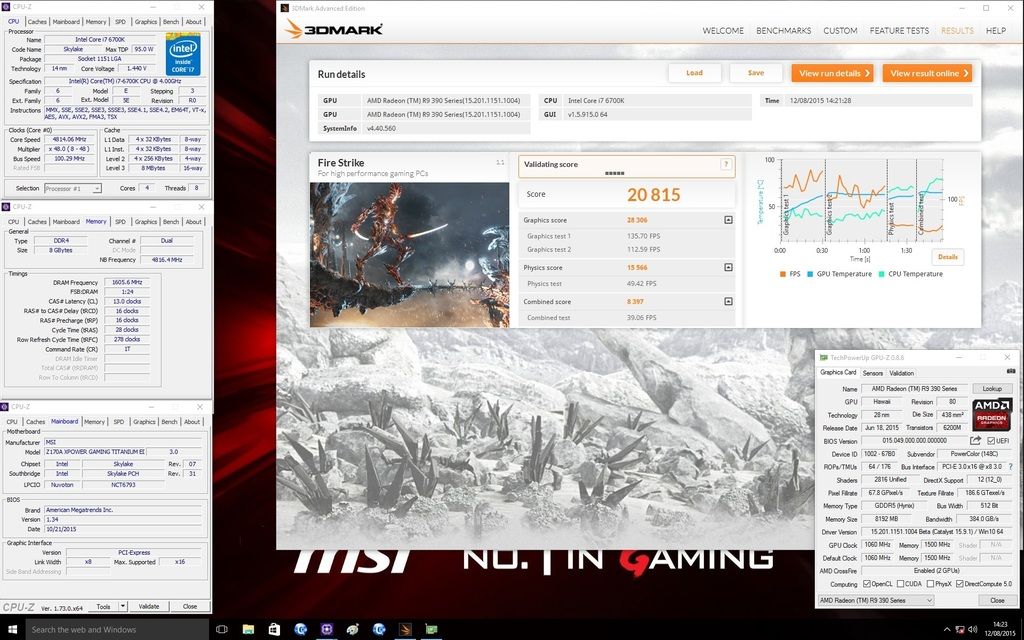
Fire Strike Extreme
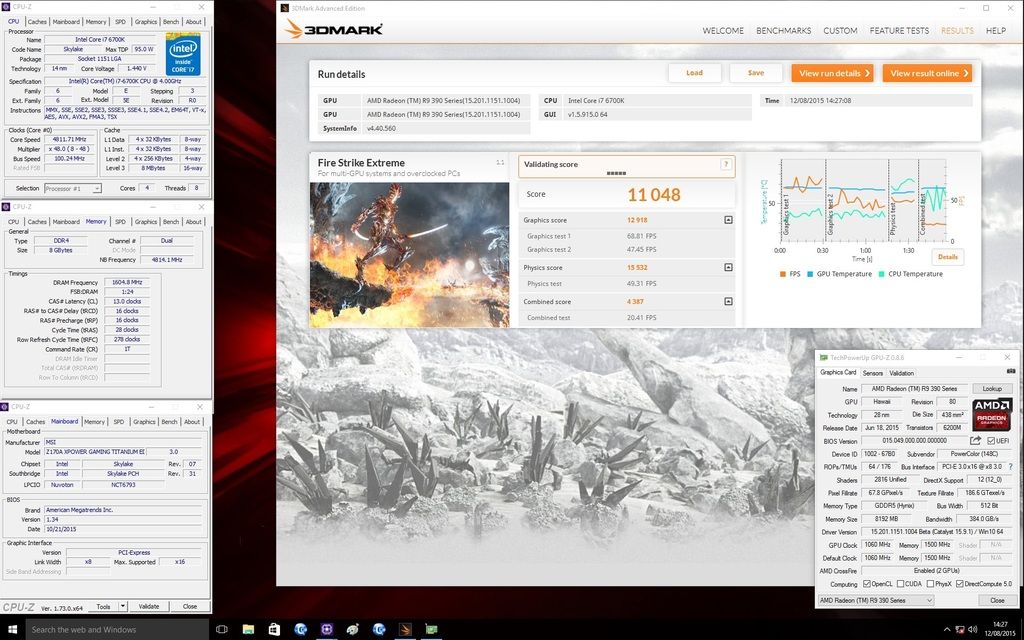
Fire Strike Ultra
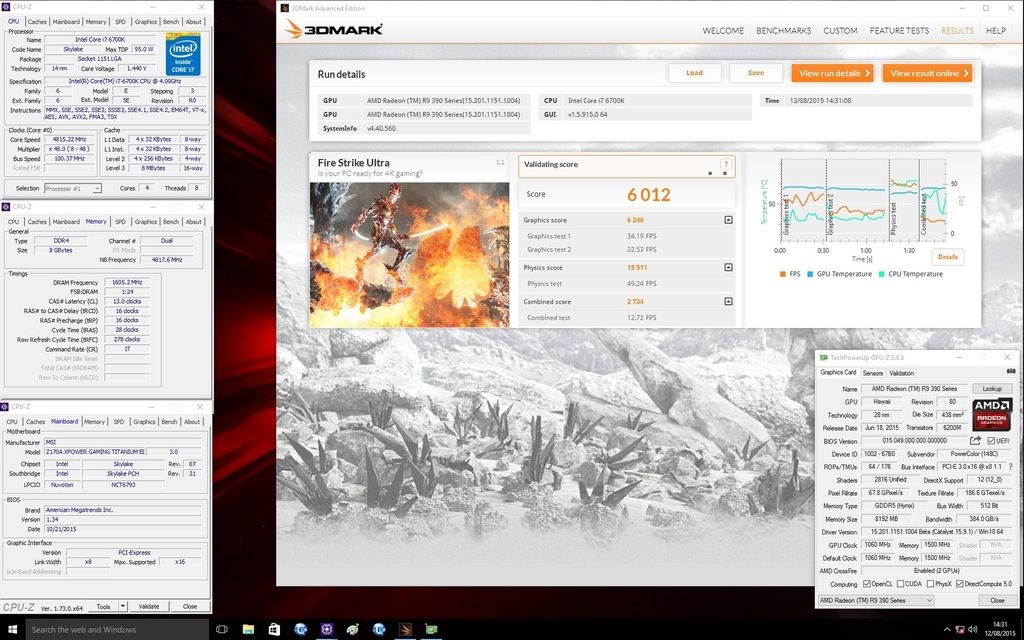
3DMark 11
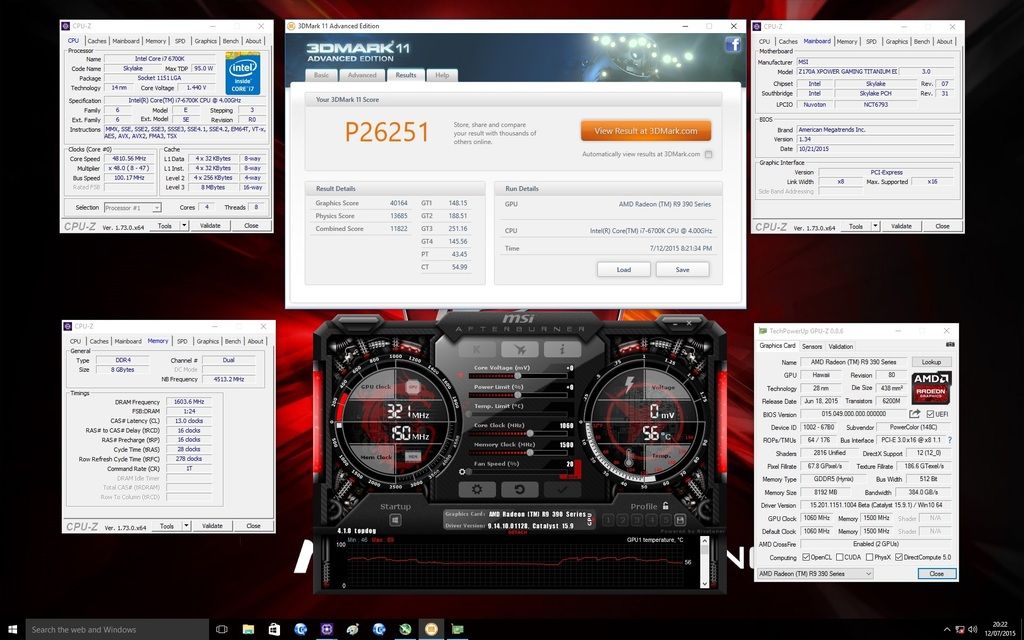
3Dmark Vantage
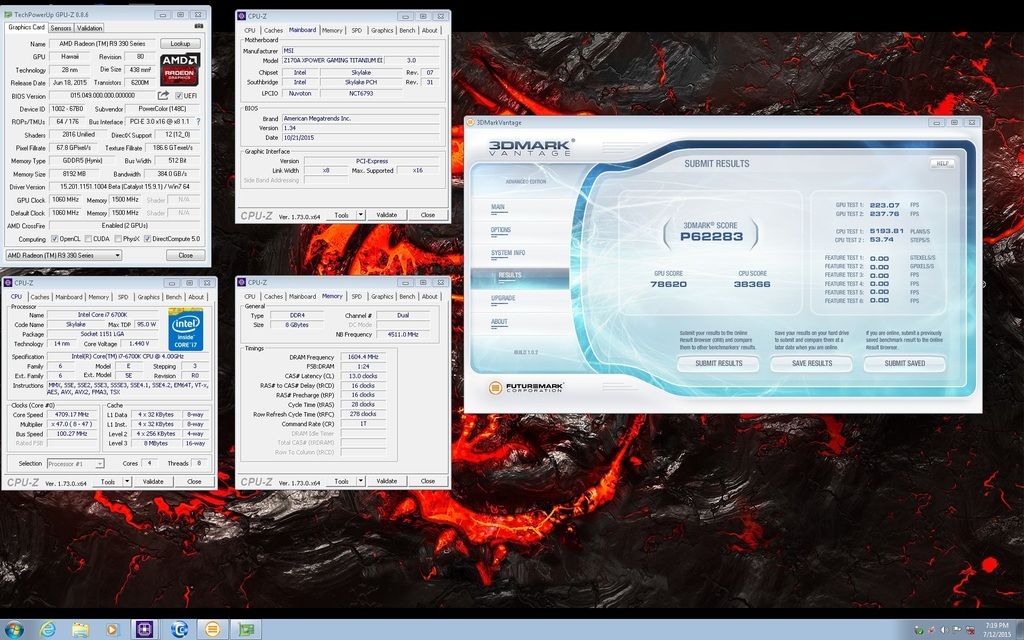
Unigine Basic DX9
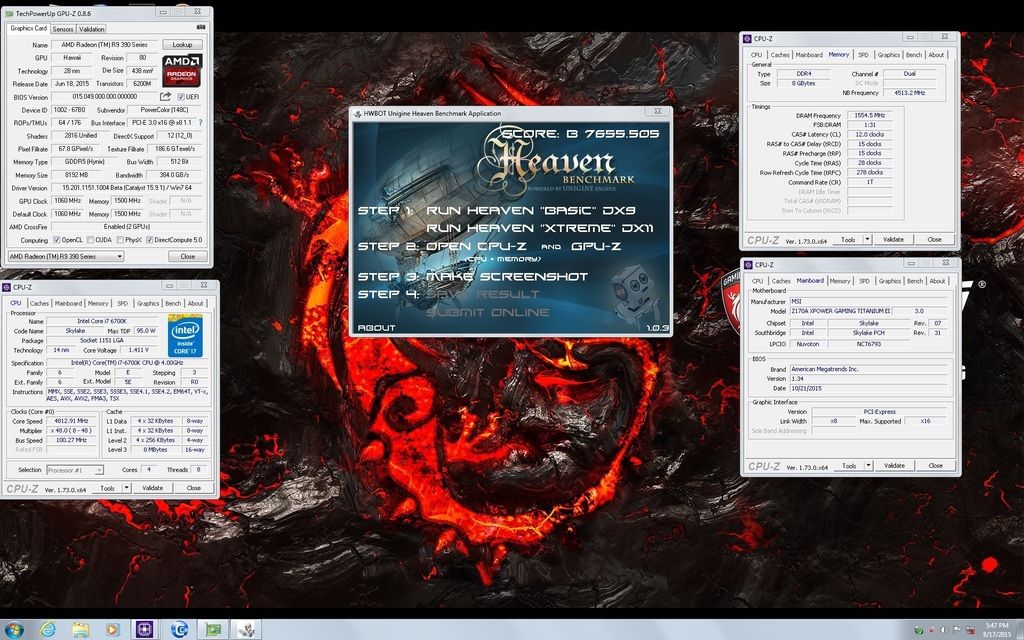
Unigine Heaven Xtreme DX11
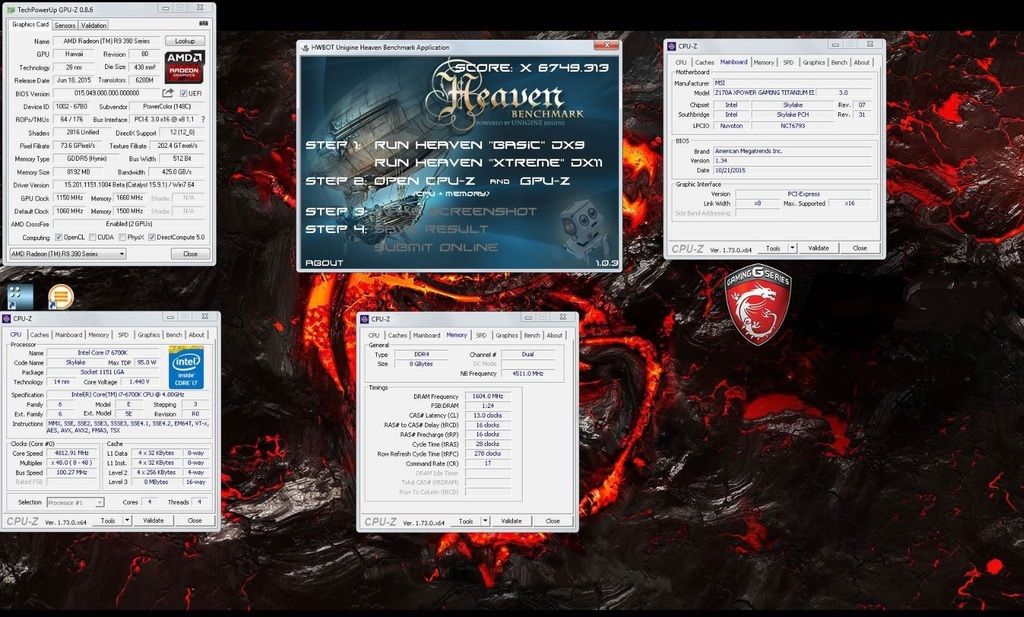
Overclocking results
Fire Strike
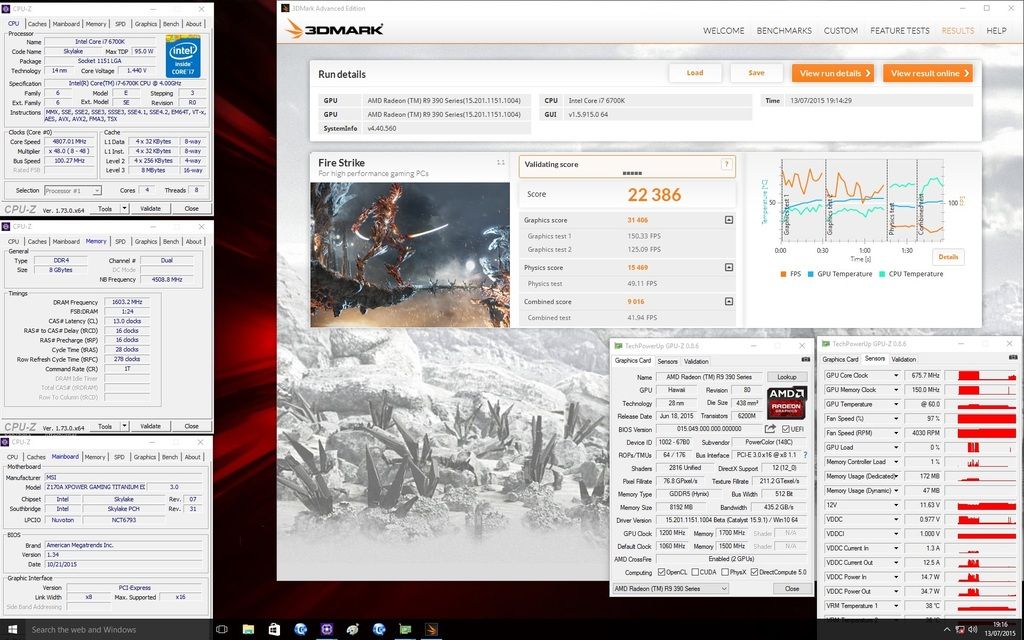
Fire Strike Extreme
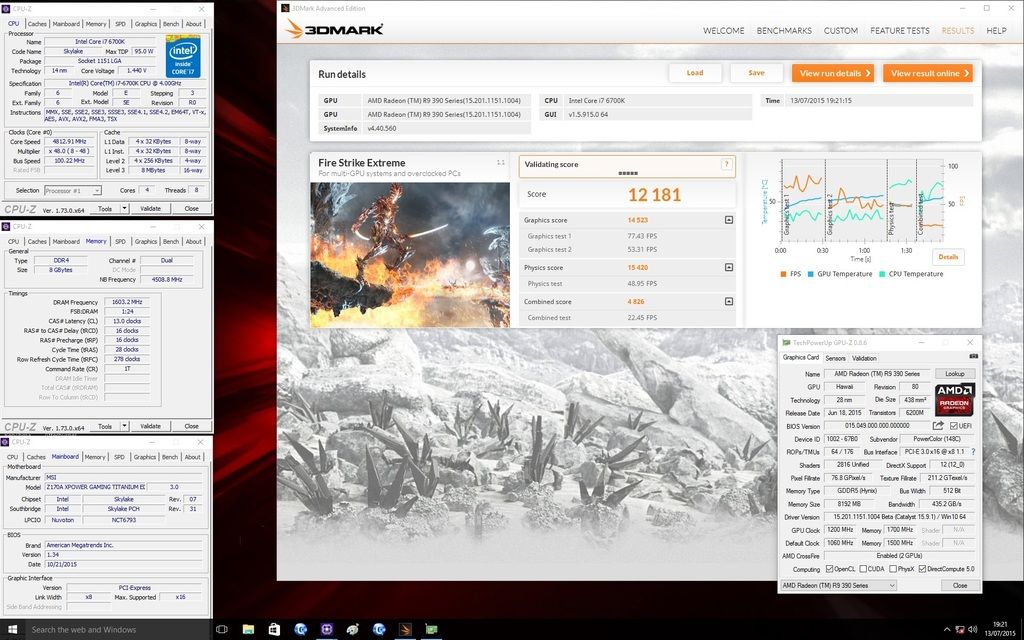
Fire Strike Ultra
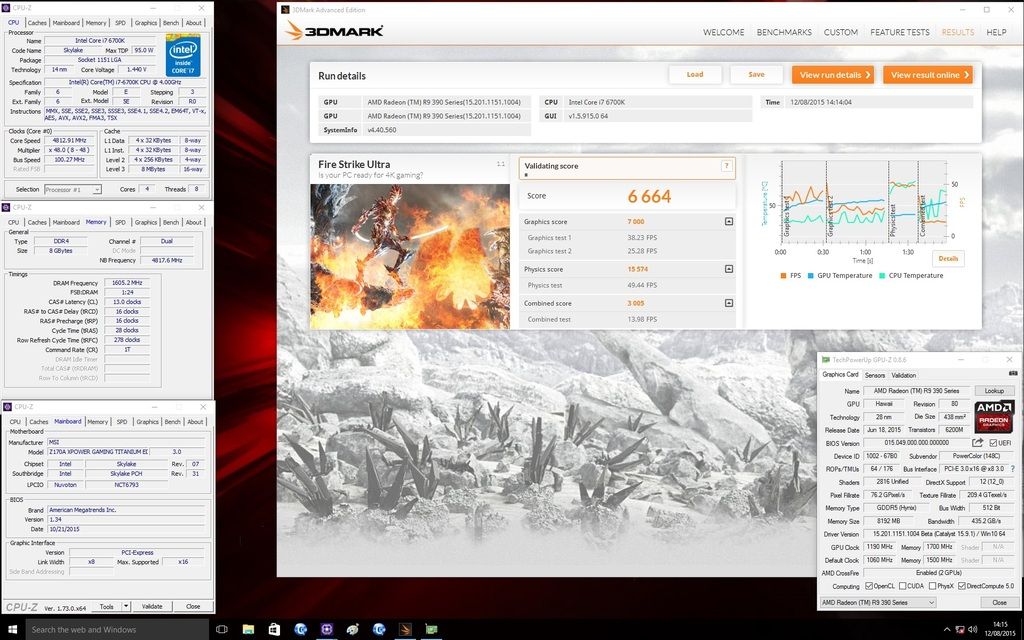
3DMark 11
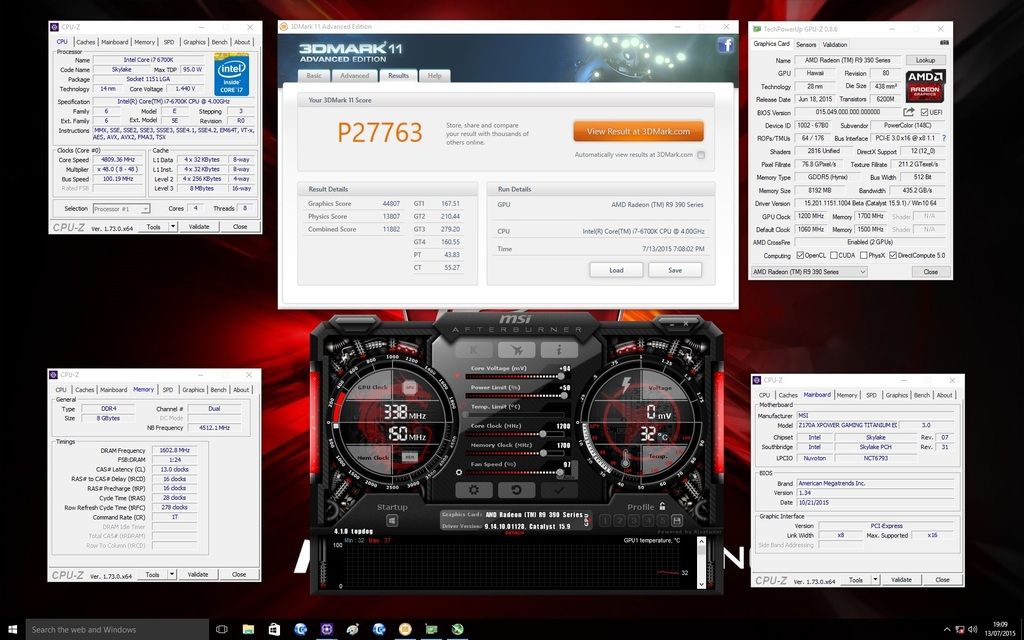
3DMark Vantage
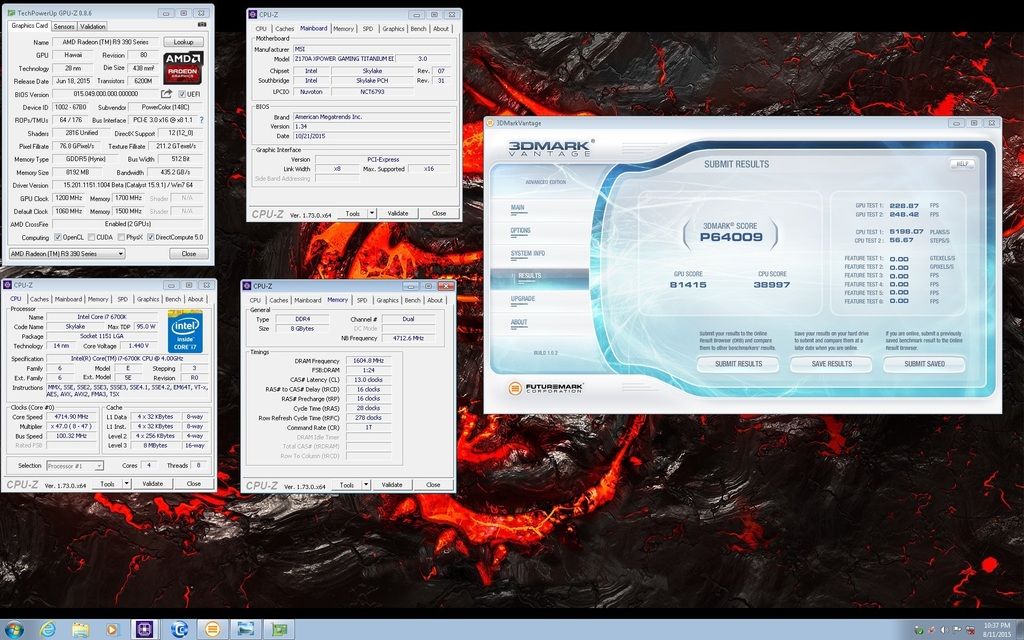
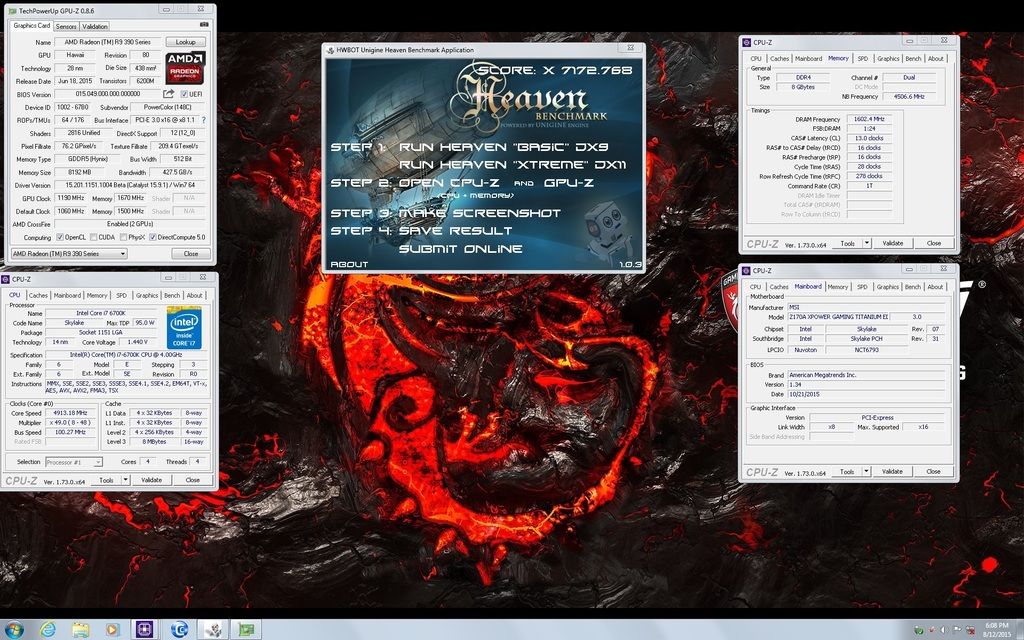
Unigine Basic DX9
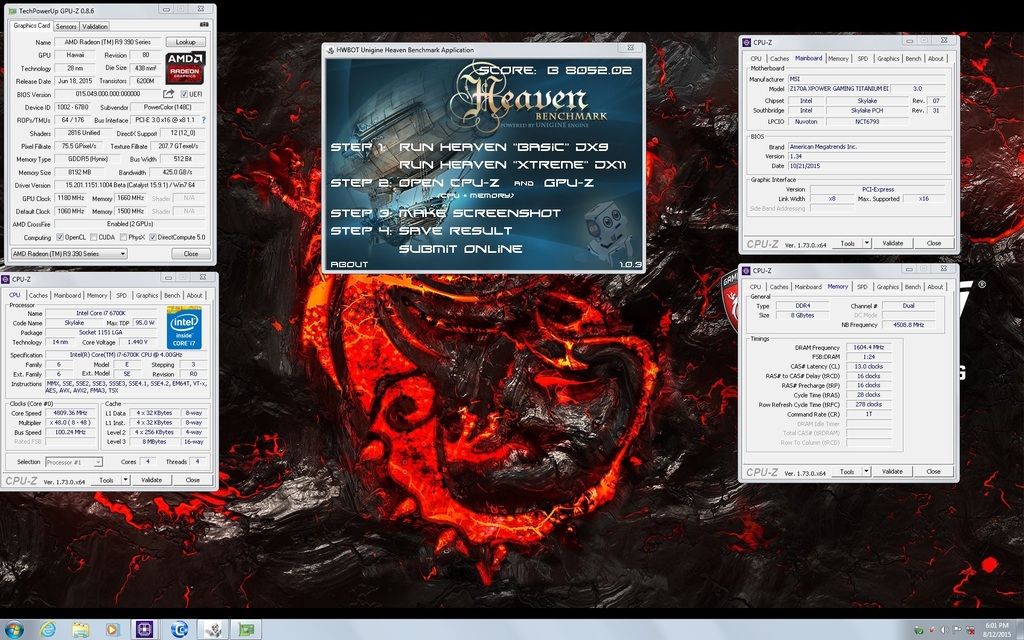
Unigine Heaven Xtreme DX11
Conclusion
Out of the box performance was good, the 390X ran very quiet and temperatures reached up to 65-70°C.
The card overclocked well and the triple slot cooler did a good job of keeping temps low but it was quite audible at full speed.
Both cards ran well together in crossfire and performance scaling was pretty good.
The card looks great, I particularly liked the black and silver colour scheme as it blended well with the Z170A Titanium Edition motherboard which I used.
PowerColor R9 390X 8192MB GDDR5 Graphics Card @ £319.99 available from OCUK
Thanks again to OCUK and KitGuru for providing the cards.
As some of you may know I won a recent competition ran jointly by OCUK and KitGuru to win a PowerColor Devil 13 dual core 390X.
Unfortunately it wasn’t comparible with my PC so I was offered two PowerColor PCS+ R9 390X cards as an alternative.
About PowerColor
PowerColor, established by Tul Corporation in 1997, is a graphics industry leading brand name now and well known for its outstanding performance and innovative technology. As a leading provider of graphics card, PowerColor offers powerful, reliable and cost-effective solutions to customers worldwide.
Specifications from the PowerColor website
Part Number AXR9 390X 8GBD5-PPDHE
Graphics Engine RADEON R9 390X
Video Memory 8GB GDDR5
Engine Clock 1060MHz
Memory Clock 1500MHz x4 (6.0 Gbps)
Memory Interface 512bit
DirectX Support 12
Bus Standard PCIE 3.0
Display Connectors DL DVI-D/ DL DVI-D/ HDMI/Display Port
Packaging and contents


The PowerColor 390X comes packaged in a black box displaying some of the features and system requirements.

It comes bundled with a driver disk, quick installation guide and a 6 to 8 pin power cable.
The card
The 390X is really an updated version of the 290X sharing the same Hawaii GPU and 2816 shaders but this one has 8GB of GDDR5 memory running at 1500 Mhz compared to the 290X which had 4GB clocked at 1250 Mhz.
PowerColor have two 390X models in their current line up and this one the PCS+ has a GPU clock of 1060 Mhz.

The display outputs consists of two DVI-D, a single HDMI and a single Display Port.

The cooling is provided by three fans and a large heatsink which runs the length of the card.
It features PowerColor Mute fan technology which means that the fans won’t come on providing a noiseless environment and reducing the power consumption when the GPU temperature is low than 60°C.

The PowerColor 390X has a black metal backplate with R9 390 Series printed on it in white, The power is supplied by means of an 8-pin and 6-pin connectors.
Test setup
Motherboard: MSI Z170A XPOWER Gaming Titanium Edition
Processor: Intel Core i7 6700K
Memory: Kingston Hyper X Predator 2 x 4GB HX426C13PB2K4/16 DDR4
Single card performance
Here are some results with the card running at the defaults clocks.
Fire Strike

Fire Strike Extreme

Fire Strike Ultra

Unigine Heaven Basic DX9

Unigine Heaven Xtreme DX11

Overclocking the 390X
To overclock the card I used Afterburner to achieve a stable 1200 Mhz GPU clock and 1700 Mhz on the memory.
A nice improvement in scores are seen in all the benchmarks.
Fire Strike

Fire Strike Extreme

Fire Strike Ultra

Unigine Heaven Basic DX9

Unigine Heaven Xtreme DX11

Dual 390X performance
Results at default speeds
Fire Strike

Fire Strike Extreme

Fire Strike Ultra

3DMark 11

3Dmark Vantage

Unigine Basic DX9

Unigine Heaven Xtreme DX11

Overclocking results
Fire Strike

Fire Strike Extreme

Fire Strike Ultra

3DMark 11

3DMark Vantage

Unigine Basic DX9

Unigine Heaven Xtreme DX11

Conclusion
Out of the box performance was good, the 390X ran very quiet and temperatures reached up to 65-70°C.
The card overclocked well and the triple slot cooler did a good job of keeping temps low but it was quite audible at full speed.
Both cards ran well together in crossfire and performance scaling was pretty good.
The card looks great, I particularly liked the black and silver colour scheme as it blended well with the Z170A Titanium Edition motherboard which I used.


PowerColor R9 390X 8192MB GDDR5 Graphics Card @ £319.99 available from OCUK
Thanks again to OCUK and KitGuru for providing the cards.









