£1k budget work machine

Soldato
Joined
2 May 2004
Posts
19,953
I've been given the go ahead to spec out a new machine for myself at work. Budget is around £1k, but the boss will of course be happy with anything below :p

Requirements:
Run 3-4 screens (whether that means one card that can take that many screens or multiple cheaper cards).

Heaviest graphical work I'll do is Photoshop.

16GB RAM min. Ideally only 2 sticks so I can up to 32GB in the future - I run VMs for development plus Visual Studio, Photoshop, Chrome, Outlook can all be open at the same time. Or if it's one of those boards with more than 4 DDR slots, then that'll be good.

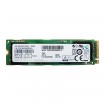
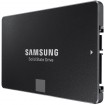
500GB SSD min. Would like one of those 2000MB/s+ M.2 PCI-E if that's realistic in this budget with those other specs.

Go!

Thanks :)
 
Last edited:
Just put this together quickly. Anything I should be changing?

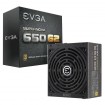
My basket at Overclockers UK:

Total: £1,164.44
(includes shipping: £12.60)


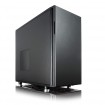
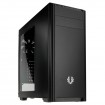
I would like to go for a cheaper case as well. Considering I won't be running any fancy graphic card in this and it'll be a build and leave it alone build, I don't need something that expensive, but wasn't sure what's cheap and decent!
 
Last edited:
DDR4 and DDR3 board wont go.

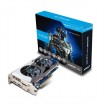
GFX card not much better than just using the onboard solution? as it does have three outputs,

1x HDMI with max. resolution 4096x2160@24Hz / 2560x1600@60Hz
1x DVI-D with max. resolution of 1920 x 1200 @60Hz
1x RGB with max. resolution of 1920 x 1200 @60Hz

If 3 is enough, or keep the card and use a combination of them.
 
Oops! Didn't spot that... thanks :)

If the onboard is going to be good enough for Photoshop work and running 3 1080p screens then yep, good idea and I can always pop a cheap card in in the future if I want/need a 4th screen. I assume all 3 ports can be used at the same time? I know some of them (particularly laptops) don't allow you to use all at once.

Updated original spec to include DDR4 board and of course different CPU. Is it worth going DDR4 and that new chipset?

Thanks.
 
Last edited:
I've just done an overhaul of my machine which is primarily for heavy Photoshop/Illustrator and Visual Studio C++ work. I wanted a six core chip so went with pretty much this (although I re-used some parts).

Great workstation, doesn't skip a beat. Tips over your budget a little though because there's no integrated GPU. Edit: doh you need to add a cooler as well.

My basket at Overclockers UK:

Total: £1,079.41
(includes shipping: £12.60)


You need a heatsink with that one (check it fits 2011 which is the same mounting as 2011-3).

Edit, Skylake retail non-K CPUs come with a heatsink, actual "K" skylake retail or OEM do not (so you need socket 115* heatsinks) - this is for the amended basket in post#2.
 
Ok, updated original (thanks mid_gen, it's based on yours).

A bit over budget now, but that's because I have the PCI-E SSD in there :p. It's something I can take out if necessary. Also changed the PSU - don't think you really need 650 for a machine like this?
 
Sorry perhaps my post was a bit unclear as it was in relation to the X99 build, then I saw your updated basket and tacked it onto the end.
 
Careful there,

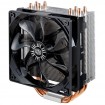
http://www.coolermaster.com/cooling/cpu-air-cooler/hyper-212-evo/

Intel Socket:
LGA 2011-3* / 2011* / 1366 / 1156 / 1155 / 1151 / 1150 / 775

* Supplied accessories may differ by country or area. Please check with your local distributor for further details.

Which might be why its not listed as having socket 2011 support at OCUK.


================================

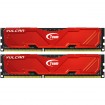
There is also cheaper RAM,

My basket at Overclockers UK:

Total: £508.67
(includes shipping: £8.70)


My basket at Overclockers UK:

Total: £963.11
(includes shipping: £13.20)


You dont need a low profile cooler like that (also the smaller size = less surface area for heat dissipation) as the case will support chunky ones.

Now, Noctua certainly do do some lovely heatsinks with excellent acoustics and wonderfully simple mounting mechanisms.
 
Back
Top Bottom