Hi All
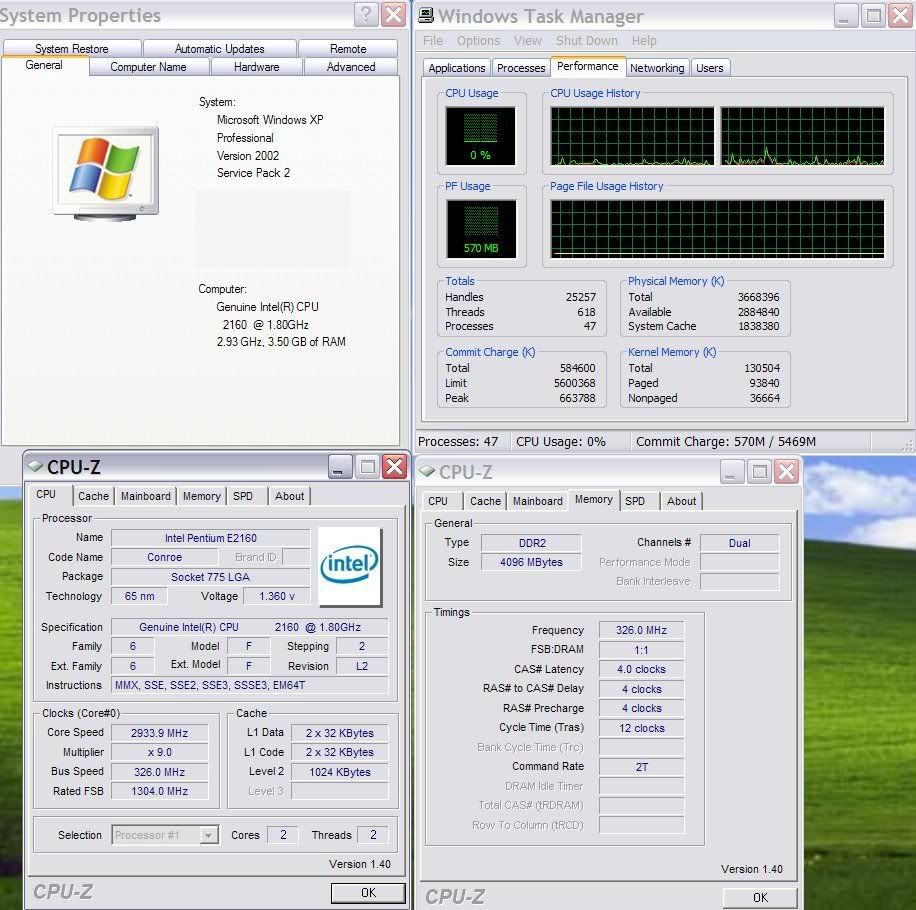
Im quite baffeled by something and I hope someone can shed some light on this for me. I recently upgraded to 4gb RAM and am in the process of migrating to Vista x64. Im going to dual boot for now as some things I need dont work in Vista just yet. Anyhoo, I installed the new dimms, entered the bios (ASUS Commando bios v1001) and enabled memory remap. The bios shows the full 4gb ram and is happy. Boot into XP, only 2gb shows. I have added /3gb and /pae to the boot.ini but nothing. If i go into the bios and disable memory remap, the bios only sees 3gb of the ram but then in XP it shows 2.75gb. Whats going on! Id like to obviously use as much as I can in XP (3gb) when in XP but when in Vista Id like it to address the full 4gb. Im hoping there is something simple I am missing here, any help is appreciated.
Im quite baffeled by something and I hope someone can shed some light on this for me. I recently upgraded to 4gb RAM and am in the process of migrating to Vista x64. Im going to dual boot for now as some things I need dont work in Vista just yet. Anyhoo, I installed the new dimms, entered the bios (ASUS Commando bios v1001) and enabled memory remap. The bios shows the full 4gb ram and is happy. Boot into XP, only 2gb shows. I have added /3gb and /pae to the boot.ini but nothing. If i go into the bios and disable memory remap, the bios only sees 3gb of the ram but then in XP it shows 2.75gb. Whats going on! Id like to obviously use as much as I can in XP (3gb) when in XP but when in Vista Id like it to address the full 4gb. Im hoping there is something simple I am missing here, any help is appreciated.