• Competitor rules

    Please remember that any mention of competitors, hinting at competitors or offering to provide details of competitors will result in an account suspension. The full rules can be found under the 'Terms and Rules' link in the bottom right corner of your screen. Just don't mention competitors in any way, shape or form and you'll be OK.

5870 Crossfire problem

Associate
Joined
30 Aug 2009
Posts
305
Hi guys,

I've just taken receipt of my 2nd Vapor-X 5870 and jumped straight in to plugging it in and powering up. First thing I did was run Heaven v2 to see how it handles it, and I was given an orange screen about 20 seconds in.

After a reset, I thought I would check another benchmark, so ran 3Dmark Vantage, which completed fine with a 20k gpu score. I then played some MW2, but about 30 mins into the gaming the PC powered off suddenly.

Figuring I ought to do a reinstall of drivers to be sure nothing untoward happened, I've still experienced the same sort of crash. Even running the Win7 performance evaluation lead to a screen that was entirely blue and a message that the driver had failed and successfully restarted.
As a final test I had Furmark running and although both cards reached 90c they didn't show any crash or artifacts, so I think both cards are working ok.

I have now isolated each card, run them under tests seperately and both are solid by themselves. My original card works perfectly in both my PCI-E slots, and the new card is also performing just as well. The problem seems to be the crossfire setup.

I'm running the 10.3 drivers, which both crossfire bridges connected. Do I need both or just 1? Anyone got any ideas?
 
I've got a 900w BZ series Tagan jobby from about 2 years ago. Up until last week I was running a 5870 with a 8800gtx underneath for physx and I didn't run into any problems with that. I expect that their draw is about the same, if not more :)

My girlfriend has actually got a totally identical system sitting next to me (she has the 8800gtx now!) with a 1100w Tagan so I could check them on that.

I've just finished a whole Heaven2 benchmark without faults. This is very confusing :) These are my first Ati cards (been a Green Teamer since the 5950!) so I'm not sure if there are any tricks or tips I'm missing with the Catalyst settings that are specific to Xfire.
 
Well prior to my post I did a card reseat (stuck my old card as the primary outputter in the top PCI-E slot with the new one underneath) and I've now been able to run both Heaven 1 and 2 without a problem.

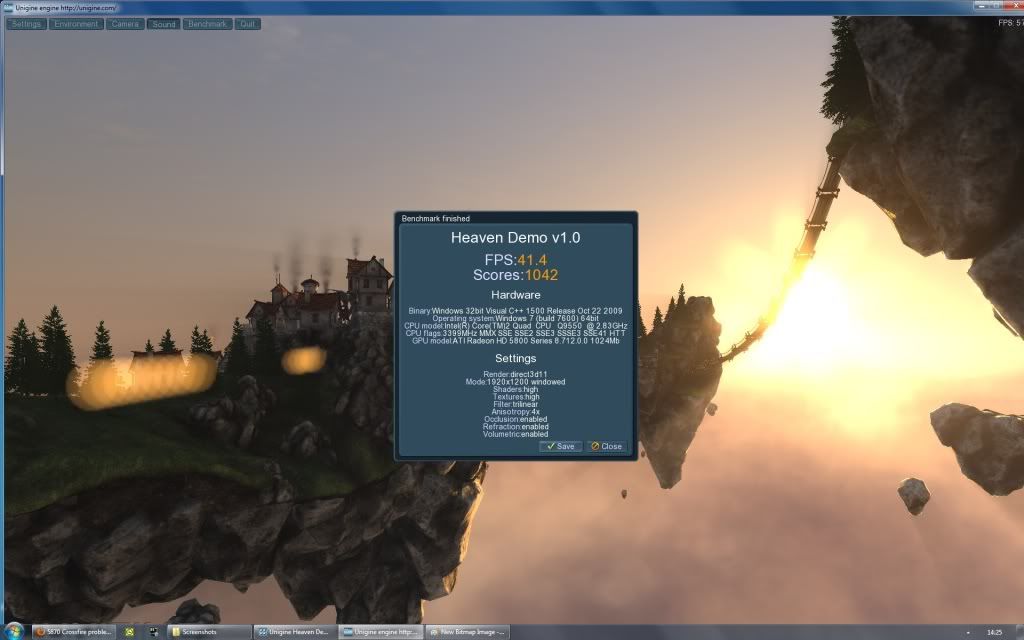
heaven1103sxfire.jpg


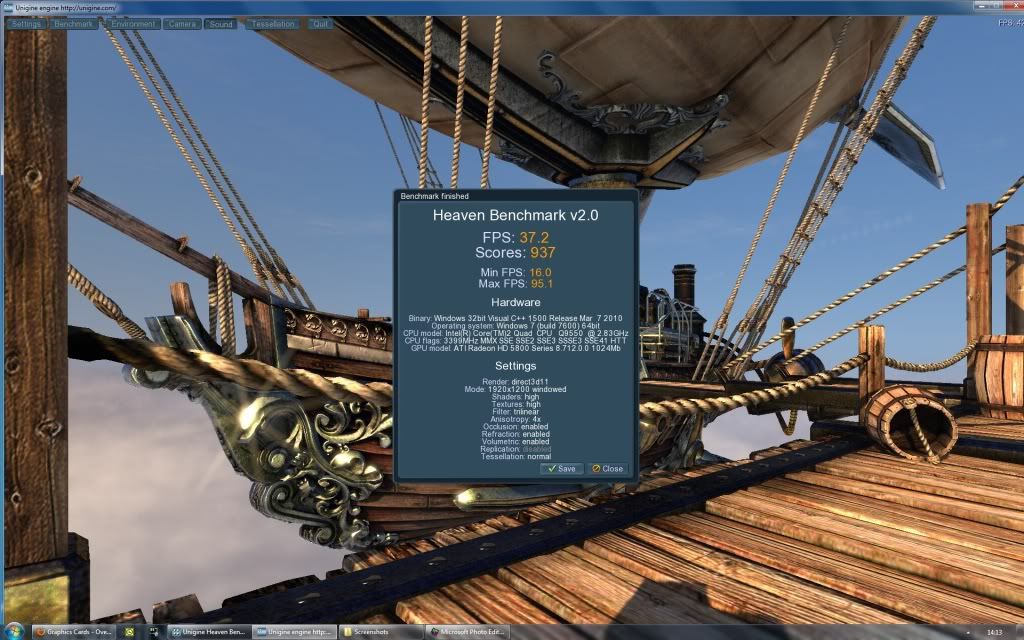
heaven2103sxfire.jpg


It might just have been a connection issue or temporary fubar. I'll throw some more work at them and see what happens,!
 
I've just tried Heaven2 again with Xfire enabled but again after about 30 seconds it's frozen to a lockup. I can hear both cards spinning up so fans are working. This is very annoying
 
Hi Vapor Matt,
I have actually already set the pciE to 101 as I'd seen other people recommending it before :) It hasn't helped unfortunately. The weird bit is that 3dMark Vantage can run through perfectly well but Heaven puts it on its ass.

*THIS JUST IN!*
I just checked the card information on CCC pane and I noticed that my 'first' card is running BIOS Version 012.019.000.002
but the 'newest' card I received today is on BIOS Version 012.020.000.001

I guess this could be the problem. Anyone know if if one offers a performance advantage over the other, or which I should stick to? I can follow the flashing guides no problem :)
 
Last edited:
I'm going to put the older bios onto the newest card - at least I know for sure that one works as I've been using it the last months and half without a single error :)
(although GPU-Z is telling me that both cards have the same BIOS - now I'm confused!)
 
Last edited:
I just finished a run of Heaven version 1 with Crossfire on and no crashes :)
Although the result is actually worse than the single card one earlier... Hmmmm
*edit*
Blargh Heaven 2 caused another driver crash. This is depressing. Maybe I shall try 10.2s
 
Last edited:
I've discoverd a very interesting thing re: fan speeds.
card 1 - with the monitor attached - manual fan speed 100% = ROCKET
card 2 - without a monitor attached atm - manual fan speed 100% = no change at all.

Card 2 isn't increasing the fan speed under manual control, and it might not even be spinning up when working.
 
You're right, sounds like a small airfield in here now. I am not sure I can even cope with 75%, let alone 90% :D Would suck if heat were the root of this problem - that simply because my two cards are close together they crap out. Individually they are fine, and i've alreay got every fan in the 1200 case plugged in. :(

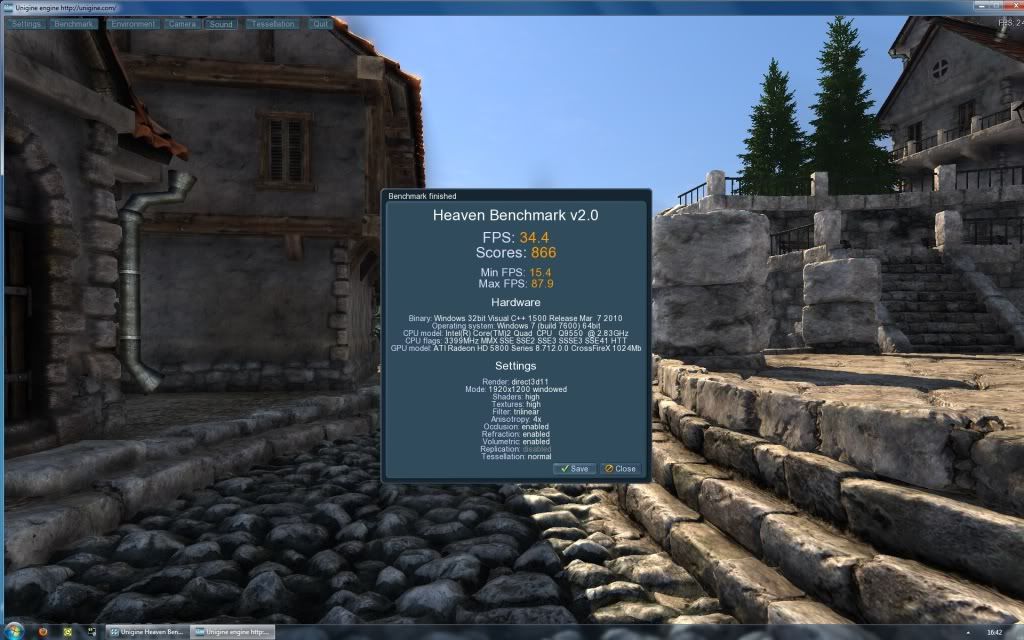
Something is still amiss though - it completed a Heaven2 with Xfire enabled, but the result is worse than a single card.

heaven2103sxfireon.jpg
 
Last edited:
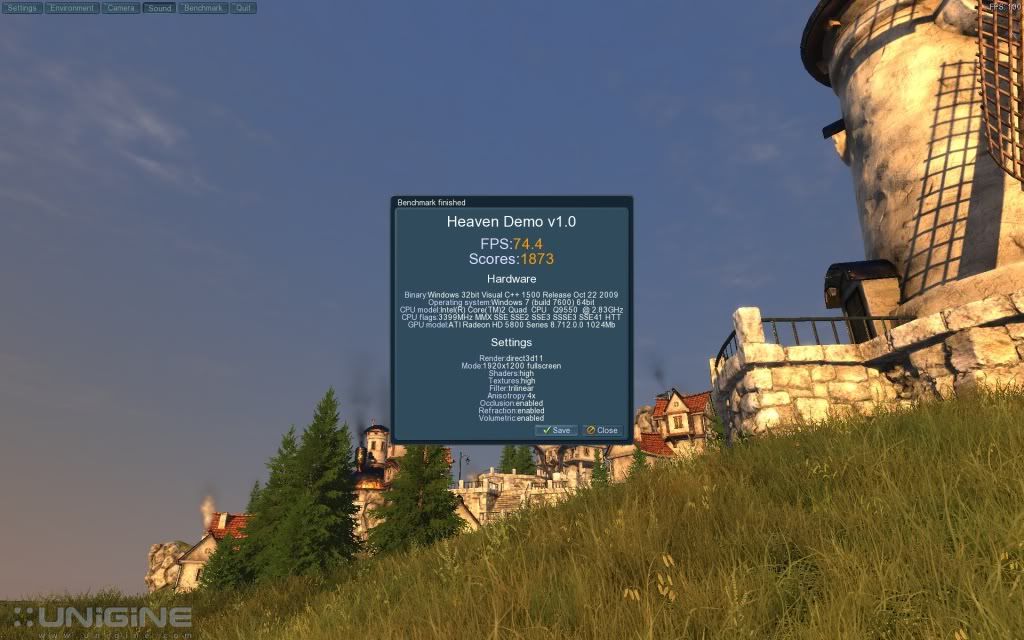
My bad, I figured consistency in testing was what really mattered :) It managed to get through a fullscreen run as well, gave me 66FPS average. Still not happy with the temperature though, even as the benchmark was ending the fan was accelerating!

*RESOLVED*
Flipping Northbridge temp was hitting 90 and causing all these problems. I must have left the NB voltage on auto after a CMOS reset ages ago and it's been slowly cooking at 1.6v. Putting the 2nd card in must have been too much heat/work for it to cope! Back down to 1.25v and it's much happier.
 
Last edited:
Thanks to everyone for their help in this thread. Got it sorted in the end, although I really have to look at an NB cooler now - the passive setup seems to be at its limits.

heaven1103sxfirestockmatchedbios.jpg


The cards are about 7-8mm apart - I haven't got a choice on this board unfortunately, as it only has 2 PCI-E slots. X48 boards are a little long in the tooth these days!
 
Back
Top Bottom