• Competitor rules

    Please remember that any mention of competitors, hinting at competitors or offering to provide details of competitors will result in an account suspension. The full rules can be found under the 'Terms and Rules' link in the bottom right corner of your screen. Just don't mention competitors in any way, shape or form and you'll be OK.

6800GS heat problem...

Associate
Joined
6 Mar 2004
Posts
195
Location
I.O.W
6800GS heat problem **= new card, quick help please!*

hey guys, just wondering if i could tap into the plethora of knowledge that seems to be floating around these parts, with respect to my graphics card..

being rather stuck in my ways and broke, i'm still running a 6800GS AGP card. said card has been happily chugging for about a year and a half, dispatching the odd sparkly effect here, the (short lived) bit of overclocking there and generally getting the buisness done. well that is is now was with the past tense coming in shortly after the install of C&C3.

its not as if i havent pushed the card to the edge of its performance, COH etc. seem(ed) to do that quite nicely, but with this lovely game i have seen temperatures skyrocket to over 120 C, and get frequent messages telling me to "stop playing or nvidia will force me to" by dropping my cards preformance to that of my old ti400(or whatever it was). and whats worse is that it happens in every game now!

sigh, i have a feeling that my card may well be screwed as nothing has changed in my case to prompt this. so my question to you, is it worth trying an aftermarket cooler in the vain hope it might help? or is my card well and truely, as they say, b0rked... i'm open to suggestions as i'm loathe to spend the £70 it'd cost me for a 7600!

cheers guys
T
 
Last edited:

hellforleather said:
hey guys, just wondering if i could tap into the plethora of knowledge that seems to be floating around these parts, with respect to my graphics card..

being rather stuck in my ways and broke, i'm still running a 6800GS AGP card. said card has been happily chugging for about a year and a half, dispatching the odd sparkly effect here, the (short lived) bit of overclocking there and generally getting the buisness done. well that is is now was with the past tense coming in shortly after the install of C&C3.

its not as if i havent pushed the card to the edge of its performance, COH etc. seem(ed) to do that quite nicely, but with this lovely game i have seen temperatures skyrocket to over 120 C, and get frequent messages telling me to "stop playing or nvidia will force me to" by dropping my cards preformance to that of my old ti400(or whatever it was). and whats worse is that it happens in every game now!

sigh, i have a feeling that my card may well be screwed as nothing has changed in my case to prompt this. so my question to you, is it worth trying an aftermarket cooler in the vain hope it might help? or is my card well and truely, as they say, b0rked... i'm open to suggestions as i'm loathe to spend the £70 it'd cost me for a 7600!

cheers guys
T


120C? are you sure, mine is 32 on idle and 46 C when gaming for hours ( ok its with a zalman vf700-cu , but still...), hanve you looked if the fan is actually spinning, 120C sounds very bad, have you perhaps tried to just put off the standard coolign and perhaps use a leftover cpu heatsink like from a socket A cpu or from an old socket 478 intel cpu?, just use cable ties and a good coolign paste with glueing capability for it.

Whats that nvidia stuff you are talkign about? sounds more as a virus, I had my own card overheated once due to a cable stuck in my zalman fan, everest reported my card @ 146C, but nothign happened, no damage, no messages, or whatever, I know nvidia's drievrs clock down a card when too hot, but
"stop playing or nvidia will force me to" by dropping my cards preformance to that of my old ti400(or whatever it was)
, ive never heard of that.

If you dont have a spare cooler then it might be worth looking for a 2nd hand zalman/arctic cooling gpu cooler.
 
Last edited:
snowdog said:
120C? are you sure, mine is 32 on idle and 46 C when gaming for hours ( ok its with a zalman vf700-cu , but still...), hanve you looked if the fan is actually spinning, 120C sounds very bad, have you perhaps tried to just put off the standard coolign and perhaps use a leftover cpu heatsink like from a socket A cpu or from an old socket 478 intel cpu?, just use cable ties and a good coolign paste with glueing capability for it.

Whats that nvidia stuff you are talkign about? sounds more as a virus, I had my own card overheated once due to a cable stuck in my zalman fan, everest reported my card @ 146C, but nothign happened, no damage, no messages, or whatever, I know nvidia's drievrs clock down a card when too hot, but , ive never heard of that.

If you dont have a spare cooler then it might be worth looking for a 2nd hand zalman/arctic cooling gpu cooler.

OcUK have a super deal on Accelero X1's at the moment - use the 2nd class post option and it's still only about £11 all in. I have one on mine and I'm running 16 pipes/6 shaders with 400/1100MHz no issues at all. Fan is only on 55% in 3D Mode. Very, very good indeed.
 
snowdog said:
120C? are you sure, mine is 32 on idle and 46 C when gaming for hours ( ok its with a zalman vf700-cu , but still...), hanve you looked if the fan is actually spinning, 120C sounds very bad, have you perhaps tried to just put off the standard coolign and perhaps use a leftover cpu heatsink like from a socket A cpu or from an old socket 478 intel cpu?, just use cable ties and a good coolign paste with glueing capability for it.

Whats that nvidia stuff you are talkign about? sounds more as a virus, I had my own card overheated once due to a cable stuck in my zalman fan, everest reported my card @ 146C, but nothign happened, no damage, no messages, or whatever, I know nvidia's drievrs clock down a card when too hot, but , ive never heard of that.

If you dont have a spare cooler then it might be worth looking for a 2nd hand zalman/arctic cooling gpu cooler.

cheers for the replies guys!

ha, maybe i overstated the nvidia stuff, its just the temperature monitor from the nvidia control panel which pops up when temperatures exceed 120 C and lowers the clock speeds. i say 'just' but its annoying as hell! i was a bit dubious about the quoted 120 C (and 70 C idle temps i'm seeing now...) so i took the side of my case, the card is baking! the actual card is very hot to the touch and you could cook on the heat sink.. i'll look into changing the cooling i think though, distinctly cheaper than a new card! trying not to get worried/frustrated by this :(

edit: oh and i forgot to say, the fan is spinning ten to the dozen, no problem there, heat sink isn't clogged up and no visible damage to any of it..
 
Sound weird, are you sure its properly seated? Thats even hotter than my GTS lol, wonder if the cards faulty, maybe a bad temperature sensor, it should be preety hot, you could cook on my 8800GTS lol @ 80c
 
Hmm but he says his heatsink feels hot to the touch.

The fan spinning eh? Hmm have you done any volt mods on it? Might explain the high temperature.
OR, is your whole case temp way too high, see if it's better with case side off.
Also whats your room temp ?

Oh and what brand 6800gs do you have, so I can see how the stock cooler looks like.
 
yeah heat sink is very hot, though having said that i wouldnt say i'm overly experienced so dont know what i should be expecting... case temp is about 30 C according to a seperate temperature gauge, room isnt particuarly hot. i did have the side off to see if that made any difference, alas no.

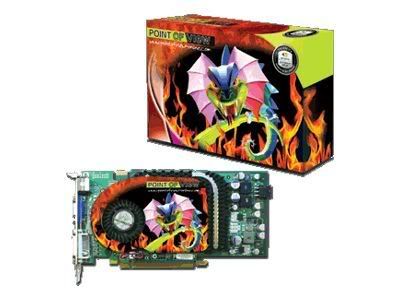
its the ocuk 6800gs looks like this:

315184.jpg


all standard, no mods or overclocking.. the plot thickens

i always thought excessive temperatures would cause artifacts? none here.
though i am inclined to believe that it is too hot, not just a dodgy sensor as when i did take the side off my case it was the main heat source waaaay over my ageing 2800+ (also stock, i'm boring!)

once again, cheers for taking the time guys
T
 
Last edited:
Hmmm sorry really cant tell you what's wrong, cooler looks big enough to cool the thing nicely, might be worth gettign a cheap aftermarket if you dont need more gpu power.

Otherwise just sell it on the bay and say its overheating, i'd gladly buy such a card and just put my own coolign on it.
 
ok cheers for all the replies, my rather better informed friend cam round a bit ago and confermed its running way too hot so its not just my imaginiation..

SO

i need a quick answer if possible, is a X1950GT (agp) for £105 a good deal? i know its the lowest of the X1950 range but my gut feeling is its good for the money... need to make a decision soon!
cheers
T
 
Ive got my 6800 GS PCIe running at 480/540 Mhz temps during ATI tool artifact scanning top out at about 75c, think im gona try and get the core to 500 tonight, if i do im sure thats an 6800GS overclock record :p

NOTE: the core comes stock at 386 so a pretty big overclock
 
Gonzo0 said:
Ive got my 6800 GS PCIe running at 480/540 Mhz temps during ATI tool artifact scanning top out at about 75c, think im gona try and get the core to 500 tonight, if i do im sure thats an 6800GS overclock record :p

NOTE: the core comes stock at 386 so a pretty big overclock

The pci-e comes at 425 mhz stock...
Mine, although never above 46 C, gives reboots when i go over 450 mhz, and even with 10 mhz more on the ram, I have a bad clocker :( .
 
Back
Top Bottom