8700k overclocking noob

Associate
Joined
25 Apr 2012
Posts
223
Hi
I have today fitted a h100v2 as I only had a stock cooler and would like to overclocker
I've followed a few online guides and watched a few YouTube video
The motherboard is a msi 370 a pro
Multiply @ 49 volts 1.33
Won't boot at 5ghz

Temps never over 70
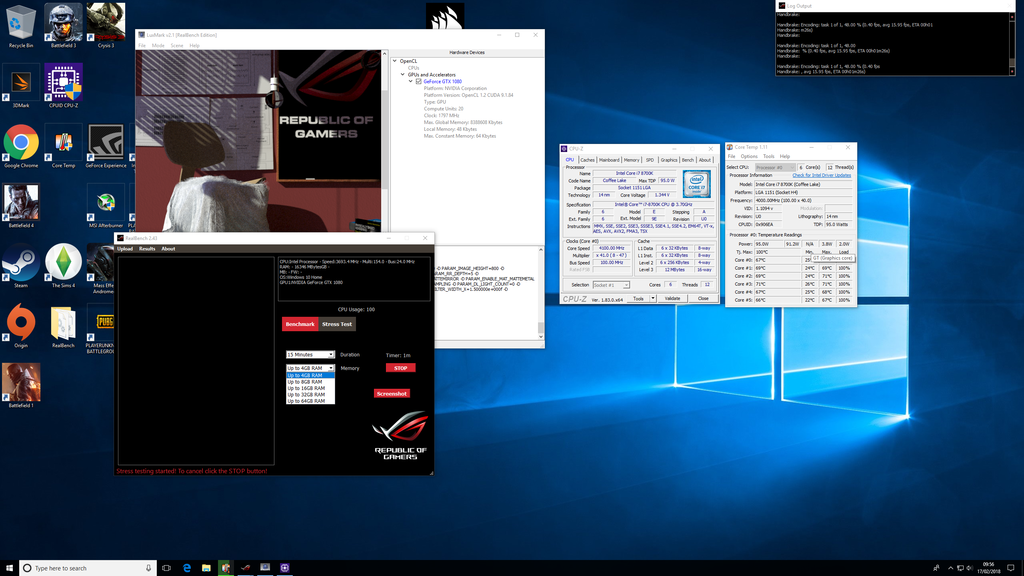
How ever when I do stress tests CPU z says frequency is 3800
Then when I close the stress test it shoots back to 4900

I have I set to all cores and have disabled the turbo boost setting

Can some one assist me i have searched but I've confused myself as to what is going on .....

LLC is set to mode 1 also

Is both cpuz and core temps 1.1 that say it's downclocking
Xmp is not supported also wether that is relevant


Any help much appreciated
 
Last edited:

I've used the Asus one and intel torture test only ran for 30mins it passes both (will test for longer tomorrow )i noticed in cpuz and core temps monitoring it starts of saying 4901 but as test starts it goes to 4004. MHz

On BF4 I played for about 40 mins with msi overlay it says 4895 as CPU speed it did crash after 40mins which is why I came off the game.
Am I missing something in the bios settings.
 
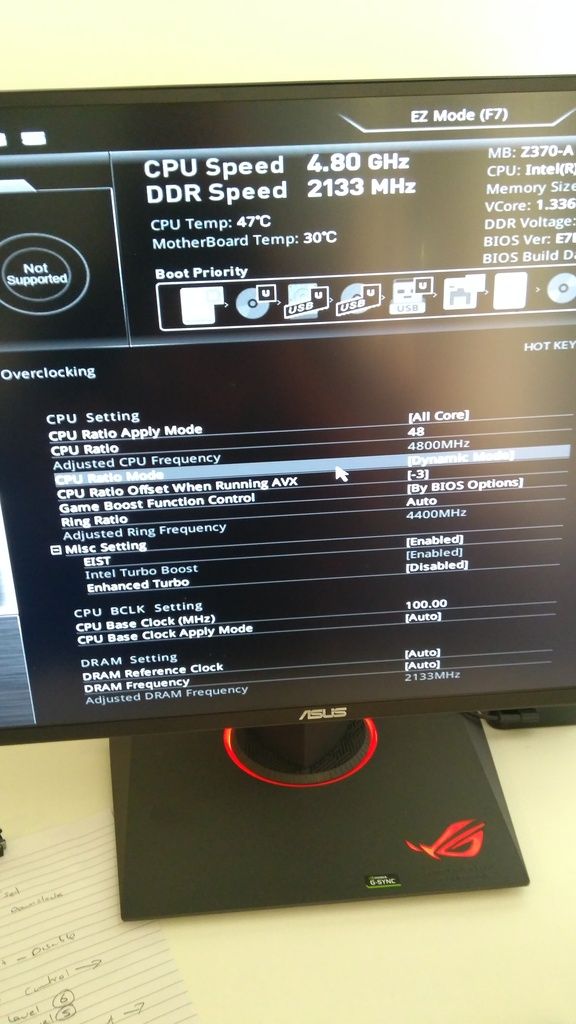
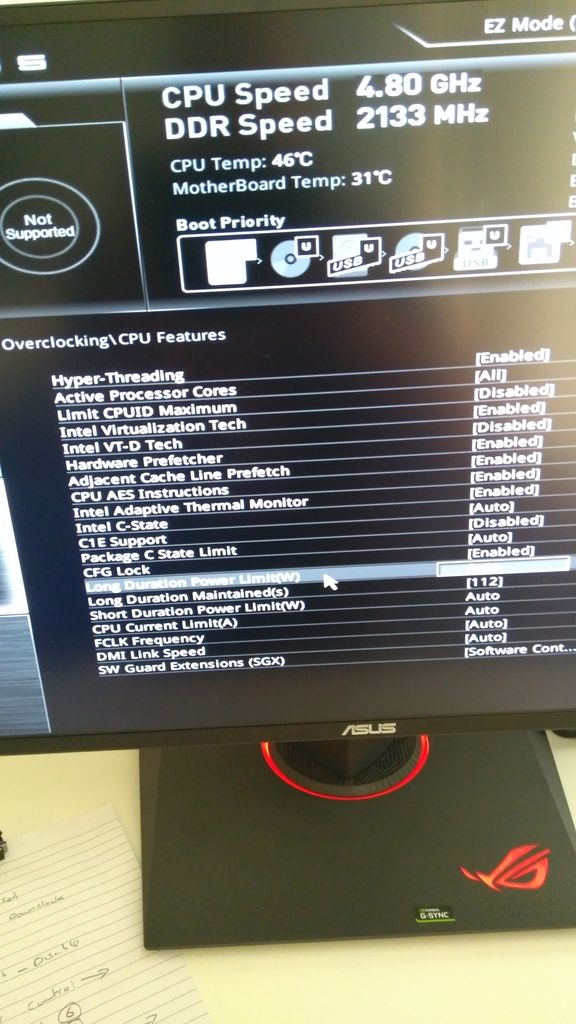
Check these settings. They may be called something different, and some may not even be there. I haven't found all the BIOS pics for that mobo. Try clicking on the value for each, which should be "AUTO", and see if you get a dropdown where you can choose a manual value. For example, the AVX options might be -1, -2, -3 etc. You could start off with -3 and see. For the other settings (Long, Long, Short, CPU Current), you may simply need to enter (type in) a value and hit enter. Enter high values, if it's too high, it won't stick when you hit enter, so you'll know you have to bring them down a bit, till you find the max possible:

CPU Ratio Offset when running AVX

Long Duration Power
Long Duration Maintained
Short Duration Power
CPU Current Limit


But try the AVX first on its own and save and exit and stress test, before messing with the rest.
 
Hey bud

I have avx set to minus 2
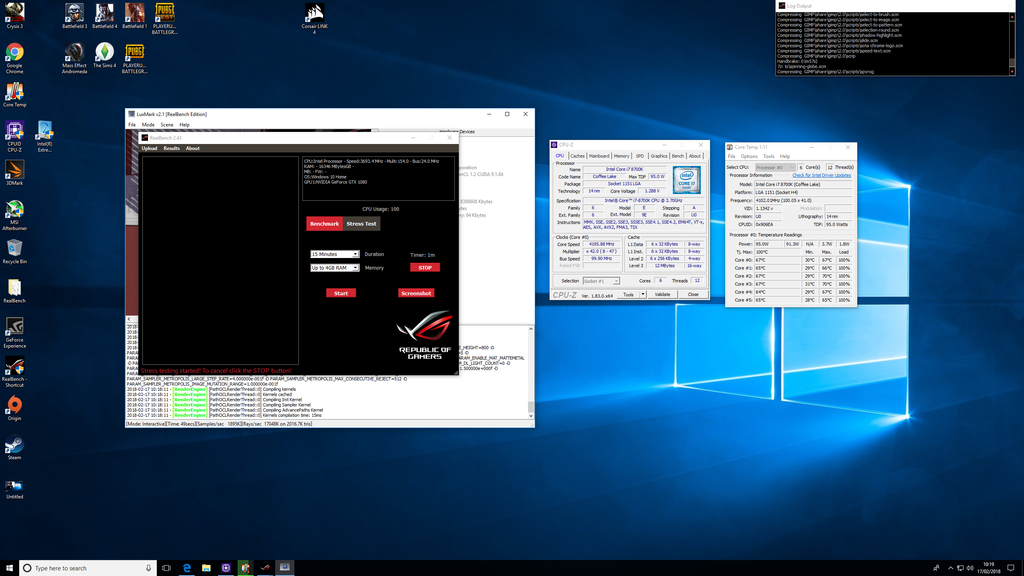
Tried running a stress test but clocks according to cpuz is still saying 4000 as soon as u start the test.

Also core temps 1.2 says the same it starts at 4900 then pretty much drops to 4000 straight away.

Should all cores always run at 4.9 if the multiply is 49 and set to all cores ?
 
Or like a ton of Vdroop...

Which power supply are you using, and is the full 8pin (or 4+4 pins) CPU power conected.

May have to play with the LLC and see if there's a difference.
 
Hey bud
Power supply is a 650w bronze rated cooler master
Has a sad drive
Network card
Gtx 1080 attached
H100 cooler
3 case fans

It's a 4 +4 I've just looked


on cpu z the voltage goes from 1.34 max to 1.072
Untitled_zps8u6ua9gb.png
 
Last edited:
Yeah, I'd try changing the LLC next, see what happens. Go straight from 1 to 5, then after that, if there's improvement, reduce 1 by 1.
 
Well, less is an improvement (I can't make out the stats on the pic of Realbench and CPU-Z, too tiny).

Change Long Duration Power to 250.
Change Long Duration Maintained to 60.
Change Short Duration Power to 250.
Change CPU Current Limit(A) to 250.

You can also try enabling Enhanced Turbo.
 
Last edited:
it seems to be holing and voltage is not going over 1.32 now .
should I try faster multiplier or is 4.8 considered ok

I've downloaded cinebench also and prime 95 how long would a realistic stress test be

thanks again
Dave
 
I don't use Prime to stress anymore so cannot say. Cinebench is great for quick preliminary testing, as it completes in under a minute. Once you find a max clock that's Cinebench stable, then you can do longer tests with other programs. Usually you find +0.025 or so has to be added to Vcore to be stable for other things (gaming/Handbrake/etc).

4.8 is okay but some chips can do better. You can increase the multi but leave Vcore where it is, maybe.

Also, now that it's holding, it would be wise to start setting all those options you changed back to default, one by one, and seeing which one/s actually need to stay changed or not.

You also need to set your RAM properly. Which RAM kit have you got? You mentioned XMP wasn't supported. Maybe a new BIOS update would fix that.
 
The ram is global ram ? It looks cheap like crucial green and blocks on not the nice looking stuff if that makes sense.
I'm not sure how to update a bios

BF4 crashed again but temps not over 60 I've also turned GPU clocks to default so elongate that in games
 
Alright, BIOS:


- Fix throttling issue when use 8700 cpu to run Prime95 burning test.
- Improve memory compatibility.

- Enhance Game boost function.
- Fix monitor is not able to turn on after resume from S3 mode via lan wake up event.
- Update Intel ME for security vulnerabilities

https://www.msi.com/Motherboard/support/Z370-A-PRO

Click the red arrow beside the newest version (7B48v22) to download. You'll need a USB Flash Drive. Stick the BIOS file on it. Watch this vid to see how to use M-Flash:


Or read this PDF file:

https://www.msi.com/files/pdf/How_to_flash_the_BIOS.pdf

The BIOS update will reset everything so you'll need to enter your changes again.


RAM:

RAM kits run at different frequencies/timings etc. Can you link to the kit you purchased? If it's from a competitor, link to the Crucial webpage for it instead. Having said that, it's probably a 2133/2400MHz kit if it's green without heatsink.
 
Hi bud pc was brought as a package from a catalogue.
It didn't match the advertised spec so I was refunded but kept pc the ramm says global on the side that's about it looks like the old type not the nice looking stuff

global memory ddr4
 
isn it worth changing the ram or pointless
its not crashed on bf4 again yet so hopefully that its doing ok temps at 55 - 60

I did thank you earlier on in the thread but your help has been much appreciated bud
 
isn it worth changing the ram or pointless
its not crashed on bf4 again yet so hopefully that its doing ok temps at 55 - 60

I did thank you earlier on in the thread but your help has been much appreciated bud

I know you did, I just hadn't said welcome yet. :)

Meh, you have a very nice system with 8700K and GTX 1070, spending £200 on a new kit would give you tiny performance increase so not worth it.
 
Back
Top Bottom