AC aquasuite first final release!

new AQ software(Since beta 15 i think) comes with a built it HW monitor like app.
Go to sensors-> software temp sensors
Put a desired name, Tick the "use sensor with AQ service", mode to "sensor enabled", and select the data source.
 
I've got an Aquaero 5 XT (or whatever the most expenisve one), is there a way to import temps from something like Aida64?

It's nice having my Inline temps and temp sensors, but would be nice to play around with controllers when also using GPU/CPU temps!

Also I can't seem to get my touch screen to work anymore - is this a common thing or should I contact them?


edit:

new AQ software(Since beta 15 i think) comes with a built it HW monitor like app.
Go to sensors-> software temp sensors
Put a desired name, Tick the "use sensor with AQ service", mode to "sensor enabled", and select the data source.

Thank you!


And also lucky for me - formatted my PC on the Friday just gone, so I'm already on the First Release :D
 
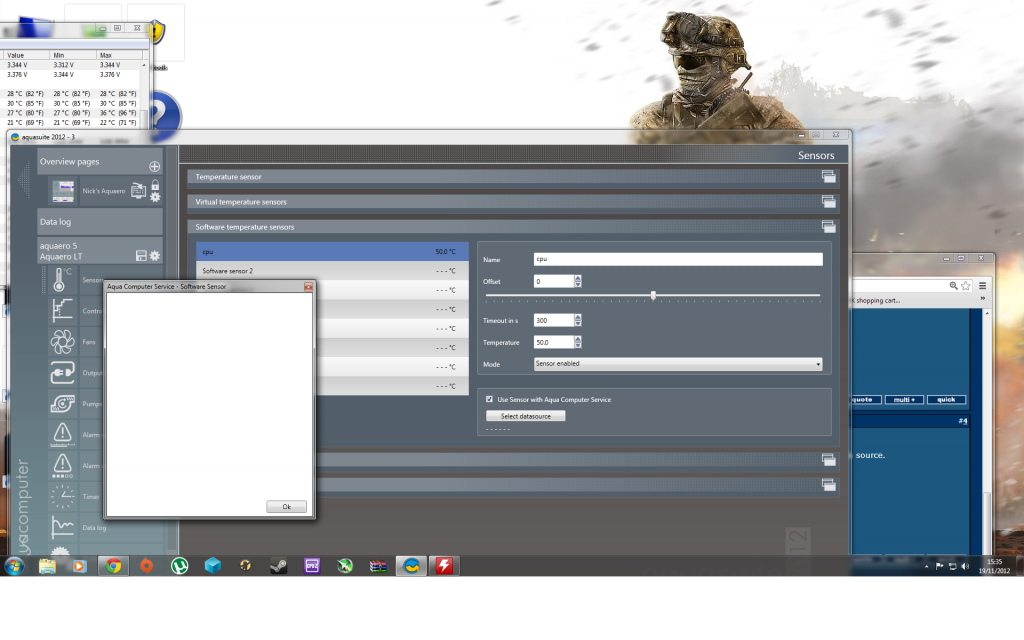
i just get this blank screen for data source
asq.png
 
seems like it needs the Open Hardware monitor to run in the background!
I have it running for other "needs"(Rainmeter), so can you try downloading OHM from HERE.
make sure to set the "Run on windows startup" option.
 
hmm that is strange indeed! I remember in the Beta stage this ran without the OHM(I know because I tried when running with out Rainmeter skins & OHM), because AQ software had(has?) a Hardware monitor service built in to it!
But I later needed the OHM for displaying the Temps on the desktop using Rainmeter so I had to use OHM, I thought they were not connected.
Well it is sorted now anyway :)
 
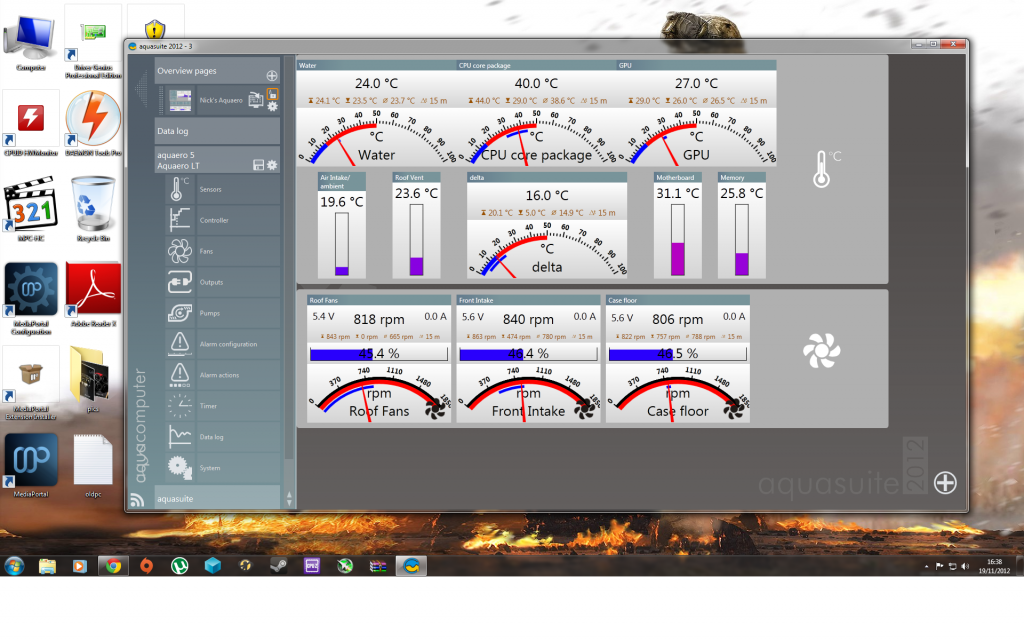
In "virtual temp sensors" area you can set the mode as "Temp difference". I guess this is the delta you are referring to.
I havn't had time to set up my overview page yet :) It is sad that you can't import Beta settings to this!(I have spent hours configuring overview page in Beta16 and now I have to do the same here :( )

In other news;
Is the 16C delta for CPU to water, at load or idle(I am hoping at load)?
 
In "virtual temp sensors" area you can set the mode as "Temp difference". I guess this is the delta you are referring to.
I havn't had time to set up my overview page yet :) It is sad that you can't import Beta settings to this!(I have spent hours configuring overview page in Beta16 and now I have to do the same here :( )

In other news;
Is the 16C delta for CPU to water, at load or idle(I am hoping at load)?

no idle! altough cpu temp is reading 9c higher than core temp, but think i can use offset on it to bring it in line.

the setting is set to absolute average diff., changed to temp diff, now reading -14c??
 
looks fine to me,
not sure if this release is stable though, thought i'd run IBT and it crashed, like system reset itself. Bumped up vcore a notch and it ran fine but left aquasuite running and speed/Gflops was all over the place by as much as 10, closed aquasuite re-ran and was normal speed within 0.6(this was after 10 runs)
sytem isn't liking something and it was fine before :confused:
 
just seems weird that i have had too give a V bump to make it pass IBT with aquasuite open, something on the monitoring side is conflicting.

edit, have you tried running IBT whilst looking at your page?
 
Oh ok, I'll give that a run!

What temps does your CPU get up to running that?

I've got some random crashes in Black Ops 2, maybe it's this new RAM i bought - haven't tested my overclock just went with the same one as before so perhaps it's that (though I don't crash on anything else), so perhaps this will shed some light :)

edit: Just ran it now, managed to reached 70c but stayed around 66c, water temps didn't go up much so I guess it's just the fact it's hard to transfer the heat that quickly! Unless people say otherwise?
 
Last edited:
At normal fan levels 50% and pump about 50% get to about 62c @1.36v


Edit. Water temp rises by 2-3c when on maximum setting, prolonged usage of bf3 hits about 60c but got an oc'ed 7970 in the mix then, even though cpu usage is lower.
 
Last edited:
Back
Top Bottom