Advice needed I9 13900K.

Associate
Joined
25 Jan 2026
Posts
6
Location
UK
Hello!

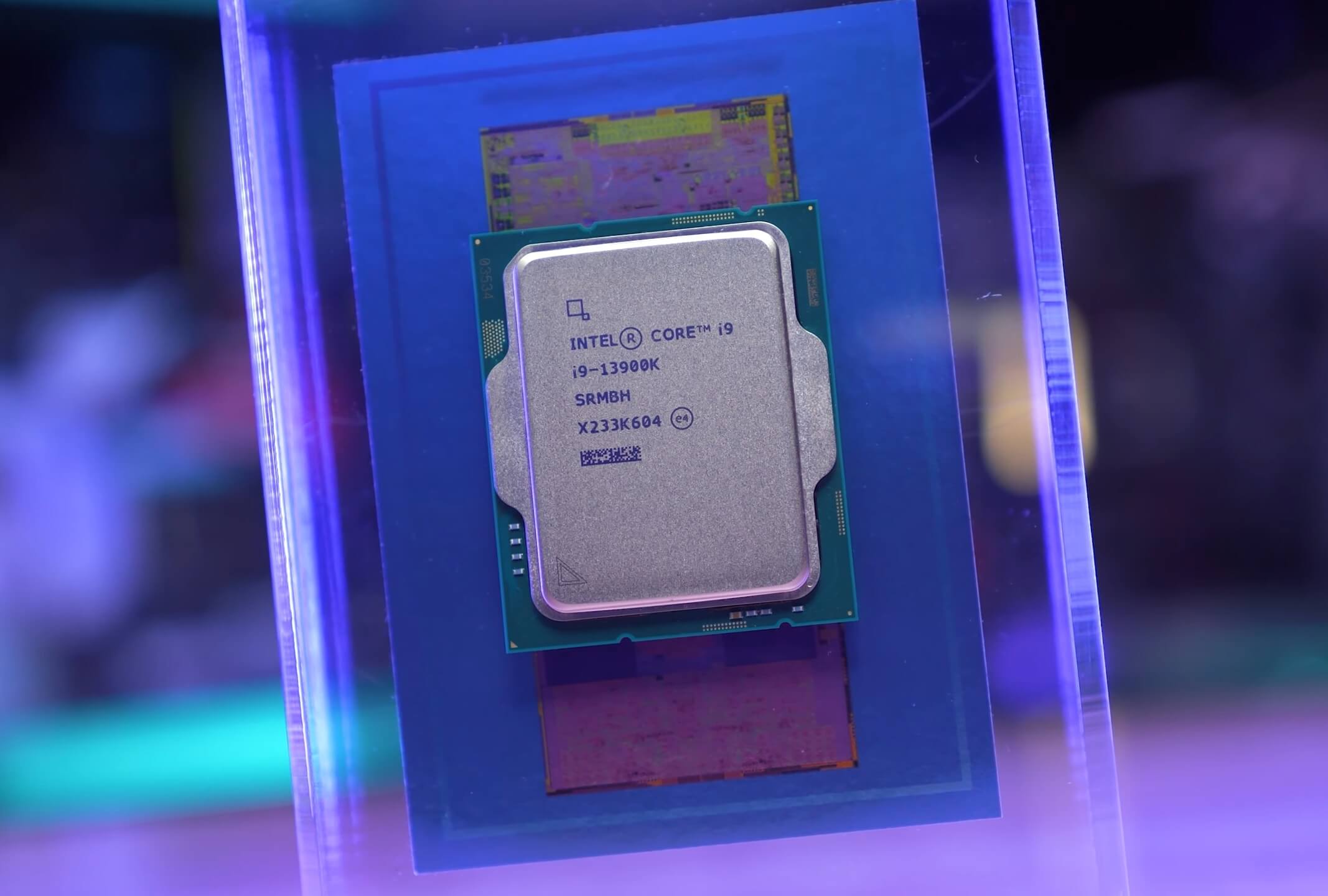
Recently I had a challenge to build a PC from different used parts on facebook marketplace, I managed to get a 4080 Super, I9 13900K that came with b760 ds3h ddr5.

I have built in in a NZXT Flow H6. And installed a kraken 360 plus radiator

As soon as I run benchmark or stress test it reaches 90-100c fast, yes I have removed film, installed thermal paste etc..

Any advice on BIOS settings I could tweak? Or maybe my cooler is not performing properly? Although idle temp is around 29C. During a game 50-60c.
I have just updated the BIOS as had a couple crashes.

Would be happy with suggestions, cinebench 2026 barely hit 7000 score.

Thank you in advance :)


Last edited:
Did you plug the pump connector into the AiO motherboard header?

What benchmarks are you talking about here exactly?

How is your fan configuration?

That said, the 13900K can use a lot of power and is infamous for running hot when you stress it, which CPU benchmarks are pretty much designed to do. It'll happily draw over 300w and depending on your configuration can push into the 400w range. I wouldn't be surprised if it's acting perfectly normally given what you've described, if you want to use it for CPU/core heavy workloads you could consider setting a power limit.


The 13900K though took a mere 17 seconds to hit TjMAX, resulting in thermal throttling at a package power of 303 watts. That's absurd and there's very few cooling solutions that will keep this thing from hitting TjMAX, and none of them will be even remotely practical.
 
Last edited:
Did you plug the pump connector into the AiO motherboard header?

What benchmarks are you talking about here exactly?

How is your fan configuration?

That said, the 13900K can use a lot of power and is infamous for running hot when you stress it, which CPU benchmarks are pretty much designed to do. It'll happily draw over 300w and depending on your configuration can push into the 400w range. I wouldn't be surprised if it's acting perfectly normally given what you've described, if you want to use it for CPU/core heavy workloads you could consider setting a power limit.


I dont have aio header so I plugged into CPU_FAN.

Just curious if Im doing something wrong as it seems like I am getting like 60% performance according to benchmarks.


I dont have aio header so I plugged into CPU_FAN.

Just curious if Im doing something wrong as it seems like I am getting like 60% performance according to benchmarks.

It'll be thermal throttling by and large.

Go into the bios and set the CPU/fan speed to max, it should be "CPU 1" or something similar but it will depend on the bios/vendor. Also look into capping CPU voltage to 1.35, I'd be very surprised if the CPU doesn't work at that value so it's a good starting point, but assuming it does you may be able to go lower (0.1 increments), if not try 1.4.

Comparing yourself to others running CPU benchmarks is going to make you look under average as they'll be accounting for the thermal problems inherent to the CPU and potentially overclocking and/or undervolting.

I'd revert the fan settings once you've tested as it might get a bit loud with the pump running max all the time, honestly if you mainly only game I'd not worry about it at all as it seems to be fine.
 
Last edited:
It'll be thermal throttling by and large.

Go into the bios and set the CPU/fan speed to max, it should be "CPU 1" or something similar but it will depend on the bios/vendor. Also look into capping CPU voltage to 1.35, I'd be very surprised if the CPU doesn't work at that value so it's a good starting point, but assuming it does you may be able to go lower (0.1 increments), if not try 1.4.

Comparing yourself to others running CPU benchmarks is going to make you look under average as they'll be accounting for the thermal problems inherent to the CPU and potentially overclocking and/or undervolting.

I'd revert the fan settings once you've tested as it might get a bit loud with the pump running max all the time, honestly if you mainly only game I'd not worry about it at all as it seems to be fine.
I have set the CPU pump on max even from low temperatures, although I don't hear the pump or anything whatsoever. I will try decreasing CPU voltage, thank you.
 
Looks like your CPU is throttling before it hits max power, even with a 253 PL1/PL2.

360mm AIOs can normally cope fine with ~200 watts.

I didn't see VRM temps in those pics, did I miss it, or does the board have no sensor?
 
I have set the CPU pump on max even from low temperatures, although I don't hear the pump or anything whatsoever. I will try decreasing CPU voltage, thank you.

No worries, let us know how you get on.

The 13900K and the 14900K are nightmarish power sucking and thus heat monsters, I've always felt that the 13700/14700 were much better options for 98% of people.
 
Looks like your CPU is throttling before it hits max power, even with a 253 PL1/PL2.

360mm AIOs can normally cope fine with ~200 watts.

I didn't see VRM temps in those pics, did I miss it, or does the board have no sensor?

You're looking at 300w + out of the box, which would explain it. I don't think it's necessarily VRM related as much as the CPU just being a nightmare to cool under actual loads even with good motherboards. Mind you, the DS3H line of Gigabyte boards is the budget line and the VRM's aren't great either so it's certainly a combination of the two.

I'm hoping a simple power limit will achieve a spot of healthy middle ground.

Edit: I'm not convinced that HwInfo software monitoring is accurate tbh.
 
Last edited:
I am new to tweaking settings, I followed this. Im running cinebench it seems to stay around 70c BUT im getting even a lower score than before.

I am currently on 5700 points, before was 7400.

I did the following.

 
Looks like your CPU is throttling before it hits max power, even with a 253 PL1/PL2.

360mm AIOs can normally cope fine with ~200 watts.

I didn't see VRM temps in those pics, did I miss it, or does the board have no sensor?
I think the board doesn’t have a sensor.
I wish I got a better board but the CPU with the board cost me 140£ which was a good price I think. I see people complaining to not get this motherboard with my cpu.
 
You're looking at 300w + out of the box, which would explain it.
If we assume the software is accurate, then from the screenshots, the CPU throttles at ~225 watts.

I don't think it's necessarily VRM related as much as the CPU just being a nightmare to cool under actual loads even with good motherboards.
If there was a sensor, we'd have a better idea, but from what I've seen with modern CPUs they can hit a redline and not lose that much performance, which is why I wanted to see the VRM temps, but obviously mega-multicore load is a different story.

I wish I got a better board but the CPU with the board cost me 140£ which was a good price I think. I see people complaining to not get this motherboard with my cpu.
From the specs online, I'd ideally want to put a power limit (PL1/PL2) of around 125-150 watts with a board like this. But, it should have no problem when gaming, only with fully threaded load (mostly workstation apps) and multithreaded benchmarks.
 
Last edited:
I think the board doesn’t have a sensor.
I wish I got a better board but the CPU with the board cost me 140£ which was a good price I think. I see people complaining to not get this motherboard with my cpu.

It's the most budget offering of the line from Gigabyte so I'm not surprised, but for £140 you scored one hell of a bargain.

Do you mainly just game or do you actually want to use the CPU for core heavy workloads? It's clearly working fine for gaming.
 
It's the most budget offering of the line from Gigabyte so I'm not surprised, but for £140 you scored one hell of a bargain.

Do you mainly just game or do you actually want to use the CPU for core heavy workloads? It's clearly working fine for gaming.
Even on the crazy stress test temperature is like 75c max after 2min instead of the 5 seconds to 100c. But I lost even more performance so just curious.

Mainly gaming it was more for a challenge how cheap I can build this pc and was due for an upgrade from a 1080.

DDR5 32gb crucial 200£
Rtx4080 super aero 600£
Cpu + mobo = 140£.

Case and aio and psu I did buy from amazon haha.

EDIT: just crashed out of nowhere , might just revert back to default and ignore the temps..

Below are the new tweaked stats.
 
Last edited:
EDIT: just crashed out of nowhere , might just revert back to default and ignore the temps..
I personally wouldn't want to use that spec for the simple reason that I have no clue what half of those options even mean/do.

If I wanted to get the temps down, I would just set a power limit with PL1/PL2 and let the CPU manage the rest, or choose a slower Intel profile.

Do you have the latest BIOS with all the microcode fixes, by the way?
 
Last edited:
Honestly going second hand can be a good route, but a 13900K on a cheap as chips motherboard might have inherent issues.

If it were me? I'd sell your 13900K for whatever you could get for it, and buy a 14X00 or 13X00 i5 new so you at least have warranty. The gaming performance will be almost identical, I doubt there's anything specifically wrong with the motherboard other than the fact it's not great for workloads.

Part of the reason I asked you to limit voltage was to see if you crashed, a 13900K crashing with minimal power reduction insinuates there might well be a degradation problem and that deal seemed far too good to be true.
 
Last edited:
a 13900K crashing with minimal power reduction insinuates there might well be a degradation problem and that deal seemed far too good to be true.
It does seem way too cheap, but from what I know of those settings the OP tried, they can have a big impact on overall stability (if set wrong), so I probably wouldn't condemn the CPU on defaults.

Don't know the details of the crashes either and degraded CPUs tend to crash in specific ways.
 
Part of the reason I asked you to limit voltage was to see if you crashed, a 13900K crashing with minimal power reduction insinuates there might well be a degradation problem and that deal seemed far too good to be true.

My 14700K one of the cores doesn't like much voltage reduction - doesn't take much at all and that core starts falling over - all the rest are fine down to a fair bit lower, and I've seen no signs of degradation issues so far. Conversely though I can turn the frequency up quite a bit without touching the voltages even on the core which doesn't like an undervolt interestingly and XTU identified it as one of the cores capable of sustained 6GHz for running an up to 4x 6GHz boost.

You need fairly decent cooling, even with a 250 watt profile but especially without, to keep a 13900K from hitting 100C and thermal throttling in stuff like Cinebench, my 14700K on air I can just about manage it by maxing out the fans, but with the normal fan profile it will hit the thermal throttle in all threads stress tests and lose about 3% performance.

EDIT: The thermal paste used and application method will come into play here as well - in my experience under max loads like Cinebench there is a small but crucial difference between Arctic MX-4 and MX-6 for example, despite under more normal load conditions there not really being much between the pastes.
 
Last edited:
My 14700K one of the cores doesn't like much voltage reduction - doesn't take much at all and that core starts falling over - all the rest are fine down to a fair bit lower, and I've seen no signs of degradation issues so far. Conversely though I can turn the frequency up quite a bit without touching the voltages even on the core which doesn't like an undervolt interestingly and XTU identified it as one of the cores capable of sustained 6GHz for running an up to 4x 6GHz boost.

You need fairly decent cooling, even with a 250 watt profile but especially without, to keep a 13900K from hitting 100C and thermal throttling in stuff like Cinebench, my 14700K on air I can just about manage it by maxing out the fans, but with the normal fan profile it will hit the thermal throttle in all threads stress tests and lose about 3% performance.

EDIT: The thermal paste used and application method will come into play here as well - in my experience under max loads like Cinebench there is a small but crucial difference between Arctic MX-4 and MX-6 for example, despite under more normal load conditions there not really being much between the pastes.

I'm a bit rusty with the entire power states bit, thus my core recommendation of 1.35 as it's a base limit of what I would consider acceptable, if the CPU cannot function normally at that level it's buggered imo.

Call me a cynic, but when you couple that with crashing at certain power limits + the high end chip being slapped into a super low end/cheap motherboard it tickles my bs detector. I just cannot see anyone buying a 13900K and using it in such a motherboard to begin with, it reads them bailing out to me.

I've never liked the 1X900 range to be frank, too many potential issues and it's almost impossible to cool under load.

Even with the prior gen I recommended the 10850k over the 10900K because it was the same bloody thing for a lot less money.
 
Last edited:
It does seem way too cheap, but from what I know of those settings the OP tried, they can have a big impact on overall stability (if set wrong), so I probably wouldn't condemn the CPU on defaults.

Don't know the details of the crashes either and degraded CPUs tend to crash in specific ways.

It just reads as too sensitive to me + the super low end motherboard. I really can't fathom anyone buying a 13900K and using it with a DS3H bottom barrel, it's too odd to make sense. I am very much a cynic and to me I would assume they had a depreciating CPU they wanted to sell on, and bundled it to make it seem more competent than it was.

They're competent enough to sell it as a bundle so they're competent enough to know there's problems, and unfortunately people can be awful.
 
Last edited:
Back
Top Bottom