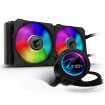
AIO for 3900X

Associate
Joined
27 Dec 2002
Posts
188
Location
Worcestershire
Hi all

So I have recently upgraded to a 3900X with a MSI B450 Tomahawk, Scythe Mugen PCGH cooler and a Be Silent 800 Case. My problem is that the CPU is running way too hot under load (~90 degrees according to Ryzen Master) so I am looking at an AIO watercooling soltion to drop these temps. I've never used WC before hence my wanting to use an AIO but I want to keep my rig as quiet as possible. What can you recommend for me please?

Thanks

Chris

 
What are you useing to get your cpu that hot the mugen should keep it cooler than that mate are you sure it's fitted correctly I'd reset the cooler if it was me are the fans spinning on it
 
Yeah something ain't right. Appreciate neither I or Alex have given a recommendation, but if you sort the apparent problem, you may not need an AIO.

Under load I hit 72. At idle I'm at 35.
 
Hi Guys

Thanks for the responses. I have removed the cooler, and reapplied some Arctic Silver in a thin covering ensuring it was spread across the whole of the CPU cover. I have also turned the HSF around so there is a abit more of a gap between the rear fan and the case fan as they were very close previously. I'm still getting temps of 87 - 90 under full load (running F@H and boinc on all cores) When idle it's around about 40 degrees so I think the HSF is fitted ok. It is the PCGH edition of the cooler with the quiet fans so maybe these aren't generating enough airflow? They are both definitely spinning and are in a push - pull configuration so any other ideas would be greatly received

Thanks

Chris
 
Hi Guys

Thanks for the responses. I have removed the cooler, and reapplied some Arctic Silver in a thin covering ensuring it was spread across the whole of the CPU cover. I have also turned the HSF around so there is a abit more of a gap between the rear fan and the case fan as they were very close previously. I'm still getting temps of 87 - 90 under full load (running F@H and boinc on all cores) When idle it's around about 40 degrees so I think the HSF is fitted ok. It is the PCGH edition of the cooler with the quiet fans so maybe these aren't generating enough airflow? They are both definitely spinning and are in a push - pull configuration so any other ideas would be greatly received

Thanks

Chris
Something isn't right there mate can you get some pics even idle looks slightly high what temps do you get when gameing if you do any
 
Arctic Silver is dated now, but your temps still shouldn't be that high.

Have you made sure you've taken the plastic film off the bottom of the HSF? Sounds silly to ask but there seems to be someone every other week who leaves it on, there was one guy a little while back who did it with an expensive custom loop.

What programs are you running to get those sorts of temps?

What case are you using and how is the airflow in it?

What are your ambient temps?
 
Arctic Silver is dated now, but your temps still shouldn't be that high.

Have you made sure you've taken the plastic film off the bottom of the HSF? Sounds silly to ask but there seems to be someone every other week who leaves it on, there was one guy a little while back who did it with an expensive custom loop.

What programs are you running to get those sorts of temps?

What case are you using and how is the airflow in it?

What are your ambient temps?
Was going to ask if removed plastic from base something's not right how long you had the paste
 
Hi Guys

Thanks for the responses. I have removed the cooler, and reapplied some Arctic Silver in a thin covering ensuring it was spread across the whole of the CPU cover. I have also turned the HSF around so there is a abit more of a gap between the rear fan and the case fan as they were very close previously. I'm still getting temps of 87 - 90 under full load (running F@H and boinc on all cores) When idle it's around about 40 degrees so I think the HSF is fitted ok. It is the PCGH edition of the cooler with the quiet fans so maybe these aren't generating enough airflow? They are both definitely spinning and are in a push - pull configuration so any other ideas would be greatly received

Thanks

Chris
What case have you got take the side off and see if that lowers temps in case it's a air flow problem
 
Thanks for the responses. I have removed the cooler, and reapplied some Arctic Silver in a thin covering ensuring it was spread across the whole of the CPU cover. I have also turned the HSF around so there is a abit more of a gap between the rear fan and the case fan as they were very close previously. I'm still getting temps of 87 - 90 under full load (running F@H and boinc on all cores) When idle it's around about 40 degrees so I think the HSF is fitted ok. It is the PCGH edition of the cooler with the quiet fans so maybe these aren't generating enough airflow? They are both definitely spinning and are in a push - pull configuration so any other ideas would be greatly received
Have you tried going into the BIOS and turning off the fan curves? (so the fans just spin at max speed), doing that will tell you if the airflow over the heat exchanger is a factor and if more powerful fans could help. Also while you're in the BIOS double check that it hasn't enabled any auto overclocking nonsense by default.

If you do go for an AIO then you will want a 240mm minimum as 120mm is considered under sized for a 3900X if doing rendering work (and you're doing more than that), personally I would just bite the bullet and go for a Corsair H150i if I was putting an AIO on mine.

If it makes you feel any better the 3900X will throttle itself at 95c so you don't need to worry about it cooking.
 
Have you tried going into the BIOS and turning off the fan curves? (so the fans just spin at max speed), doing that will tell you if the airflow over the heat exchanger is a factor and if more powerful fans could help. Also while you're in the BIOS double check that it hasn't enabled any auto overclocking nonsense by default.

If you do go for an AIO then you will want a 240mm minimum as 120mm is considered under sized for a 3900X if doing rendering work (and you're doing more than that), personally I would just bite the bullet and go for a Corsair H150i if I was putting an AIO on mine.

If it makes you feel any better the 3900X will throttle itself at 95c so you don't need to worry about it cooking.
Close to buying one myself. But tbh I don't mind the in stock fan and it will make no difference performance wise with what I do with the chip. It would just be for a quieter desktop.
 
Arctic Silver is dated now, but your temps still shouldn't be that high.

arctic silver is a good paste - I get better results with AS5 than I do with kryonaut.

Your cooler should be better than the stock cooler so temps do seem fairly high. Take your side panel off and see what happens to temps. Are you running stock or with PBO? PBO makes the chip fairly hot for little performance increase.

what temps are you getting without running pointless folding@home?

if you want an AIO then the arctic freezer II units are the current best. 280 or 360 be good for your 3900x.
 
arctic silver is a good paste - I get better results with AS5 than I do with kryonaut.

https://www.tomshardware.com/uk/reviews/thermal-paste-comparison,5108.html

https://www.guru3d.com/articles_pages/guru3d_thermal_paste_roundup_2019,1.html

AS5 used to be the best of the best, now it's barely average.

Regardless, as stated his temps are still higher than they should be even with substandard thermal paste, but it could be a contributing factor among multiple issues.
 
https://www.tomshardware.com/uk/reviews/thermal-paste-comparison,5108.html

https://www.guru3d.com/articles_pages/guru3d_thermal_paste_roundup_2019,1.html

AS5 used to be the best of the best, now it's barely average.

Regardless, as stated his temps are still higher than they should be even with substandard thermal paste, but it could be a contributing factor among multiple issues.

around 5C different on my cpu and gpu between AS5, (CP7 & NT-H1) compared to kryonout. kryonaut is overhyped.


Difference between those temps from toms is error margins
 
We'll have to agree to disagree.

As stated, it's unlikely to be a factor but pretty much all testing done has shown AS5 to have fallen behind. Times change, even when it comes to thermal paste.

If you like AS5 that's fine, but I'll take testing done by multiple respected tech sites over anecdotes.
 
If you like AS5 that's fine, but I'll take testing done by multiple respected tech sites over anecdotes.
The testing you're referring to specifically pointed out that if you already have one of the TIMs being tested then there's zero point buying one of the others as it's not worth paying money to lower temps by 1-2 degrees.

Hell they even said that unless you're chasing benchmark/OC records then your primary concern should be the TIMs ease of use/application.
 
The testing you're referring to specifically pointed out that if you already have one of the TIMs being tested then there's zero point buying one of the others as it's not worth paying money to lower temps by 1-2 degrees.

Hell they even said that unless you're chasing benchmark/OC records then your primary concern should be the TIMs ease of use/application.

Hardly the point I was making, now was it?

People continue to buy AS5 when they'd be no worse off using the bundled paste that comes with whatever HSF they've bought. It has average performance, it isn't worth spending extra money on.

If they're going to invest in a tube of paste they might as well get something better for their money, although I do agree that unless aiming for high clocks there's generally not much point.

I was stating that if the OP was using AS5 to try and reduce a perceived problem with temperatures, there may be other issues at work (such as poor airflow, using the pc in a warm/hot place).
 
Last edited:
Back
Top Bottom