Antec Cable Management

Associate
Joined
7 Jan 2009
Posts
23
Location
Stafford
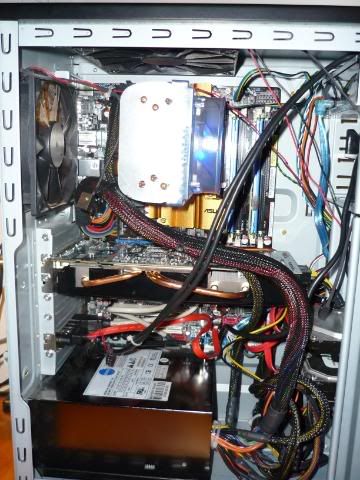
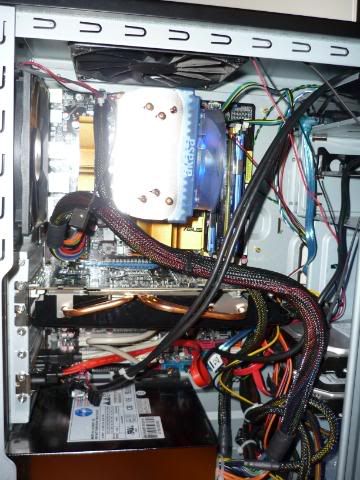
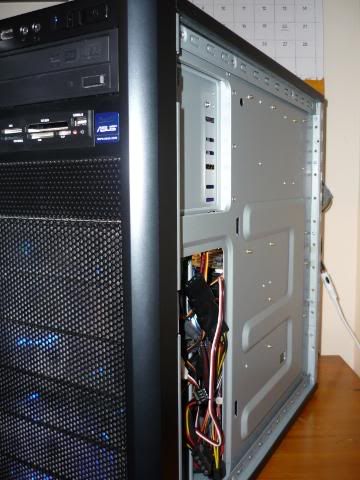
Finished my new build the other day but the cable management in the Antec 300 seems to be really hard -as there are no pre-made holes in the back for routing power cables etc. This is how it looks at the moment (at least i tried!)

Any tips for hiding cables would be very much appreciated!
P1000200.jpg


P1000201.jpg


P1000202.jpg


P1000203-1.jpg
 
Asus P5Q Pro
Sapphire Toxic 4870
Corsair HX620
Scythe Kaze Master fan controller


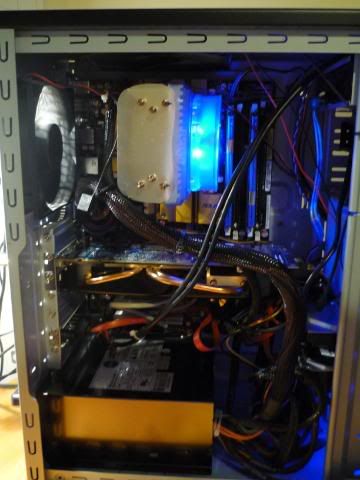
Red wire is stuck in my GPU to keep an eye on temps. Noctua cooler fan is connected to fan controller in front bay :) (the only 2 wires that are openly running across my motherboard)

Try harder :)
Took me a few hours to get everything nice. Wires running under mobo etc.
 
Last edited:
I would look at getting these

http://www.overclockers.co.uk/showproduct.php?prodid=CB-021-AK&groupid=701&catid=48&subcat=153

http://www.overclockers.co.uk/showproduct.php?prodid=CB-022-AK&groupid=701&catid=48&subcat=153

you will then be able to run the power cables for the motherboard round & over the top. Tuck any unused cables from the power supply itto one of the spare front bays. cable tie the sata & other cables together. The main thing is to keep cables away from the airflow from your fans.

above all else, take your time. I spent about an hour on cable tidying alone when I put in my new motherboard yesterday.
 
I have turned the powersupply around now so that most of the cables sit in the drive bays - it looks a little better but I think I just need to wait for the motherboard power extenders now
 
some antec cases are notoriously difficult to tidy, mainly because there are no holes going out back (or there are, but are not very useful). was the main reason i got rid of my 900
 
sorry, pride is a sin after all..... :p

I really am going to hell today.....
 
Last edited:
Back
Top Bottom