Aqua Computer D5 issues

Associate
Joined
22 Nov 2015
Posts
997
Location
Wales
First the setup: 2 Aquaero 6's running separate loops, with 1 D5 pump plugged into each via Aquabus.

Now the issues...: First up the D5's both run at completely different speeds to each other even when only plugged into the Molex, which is odd. The more important issue though is that neither responds to commands from the Aquaeros, with both running at 100% regardless of what I set them to. They both show up, so it's not like the Aquaeros aren't recognising them, they just won't react to setting changes.

Any ideas greatly appreciated, it's driving me mad!
 
I've only got them plugged in via Aquabus atm, does that mean I should have USB plugged in as well? Looks like you may have found where I've gone wrong!

Thanks mate, will try plugging in via USB as well and see what happens :)
 
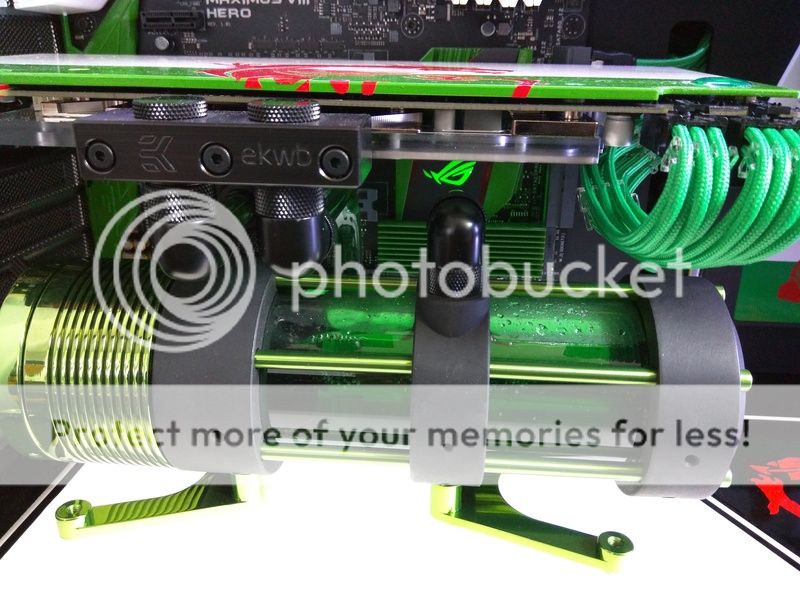
Ah brilliant, cheers mate. Gonna be fun getting the USB plugged in as it's behind the reservoir but at least now I know what has to be done! :)
 
Plugged both in via USB and only one pump was showing, so set that one up first then removed him from the USB and rebooted to do the other one. All sorted now though cheers guys, and it's a bit quieter now they're running at 40% not 100%!
 
Excellent glad you sorted!

It was the same area where I got confused on first installing also :)

Thanks, without your help I'd probably still be swearing at it! Does seem a bit odd that it defaults to USB when the only real reason to buy one is for the Aquabus control. Never mind, at least it's working now :)

Getting the USB cables plugged in was fun though :D:D:D

IMG_20170325_120446.jpg


IMG_20170325_113312.jpg
 
They're defaulted to USB for users who only want a D5 controlled via aquasuite without the need of an Aquaero :)

Glad you're sorted!

Kind of makes sense I guess, just didn't think many people would buy one unless they already had an Aquaero to plug it into.

It's so much nicer now the pumps don't sound like blenders though lol thanks for your help mate, never would have guessed I needed USB plugged in as well if I hadn't asked on here :)
 
Back
Top Bottom