Hi guys,
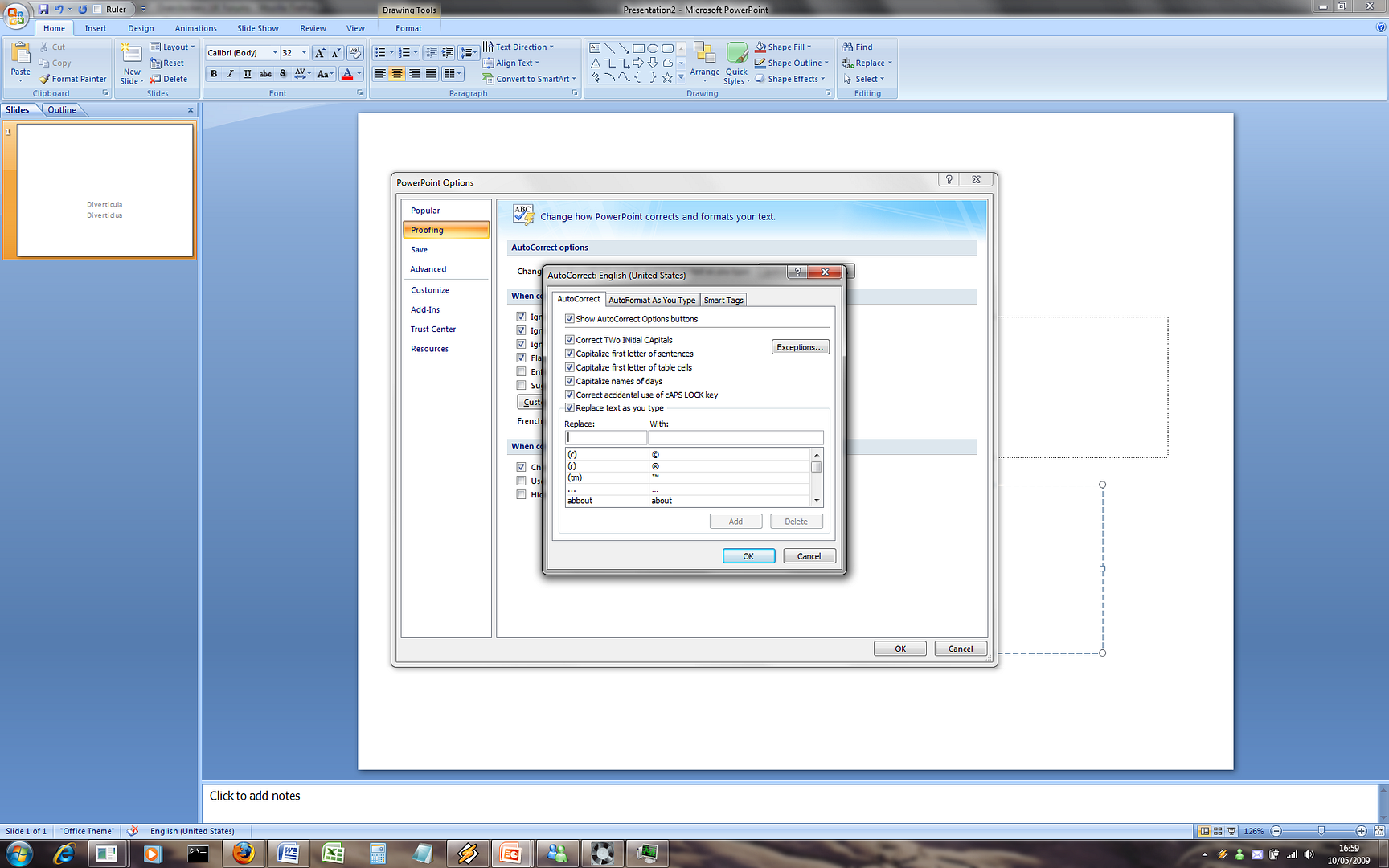
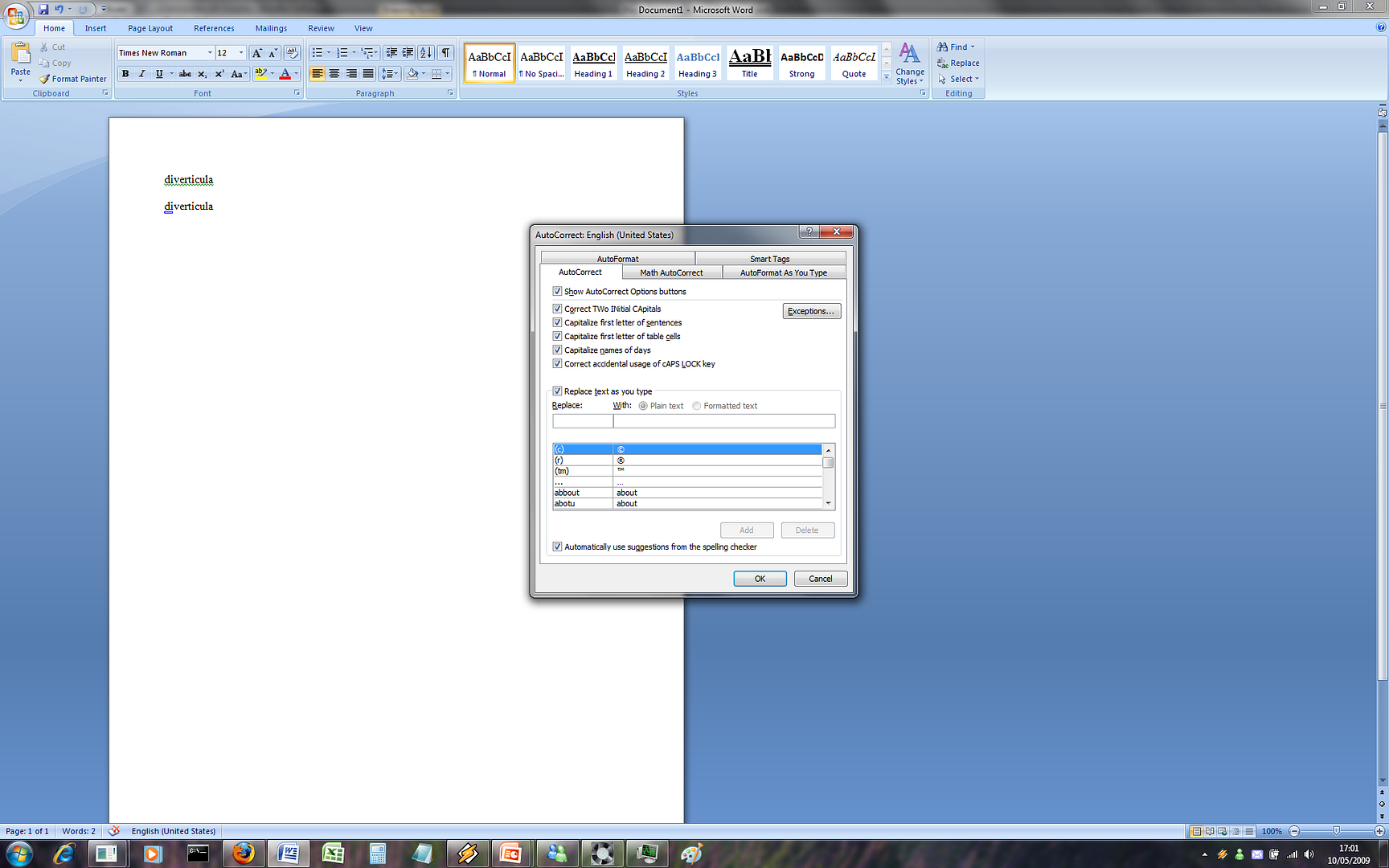
I'm having a bit of a frustrating time with PowerPoint 2007 here. Basically, in Word 2007, there's a checkbox in the autocorrect options: "Automatically use suggestions from the spelling checker", so if I mistype a word by one letter, it automatically corrects it, even if it's a word I added into the dictionary myself.
Anyways, there is no comparable checkbox in PowerPoint that I can find. I'm using PowerPoint a lot at the moment and having that feature would make things go much more smoothly, but I haven't been able to turn up anything with Google, so I'm hoping one of you guys has a bright idea!
Hope you can help!
I'm having a bit of a frustrating time with PowerPoint 2007 here. Basically, in Word 2007, there's a checkbox in the autocorrect options: "Automatically use suggestions from the spelling checker", so if I mistype a word by one letter, it automatically corrects it, even if it's a word I added into the dictionary myself.
Anyways, there is no comparable checkbox in PowerPoint that I can find. I'm using PowerPoint a lot at the moment and having that feature would make things go much more smoothly, but I haven't been able to turn up anything with Google, so I'm hoping one of you guys has a bright idea!
Hope you can help!