

You are using an out of date browser. It may not display this or other websites correctly.
You should upgrade or use an alternative browser.
You should upgrade or use an alternative browser.
Bitfenix Recon USB
- Thread starter nlr
- Start date
More options
Thread starter's posts

As above but there's also a home made bit of software in development that promises more features than the Bitfenix interface gives us.
http://forums.overclockers.co.uk/showthread.php?t=18436816
It's called Phoebetria.
http://forums.overclockers.co.uk/showthread.php?t=18436816
It's called Phoebetria.
If you want to use the web interface plug in the first USB connector in the line. You can download the software to open the web interface for you from the recons web page. I think it's just for using the web interface via pc.
As above but there's also a home made bit of software in development that promises more features than the Bitfenix interface gives us.
http://forums.overclockers.co.uk/showthread.php?t=18436816
It's called Phoebetria.
Thank you!
 I wont bother installing them as I don't mind using the physical controls and do you know if the long metal things are important because it wont fit in my case with them attached?
Which ones? The heatsinks or the metal frame?
The heatsinks are necessary to dissipate the heat from the transistor and the frame is needed to hold the Recon in the case.
I really wouldn't recommend removing the heatsinks unless you can be 100% sure you'll only ever run this thing at low load.
The heatsinks are necessary to dissipate the heat from the transistor and the frame is needed to hold the Recon in the case.
I really wouldn't recommend removing the heatsinks unless you can be 100% sure you'll only ever run this thing at low load.
Which ones? The heatsinks or the metal frame?
The heatsinks are necessary to dissipate the heat from the transistor and the frame is needed to hold the Recon in the case.
I really wouldn't recommend removing the heatsinks unless you can be 100% sure you'll only ever run this thing at low load.
What do you recommend mate if I can't remove it because its in the way of my radiator in my prodigy case
This thing:
Hmm. I suppose you could remove the heatsinks, trim the bottom off them and bend them over so they take up less of the height. Or remove and drill a new hole. You could also try sticking a different heatsink on there, such as a little RAM heatsink, like this one for instance. Either stick on with thermal tape or drill a hole and use the little bolt and a touch of thermal interface material.
http://www.overclockers.co.uk/showproduct.php?prodid=HS-087-AK
If you only ever plan on having a single low current fan on each channel then you could remove the heatsinks but be careful as they do will get hot.
http://www.overclockers.co.uk/showproduct.php?prodid=HS-087-AK
If you only ever plan on having a single low current fan on each channel then you could remove the heatsinks but be careful as they do will get hot.
Glad someone asked this question as i will be doing the same thing in my Prodigy.
Il probably end up removing the stock heatsinks and applying some RAM heatsinks i have as il be running a single 230mm Bitfenix fan on 1 channel and two 120mm fans on the other, dont plan to daisy chain loads together so probably safe to either remove some of the heatsink or replace with a smaller one as in your video Tealc i remember you saying the heatsinks got a little warm but not really hot so they sound oversized if just using 1-2 fans per channel.
Il probably end up removing the stock heatsinks and applying some RAM heatsinks i have as il be running a single 230mm Bitfenix fan on 1 channel and two 120mm fans on the other, dont plan to daisy chain loads together so probably safe to either remove some of the heatsink or replace with a smaller one as in your video Tealc i remember you saying the heatsinks got a little warm but not really hot so they sound oversized if just using 1-2 fans per channel.
In my PWM circuit they got hot and need heat sinking when I loaded up more than around 0.2A. They got hotter at low speed rather than high.
I do believe Bitfenix have oversized them considering the actual current handling of the circuit so would probably do the same (RAM sinks) if I had issues fitting.
I do believe Bitfenix have oversized them considering the actual current handling of the circuit so would probably do the same (RAM sinks) if I had issues fitting.

Associate
- Joined
- 1 Jan 2012
- Posts
- 1,946
- Location
- Scottish Borders - UK
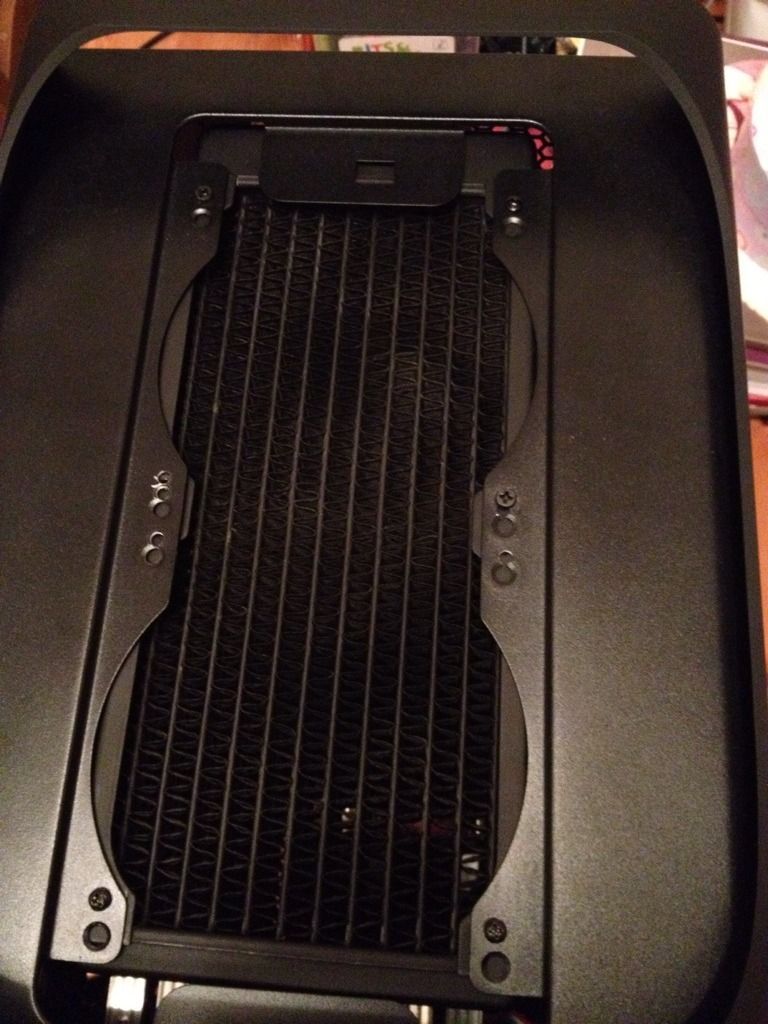
Is it for the prodigy when fitting a rad in the roof?? You don't need to do anything with them.
I was thinking of cutting them back myself, but if you move the rad back about 10mm then it will all fit fine.
Check out my build log below!
I was thinking of cutting them back myself, but if you move the rad back about 10mm then it will all fit fine.
Check out my build log below!