• Competitor rules

    Please remember that any mention of competitors, hinting at competitors or offering to provide details of competitors will result in an account suspension. The full rules can be found under the 'Terms and Rules' link in the bottom right corner of your screen. Just don't mention competitors in any way, shape or form and you'll be OK.

Cant adjust cards

Associate
Joined
2 Jan 2004
Posts
483
Location
Kent


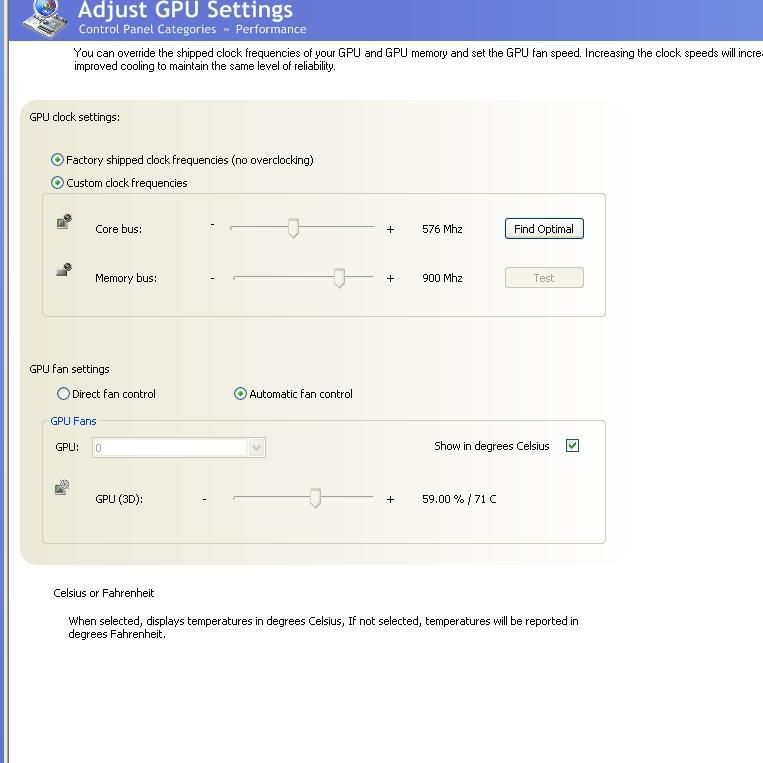
When i select custon clock settings,it will not allow me to move sliders- Also when i select optimal,the screen either goes blue or white. Then have to reboot.

System as sig,have 97.44 drivers installed and lastest ntune.
 
I had the same problem with my GTS. I've managed to get round it however. Best thing to do is to enable the old CP in regedit, install coolbits, overclock and test the old way then when you're happy with your clocks, revert to the new CP to re-enable all the new features.

you need to navigate to this entry in regedit..

HKEY_LOCAL_MACHINE/SOFTWARE/NVIDIACORPORATION/GLOBAL/NvCplApi/Policies

I then right clicked on the right hand window, went New --> Dwordvalue. Call it SedonaDisable, then right click on it and click Modify. Change Value data to 2 then click ok and close regedit.

Then right click on desktop, go to properties --> settings --> advanced --> GeForce 8800 and on the left hand side a box will appear, click on Control Panel User Interface and then check Classic Panel. This will change the new panel to the old one, allow you to change the clock speeds like you used to (assuming you've used NV before) and then revert back to the new one to enable the new 3d features.

Hope this helps!!

P.S. Thanks to the guy who originally posted this description, i would have pointed to the thread but can't remember which one it was!!
 
Back
Top Bottom