Case Complete

Associate
Joined
2 Jan 2009
Posts
416
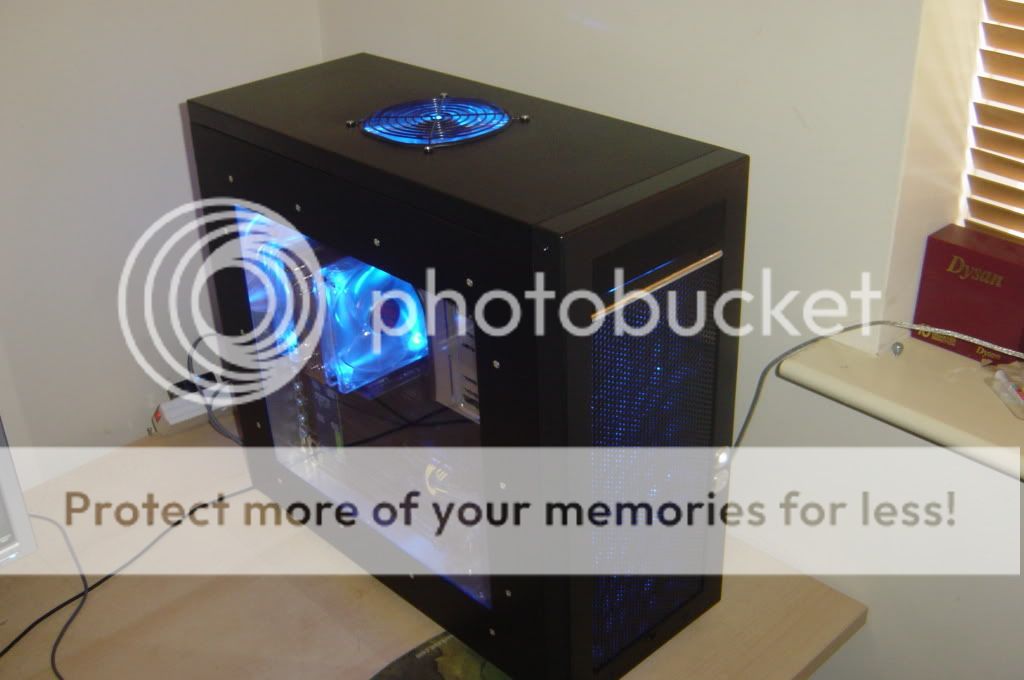
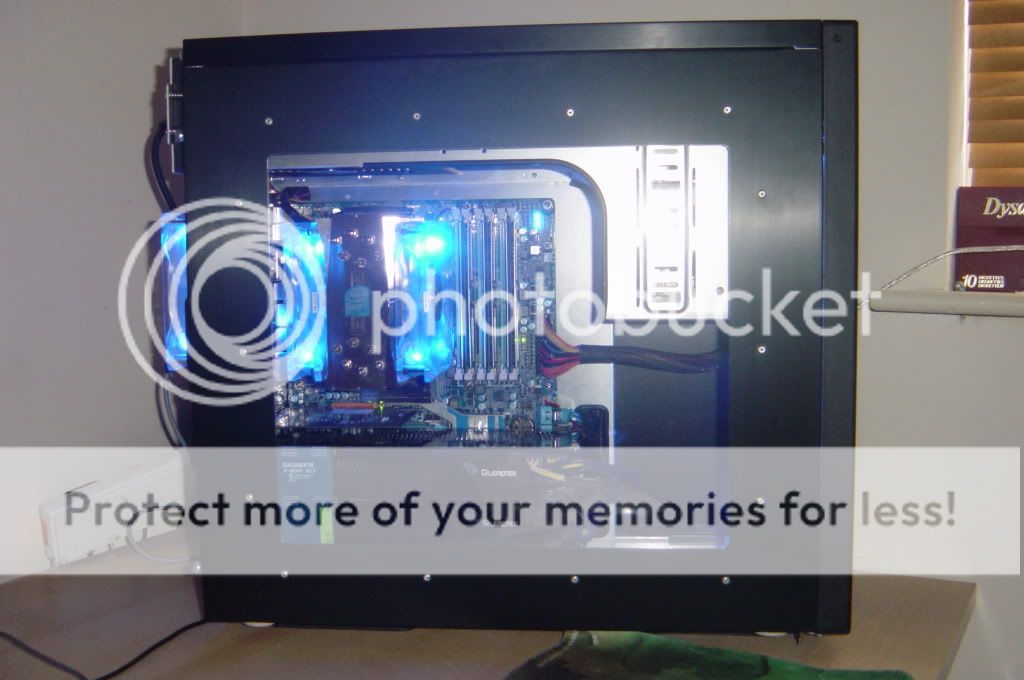
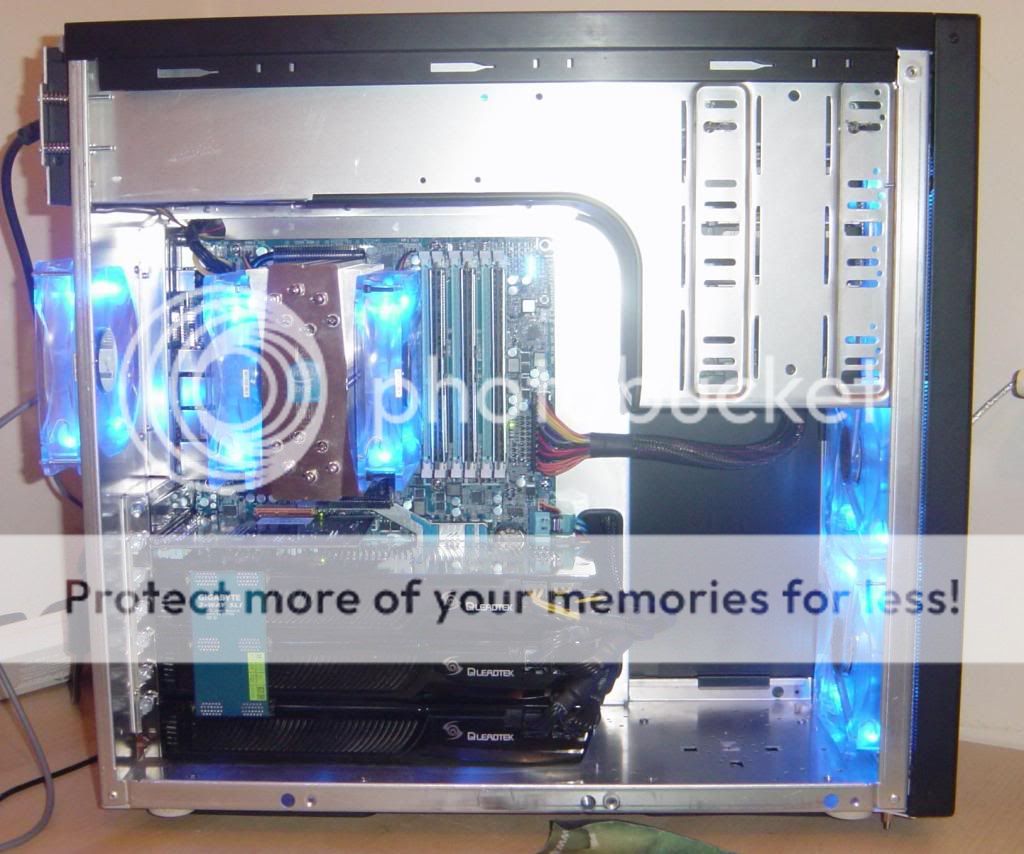
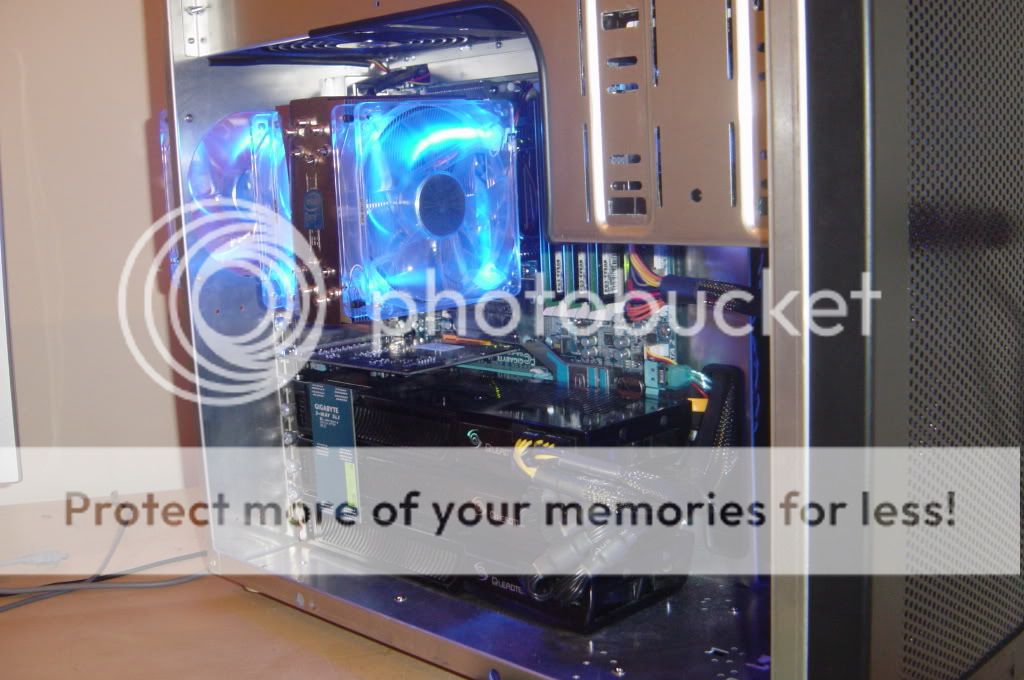
This is a modded pc7 case for my i7 system, I have used Lian LI pc7 cases for years because I like them so much. I wanted to modernise it a bit by getting rid of the floppy drive spaces and creating a 120mm fan space at the top and improve cable management. Also the hard drive cage is gone to allow the videocards to get air. The four hard drives are in the DVD drive bay turned to the side.

1.jpg

-
2-1.jpg

-
3.jpg

-
4.jpg

-
5.jpg

-
6.jpg
 
thanks everyone, the videocard temps are fine now as they are undervolted, i have not seen them go above 90c but when they had the origional bios and i first put them in this case one hit 115c before the system crashed, then i found i needed to cut an air exit below the pci slots because the bottom videocards air exit was blocked because the case does not have enough pci card spaces. also the bottom card gets air from under the case through a filter. - really hard work lol :eek:
 
yeah it does, i am thinking of getting some 1300 rpm yate loon fans, these are 1700, its not too bad though, you can hear the air being forced through the filters at the front more though
 
There's got to be somewhere to hide that 24 pin cable though.

yeah thats been bugging me, its too thick to tuck behind the mobo tray because it just bends the motherboard and the tray and the side of the case, also theres just no place with all the hdd cables and gpu power cables. i guess it could be done if the cable was modified with more felxable wires but i hate messing with power supplies. oh well
 
Looks great, and the work you did looks very professional. I like the how the front turned out but not to keen on the top fan.

Other than that, fantastic work. :)

thanks, yeah i need to get a nice grill for it, I might use the same stuff as i used for the front grill and just drill the holes slightly bigger to allow more air to exit it definatly looks a bit out of place the way it is though. I have to find a way of getting as much air through the grill and still having it look nice because that fan makes a huge difference to case temps, with out it the heat from the videocards just wells up.
 
Temps are ok, The bottom videocard draws air in from a 120mm hole cut into the underside of the case which also has a filter to protect the card.

Also because the bottom videocard has its hot air exit below the pcie slots as you noticed, a exit for this air had to be cut into the case in that space.

The bottom card is the coldest and the middle one is the hottest in terms of pcb temps. all three are undervolted although they are able to run stock clock speed settings. The fans dont go above 80% I have been able to undervolt it even more and the highest core temp hovers around 85c now.

I like cases this size although its more sensable to put a tri sli system in a bigger case to keep it safe I like this challenge. Currently I am working on a high end SLI x58 micro atx system in a modded silverstone sugo case will post pics of that if it works out and it doesnt fry itself :D. I have got as far as cutting the windows out of the sides and choosing the heatsink for the cpu and the asus rampage 2 gene motherboard.
 
He said about that earlier, had to cut some extra holes for it to get/expell air.

Im a lover of the PC7 too, absolutely belting case!! Just wondering if you have a photo of how you've mounted the hard drives? Need to move mine up to the 5.25" bays soon and thinking of the differrent ways to mount them

But yea, nice build man, ridiculously clean looking! :)

Thanks :)

I could only find one pic, and its not too good, I dont have access to a camra right now but I had to cut out a hole in the other side of the bay for the power and sata cables and then used some rubber edge trim to cover the sharp edges.

heres the pic, you can see a small part of that hole through the hard drives
NewBitmapImage5.jpg
 
I was thinking of tucking it directly behind the motherboard and drilling out the tray for the other end to go through so it would hardly be seen, and it would bypass the pci-e cables that take up space at the back. or do you think I should leave it?
 
Back
Top Bottom