cheap Quiet pc

Associate
Joined
12 Dec 2009
Posts
31
My Pc is a few years old. I may want to play some of the latest games but I guess i would prefer an onboard graphics on the motherboard as i figure it will be quieter.

According to CPU-z my current setup intel i5 2500k sandybridge socket [email protected]. According to CPU-z core speed is 1600 MHZ with multiplier: X16 and bus speed 100MHZ.
asus p8z68-v motherboard
One of ram cards broke down so now I have only 4Gb of ram. According to cpuz memory is running at 800MHZ with 9-9-9-24 timings.
I guess i would prefer 16GB of RAM.
I have case, hard drive. So only need motherboard, cpu and memory i think.

What upgrade would you suggest for ~£200? How much of a difference will i notice for example with startup time or video-rendering?

Thanks.

P.S I dont know that much about computers but why does it say 1600 instead of 3.3GHZ? Sorry if stupid question.
 
Last edited:

My Pc is a few years old. I may want to play some of the latest games but I guess i would prefer an onboard graphics on the motherboard as i figure it will be quieter.

According to CPU-z my current setup intel i5 2500k sandybridge socket [email protected]. According to CPU-z core speed is 1600 MHZ with multiplier: X16 and bus speed 100MHZ.
asus p8z68-v motherboard
One of ram cards broke down so now I have only 4Gb of ram. According to cpuz memory is running at 800MHZ with 9-9-9-24 timings.
I guess i would prefer 16GB of RAM.
I have case, hard drive. So only need motherboard, cpu and memory i think.

What upgrade would you suggest for ~£200? How much of a difference will i notice for example with startup time or video-rendering?

Thanks.

P.S I dont know that much about computers but why does it say 1600 instead of 3.3GHZ? Sorry if stupid question.

It's called speedstep, when your machine is idle it clocks down to save energy, if you put your CPU under load you will see in CPU-z the clocks go up.

Your machine is old but pretty decent, you can buy 2 x 8gb ram stick and use them in the other slots and GC are only loud when you put them under load, get a non-reference cooler one, cooling/ noise is generally better on those.
 
TeamGroup Elite 4GB (1x4GB) DDR3 PC3-10666C9 1333MHz Single Channel Module (TED34GM1333C901)
Stock Code MY-023-TG
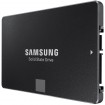
Samsung 250GB 850 EVO SSD 2.5" SATA 6Gbps 32 Layer 3D V-NAND Solid State Drive (MZ-75E250B/EU)
Stock Code HD-191-SA
Asus GeForce GTX 750 OC 1024MB GDDR5 PCI-Express Graphics Card
Stock Code GX-336-AS
£175.87 inc vat + delivery
should speed things up a little and give you entry level gaming
BUT you need to look up your psu specs
 
Your machine is old but pretty decent, you can buy 2 x 8gb ram stick and use them in the other slots and GC are only loud when you put them under load, get a non-reference cooler one, cooling/ noise is generally better on those.

So you don't think it is worth the cpu/motherboard upgrade?

Also, any suggestions which RAM?

And does it matter if you mix RAM? So combine the single 4GB stick i have with the 2 new 8GB ones? Or just have the 2 new 8GB ones?
 
My Pc is a few years old. I may want to play some of the latest games but I guess i would prefer an onboard graphics on the motherboard as i figure it will be quieter.

The short answer is no. Onboard GPUs are slower and make the CPU hotter and the cooler fan spin faster. There's the fanless Palit Geforce GTX 750 Ti Kalmx Silent 2GB GDDR5 Card for ~£100, which I'm sure OCUK would be delighted to supply. That will be a huge improvement over any iGPU.

Don't bother upgrading the CPU or motherboard. Going to 16 GB RAM is a good idea, but you may see more benefit for your money from adding 4 GB (for 8 GB total) and spending the rest on a SSD.

My basket at Overclockers UK:

Total: £94.68
(includes shipping: £8.70)


Add in the Palit silent 750 Ti for ~£100 and you're on budget.

Something else to consider is that many people are overclocking that CPU to well over 4 GHz, so you might want to check and upgrade your CPU cooler.
 
So is it ok to mix RAM? I understand that this isnt recommended.

What if I were to buy 8GB? Making a total of 12GB I understand that then it wont work in dual channel?
 
So is it ok to mix RAM? I understand that this isnt recommended.

What if I were to buy 8GB? Making a total of 12GB I understand that then it wont work in dual channel?

While it is "best" to run paired memory dimms it's not required, you could check what you currently have and try and buy some of the same RAM. Otherwise you could buy a 8GB (2x4GB) kit and sell your old stuff to recoup some of the cost. I would agree that the best upgrade would be a GPU (most likely Nvidia 750TI), SSD and said RAM upgrade options.
 
ok - thanks. Would adding another 8GB to the 4 I already have (making 12) run faster than 8GB paired memory?

Is it much hassle transferring windows to the SSD? How long does it take? Is it possible to just set up windows on the SSD, then just plug in the old hard drive into the motherboard? Or is it done another way?
 
Last edited:
You can transfer windows as to your SSD using Macrium reflect which is a free software program for home use or you can do a complete fresh install and then on both occasions use your mechanical drive as storage.

But before you transfer the operating system you may need to delete some stuff as you may fill up the SSD.
 
Ok. Thanks.
Just wondering also about what was said about the onboard graphics. When I install the new graphics card - what happens to the motherboard integrated graphics? Does it just not work?
 
What if I were to buy 8GB? Making a total of 12GB I understand that then it wont work in dual channel?

You could buy 1x 4 GB DIMM and 2x 2 GB DIMMs. Check your motherboard manual to confirm that this is a supported configuration.

When you transfer Windows to the SSD, be sure to turn off defragmentation on the SSD.
 
If you want a silent setup Id suggest the Streacom FC8 Evo - I have been running one for a good while with 2 hard drives and a graphics card (and its tiny).
 
Back
Top Bottom