

You are using an out of date browser. It may not display this or other websites correctly.
You should upgrade or use an alternative browser.
You should upgrade or use an alternative browser.
Crysis screenshot detail?
- Thread starter Gashman
- Start date
More options
Thread starter's posts
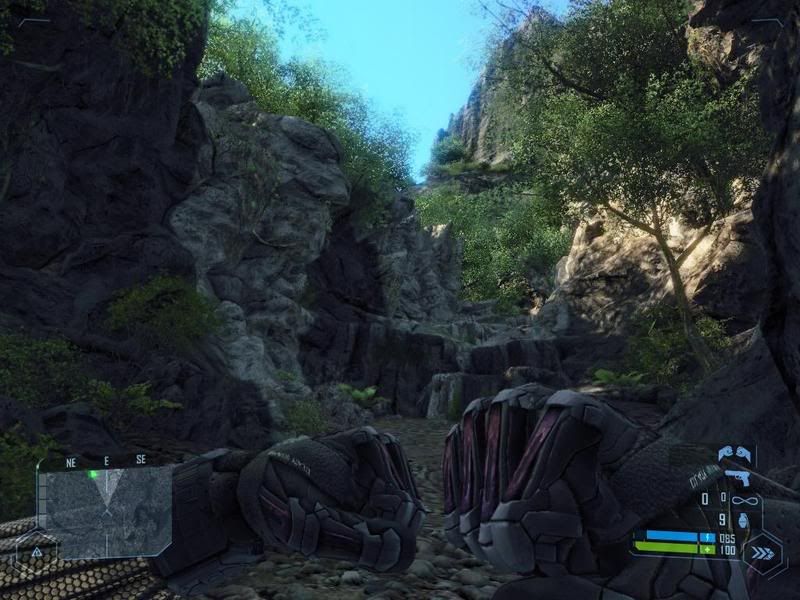
everything looks far less jaggy in game, i took that with x2 edge AA and x16 anisotropic, looks much better in game, cant understand why?

does it make a difference what format the screenshot is saved as, JPEG is quite low quality isn't it?

Soldato
- Joined
- 30 Dec 2004
- Posts
- 4,681
- Location
- Bromley, Kent
Well it may be possibly because your scaling the screen shot down? Whats it like at 1:1?
- Pea0n
- Pea0n
Well it may be possibly because your scaling the screen shot down? Whats it like at 1:1?
- Pea0n
the exact same but bigger, lol

Associate
- Joined
- 12 Jun 2007
- Posts
- 1,629
- Location
- East London
what is the command you use to take the screenshot? when i do it, it ends up kind of making a montage of different parts of the screen, and puts them in random order, like one of those puzzles where u move the pieces around until it makes a picture. wierd
and tbh everything looks better ingame as youre moving around and engaging in doing things
and tbh everything looks better ingame as youre moving around and engaging in doing things
Associate
- Joined
- 12 Jun 2007
- Posts
- 1,629
- Location
- East London
i simply use F12 key
interesting. its just you can set the res of a screenshot in the config, so you can make a huge 4000x3000 res picture, which looks great.
interesting. its just you can set the res of a screenshot in the config, so you can make a huge 4000x3000 res picture, which looks great.
you use that key next to 1 to open the console and tell it to take screenshot right?
F12 does the job fine.
And the screeny you showed doesn't really show any bad AA or AF. Anyway, it's most likely you're noticing the blur effects more in still screenshots.
so how do some people manage to get such detailed screenshots?
the exact same but bigger, lol
the amount of pixels in game is a lot more than that of the picture posted. maybe there's a way to take higher res screenshots?
the amount of pixels in game is a lot more than that of the picture posted. maybe there's a way to take higher res screenshots?
maybe indeed, but i got nothing

Do you game at 800 x 600?
1280*1024 on 17" viewsonic, i have 20" WS as well but i use 17 for crysis

Suspended
- Joined
- 1 Sep 2006
- Posts
- 383
Ingame screenshot functions always take screenshots in poor quality that i've seen, a helluva lot of em even save them as .png files >.< Fraps too takes poor quality ones.
If you really want them to look their best then just printscreen and paste into paint. More hassle, but more quality.
If you really want them to look their best then just printscreen and paste into paint. More hassle, but more quality.
Ingame screenshot functions always take screenshots in poor quality that i've seen, a helluva lot of em even save them as .png files >.< Fraps too takes poor quality ones.
If you really want them to look their best then just printscreen and paste into paint. More hassle, but more quality.
that don't work, i tried print screen and never got a screenshot
Suspended
- Joined
- 1 Sep 2006
- Posts
- 383
Try Ctrl + Print screen then paste it into paint.
Ingame screenshot functions always take screenshots in poor quality that i've seen, a helluva lot of em even save them as .png files >.< Fraps too takes poor quality ones.
If you really want them to look their best then just printscreen and paste into paint. More hassle, but more quality.
I don't understand, it seems like you're saying png is crap.
It's not the format itself that has a bad quality, just the amount of compression the program is using, a full quality jpeg will look the same as any bmp or png.JPEG is quite low quality isn't it?