DIY NAS / Plex server

Soldato
Joined
18 Jan 2012
Posts
3,923
Location
Derbyshire
I'm looking for a some advice regarding building and setting up a DIY NAS which may also get used for PLEX. I'm complacently new to this and could do with some advice on components / getting everything working.

I have put together a rough component list below. I'm not sure if I should spend a bit more on newer features and hopefully more reliability or get a second hand H61 board and Sandybridge low power T series CPU and some cheap DDR3.

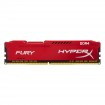
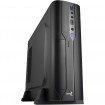
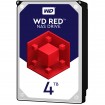
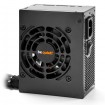
My basket at Overclockers UK:

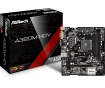
Total: £459.56 (includes shipping: £11.70)​

I'm intending to run freeNAS, assuming that i can get all it to work failing that I can always buy an unpopulated enclosure for the 2 drives.
 
That AMD 200GE can do 2x1080 h264 transcodes in Plex, a low end intel iGPU will wipe the floor with it, you want 6th gen ideally onwards.

Why specifically are you choosing Free NAS? What storage system are you going to use and why is a 2x4TB drive set-up your chosen route?
2 drives is basically comparable to RAID1 (mirror) in this scenario.

Case wise, why not choose something more suited to the job? 2x3.5” bays and 1x5.25” bay sounds like a strange choice.

I was looking at something like a G5400 but they are about £20 more and are a bit more power hungry + the extra for the motherboard. I'm also probably going to be the only user so it dosen;t have to handle that much beyond a single 1080p stream.

Are there any better alternatives to Freenas? I was looking at Unraid but if freenas can do what I need for free, why pay for Unraid? The 2 drives are there for mirroring proved some redundancy.

The case is a compromise on space, I needed something small to fit and micro ATX board. Anything bigger is not going to fit next to my router where i want to put it. I was looking at mini ITX but the boards are just too expensive (bar paying extra for good quality drives i'm trying to keep cost down). If i do want add more drives later and get something bigger try to locate it elsewhere. Then that case is only a £25 loss so not the end of the world.
 
Last edited:
I am in the process of putting together an Unraid server. Whilst mine is much bigger than yours :D as it's a 4U server style chassis, my hardware is not disimilar. I've got a Ryzen 2200G, 16GB memory, a cheap X470 motherboard - couldn't find a B450 with enough SATA ports on board and by the time I'd bought a SATA port expansion card, I was at the price of a X470 board.

Mine runs some WD reds and a WD blue M2 cache drive. The good thing about Unraid is it is relatively simple and the array can easily be changed in size - changing the size of a storage pool in FreeNAS is a bit more of a faff. Unraid is great for running docker plugins and very light weight.

Unraid runs from a USB stick which is tied to the Unraid licence key. They do a one month trial so you can see if it's for you or not.

I was looking at unraid over the weekend and may give the free trial a go. I did spend far too long trying, and eventually succeeding, to get freenas to work on an old laptop. it's not great with only 4gb of RAM.

I was half tempted to look at something like a WD green as a cache drive, but i don't think i will need it.
 
Intel are masters of power gating technology, are you comparing actual idle/load power usage or something silly like TDP? As you’re buying used B grade stuff anyway, look at used prices, you can get a lot better value that way.

FreeNAS and it’s derivatives have some colourful development history, for me if it comes down to it then free vs cheap is largely irrelevant (especially when spending £500 on hardware), you go with what’s best for your usage scenario. Unraid certainly isn’t ideal in all circumstances, but for this sort of usage it would be my default option, just as while you can game on Linux, it’s generally better/easier on Windows.

Case wise you can put it anywhere you can run a network cable to, once you do the initial bios set-up, it’s unlikely you will need to plug a monitor into it again, also two drives leaves zero space to expand, lots of other (more capable) cases exist with similar footprints.

The power figures were taken from a comparison of the two CPUs, both sit well under their tdp but the 200ge is slightly better. Even looking at the 2nd hand prices on the bay the Intel stuff is still more expensive, a side effect of the Intel stock shortages from last year I would guess.

https://www.anandtech.com/show/13660/amd-athlon-200ge-vs-intel-pentium-gold-g5400-review/20

Can you suggest a better alternative case for roughly the same price?
 
Think I may have a lead on a more reasonably priced G5400, am thinking of pairing it with a B360 board for the extra SATA ports. Is quick sync really worth it for PLEX given that there will probably be only a single user? Also does it matter that most of my media is in h.265?
 
Last edited:
Given that if you need to transcode H265, the overhead is roughly 4x the figure quoted for H264, you won’t be able to transcode H265 with the AMD in software (CPU).

*edit* Also why on earth are you looking at full load power numbers on a box that will likely be idle most of it’s life? Besides even it it were at max 24/7 it’s Under 50p/m more expensive to run (@10p/kw). The thread seems slightly conflicted, one second you are happy to spend almost £500 to get 4TB if redundant storage, the next sweating over a few pounds extra on a more suitable CPU/board and unraid licence, but throw money at an inefficient SFX PSU that will be operating way out of its efficiency range and is more expensive than a more suitable ATX version.

What exactly is the criteria/priority/usage here? Give us a budget, if space is an issue, some dimensions would help and if noise/heat are issues then let us know. Chucking in H265 when it’s already been explained you’re potentially going to struggle with more than one H264 transcode is only going to end badly if you don’t get to grips with the basics first - it’ll work *if* you have the following:

Clients that can direct play all your media.
Clients connected via a suitably fast connection (read wired ideally) to the server.
No transcoding 4K, HDR, H265 or any combination thereof.
No subs that will require video transcoding of H265 content.

Basically you need to stick with direct play and if you have to transcode, it better be H264 to H264 (which you likely wouldn’t need to do unless the rip is horrible or your connectivity/client is wrong) or you need to re-encode things. If you don’t, then bad times will follow. Also just to stress, Plex will require a PlexPass to do HW transcoding via iGPU, the other option is emby (EmbyPremiere) or JellyFin (Free, but a comparatively new and rapidly developing emby fork).

Ok then some direct product suggestions would be useful. It is primarily meant for storage hence the drives. The PLEX stuff was something that I may be interested in for the future, It is not something that use at present to watch media, I have an windows tablet 10 connected up the the TV that serves that job (It has a smashed screen is is not much good for anything else).

If i were to drop the space requirement and go with an old ATX case that i have (not ideal for where i want to site it) what you you recommend PSU wise? Should i also be cancelling the order of a g5400 + motherboard that i have just placed?

Edit: Budget wise let's say £150 - 250 not including the storage drives
 
Last edited:
@Avalon Ok, lets go back to the start and try to get a spec worked out.

Recquirement: I want to build a NAS box. It will be primarily for storage of both playable media and as an extra back up for personal files, but may be used in the future for PLEX. Most of my media files have been converted into h.265 to save some space on the drives I already have them on. The devices it would serves media to at present are of smooth playback of these files, I just want somewhere central to store them, and maybe a nicer way of browsing them. The lower the power the better and noise is not too much of an issue as long as it not offensively noisy.

Users: There will be other local users for document storage, but i will probably be the only one wanting to play media from it the foreseeable future. All my existing media is 1080p or lower.

Size: Ideally I would like it to fit into a space of about 45cm W, 30cm D and 50cm H. I have access to an ATX case but I would prefer not to use it as it would require me to run a long Ethernet cable

Budget: around £250 for everything, not including the drives. I don't mind paying for good quality drives, But i would would prefer to save costs elsewhere if the effect will be negligible.

Spec:

CPU: Intel G5400
Motherboard: B360 microATX Motherboard (6 SATA ports + M.2)
RAM: 8Gb DDR4
PSU: Seasonic G360
Storage Drives: ??? Ideally about 4TB of mirrored storage for redundancy
Case: Silverstone PS08
OS: UnRAID trial
 
Last edited:
I have put together the setup above and all seems to be working well, but i'm still playing around and experimenting with things using an old HDD before committing on the expense of a couple of NAS drives.

However when it comes to the drives should I get two 4TB drives, using one as a parity drive or would it be better to get a 6Tb drive to use as the parity drive and a single 4tb drive? I'm thinking this might make it easier to add larger drives later on due to unRAIDs restrictions on adding drives that are larger than the parity drive.
 
I’d really suggest spending 10-15 minutes familiarising yourself with the basics of unraid, the documentation is actually quite simple and answers most basic questions clearly and concisely

Some how I have managed to miss that part when reading, found the other bits of the wiki, the support forums and Spaceinvader One's videos

Drive size is largely irrelevant, you can easily add a larger parity drive at a later date, so buy whatever has the best £/GB ratio now and do the same down the line

I managed to find a good prices for a couple of 6TB Ironwolf drives, so went with them. Overkill i know but it would rather have too much storage than not enough and then have to add more drives.

Annoyingly however one of the drives seems to be DOA, it doesn't spin up and just make a what can be best described as sort of 'bleeping' sound wile preventing it from booting into unraid.

Also you don’t *need* NAS drives, especially not in a two disk set-up.

May I ask why? Just about every other piece of advice says to stick to NAS drives and to avoid the desktop drives.
 
Yeah, have started the RMA process, the BH weekend is holding things up a bit. It is slightly annoying that in the last 10 years out of the 3 HDD 3.5inch drives I have bought 2 have been DOA. I guess I am just unlucky with them. The other drive precleared without issue.

I have manged to get encryption set up on the working drive so if it does die within warranty I don't have to worry about the data on it when returning it for RMA.
 
Anyone got any recommendations on automated backup software?

I normally just copy the files across manually but I'm looking for something that will make life a bit easier than having to manually compare and move across files.
 
Back
Top Bottom