e8400 / complete imbecile etc :)

Soldato
Joined
8 Mar 2005
Posts
4,197
Location
London, UK
Well, Just built a sx38p2 with -

e8400
4 x 4gb G.Skill 8500 ddr2 (Ignoring the fact this board is 6400 (800mhz) only (I stupidly concluded this was still the right choice since this box can ran at 1066mhz, apparently)) -

So, I thought I'd disable "Speed Spectrum" within the BIOS for starters, which seems to of done nothing! CPU-z still show it fluctuating between a multiplier of x6 and x9 (333mhz) respectively, so thats already flummuxed me!

Once light dawns on marble head, I guess I'm after a gentle nudge in the right direction, I know I won't be getting any decent OC off of this box, but I was hoping to get around the 3.6ghz mark. I'll guess at 9 x 400mhz, but I have no real clue regarding ideal settings for the RAM, I'll guess at 400hz 5.5.5.15?

I know useless.

This is the first Intel I have ever bought so er ... any help / ridicule etc, much appreciated.

Cheers, Paul.

 
what board do you have? tried disabling the c1e function for the multiplier switching? Your overclock will depend a lot on your board
 
It's a shuttle sx38p2 pro, based on the Intel x38 chipset.

I'm not expecting this to be a serious overclocker but If I can get 3.6ghz out of it (using the wizardry within the bios) I'd be very happy,

Cheers, Paul.

EDIT, regarding c1e, Yes I can disable this but should I re-enable "Spread Spectrum"? baffling..
 
Last edited:
shuold be able to manage that easily, although heat may be the main concern in a shuttle. Just set the ram ratio 1:1 and start upping the fsb, stability test and continue.

There are some good overclocking guides in the forum, if you follow one of them you shouldn't go far wrong.
 
Yeah cheers, I did read quite a few.

It's just somewhat baffling when you have the ability to change both the multplier and the fsb plus change mem dividers.

Oh well, I'll set to 1:1, leave the multiplier at 9 and go up 5 on the fsb and see where it takes me.

Cheers, Paul.

EDIT, heh well that failed rather quickly.

Setting the divider at 1:1 meant the mem was running at 1333hmz, with the above multiplier/fsb, which failed instantly :)

EDIT2 Out of interest, what are other e8400 owners doing to get to the 3.6ghz mark, i.e. fsb / multiplier etc?
 
Last edited:
Well got my E8400 today didn't change anything just upped th FSB to 400 and there we go 3.6. this is on a P5B deluxe. tested with orthos for about 3-4hours seems to be fine using Real temp to check the temps seems ok. Using Artic Freezer Pro 7.

(thinking about it I did change something maybe frequency? to 33.33mhz?)
 
Hmm yeah, well fsb at 400 x a multiplier of 9 will give 3.6ghz. I'll assume th default is 333mhz (which gives 299ghz).

I think if I run at 400mhz I need to set the mem at a certain divider and settings, it's just knowing what they are :)
 
ive recently got an E8400 to, and it was very easy to overclock to 3.6, using 400 x 9, i dont understand you memory problem, at 1:1 you should be getting 667MHz at stock speeds and each 5 MHz you push the fsb up to should gain you another 10 MHz to the ram, at 9 x 400, with 1:1 my ram was at 800 MHz.
 
OK, yes.

At 400 x 9 with the divider (fsb:dram clock) set to 2:1 the mem then suggests its set to 800mhz. If I set at 1:1 it reads as 1601mhz....

However it will not boot to windows alas ;/
 
Hmm ok,

So, I have got to 3.6ghz :)

The following was set to get there -

FSB = 400
Multiplier = 9
RAM divider 2:1

I also had to manually set my vcore to 1.2875 (lowest figure within bios)
---
Using speedfan to check temps (what else works in vista x64?!) I get the following -

Idle Temp 1+2=44c
Load Temp 1=43 Temp 2=64c (Why such a difference between these 2 temps?!)

It also suggests vcore 1=1.25v and vcore 2=1.3v

I'm hoping a load of 63/65c is acceptable for these chips?!

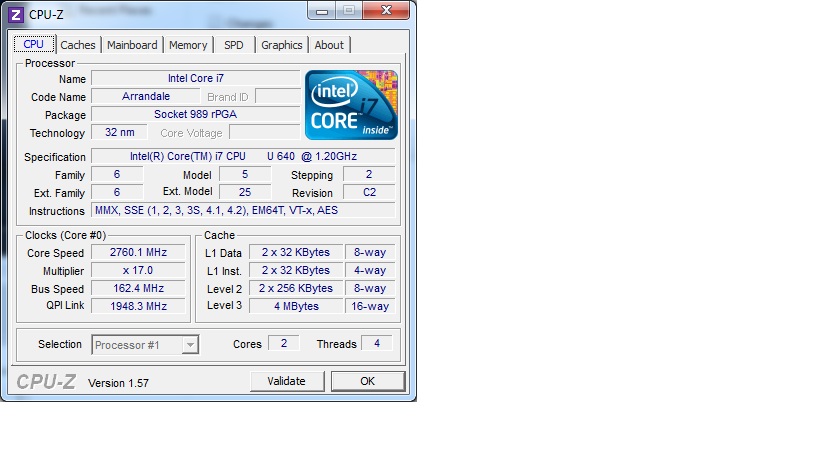
Screenshot of cpu-z

cpuz.jpg


Cheers, Paul.
 
OK, as previous post, but using Coretemp 0.96.1 (with vista driver enforcement disabled).

This now presents, what appears, a more sensible temp of

Idle - both cores sit at 44c dead.
Load - both cores mill between 55 - 58c during prime95

So, I think I may now look to see whether I can push for 4ghz :)

EDIT, Won't go into windows. Any ideas what would be the best settings for g.skill 2gb 8500 sticks (in conjunction with 450fsb at a multplier of 9), i.e. divider and timings (I think these are autoset to 5-5-5-15). Cheers, Paul.
 
Last edited:
if they are 8500 sticks, they should be good for 1066 MHz so if you keep the divider as you have now you should get 900 Mhz, right?
 
Back
Top Bottom