Gigabyte control centre

Soldato
Joined
11 Jul 2003
Posts
8,187
Location
Telford//west mids
I need this to control the rgb on my pro ice x870e but when i install it my fans ramp up,ive tryed the windows memory thing and still no luck,funny thing is there is no fan control showing up in in the control centre.
Ive tryed signailrgb but it interferes with my ghub software,any ideas how to sort this?
 
Last edited:

Try OpenRGB or even Windows 11 Dynamic lighting (it's what I use) if you are using Windows 11, you will need to activate it in the motherboards bios. I detest manufacturers software because it's usually bloated and buggy as hell. When I last had a Gigabyte motherboard (Z390) if I installed their software, set the lighting to how I wanted it then uninstalled it again the lighting remained to what I set it to.
 
I use signal rgb and ghub
Pretty sure i went into signal rgb options
And told it not to autoclose ghub
In the autoclose conflicting apps/processes
Or however it is exactly labelled section in signal rgb

Signal rgb is by a country mile the best rgb software
In my opinion
Am surprised theres even a free version tbh
Microsoft should just ditch dynamic lighting and
Buy out signal rgb and use that instead
 
I'll download it again and try that, thanks.
Yeah it should work
I have multiple windows installed on one PC
One signal rgb controls everything
One it controls most stuff but L-connect is allowed
To control the fans rgb
One ghub and something else I forget are allowed
Just visually reminds me which windows i booted into
So it's definitely not all or nothing with signal rgb

So it's either the autoclose section
Or the hardware section
Been a while since I set it all up so forgot exactly
How i did it
 
Just saying, as much as I like my Gigabyte stuff, GCC is not something you want on your PC - far too much telemetry ****, useless "AI" features and causes slight but noticeable stutter and/or performance degradation in some apps and games.
 
83651f68-0d47-4348-be63-1a324099440f.jpg


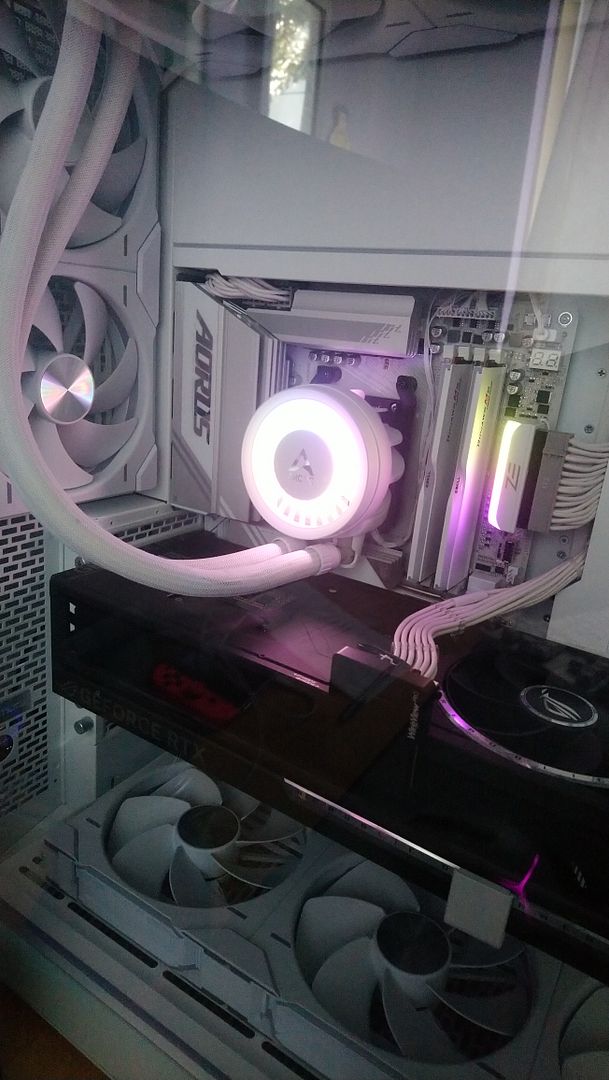
New problem these two stay on when pc is shut down, I've turned of the motherboard settings in bios and shut down signal rgb before turning pc off still stay on.
 
Seen that on my asus board
Armoury crate software over ruled the bios settings
Even though i wasn't even using the asus aura
Part of Armoury crate

Still got any gigabyte control type software installed?
 
83651f68-0d47-4348-be63-1a324099440f.jpg


New problem these two stay on when pc is shut down, I've turned of the motherboard settings in bios and shut down signal rgb before turning pc off still stay on.
You can normally 'solve' lights staying on after shutdown with an energy efficiency complicance setting in the bios. I forget what it is exactly called but it turns off pretty much everything when the PC is shutdown to minimise power draw.

It will disable all your usb ports on power off as well
 
You can normally 'solve' lights staying on after shutdown with an energy efficiency complicance setting in the bios. I forget what it is exactly called but it turns off pretty much everything when the PC is shutdown to minimise power draw.

It will disable all your usb ports on power off as well
that would be my next suggestion
If its not some gigabyte software overriding the bios
Like Armoury crate does
Bios ERP settings would be where you mean
 
Seen that on my asus board
Armoury crate software over ruled the bios settings
Even though i wasn't even using the asus aura
Part of Armoury crate

Still got any gigabyte control type software installed?
All off the pc,its was ok yesterday untill i shut my pc down.
 
All off the pc,its was ok yesterday untill i shut my pc down.
As far as I am aware
It won't be caused by signal rgb it's never ever
Caused me that

Couple of suggestions
Reinstall the gigabyte software and check if it has
The equivalent of what armoury crate has
Called shutdown effect on the asus
If it has set it to off then restart the pc then uninstall
The gigabyte software again

Other option
Clear the bios cmos

Last option look at bios ERP section
Not keen on that one myself as I require usb power
When the pc is off
And most bios you dont have granular control in ERP
Its usually just enabled or disabled
Though if you dont require usb power etc when pc is off
Then fair enough it's worth trying
 
Back
Top Bottom