

-
Competitor rules
Please remember that any mention of competitors, hinting at competitors or offering to provide details of competitors will result in an account suspension. The full rules can be found under the 'Terms and Rules' link in the bottom right corner of your screen. Just don't mention competitors in any way, shape or form and you'll be OK.
You are using an out of date browser. It may not display this or other websites correctly.
You should upgrade or use an alternative browser.
You should upgrade or use an alternative browser.
Help!
- Thread starter w1lliam
- Start date
More options
View all posts
Current Spec
PSU is Antec Basiq Power 430W
Also tried the hdmi to dvi and that didnt work out too well.
PSU is Antec Basiq Power 430W
Also tried the hdmi to dvi and that didnt work out too well.
XFX Radeon HD 5850 System Requirements
* PCI Express or PCI Express 2.0 compliant motherboard with one X16 graphics slot
* 500 Watt or greater power supply with two 75W 6-pin PCI Express® power connectors recommended (600 Watt and four 6-pin connectors for ATI CrossFireX™ technology in dual mode)
Edit: Unsure if this would make difference to your psu tho. Antec are a decent brand
Then it shouldnt even power up.
Also checked a few psu calc's and found that with my setup, the total should be around 390w at full load so that cannot be the problem surely?
Fair enough mate, i really dont profess to know a lot about power at all. I only quoted the manufacturer site, if i was buying I'd ensure i'd of followed that rule from the manufacturer site, though.
But tbh, i really dont know much about power.
No worries mate, neither do i.
try dvi cable if you got it?
Monitor has hdmi/vga, and i tried hdmi to dvi
Okay the XFX ATI Radeon HD 5850 has 2 power connectors and the power supply you are using only has 1 pci-express power supply so guessing you did use the molex to pci cable in the graphics card box and plugged it into the 2nd power connector on the graphics card ?
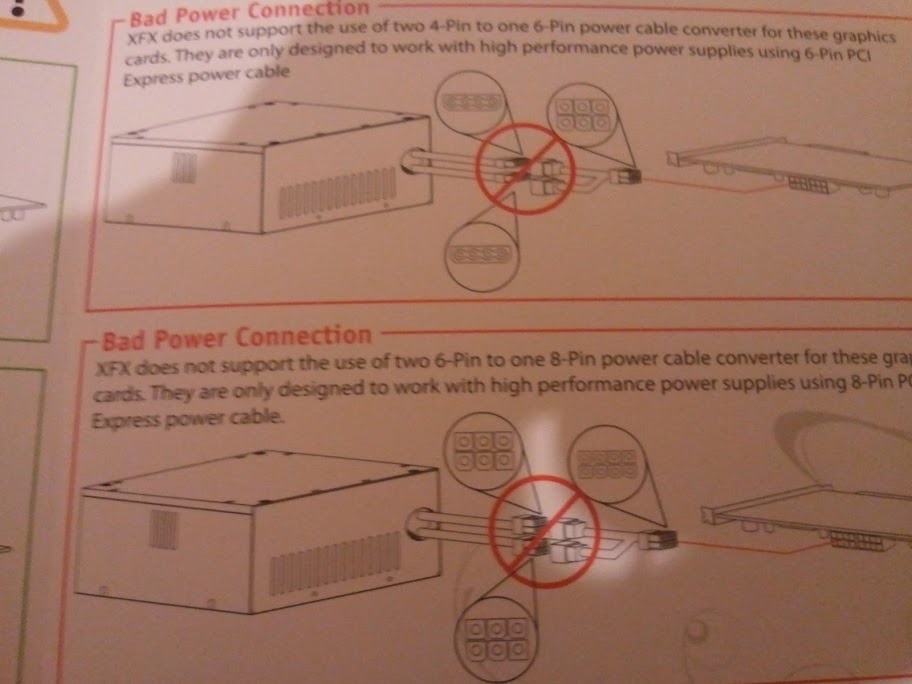
Dont have a bloody clue! I remember 1 slot connecting nicely and the other, well the pamplet told me not to do, something about 2 6pin to 1 8 pin or something like that.
okay make sure there is 2 molex (white ends) connected to the power supply adapter and then connect the black 6 pin end into the 2nd power connector on the graphics card and make sure the 1st power connector is plugged in too that comes from the power supply.
It's not a bad connection, I think you are not understanding what it means or the leaflet is really wrong .
Putting all the parts away since im going to the gym and i will have a fresh look in the morning
thanks everyone!
Last edited:
I disregarded the leaflet when the pc didnt start then got out the molex cables that they supplied and went to town connecting them to the psu and the other end to the gfx card. So now am stuck with everything running but no signal to the monitor and this is when i decided enough was enough and reset everything. And then posted my problem in the OP.
Run a little check...
24-pin motherboard power connected?
4/8-pin CPU power connected?
GPU in correct x16 slot and seated right?
Both 6-pin PCI-e connected to the 5850?
Check those and report back to us
It has only 1 x16 slot

Will do in the morning!
Thanks OCUK
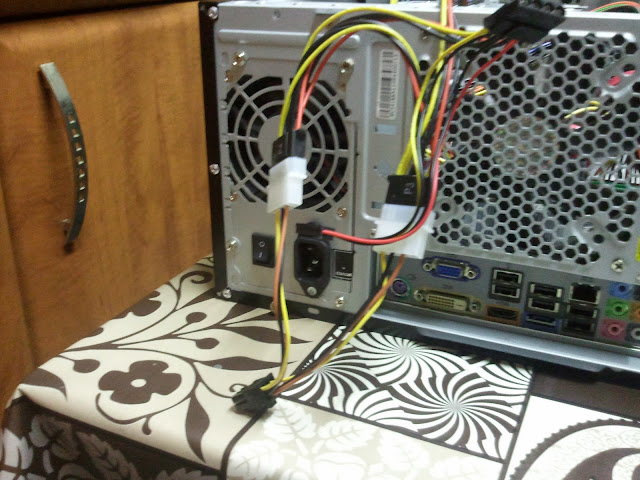
SO tried everything again and this time the gfx card didnt even power up. No i did not hear windows booting up. Dont know about the hard drive since i wasnt really listening for it. Looks like im going to have to take it to a computer shop and see if they can get it started but knowing my luck ill have to buy a new psu on christmas eve and i really wanted to play jc2 on max settings.
Okay power supply then mate... if you made sure in the bios that it should boot from the pci-express 1st and made sure all power connectors are now in, only thing left is faulty graphics card or power supply.
I don't believe it's the graphics card... I had same problem when I installed a 4870 with a low wattage PSU a few years ago and replacing the power supply with a higher wattage and better brand with a single rail cured all my problems.
Thanks mate.
Hopefully it is the psu and not the graphics card as it will be a painfully learned lesson.
I havent gone into the bios to check boot but will set it before i knock off tonight so i can have another go in the morning before i pack everything to the nearest computer shop thats opened. But if i need a a bigger psu i might end up selling this and buying a 6850. But it depends upon the price of a new PSU at the shop