


- Joined
- 22 Mar 2009
- Posts
- 7,754
- Location
- Cornwall
right click on the game launch icon and select run in windows compatibility mode.
why
 the games are windows 7 compatible? well atleast they worked on windows 7 before.
right click on the game launch icon and select run in windows compatibility mode.
the games are windows 7 compatible? well atleast they worked on windows 7 before.


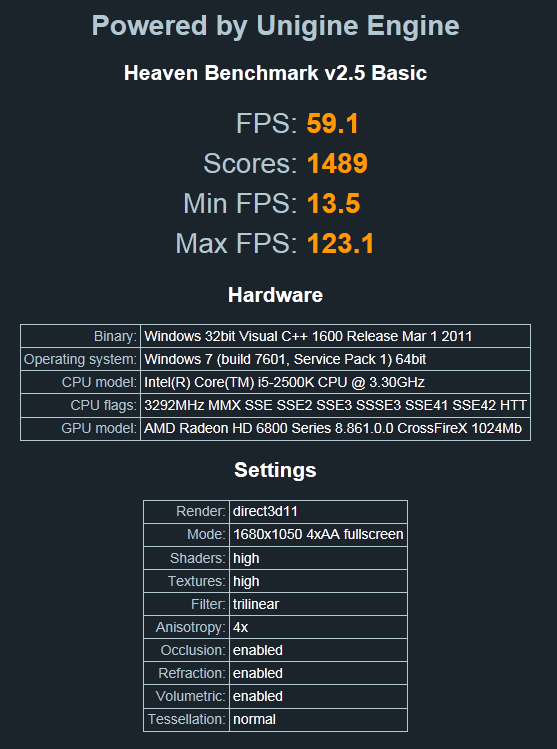


everything else runs fine (programs can take longer than i expect to open but once open they run fine).
This makes em think it is the hard drive
F1 2010 did that with me 7-8 laps in but since I have moved it to my new HDD its stopped.
awesome, you the man.
i did have my old system setup with raid0 with 2 different drives, so maybe this is a bad drive its on now.
will try a fresh install tonight on a different drive, might even set raid0 up again.

Yeah it used to annoy me I always thought my GPU was getting tired
I only really noticed it on F1 2010.
Yeah it used to annoy me I always thought my GPU was getting tired
I only really noticed it on F1 2010.
But murray didn't your dad put your gpu in the x4 slot lol.

yeh, will do some more tests over the weekend when i dont have work, but it looks sorted for now
Pesky Hard Drives
 )
)