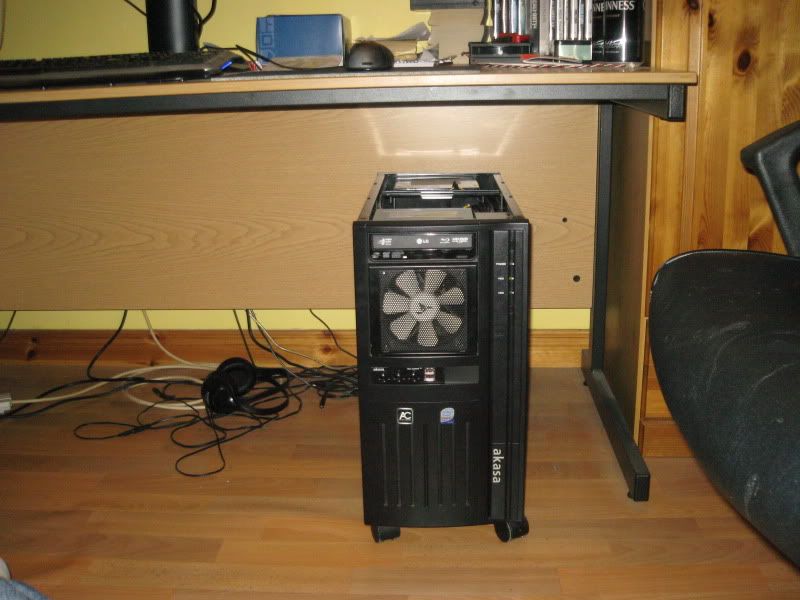
keeping my case cool

Associate
Joined
16 Feb 2010
Posts
305
Location
Southend-On-Sea, Essex
i was thinking on buying theese 2 products.

http://www.overclockers.co.uk/showproduct.php?prodid=SY-000-AN&groupid=701&catid=57&subcat=


http://www.overclockers.co.uk/showproduct.php?prodid=FG-003-ZA&groupid=701&catid=57&subcat=

anythoughts or experience on this on how much it will effect my temps? i allready have use all my 4 pin molex connectors and have 1 3pin left i went for the pci one as it used pci power

i allready own 2 of theese http://www.overclockers.co.uk/showproduct.php?prodid=SY-004-AK&groupid=701&catid=57&subcat=

i also want to get a fan for my free cd drive bays but cant seem to find one to insert there has anyone got a link for this? i want it for the front intake

 
The Kama bay is ideal for cooling down a case.

Both products you linked to will cool down individual parts of your system. The Spotcool is ideal for NB/SB cooling and the Pci fan is ideal for cooling a graphics card.
 
Scythe Kama-Bay PLUS System/Hard Drive Cooler is just what i needed i did see that i thought it was meant for your hard drive to sit inside it, but i was mistaken its for all 3 drive bays. Is it compatible with anycase? my case is thermaltake tsunami dream silver with a side window.

i do have 3 drive bays spare, im having issues finding more info. it doesnt say what connector it uses 3 pin or 4pin does anyone know? also hoping they will do it in silver =(

i was going to use the Spotcool for extra cooling on my graphics card ontop of my graphics card blowing the hot air up to the back of the case to the rear exaust fan, this will supplement my cpu cooler too. and the pci cooler was to blow air up underneath my graphics card and too draw some heat away from my killer nic.

What do you think of a pci powerd fan? its the first one i have seen (except in grphx cards) are there any issues it could give me?

thanks for your help =p
 
Last edited:
Look here for some more info. and pictures.

That link (and the link on that page to the page with the fan specs.) answers two of your three your questions, the fan is three pin and comes with a four pin adaptor and they are made in silver (OcUK don't sell the silver version though). As for fitting in your case, I would've thought so as it should be a standard fit, but not having either product I can't guarantee it.
 
Ok the antec spotcool really sucks does nothing might shave a few decrease ie 3/4c at max of ram temps

pci blowers are more noise than cooling really not worth it ether.

The only things that cool are big lumps of metal & bigger fans 120mm +

What case /hardware do you have & what temps do you currently have?
 
thermaltake tsunami dream case
1 120mm instake at front,
1 120mm out take
flipped the side case to outtake to remove heat of my cpu cooler its 90mm
ocz vedeta 2 cpu cooler
2 pci coolers that suck air out of the case
2 aksa hard drive coolers
1 90mm blue led fan blowing air onto my ram
also remove the audio ports and usb ports at top and put a 40mm fan there

i have a asus 4870 with a cooler on it + fan it goes to 50+ at idle and near 70 at load, i would have thought the pci fan would have blow more cool air onto the card here is what my gpu cooler looks like

http://mybroadband.co.za/photos/data/500/asus_eah_4870_d51.jpg

as you can see its pretty pathetic, i will be getting a new one soon enough.

here are my idle temps.

cpu 40c
hd 1 25
hd 2 30
inside case near nb 29c
and gpu 45c

my cpu i have oced from 2.5 - 3.2 my old cpu idle temp was under 30 i just want more cooling because underload it can get quite warm, also i will be going for a new case sometime in the future, i was thinking coolmaster cosmos.
 
+1 for the scythe kama bay, had one fitted in my akasa eclipse, the supplied scythe fan wasnt that good, so i swapped that for a sharkoon silent eagle 120mm fan.

Picture021.jpg
 
Back
Top Bottom