LEDs and Things

Associate
Joined
13 Dec 2006
Posts
43
Hi Everyone.

At Christmas you lovely people helped me spec a gaming PC for my son. Which was a complete success.

His birthday is coming up, and he would like to add in LEDs.

Just wondering if anyone can point me in the right direction for what I should buy that will work with the PC.

Case is Phanteks Eclipse P300 Glass Midi Tower Case - Black
MoBo is Gigabyte GA-AB350M-Gaming 3 AMD B350 (Socket AM4) DDR4 Micro ATX Motherboard
PSU is EVGA 450BT 450W 80 Plus Bronze Power Supply

Any thoughts?

 
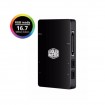
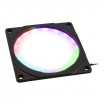
I had the Gaming 3 MATX board. didn't come with RGB header so found a solution on here ... Cooler master RGB box with Phanteks Halo RGB Fan covers as i hate lighting strips!

was before cable management ! RGB box connects to the USB 2.0 internal header and controlled via software . Phanteks Halo's were daisy chained tpgether and used their Own Mobo connector cable to connect to the Cooler master box

bkZo2ye.jpg


once you have nice have enough and sorted out cables get an effetc like this (different gigabyte board here )

HgDDO7m.jpg


B CODE
My basket at Overclockers UK:
Total: £51.75 (includes shipping: £9.90)

or easier option ... and cheaper.. and 3 RGB fans !

https://www.overclockers.co.uk/cool...o-120mm-ab-rgb-fan-starter-kit-fg-02f-cm.html
 
Thanks guys. Must admit the photos look nice, but sounds a bit more complicated. The starter kit looks good, and I presume it will be compatible with the case & Mobo?
 
yes the cooler master 3 pack will have all the cables.

fit the fans, connect them into the box. connect box to the mobo USB 2.0 internal port .

phanteks halo's are great if you have fans already or want to use a non rgb fan.

but i think your case only had one rear fan and space for 3 at the front.

place one rgb fan on the rear and 2 at the front, top and middle. then move the stock fan to the bottom front, hidden from site :D
 
Cool, thanks Orbital that sounds simple enough plus he gets the extra cooling from more fans. So Ill go ahead and just order this; https://www.overclockers.co.uk/cool...o-120mm-ab-rgb-fan-starter-kit-fg-02f-cm.html

:)

sorted! post up and let us know how you get on and its looks!

;)

My basket at Overclockers UK:
Total: £98.64 (includes shipping: £8.70)


if you do intend to overclock the CPU in the future and push it hard. worth a shout

*********

4 months and already adding/customising - slippery slope ;)
 
re the photos; Will do :)

CPU cooler does look nice, but one thing at a time ;) as yes it could start getting expensive if he carries on. But then again as hobbies go learning about computers and IT in general is a great one! ;)
 
re the photos; Will do :)

CPU cooler does look nice, but one thing at a time ;) as yes it could start getting expensive if he carries on. But then again as hobbies go learning about computers and IT in general is a great one! ;)

haha

looking at the P300. If you want it lit nicely... install one at the fear and top sorry- will light up the motherboard nicely and then at the bottom front.
Move the stock rear to top of the front ( rechecked, case can only have two fans at the front which is fine) . Should illuminate the case nicely and have good airflow!
might want to add a 4 pin Y split to control the rear and two fan off one header , or even all three cooler master fans. then CPU cooler will have its header and then the stock fan on the last one (believe the board had 3 headers )

https://www.overclockers.co.uk/ek-water-blocks-ek-cable-y-splitter-3-fan-pwm-10cm-wc-9ak-ek.html
 
Back
Top Bottom