Looking for advice

Associate
Joined
14 Sep 2016
Posts
6
Good Morning Folks,
I was looking for some advice with the cooling situation in my PC. Currently i have the 'Lian Li PC-A70FB USB3.0 Big-Tower Case' with the 'OcUK Tech Labs 120mm Extreme CPU Liquid Cooling Upgrade Bundle' which i bought earlier this year to try and quieten down my noisy pc and solve some of it's overheat issues. It has certainly solved my noise issue (I was previously using Lian Li PC-86) it has improved teh over heat situation as the graphics cards are no longer crashing out, however i am still have heat issues, specifically the memory, north bridge heatsink and CPU regulators are all to hot to touch after an hour or so operation (eventually causing memory errors)
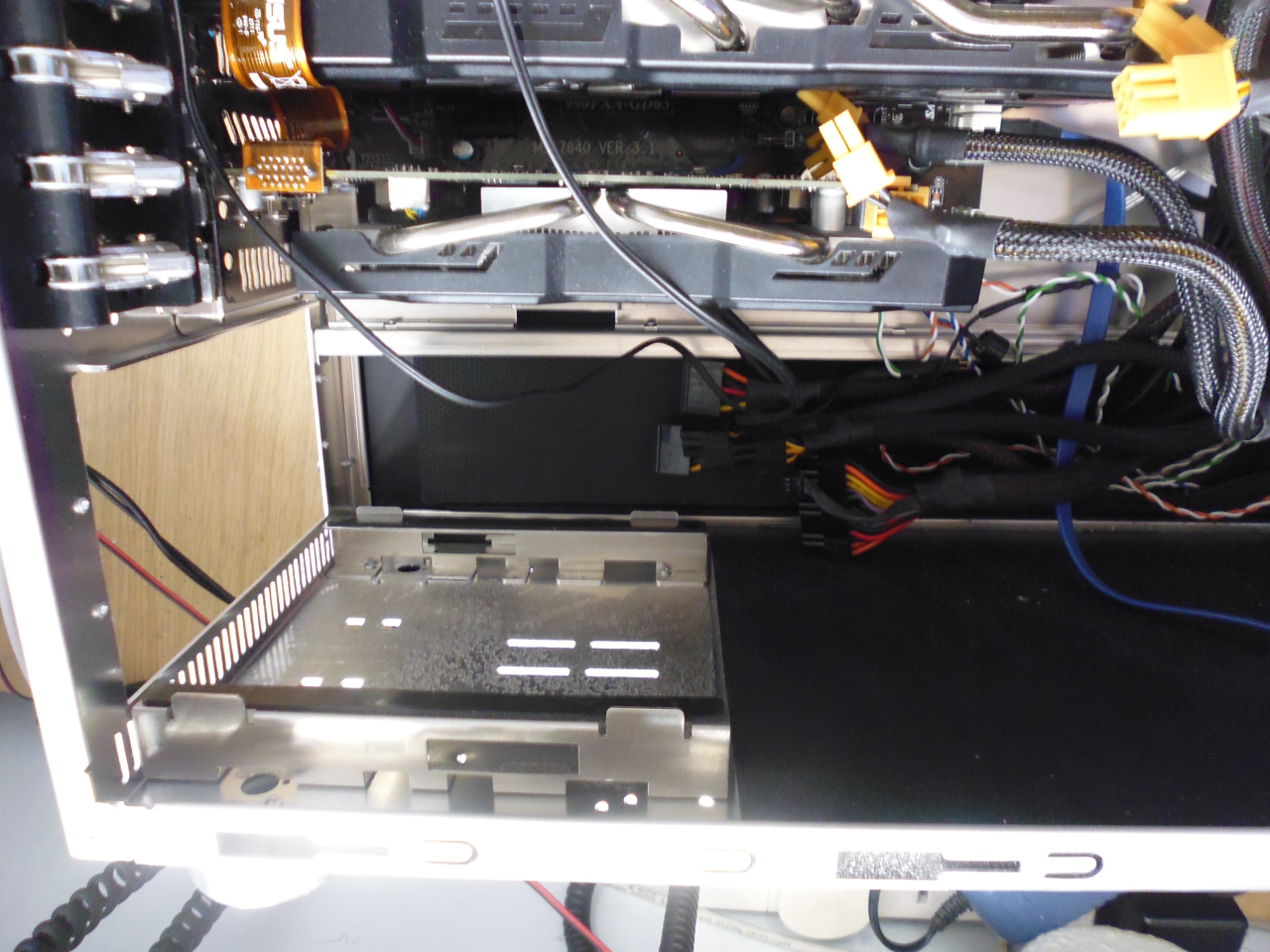
the picture below should help with seeing the layout.
All the fans put out warm air behind the case so it is pulling heat out, just not enough. I was hoping for some advice as to what to do next, some form of baffling to force the air over the components having issues, somehow increase the output fan throughput volume?
I have no problems with building custom things (e.g. perspex, or aluminium shapes) just wanted some advice before I go off and build something that turns out to be useless or if it woudl be more effective to buy a specific cooling solution.
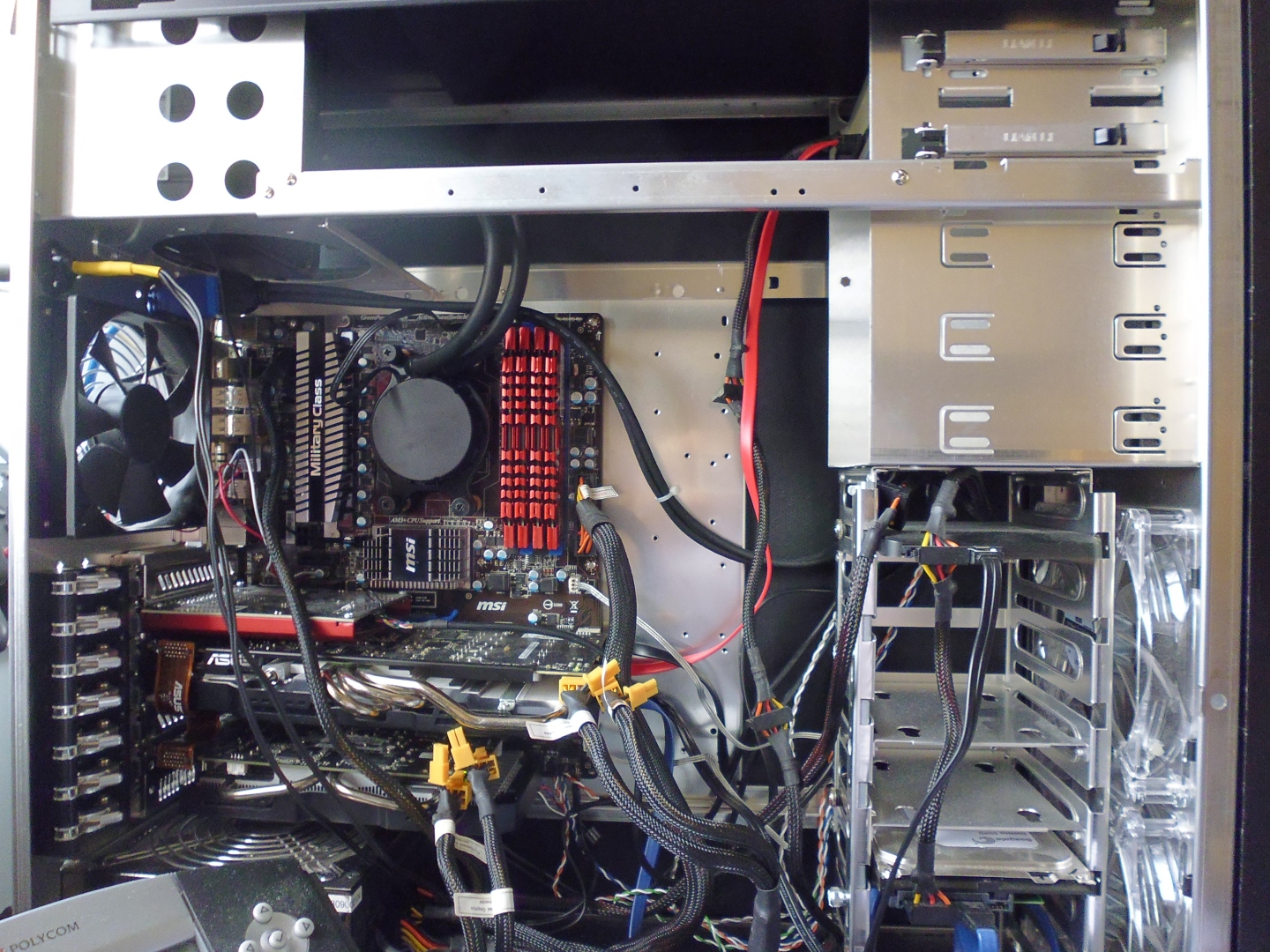
case_open.jpg

p.s. I am not really interested in changing the whole system over to water cooling as I am happy with the all in one kit for just the CPU especially as the graphics are ageing pair of GTX 660's that will get replaced soon enough that i don't want to buy a water block adapter for each.

Images wider than 1280 pixels should be resized or placed in spoiler tags.
 
MrMD,
Thank you for the advice, I will see about moving the drives up into 5.25" bays and removing their frame (i am sure I have adapters lying around somewhere!) I think that however swapping out the fans to some known brand ones is going to probably be the better option, at present the fitted fans that came with the case are from Lian Li so should be ok quality but certainly not high cfm. The motherboard itself only has the 3pin headers for the 3 system fans should i be looking at getting 3 pin fans and let the motherboard take care of the speeds, or should i be looking at one of the kits that includes a fan controller?
or can i start with buying a single 4pin fan to replace the rear fan and see how i do first?

I don't understand how turning the power supply over is going to let it intake as the fan would still remove air from the case as there is no inlet vent in the bottom of the case

Bantu,
the clear fans at the front are intake

pastymuncher,
it has two exhausts the upper one is occupied by the cpu water kit's radiator + fan
the GPU's are actually exhausting out the back of the case as they have integrated output vents, so the PSU + lower GPU are fighting over where to pull air from, flipping the PSU is not going to help to much as there is only 1 cm of clearance under it so going to cause it to strain to pull air though.
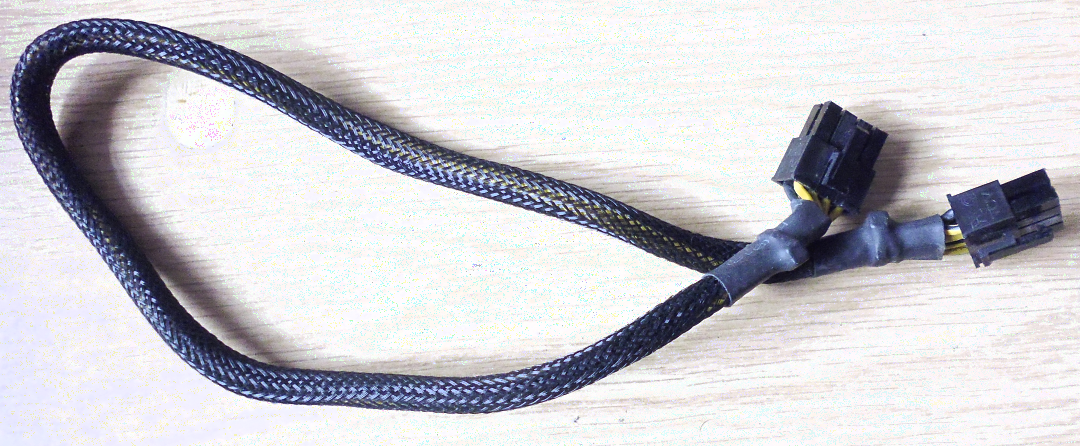
The cables are currently loose while i work out what is going on with the heat i have a retainer kit that is currently out of the case while i work on it, the only cable that isn't normally retained is the north bridge 8Pin as it only reaches with a small amount of slack, need to find one longer than 45cm
psu_cable.png

p.S. i really don't want LED fans i am not really interested in pimping my rig, the fact the front ones are blue is because they are factory supplied and happy to see them changed.
 
Last edited:
The intake fans on the front of the case are 140mm (up to 30mm thick if the cage isn't removed)

I have a bay mountable fan controller that has a pair of temperature senors on leads built in (it was removed as the controllable part burn out it's cheap regulators and some other bits as they do but the senors work) i will see about putting that back in and attaching the probes to some flexible coated wire so i can put them at specific locations.
Flipping the PSU can be done but i will need to remove the sound deadening pad that lives underneath it and cut a hole for a intake. The case feet are only 10mm so not sure how well it will beable to intake.

However i really think the fans in the system might not be up to much in regards to how much air they can actually shift so replacing them is probably my easiest start. i think what i am probably looking for is recommendations as to what fans to use, browsing the OC website for fans by size gives so many results that it is hard to tell the wheat from the chaff. i think this one looks like it will deliver a reasonable cfm and not to high a noise Silent Wings 3 120mm High Speed Fan
 
I had a look underneath the PSU this morning it seems i have limited venting (after removing the sound deadening panel) i have flipped it over and will keep a eye on it's temperature.
psu_removed.png

can i get some advice on what fans to choose from as there is quit a lot of choice. I was hoping for a non LED quiet fan (but i realize noise and cfm are a trade off) i was looking at Silent Wings 3 120mm High Speed Fan

For moving air over the northbridge am i best (in reference to my first picture) placing a fan sideways to the right of the motherboard to push air over the memory towards the outlet, or placing a fan approximately where the CPU fan would be to move air though all the components in that area how the motherboard would have originally achieved that?
 
Thank you so much for all of the advice, what I am going to go with is replacing all of the stock fans the case came with with the Phanteks series.
Move and remove the forward hard drive tray.
Add a vent underneath the case for the PSU and lift the case up on a set of pillars (got some old aluminium amplifier 40mm legs somewhere that should work)
Fit a pair of 40-60mm fans (depending on what I find in my parts boxes) on a 60° L-bracket with a speed controller to push air over north bridge area
going to order all the parts at once but do it in stages so i can measure the impact of each change.
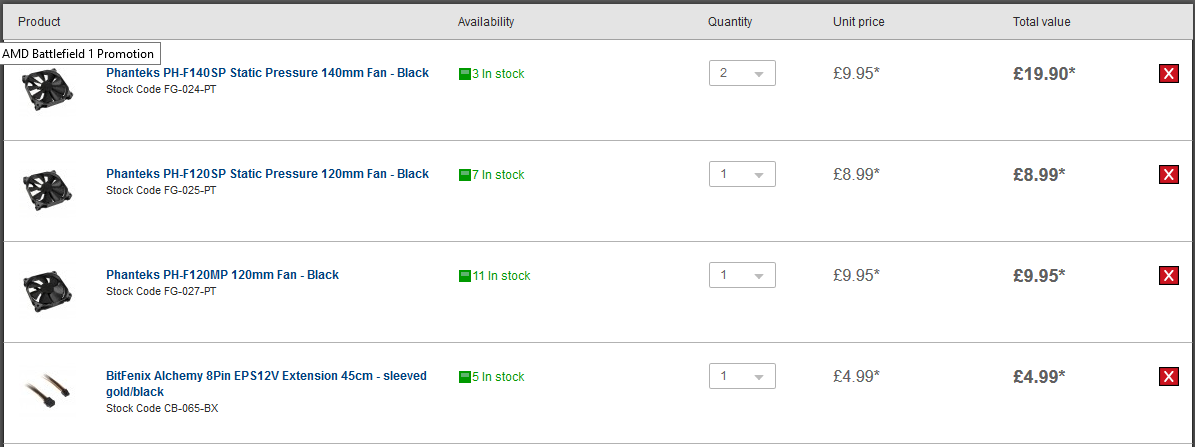
order.png
  • Both 140SP for the intakes
  • 120SP replaces the rear case fan
  • 120MP replaces the water cooler's fan
  • Extension so I can route that pesky cable out of the way
The motherboard unfortunately only has the 3 Pin headers for the 4 system fans (so no PWM control except for CPU)
In addition I am going to take my case (with all parts removed) down to a nearby metal worker to get a 140MM opening under the PSU location cut (as for me to do it neatly I would have to invest £50 in a bimetallic hole-saw and bore). which should be ample size as a intake and still leave clearance in the corners should I wish to drill and mount a 140mm fan. I will also add a DEMCiflex 140mm, Round for that as well.

Hope to update the post once I am all done so at least it can serve as a reference to anyone else running into similar issues.

My Thanks to MrMD pastymuncher doyll and zipp0r as combining there advice together should give me the best chance at solving my issue!
 
Well update number 1, the equipment arrived yesterday morning, installed the 120SP into the rear fan location, moved the existing fan to a bracket to point it at the memory, and flipped the PSU over. So far it has been nice and stable with no sign of overheat. going to run it in for a few days to see how it does. I am not sure that i am going to need all these other fans, however I will likely install the 120MP on the water cooler to help pull more air out. In the mean time i got a quote from a local metal fabricator to see what it would cost to have them punch the hole for me, the quote was reasonable for I expect the time it would take them to prep and perform the cut but more than I was willing to pay (with a turn around of 3-4 weeks) so i ordered a cheap bimetallic cutter from ebay that i will probably use once and then bury in the toolbox to cut the PSU opening underneath.
 
Back
Top Bottom