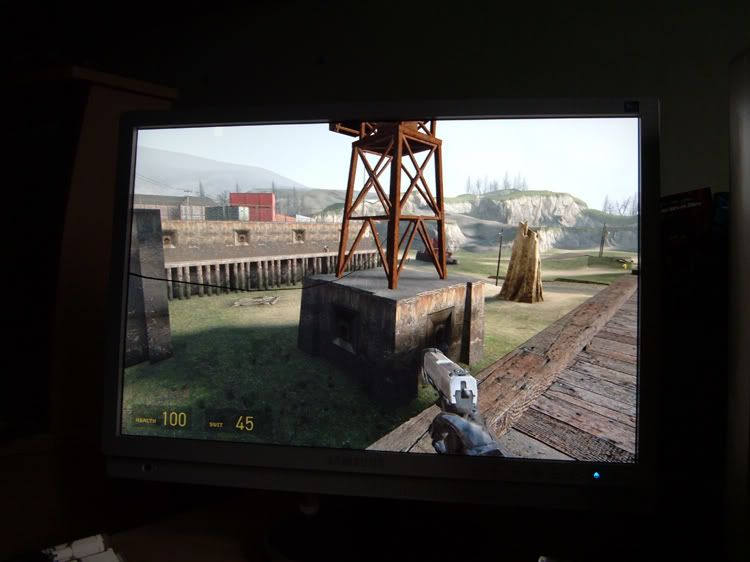
Sorry about doing another one of these but I'm really feeling quite stuck, hopefully this is enough info to help you give me your opinion.....
I have been considering changing my monitor setup for a number of reasons and having procrastinated over
what to do for some time I have come seeking advice.
Presently I have a VMPro 451 running next to a VmPro 400 both running from a box with an Athlon64 3500+ 2gb ram
and twin 6600GTs (The second vga input on the 451 is attached to a linux box that isnt really relevant)
So heres the situation:
1) I used to do a lot of PC gaming but Ive been gaming less recently and more of that reduced time has been spent
on my ps2 and DS, my PC being used more and more for just coding web browsing e-mail etc. I am considering getting a
mac mini and using that for day to day tasks to keep the dB level and electricity usage down !
2) I have a massive backlog of ps2 games to get through and with it presently sat in the living room I only get on it
for extended periods of time once or twice a week.
To get round this I have been moving the ps2 into my lair and rigging it up through s-video input on the 6600GTs and playing it back
through media player classic on the second monitor but the picture is somewhat fuzzy and there is a lot of lag so Im
pretty much limited to turn based RPGs on this setup.
3) I am tolerant of ghosting but very intolerant of screen defects on relatively static images, the VM Pro 451 was a 450 but it went back
three times before Iiyama gave up with my frustration with the convergence and sent me the 451 to shut me up.
Additionally we got a 19" HannsG at work recently to give to a client and the distortion as the viewing angle
changed was terrible to my eyes.
So I could do with a monitor that I can run the ps2 directly to(through component preferrably),
that will give me more screen real estate to make up for (at least partially) the loss of the second monitor and that I can
attach both the mac mini and my pc to.
One other thing; I would prefer not to have to upgrade the PCs graphics card(s)
to run whatever setup I end up with (also see mac mini re: intel GMA950 integrated, ugh)
As far as i can see it I'm limited to:-
Asus PW201
Samsung SM-215TW
Both of these having component in,
and the big boys:-
Samsung SM-244T
Dell Ultrasharp 2407WFP
BenQ FP241W
Though ive pretty much ruled out the FP241W owing to the lack of display options for non native res.
The trouble with the 24"ers being the pushing the mini to its limits and the no more gaming for me on the PC
unless I upgrade cards, which I dont want to do. Also no-one seems to review the non vga/dvi inputs on monitors
its a damn nuisance, all I have to go on is vague reports of the Dells bad component performance and nothing on the 244T
with the additional threat of the 245T appearing out of the blue.
Setting fire to my PS2 so I dont have to worry about alternative inputs and can expand my choices,
although technically speaking an option,
is not preferred !
I have been considering changing my monitor setup for a number of reasons and having procrastinated over
what to do for some time I have come seeking advice.
Presently I have a VMPro 451 running next to a VmPro 400 both running from a box with an Athlon64 3500+ 2gb ram
and twin 6600GTs (The second vga input on the 451 is attached to a linux box that isnt really relevant)
So heres the situation:
1) I used to do a lot of PC gaming but Ive been gaming less recently and more of that reduced time has been spent
on my ps2 and DS, my PC being used more and more for just coding web browsing e-mail etc. I am considering getting a
mac mini and using that for day to day tasks to keep the dB level and electricity usage down !
2) I have a massive backlog of ps2 games to get through and with it presently sat in the living room I only get on it
for extended periods of time once or twice a week.
To get round this I have been moving the ps2 into my lair and rigging it up through s-video input on the 6600GTs and playing it back
through media player classic on the second monitor but the picture is somewhat fuzzy and there is a lot of lag so Im
pretty much limited to turn based RPGs on this setup.
3) I am tolerant of ghosting but very intolerant of screen defects on relatively static images, the VM Pro 451 was a 450 but it went back
three times before Iiyama gave up with my frustration with the convergence and sent me the 451 to shut me up.
Additionally we got a 19" HannsG at work recently to give to a client and the distortion as the viewing angle
changed was terrible to my eyes.
So I could do with a monitor that I can run the ps2 directly to(through component preferrably),
that will give me more screen real estate to make up for (at least partially) the loss of the second monitor and that I can
attach both the mac mini and my pc to.
One other thing; I would prefer not to have to upgrade the PCs graphics card(s)
to run whatever setup I end up with (also see mac mini re: intel GMA950 integrated, ugh)
As far as i can see it I'm limited to:-
Asus PW201
Samsung SM-215TW
Both of these having component in,
and the big boys:-
Samsung SM-244T
Dell Ultrasharp 2407WFP
BenQ FP241W
Though ive pretty much ruled out the FP241W owing to the lack of display options for non native res.
The trouble with the 24"ers being the pushing the mini to its limits and the no more gaming for me on the PC
unless I upgrade cards, which I dont want to do. Also no-one seems to review the non vga/dvi inputs on monitors
its a damn nuisance, all I have to go on is vague reports of the Dells bad component performance and nothing on the 244T
with the additional threat of the 245T appearing out of the blue.
Setting fire to my PS2 so I dont have to worry about alternative inputs and can expand my choices,
although technically speaking an option,
is not preferred !
Last edited: