New Windows 7 gamer

I wouldn't worry about that kind of thing unless you start having problems. The pre-built systems especially shouldn't have any issues immediately :)
 
Gone for the OCUK Titan 8900i Plasma MK II.

Was just wondering if anything needed to keep an eye on temps etc?

If not that's good to know! :)
You shouldn't have to but you can use programs such speedfan but I'm not sure how reliable they are these days.

Luckily Asus mother boards come with the AI suite that checks the temps. Surely the Gigabyte motherboard will have something similar to that.
 
MSI Afterburner is good for graphics card monitoring, you can use it to regulate gpu fan speed and for gpu overclocking.

Its got a ingame overlay aswell so you can see if your gpu is overheating when you're ingame.
 
MSI Afterburner is good for graphics card monitoring, you can use it to regulate gpu fan speed and for gpu overclocking.

Its got a ingame overlay aswell so you can see if your gpu is overheating when you're ingame.

Great software but I don't know if it works with Nvidia cards?

Edit. It does.
 
Last edited:
I downloaded programs like Open Hardware Monitor, RealTemp, etc and monitored my temps etc for about a week after getting my PC then realised it was pointless and gave up. All I have really used is MSI Afterburner for oc'ing my gpu and the bios for oc'ing my cpu, and haven't worried about temps as no problems have come up.
 
Don't waste your powerz on stupid applications you don't need, Install game patch it then play it. In 6 months when it starts switching off because the fans are clogged up with your **** then worry. :p
 
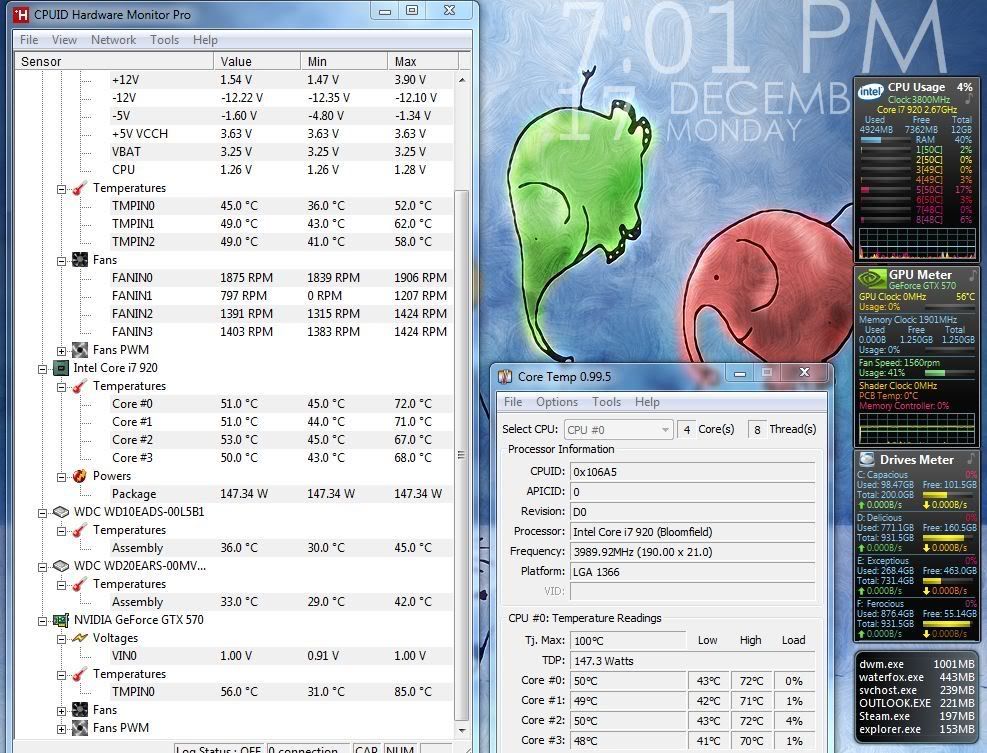
I use CoreTemp and Hardware Monitor Pro. And I also use a few of the desktop gadgets from http://addgadgets.com/.

Hold shift when placing windows desktop gadgets, it turns off the "snap to" effect.

This is a snip of my 2nd monitor (I usually have Coretmep and HWMon minimised):

Capture_zpsbfdd5b6c.jpg
 
Last edited:
I use coretemp while bedding in a new CPU clock.

After that it is a case of Afterburner for clocking the GPUs, and that is it. The only other thing to do is keep your drivers current and you will be fine:)
 
Back
Top Bottom