It's a bit more of a tricky decision right now because you've got a lot of good options that all come with slight caveats. Apologies in advance for the slightly lengthy post.
OLED would be fantastic for gaming on - but at 1440p you're going to notice text fringing when you're working in Excel/PP/general browsers etc. compared to a 1440p IPS.
The 4k OLEDs do a good job of almost 'hiding' the text fringing that occurs becasue of the non-standard pixel layout (although it's still there to see) but on 1440p you can absolutely see the difference in text clarity between an OLED and an IPS monitor. At 32" 4k the text fringing is a little more visible than at 27" 4k - at 27" I found it really difficult to spot any sort of oddities with the text.
Burn-in is obviously a consideration but I think we're in a much better place now with the quality of panels, the burn-in prevention features and the burn-in guarantees offered that it shouldn't be the thing that sways you. An OLED monitor will 100% burn in at some point, it's just the nature of the tech - but if you're alright with replacing a monitor in 4 or so years then burn in shouldn't necessarily be something that impacts your decision making. If you don't want to replace a monitor because of it then I'd be more tempted by an IPS monitor.
The other consideration is doing usual burn-in prevention approaches like hiding your desktop icons, hiding the task bar etc. which is more just a little bit inconvenient if you do end up choosing to do it. I've only ever really bothered with hiding desktop icons rather than the whole black background, hide task bar etc. For me, text fringing on 1440p OLEDs is more of an annoyance than the worry around burn in.
VRR flicker is also a thing on OLEDs, as much as some people can ignore it or not notice it, it's entirely going to come down your own eyes. I notice it mostly on menus, loading screens, friends list, the Steam overlay etc. so have ended up switching VRR off on my OLED as it was getting a little irritating.
Gaming is great, response times, the overall picture quality and (in some cases) the glossy finish really do make games just pop. However, a good IPS display is also still really good. You're not going to get the same 'inky blacks' that you get on OLED but you still get good colour reproduction, good viewing angles and a good IPS monitor is still a really good option right now.
Your PC is good enough to consider 4k though, especially with FSR4 Performance at 4k being actually a really good option now for upscaling so I wouldn't rule it out. It really comes down to:
Would you be worried about burn-in eventually happening? If so, probably best looking at an IPS monitor.
If you're not worried about burn in, would you be put off by text fringing? If so, then it's either looking at a 4k OLED rather than 1440p or sticking with IPS again.
If you're not worried about burn in, text fringing doesn't bother you, then you've got a huge amount of choice right now. You can get one of the new tandem WOLED monitors from either Gigabyte, Asus or LG. 280hz 1440p, Asus model is glossy, LG and Gigabyte's are both matte (Gigabyte are releasing a glossy version this year).
You also have QD-OLED options too also ranging from 240hz up to 500hz. Right now the 360hz models seem to actually be the best priced ones (it looks like they're discontinuing them and offering either just 240hz or 500hz this year) but you have MSI models, Asus models, Gigabyte again and then brands like Philips and AOC too. All QD-OLEDs are semi-gloss finishes (apart from Samsung) but will suffer from raised blacks in well lit rooms. At 1440p, I actually find glossy QD-OLED better for text clarity than the WOLED - but I think it's subjective here as I've seen others prefer text on the WOLED. The newer tandem WOLED monitors are definitely much improved for text clarity, although I still didn't like either of them at 1440p to work on.
If you're not worried about burn in but you are put off by text fringing then you should look at 4k OLEDs. Either 32" or 27", depending on what size you can realistically fit in the space, and then you've got plenty of options available. Both QD-OLED and WOLED at 32" - and just QD-OLED (right now) at 27".
I think the below monitor is an insanely good deal right now for a 4k 240hz OLED 27" monitor with DP 2.1 - for 500 quid! 4k at 27" will mean you don't have anything to really worry about with text fringing on OLED - but you still have the burn in and VRR flicker considerations.
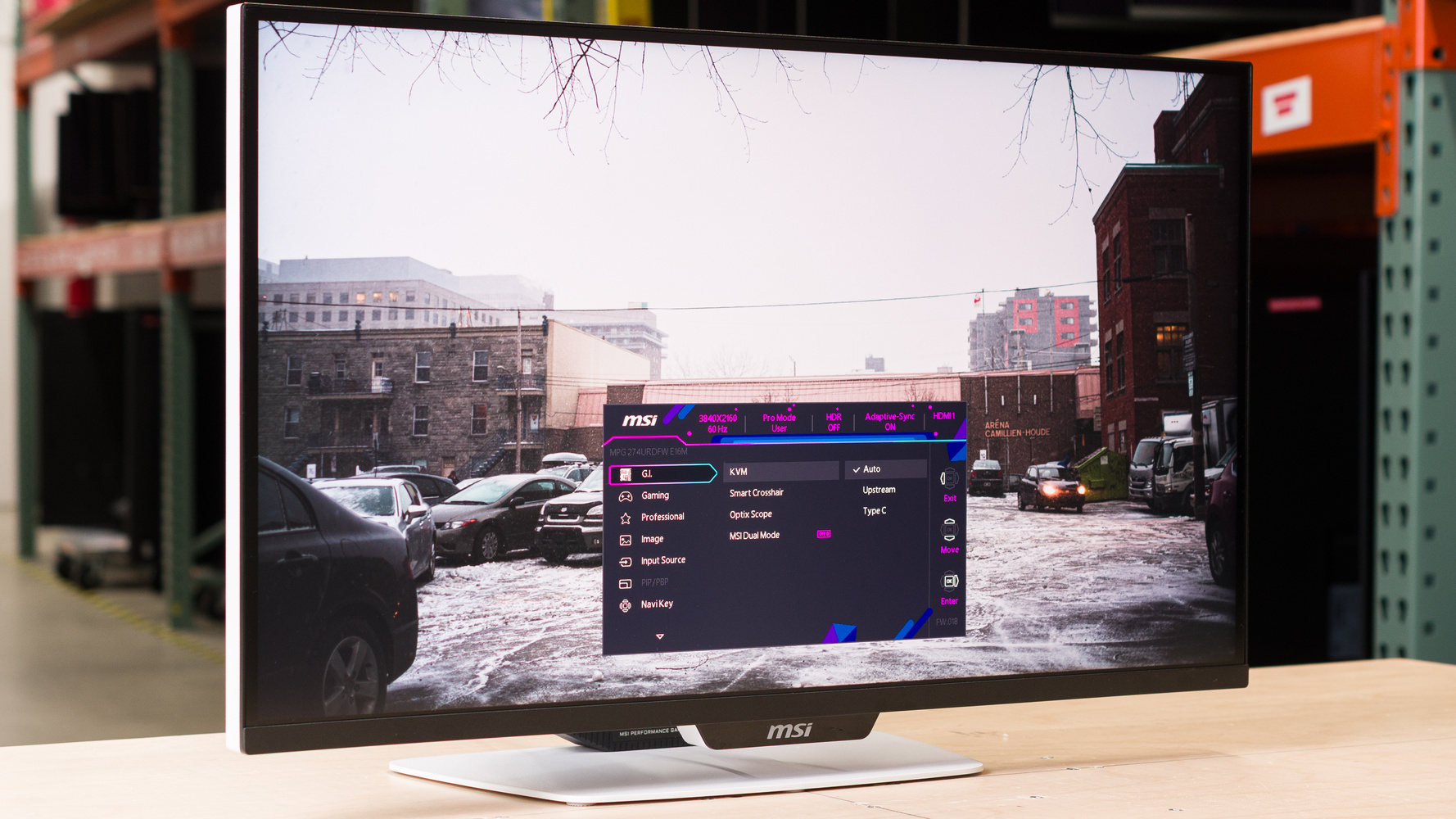
Alternatively, you could look at one of the newer mini-LED monitors. MSI's new 4k 27" IPS mini-LED monitor has been really well reviewed despite it's awful monitor name (MPG 274URDFW E16M) and has 1,152 dimming zones, dual mode (so you can swap from 4k 160hz to 1080p 320hz) and usb-c with 90w of charging so you can plug your laptop straight into it.
I saw a mate and his family over Christmas and he'd just picked it up as his work from home/gaming monitor as a Christmas present to himself and it really surprised me how good it looked with HDR on (and the backlit zones enabled) - and then how well it actually performed in the 1080p mode when he wanted to hit 300fps in Apex and die over and over again.
The MSI MPG 274URDFW E16M is a mid-range 27-inch gaming monitor. It uses Mini LED backlighting with 1,152 zones, and it has a native 4k resolution and 160Hz refr...

www.rtings.com
If you're set on 1440p as the resolution and IPS as the panel tech then you're likely to find most offerings around the 180hz refresh rate range. The new Gsync Pulsar IPS monitors are 360hz (but are pointless for you as you have an AMD GPU) and 240hz is sort of the 'max' current refresh rate that a 1440p IPS monitor can realistically run in line with the response times (outside of Pulsar).
You've got a lot of good options right now, I don't think you can make a bad choice.