Overclocking an old AMD cpu

Associate
Joined
14 Jun 2011
Posts
371
Location
Wolverhampton
Hi guys

I will be building a new system over the summer but was just wondering how possible it is to have a play with my current ancient setup..

I have an Asus 8n-sli deluxe board and an AMD Athlon 64 x2 3800+

I built this system myself sometime ago but have never overclocked before, I've been into the bios and changed things but dont have a clue about overclocking.

I dont think the mobo bios has ever been updated either.

RAM - cant remember off the top of my head as im at work atm but its only 1gb of some 200mhz i do believe.

Would you say its easy enough to do or is it best to wait until I get my new setup (either i5 2500k or i7 3750k) to have a go at overclocking.

Thanks

 
The easiest way to OC a CPU is by raising your FSB in the bios. be sure to lock your ram or lower the clock - 333. If i remember right the 3800 x2 has a 10x multi. Therefore raising your FSB to 240 would result in a 2400MHZ clock. Be sure to raise your FSB in small increments (I usually use 5 MHz). You should also lock your PCI E to 100MHZ, as you increase your FSB most other settings will increase as well. Just keep in mind that not all CPU/MOBO can overclock well or at all. Be sure to run some kind of benchmark to ensure that your system is stable, and keep an eye on your temps.
 
I've been reading quite a lot of info all day and have learnt a fair bit but im still a little apprehensive about giving it a go.

It seems much much easier on newer cpus which is why I think id struggle with mine.

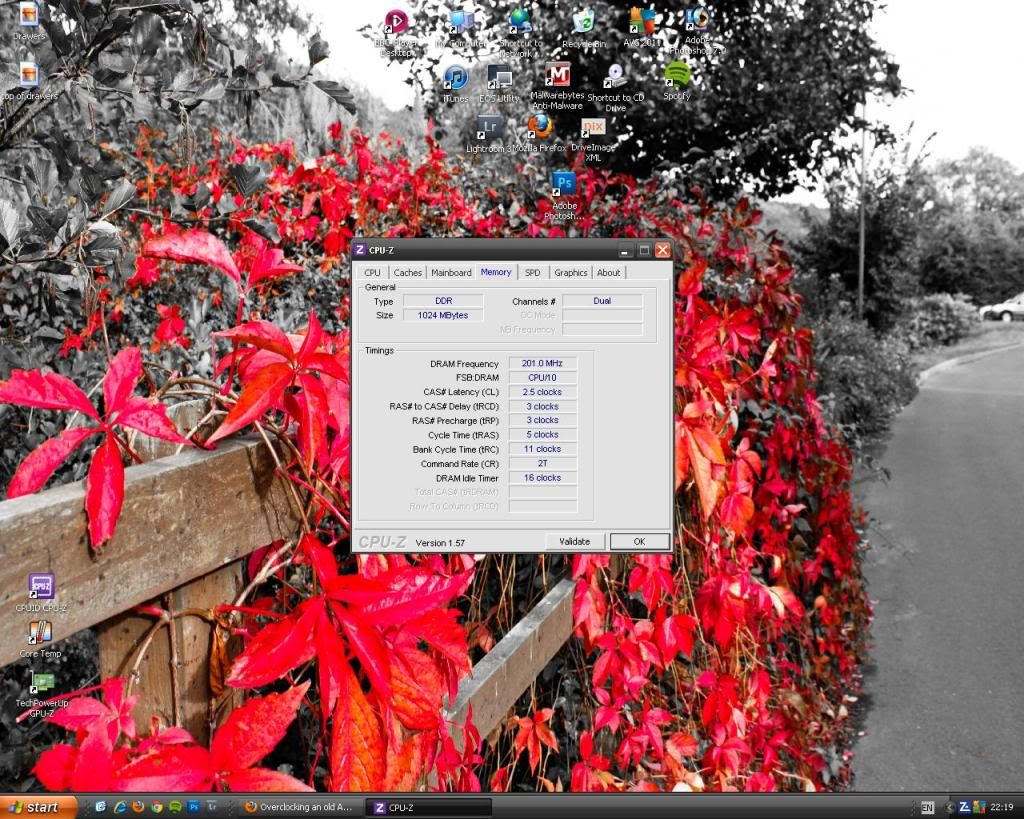
Here is my memory details -

ram.jpg


I will have to see if there is an option to lock ram, and also if the mobo defults back to last good know setup if system crashes when im 'testing'

Hmmmm is it worth the effort of trying to learn or just wait till I get a nice new sandy / ivy
 
Okay I went into the bios, I changed the cpu settings to manual and changed a few settings.

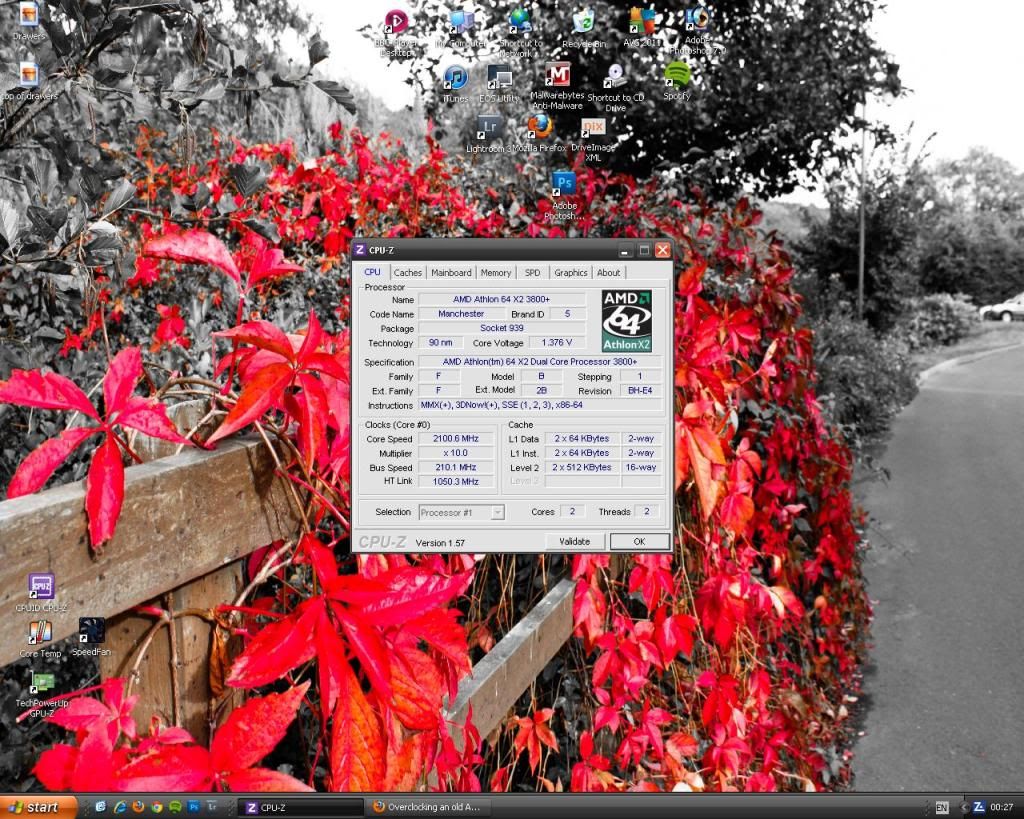
I changed the multiplyer from auto to x10 and then changed the cpu frequency from 200mhz to 210mhz which gave me this -

cpuz1.jpg


So I have successfuly overclocked my cpu for the first time?...go me!

So next I need to do some more reading and then up the frequency some more until system doesnt boot? then up voltage a bit and see if it boots? do this up to about 240-250mhz?

Any advice..
 
Can anyone shed any light on how to set up memory divider and calculate HT frequency?

I want to up the cpu fsb to as high as I can go on an air cooled stable setup, how do I go about the ht frequency and ram as increasing the cpu fsb alone would mess with the ram wouldnt it?

So just as an example say I go into bios and simply change cpu fsb from 210 * 10 to 240 * 10 to give me 2.4ghz it may not even boot but what would this do to the ram etc?

Ive heard the ht frequency needs to be around the 1000mhz mark so instead of underclocking and finding out the max ht of the board shall I just lower the ht multiplyer to say x3 or 4 and make sure the ht frequency stays below 1000mhz? Then up the cpu fsb as i wish?

Never overclocked before so not sure on the correct steps, it seems to complicated for me to find the limits of the board, ram etc first by underclocking certain things and raising others...
 
Back
Top Bottom