Associate
- Joined
- 12 Jun 2006
- Posts
- 2,323
So I started overclocking my Q6600 G0 after gathering all the info I needed since it was my 1st time OCing.
Attempt number 1-3Ghz.333 FSB,9x multi,1.2850v,1:1 ratio.Everything was going fine until the mobo started beeping.I opened up uGuru and it showed that PWM temps had gone up to 80C.Damn.I raised the beep limit to 85,and I run prime for 2 hours with PWM temps at 82,stable.
Attempt number 2-3.2Ghz.355 FSB,9x multi,1.3550v,1:1 ratio.PWM went up to 87C and I had to close prime.After some search I found out that the heatsinks may not be seated correctly.Damn.This means that I have to remove everything again.I got a 80mm 1500RPM fan to see if it could achieve a decrease in PWM temps.Tried again at 3.2Ghz,1.3650v and PWM temps were 72C after 2 hours and 30 minutes of prime testing(then prime failed and pc rebooted).My CPU temps were 57 52 57 50.
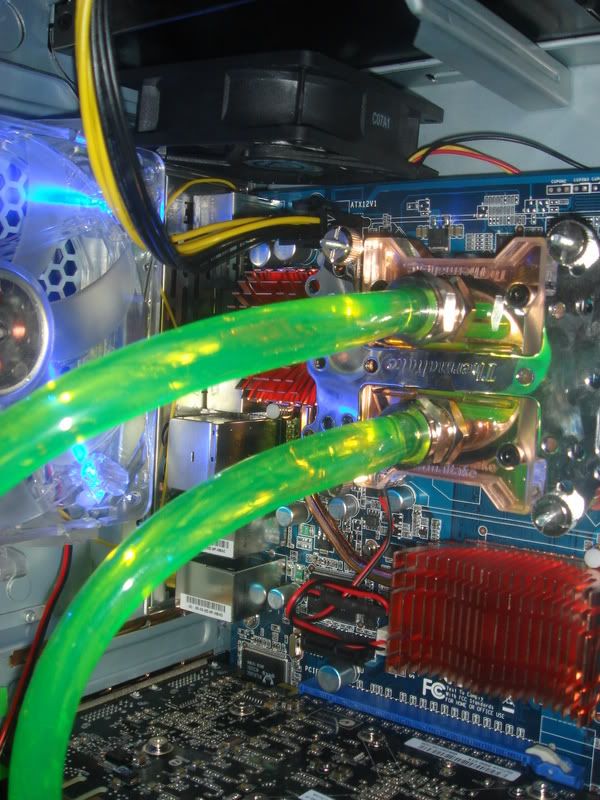
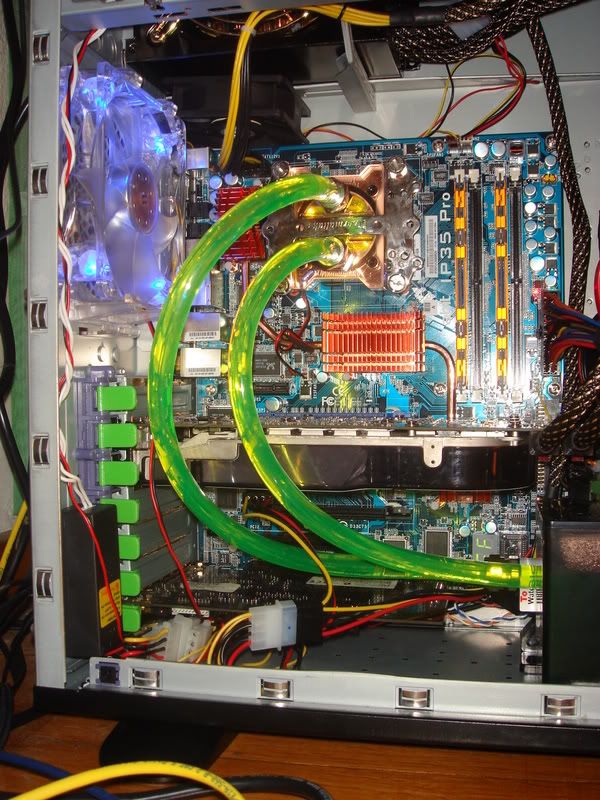
So I have to find some time to check if the heatsinks are seated correctly(everyone recommended this on Abit's forums)PWM temps are very high on idle too,around 49C(with the fan).And when Im done with the heatsinks,I will still need a fan cooling the PWM.
Now I have a few questions.First of all,what do you think of the settings I used so far?Are my CPU temps ok(CPU is watercooled).Will I have to mess with NB/SB voltages if I want to go further?What do you think about my PWM temps,should I re-assemble the heatsinks?
Attempt number 1-3Ghz.333 FSB,9x multi,1.2850v,1:1 ratio.Everything was going fine until the mobo started beeping.I opened up uGuru and it showed that PWM temps had gone up to 80C.Damn.I raised the beep limit to 85,and I run prime for 2 hours with PWM temps at 82,stable.
Attempt number 2-3.2Ghz.355 FSB,9x multi,1.3550v,1:1 ratio.PWM went up to 87C and I had to close prime.After some search I found out that the heatsinks may not be seated correctly.Damn.This means that I have to remove everything again.I got a 80mm 1500RPM fan to see if it could achieve a decrease in PWM temps.Tried again at 3.2Ghz,1.3650v and PWM temps were 72C after 2 hours and 30 minutes of prime testing(then prime failed and pc rebooted).My CPU temps were 57 52 57 50.
So I have to find some time to check if the heatsinks are seated correctly(everyone recommended this on Abit's forums)PWM temps are very high on idle too,around 49C(with the fan).And when Im done with the heatsinks,I will still need a fan cooling the PWM.
Now I have a few questions.First of all,what do you think of the settings I used so far?Are my CPU temps ok(CPU is watercooled).Will I have to mess with NB/SB voltages if I want to go further?What do you think about my PWM temps,should I re-assemble the heatsinks?





 .Anyway my CPU is at stock speed and voltage now until I do this mod on the heatsinks.Idle PWM temps are 45C right now.