


Phenom 2 Arrived!

Can't you turn the cooler around 90 degrees, so that the fan is pushing the air through it and towards the rear case fans? Just a thought.

Might mean you could get that RAM in and should cool better.
 
That's weird, why would they design the cooler like that? :confused:

Ah well, once you've changed the RAM she'll be sweet! :)
 
If you look at the no flash picture, you can see one side of the bracket. It's a solid piece of metal with the two ends curved.
 
Last edited:
Heh nice kit OP, will be looking forward to seeing your overclocking results. These II's are a far cry from the original Phenom by all accounts, and will make that GTX280 scream. :)

Bad choice of RAM though. :p

There a lot better then the old ones but a decent Core 2 will still cane it...

There really is no point making comments like that in the thread, it's just trolling. We all know the Core2/i7 architecture is faster, and there's no need to turn this into a pointless "vs" thread..
 
Last edited:
Heh well 2 years ago when I bought the PSU, there weren't many modular ones around. Works perfectly fine though :)

No excuse thats a shambles bud there are planty of holes there to hide excess cables, route the around the edges etc.

you have mounted your TRUE incorrectly hence why you cannot fit any more ram in, also before you start overclocking you will want to be using the clot closest to the cpu. Infact some motherboards wont post unless the slots are filled correctly, DFI are normally the worst for this.
 
As of yet, I haven't tried OC'ing as I'm just making sure that I've got everything on my system that I want. Also my motherboard doesn't recognise my CPU :( Just says "AMD processor unknown". I updated to the latest BIOS last night so I'll just have to wait for a new release.
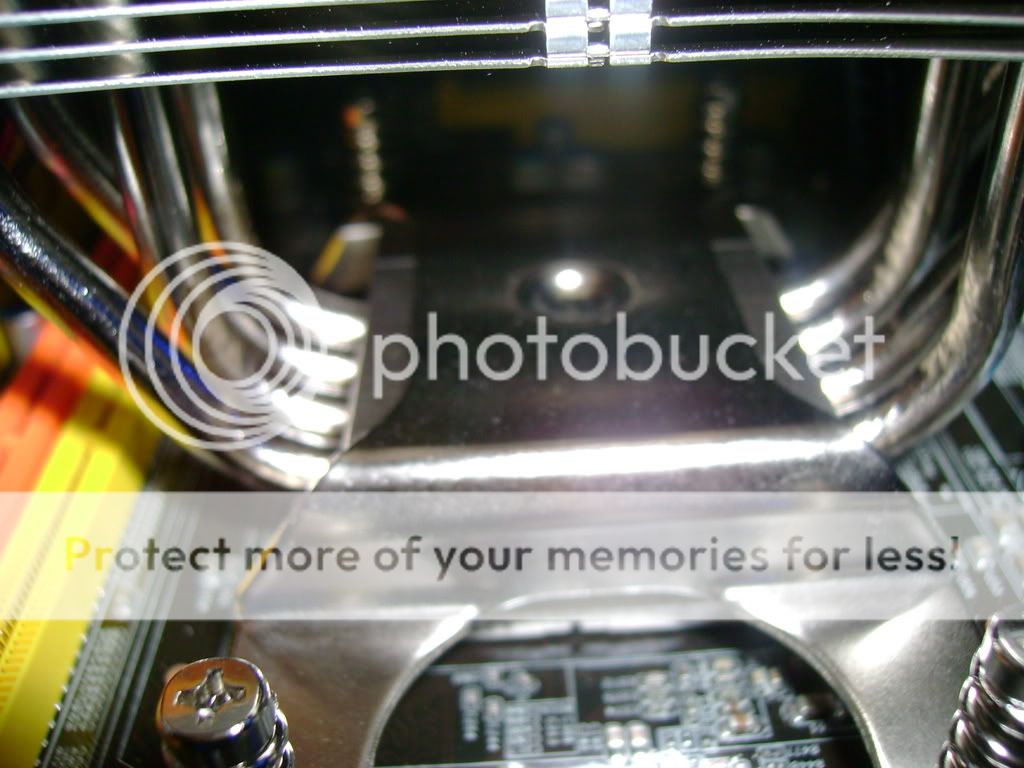
About the Intel thing, I'm willing to pay a little extra so I don't have to deal with their hideous cooling installation :)


DSC02729.jpg


As you can see, due to the way the bracket is designed, it can only be fitted 1 way :(
 
No excuse thats a shambles bud there are planty of holes there to hide excess cables, route the around the edges etc.

you have mounted your TRUE incorrectly hence why you cannot fit any more ram in, also before you start overclocking you will want to be using the clot closest to the cpu. Infact some motherboards wont post unless the slots are filled correctly, DFI are normally the worst for this.

And when I do that, it's puts a lot of stress on said parts so I'd rather not. The main airflow is clear through the case so the fact that there's cables at the bottom doesn't make any difference.

And FYI, I have mounted it how both the instructions said and the only way I can. If you have some magical way of doing it differently, please show me. Otherwise, kindly get your facts right first.
 
Nice build, but buy some tie wraps or summat.

never understand what attracts people to buy the 1200 case, does it have wholes in the back for cable management?
 
Last edited:
By the way, that's not a TRUE but a standard Ultra - the Extreme version has more heatpipes.

Just thought I'd mention in case you ordered the TRUE and they've sent the wrong thing :)
 
Oooooo ThermalRight Ultra Extreme :p Didn't realise that the E was extreme :)

Still works perfectly :D

@Gary: Yes it does have holes around the edge for cable management but as far as I'm concerned, I'll only use those for cables that I actually need. The ones around the bottom that look messy are unused but for the main part, the air path is clear (Especially with the 3x 120mm on the front).
 
Last edited:
Back
Top Bottom


