Post Processing - A Challenge

DiG

DiG

Associate
Joined
16 Mar 2004
Posts
2,257
Ok, so there are many things still to learn about photography. But one area I have never done much in is post processing.

So I wanted to see what other people can do, in the hope of learning and improving my own skills! Here are two photos, how much better can you make them? I've included a jpeg and the original .dng to play with!

Image 1:
norwich200999.jpg

File

Image 2:
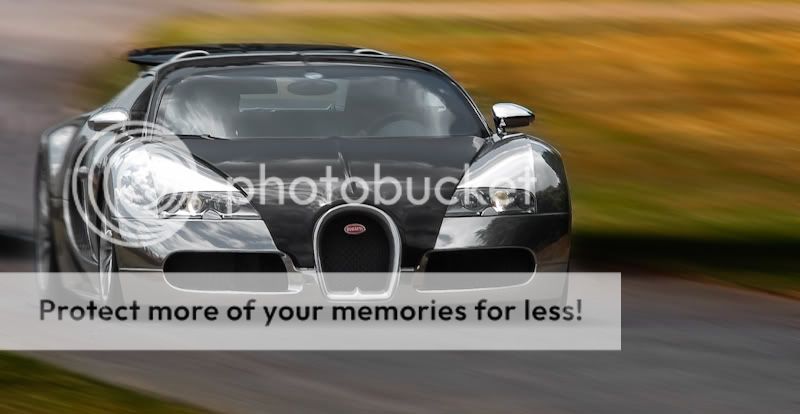
goodwoodfos2009130.jpg

File

Looking forward to seeing what you guys come up with, thanks in advance for any time spent!

 
Very good replies so far, thanks guys

Paul11 - Like the different approach, changes the feeling of the image completely

asim18 - looks much better! The crop removes the distracting crowd, colours seems much nice. Presume you have used some blur filter in photoshop along the bottom?

If you could add a rough guide of what you have done to the image that would be great

Anyone else want to better these guys? lol
 
Just been reading this article here, very useful stuff that I didn't know before.

I've also discovered that wearing my glasses when doing sharpening helps massively, I was wondering why nothing seemed to be having any effect!
 
asim18 - looks much better! The crop removes the distracting crowd, colours seems much nice. Presume you have used some blur filter in photoshop along the bottom?

Yes I used lens blur.

Firstly I adjusted the settings in camera raw. Increased exposure, saturation, vibrance, contrast. Also adjusted hue/sat/lum.

Then in photoshop I split the image into three layers. One central area with the car (the one I want to keep sharp), one layer for the top blurred area and one layer for the bottom blurred area. I used feathering to make the blurred layers transition smoothly from the sharp area to the blurry area.

Then I applied lens blur to the top and bottom area's layers....
asim18 - Sorry if i'm wrong but it looks like you've sharpened it? What was your method for this?
...Finally, I applied some high pass sharpening to the central area's layer and down-sampled the image to 800px wide using bicubic interpolation.
 
Very impressed with the stuff on here - will need to get learning more. Makes me realise that a lot of my photos could look immensely better if I knew how to manipulate them effectively.
 
Interesting, about the same here, if I'm shooting sports I'll aim to have 12 shots done in under 5 mins or sometimes 36 in under 10. Otherwise, I can spend between one to two minutes on a shot or perhaps an hour on a landscape shot.
 
Back
Top Bottom