


ok so this is my little project i have done with my antec 900.
had this case for ages now and always wanted to do something with it.
after buying all my new parts and upgrading i thought i would actually do something with the case.
so here goes...
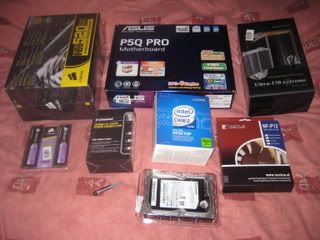
new parts to go inside..
intel E8400 3ghz
asus p5q pro
thermaltake ultra 120 extreme
notcua NF-P12 vortex 120mm
corsair xms2 6400 4gb
corsair hx520 modular psu
zalman ZM-MFC1 fan controller
2 x akasa amba fans 120mm
samsung f1 320gb
tools and other bits i had to buy..
dremmel with 100 bits inc
4 large rubber feet
i had bought a solid side panel few months back and got rid of the window panel, fitted sound deadning that is used for car doors 9 gets rid of that tinny sound of the case)
first of i totally stripped case out and cleaned it all up, then took into the workshop and gave it a spray. totally forgot to take camera with me so no real pics of preparing or doing the spray job.
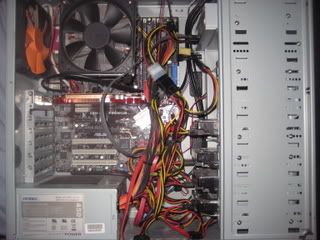
this is what it used to look like inside with old parts inside.
grey, messy and over cramped.
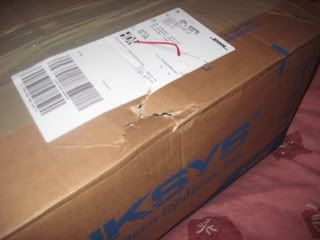
got delivery of my new parts and saw that box was damaged
initial thoughts were let them be ok
ok so parts are good and layed out ready to go
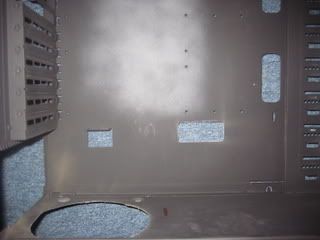
sprayed up and ready to go, notice i did miss parts when spraying but i done this on purpose as i only had 1 and half cans of spray so didnt need to spray behind motherboard properly or on top as it will be covered up.
also went out and bought my self a dremmel and done some cutting of holes for the cables, cut 3 holes in total: 1st was jsut at bottom of motherboard, 2nd was for the psu so it can push out the heat from bottom of case, 3rd was at top of case for the 8 pin eatx12v.
after cutting the hole on bottom of case i fitting some big feet so it would sit of the ground with plenty of room, leaving these to dry and set gave me time to check over my loverly new parts
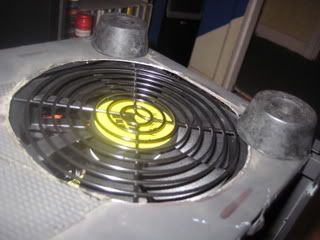
ok so about an hour later of playing and drooling i fitting the fan to heatsink, heatsink to motherboard and fitted memory ( ive never taken so long to make sure heatsink is sitting properly!!)
fitted motherboard into case now with first hdd cage and slid in the dvd drive.
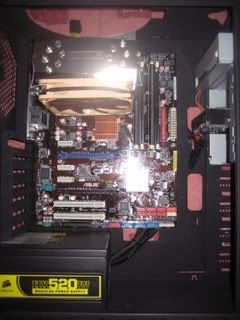
next was connect power cables and sata cables, holes worked out perfect.
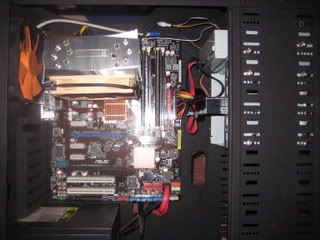
next fit fan controller and top of case with 200mm fan, connect cables for front ports/power switch etc
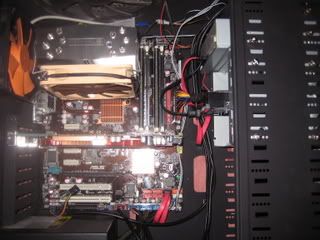
pretty pleased as the fan controller sits nice and doesnt pretrude out to far.
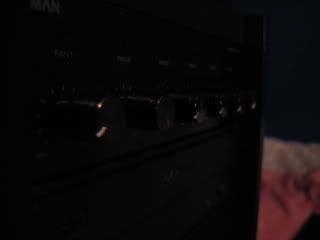
at this point i can see the cables starting to get messy
i carry on and fit 2nd hdd cage and connect everything up and this is pretty much finished.
still not happy with cables as they got abit more messy towards the end.
I do plan at some point trying to do the backwards hdd mod so i can further hide the cables.
finished inside, but decided to reseat the heatsink so it was blowing towards the back of the case as i didnt like the way it was sitting ( just paranoid its gonna sag down so on its side it might not !!!)
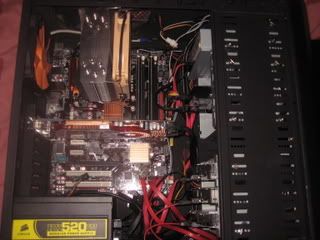
only problem sitting it this way was it was very close to side of case but side panel does go on ok, stil might change this back to how it was.
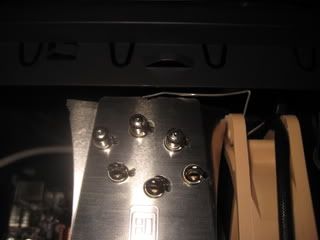
finished and already to get installing windows
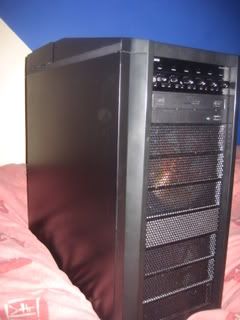
still got some tidying with cables and go over scratches on plastics.
thanks ali
had this case for ages now and always wanted to do something with it.
after buying all my new parts and upgrading i thought i would actually do something with the case.
so here goes...
new parts to go inside..
intel E8400 3ghz
asus p5q pro
thermaltake ultra 120 extreme
notcua NF-P12 vortex 120mm
corsair xms2 6400 4gb
corsair hx520 modular psu
zalman ZM-MFC1 fan controller
2 x akasa amba fans 120mm
samsung f1 320gb
tools and other bits i had to buy..
dremmel with 100 bits inc
4 large rubber feet
i had bought a solid side panel few months back and got rid of the window panel, fitted sound deadning that is used for car doors 9 gets rid of that tinny sound of the case)
first of i totally stripped case out and cleaned it all up, then took into the workshop and gave it a spray. totally forgot to take camera with me so no real pics of preparing or doing the spray job.
this is what it used to look like inside with old parts inside.
grey, messy and over cramped.
got delivery of my new parts and saw that box was damaged
initial thoughts were let them be ok
ok so parts are good and layed out ready to go
sprayed up and ready to go, notice i did miss parts when spraying but i done this on purpose as i only had 1 and half cans of spray so didnt need to spray behind motherboard properly or on top as it will be covered up.
also went out and bought my self a dremmel and done some cutting of holes for the cables, cut 3 holes in total: 1st was jsut at bottom of motherboard, 2nd was for the psu so it can push out the heat from bottom of case, 3rd was at top of case for the 8 pin eatx12v.
after cutting the hole on bottom of case i fitting some big feet so it would sit of the ground with plenty of room, leaving these to dry and set gave me time to check over my loverly new parts
ok so about an hour later of playing and drooling i fitting the fan to heatsink, heatsink to motherboard and fitted memory ( ive never taken so long to make sure heatsink is sitting properly!!)
fitted motherboard into case now with first hdd cage and slid in the dvd drive.
next was connect power cables and sata cables, holes worked out perfect.
next fit fan controller and top of case with 200mm fan, connect cables for front ports/power switch etc
pretty pleased as the fan controller sits nice and doesnt pretrude out to far.
at this point i can see the cables starting to get messy
i carry on and fit 2nd hdd cage and connect everything up and this is pretty much finished.
still not happy with cables as they got abit more messy towards the end.
I do plan at some point trying to do the backwards hdd mod so i can further hide the cables.
finished inside, but decided to reseat the heatsink so it was blowing towards the back of the case as i didnt like the way it was sitting ( just paranoid its gonna sag down so on its side it might not !!!)
only problem sitting it this way was it was very close to side of case but side panel does go on ok, stil might change this back to how it was.
finished and already to get installing windows
still got some tidying with cables and go over scratches on plastics.
thanks ali
Last edited:




