Recommendations for desktop upgrade

  • Thread starter Thread starter itm
  • Start date Start date

itm

itm

Associate
Joined
22 Feb 2011
Posts
203
I am thinking of upgrading my desktop, but have lost touch with current hardware, so was looking for advice on good price/performance options.
I will probably keep my existing tower case, as I tend to load my cases with drives and will want to keep the two HDD's and BD-R drive that I already have. I may also keep the 256GB SSD on which the (Windows 10) O/S is currently installed, but have not made a final decision.
Other than general internet/MS Office/admin use, the PC is used for multi-track audio recording (using Reaper and an external USB audio interface), other music software (e.g. Band-In-A-Box), home video editing from time to time (Vegas Video), photo editing using Photoshop, and music/video playback. I'm a very occasional gamer (only F1 or Pro Evo), but probably don't use it for gaming for whole months at a time. I also do a little Android app development using Android Studio.
I have a 3 monitor setup (2 monitors plus an HDMI TV), but could probably keep my existing Asus PCI-E graphics adapter which offers 2 video ports, so a motherboard with a single graphics port would probably be fine in conjunction with the Asus card.
The only other "special" requirements that I have are:
- a lot of USB ports - I currently have 10 USB devices connected, either directly or indirectly (via a powered hub)
- a lot of RAM - I often run one or two Windows or Linux VMs concurrently, each of which have at least 4GB RAM allocated. My existing machine has 16GB RAM, and usually runs at 100% RAM usage.

If I keep my existing case, drives and graphics adapter I guess I'm looking for a motherboard with CPU/cooling and maybe 32GB RAM? My budget isn't fixed, but I was thinking maybe up to £500-600 (without O/S).

I believe that Ryzen now competes well with Intel for price/performance, and have had a quick look at Ryzen 5 or Ryzen 7 based solutions, but would really appreciate any recommendations (and places to buy for a good deal).

 
I am thinking of upgrading my desktop, but have lost touch with current hardware, so was looking for advice on good price/performance options.
I will probably keep my existing tower case, as I tend to load my cases with drives and will want to keep the two HDD's and BD-R drive that I already have. I may also keep the 256GB SSD on which the (Windows 10) O/S is currently installed, but have not made a final decision.
Other than general internet/MS Office/admin use, the PC is used for multi-track audio recording (using Reaper and an external USB audio interface), other music software (e.g. Band-In-A-Box), home video editing from time to time (Vegas Video), photo editing using Photoshop, and music/video playback. I'm a very occasional gamer (only F1 or Pro Evo), but probably don't use it for gaming for whole months at a time. I also do a little Android app development using Android Studio.
I have a 3 monitor setup (2 monitors plus an HDMI TV), but could probably keep my existing Asus PCI-E graphics adapter which offers 2 video ports, so a motherboard with a single graphics port would probably be fine in conjunction with the Asus card.
The only other "special" requirements that I have are:
- a lot of USB ports - I currently have 10 USB devices connected, either directly or indirectly (via a powered hub)
- a lot of RAM - I often run one or two Windows or Linux VMs concurrently, each of which have at least 4GB RAM allocated. My existing machine has 16GB RAM, and usually runs at 100% RAM usage.

If I keep my existing case, drives and graphics adapter I guess I'm looking for a motherboard with CPU/cooling and maybe 32GB RAM? My budget isn't fixed, but I was thinking maybe up to £500-600 (without O/S).

I believe that Ryzen now competes well with Intel for price/performance, and have had a quick look at Ryzen 5 or Ryzen 7 based solutions, but would really appreciate any recommendations (and places to buy for a good deal).

You seem to have missed some potentially important information from the op.

What exactly have you got spec wise, and in what circumstances is it CPU constrained, if at all? If it isn’t, a cheap memory upgrade may suit you better.

Are you measuring memory usage in Resource Meter? Just if you tell a VM to allocate 4GB, it’ll allocate 4GB, that’s not the same as it needing or using 4GB.

Also for large numbers of powered USB devices, a hub can be a better choice than limiting board choice without good reason.

The GPU point concerns me, you say you’re running W10, without patching, an onboard iGPU would normally be disabled when a PCIe GPU is present, are you running a splitter and in effect mirroring the output to the TV? If not how are you running 3 displays of a two port card, and along with the spec point, what is it?

As to pointing you in the direction of where to buy, you do realise this is the OCUK forum? Anyone pointing you in the direction of a competitor is not only breaking the forum rules and risking a ban, but more than a little rude
 
My current motherboard is an Asus P8Z68-VLX, with an i5 processor from about 5 years ago. 16GB RAM. I'm using the Windows Task Manager to display RAM usage. I find that allocating much less than 4GB RAM to a Windows VM can cause it to be quite sluggish. Less so for Linux. I do find myself running at around 100% RAM usage most of the time, even with only a single Windows VM running.

The graphics adapter is an Asus GTX550 TI. I have somehow managed to get the onboard graphics to remain enabled while I have two other displays connected to the GTX550. I guess that was an option in the motherboard BIOS?

Good point about a USB hub. Maybe that would enable me to go for a lower-budget motherboard without sacrificing performance of anything else of major significance to me?

Sorry I'd forgotten that this was the forum for the Overclockers retailer. Will Overclockers do prebuilt motherboards with the CPU installed? That's the only part of system building that I've never been too confident about.

Oh and a cheap memory upgrade isn't an option - my motherboard got fried yesterday following a short circuit.
 
USB hubs work well for low bandwidth devices.
Again for high bandwidth devices it would be better to have direct connection to mobo.
Otherwise they might slow down from running out of bandwidth, if used simultaneously.
Though there might be active hubs which could be connected to PC using faster USB 3.2 Gen2 and provide multiple slower ports for things to connect.

Assuming you have old fashioned functional instead of fashion case you can also adds USBs to 5.25" bay.
(there are also PCI brackets for having extra ports in rear)
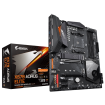
That Aorus Elite has two USB3 and two USB2 headers for 4x USB3 and 4x USB2 ports besides USB-C header.
Which makes it one of the better featured sense making priced boards for adding USBs.


Installing CPU itself is really easy.
In case of AMD you need to be only careful when handling CPU to avoid bending contact pins.
(opposite of Intel who moved pins to socket)
If being paranoid it's easy to make sure all pins are fully straight by turning CPU upside down and looking rows of pins from shallow angles in good light.

Once locking lever of ZIF (zero insertion force) socket is open you simply gently lower CPU to correct position on socket.
(small triangle in corner of CPU matching corner of socket with triangle/lacking center pin of "smoothed corner")
CPU basically drops that last millimeter or two to bottom by itself when released and then you turn locking lever back.

Installing cooler is easy if you know how not to hit motherboard with things.
But you need to use more care in case of removing cooler.
With time thermal paste can make heatsink stick onto CPU and unless you warmed paste before hand by stressing CPU, lifting cooler directly up can pull CPU out of socket.
 
Many thanks for the guidance on fitting the CPU and cooler. Rather pathetically, I now feel even less confident about doing it than I did before! It sounds like just the sort of job that I would screw up, with expensive consequences.
Good point re. USB hubs. I suppose the more USB ports I can get on the main case the better.
 
Hmmm....I'm not so sure about messing around with thermal paste....

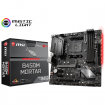
Just as an aside - are MSI motherboards generally as good as Gigabyte? I've noticed a couple of MSI boards with good USB support - e.g MPG X570 GAMING EDGE
 
USB hubs work well for low bandwidth devices.
Again for high bandwidth devices it would be better to have direct connection to mobo.
Otherwise they might slow down from running out of bandwidth, if used simultaneously.
Though there might be active hubs which could be connected to PC using faster USB 3.2 Gen2 and provide multiple slower ports for things to connect.

Assuming you have old fashioned functional instead of fashion case you can also adds USBs to 5.25" bay.
(there are also PCI brackets for having extra ports in rear)
That Aorus Elite has two USB3 and two USB2 headers for 4x USB3 and 4x USB2 ports besides USB-C header.
Which makes it one of the better featured sense making priced boards for adding USBs.


Installing CPU itself is really easy.
In case of AMD you need to be only careful when handling CPU to avoid bending contact pins.
(opposite of Intel who moved pins to socket)
If being paranoid it's easy to make sure all pins are fully straight by turning CPU upside down and looking rows of pins from shallow angles in good light.

Once locking lever of ZIF (zero insertion force) socket is open you simply gently lower CPU to correct position on socket.
(small triangle in corner of CPU matching corner of socket with triangle/lacking center pin of "smoothed corner")
CPU basically drops that last millimeter or two to bottom by itself when released and then you turn locking lever back.

Installing cooler is easy if you know how not to hit motherboard with things.
But you need to use more care in case of removing cooler.
With time thermal paste can make heatsink stick onto CPU and unless you warmed paste before hand by stressing CPU, lifting cooler directly up can pull CPU out of socket.

While this was the case with higher bandwidth devices on USB2 hubs, other than NVMe SSD’s, I can’t imagine a lot of people hitting the 1.2GB/s (10Gbit/s) limit of a USB3.1 Gen2, let alone on a sustained basis.
 
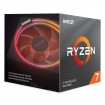
I've just been told that the 3700X doesn't have any on-board graphics, so presumably this would not be an option for me if I want a 3-display setup (as described in the OP)?
 
I've just been told that the 3700X doesn't have any on-board graphics, so presumably this would not be an option for me if I want a 3-display setup (as described in the OP)?

bang on ! OP does have a GPU

if you were after 3 screen set up then need a GPU with 3 output connections . Never really seen or used 3rd monitor with GPU via mobo's own connection though...

Asus PCI-E graphics adapter which offers 2 video ports

^^^but not the best

CODE
My basket at Overclockers UK:
Total: £564.06 (includes shipping: £11.10)

should handle footy and F1 better.. for OP anyways
 
Back
Top Bottom