


• Competitor rules

    Please remember that any mention of competitors, hinting at competitors or offering to provide details of competitors will result in an account suspension. The full rules can be found under the 'Terms and Rules' link in the bottom right corner of your screen. Just don't mention competitors in any way, shape or form and you'll be OK.

SLI temp concern

Soldato
Joined
8 Apr 2011
Posts
2,932
Location
London
Hi guys. I have been gaming on this rig for the past 4 months:

COOLERMASTER HAF 922 MID TOWER GAMING CASE
Overclocked Intel® Core™i7-2600k Quad Core (3.40GHz @ max 4.80GHz)
ASUS® P8P67 PRO (NEW REV 3.0): USB 3.0/SATA 6Gb/s, CrossFireX™ & SLI
8GB KINGSTON HYPER-X GENESIS DUAL-DDR3 1600MHz
480 GTX 1.5mb Graphics card
CORSAIR 850W TX SERIES PSU

I have been getting normal temps of 50 degrees and load temps of 70 degrees. But now I have added another 480gtx and im getting concerning load temps of near 95 degrees on the main card. I'll take pics of the interior tomorrow but im a bit concerned. I havent had a proper chance to stress test it, i played BF3 for 30 mins and got max temp of 94 degrees. Im really new to SLI what temps should i be getting? what's safe and what's not?
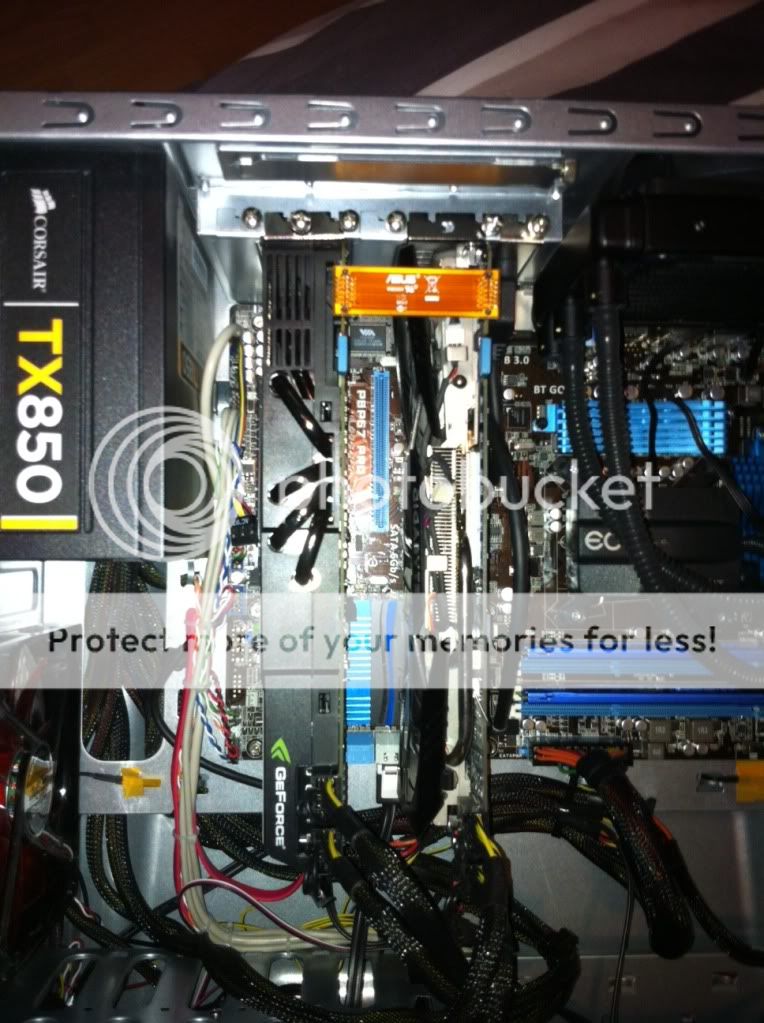
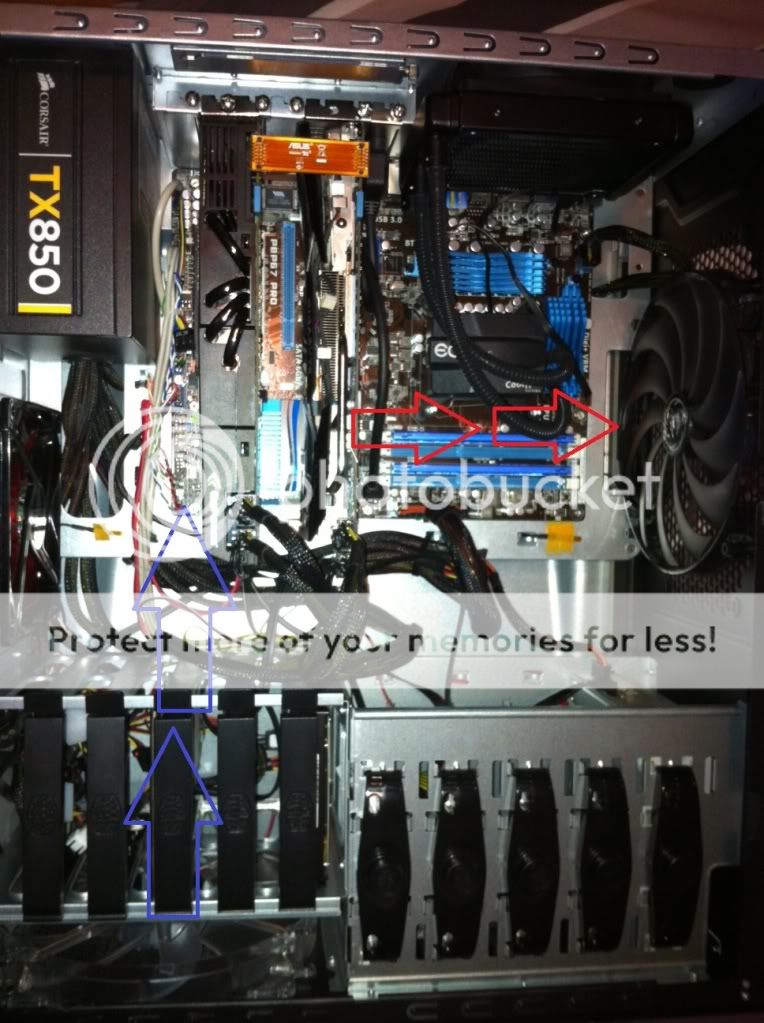
photo1-2.jpg

photo-4.jpg


Edit: added pics (apologies for the bad orientation of them)
 
Last edited:

I guess you have non-reference coolers and they stick together like sandwich? For sandwich SLI make sure you get the reference coolers with OTES desgn. For non-OTES coolers make sure you get a motherboard with reasonable PCI-E spacing.
 
Even with reference coolers, 480's can be pretty hot, board spacing plays a part in it as well. For example, i have two x58 based rigs, the one in sig and another based on an asus p6 x58de, it has very tight spacing therfore my cards ran pretty hot in it, (low 80's). Iirc, the HAF X has a fan mounting bracket behind the gpu area, adding a fan blowing air into the cards can help a bit, also use msi afterburner to set a custom fan profile.
 
Just tried a test with rage, max temps were 79 over a 20 min period. Maybe im being a bit too paranoid? and its just BF3 giving my GPUs a run for their money
 
Anyone used the Antec spot cool with success? Dont really know what my options are and its concerning me!
 
I game on a 27 Inch with BF3 and I can confirm that the cards run hot as hell. I am pretty sure my max temp on the first GPU was 94 Degrees (second at about 89).

Not worried about it because it is completely in spec for this card. Also as soon as BF3 closes down the temps plummet. Not checked temps on other games yet, but pretty sure that BF3 is the one that pushes these cards the hardest.

LMK if you need more info.

Edit: check it out - http://www.hardocp.com/article/2010/03/26/nvidia_fermi_gtx_470_480_sli_review/7

Edit 2: The only ways (I believe) you can lower temps without modifying hardware (cooling on card or case), is to (a) increase fan-speed and set profiles using a program like Afterburner, or (b) under-volt the card and make it run stable.
 
Last edited:
My SLI 570 run about 10 degrees difference between the two cards...

if possible and what I did was to put a fan on the side panel pulling air into and onto the gfx cards.. this reduces temps by about 10 degrees and even maxxed the main card does not go over 72 Degrees in BF3.

obviously this only works if you have a side panel that allows for a fan to be placed on it.
 
I game on a 27 Inch with BF3 and I can confirm that the cards run hot as hell. I am pretty sure my max temp on the first GPU was 94 Degrees (second at about 89).

Not worried about it because it is completely in spec for this card. Also as soon as BF3 closes down the temps plummet. Not checked temps on other games yet, but pretty sure that BF3 is the one that pushes these cards the hardest.

LMK if you need more info.

Edit: check it out - http://www.hardocp.com/article/2010/03/26/nvidia_fermi_gtx_470_480_sli_review/7

Edit 2: The only ways (I believe) you can lower temps without modifying hardware (cooling on card or case), is to (a) increase fan-speed and set profiles using a program like Afterburner, or (b) under-volt the card and make it run stable.

Thanks for the response mate, put my mind to ease a bit.

My SLI 570 run about 10 degrees difference between the two cards...

if possible and what I did was to put a fan on the side panel pulling air into and onto the gfx cards.. this reduces temps by about 10 degrees and even maxxed the main card does not go over 72 Degrees in BF3.

obviously this only works if you have a side panel that allows for a fan to be placed on it.

I used to have a mesh side panel, which i sold as I didnt use it, it now has a windowed panel...quite annoying as HAF922 mesh panels are hard to come by seperately...I may invest in a new case at some point. Not overly keen on it
 
Back
Top Bottom

