


Associate
- Joined
- 6 Jul 2007
- Posts
- 655
- Location
- Leeds / Newcastle Uni
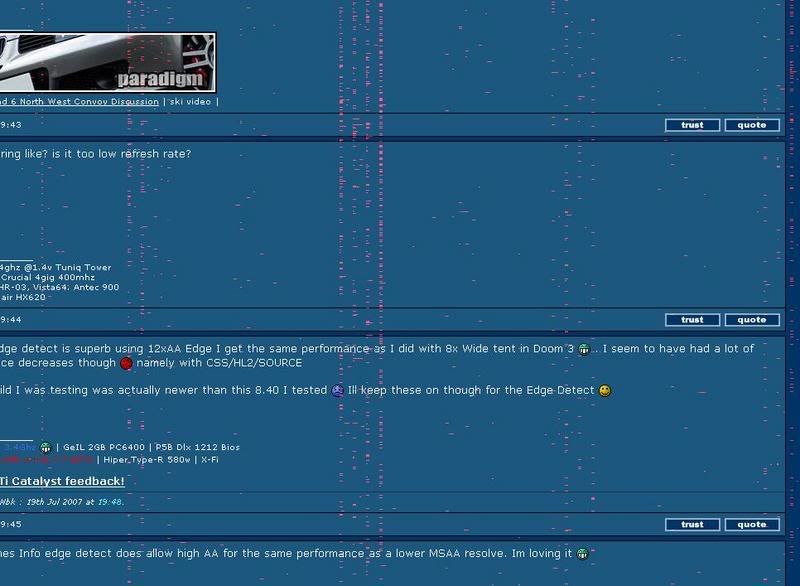
basically, a couple of days ago, i just exited guild wars, and was selecting some music to play when a few red dots started randomly appearing on my second monitor, almost like dead pixels except moving around and then on my primary monitor red dots and lines started appearing as well like especially around anything i opened like it if opened a box when i close it it would be outlined in red dots, then they go away come back randomly. the full screen also sometimes goes crazy with different lines and colours, this can be fixed with turn monitor off and on again, but then red dots etc are still happening.
then my pc froze, monitors turned off, then a couple seconds later came back on with a message from catalyst control centre saying VPU recover kicked in cos my gfx stopped responding.
but the red dots and dashes wer still randomly going around, then pc crashed completely. when rebooted it sayed recovered from a serious error "thread stuck in device driver"
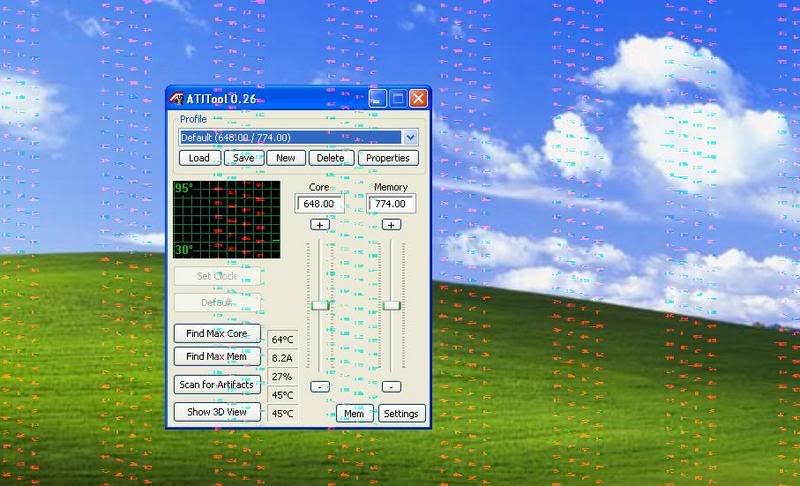
atitool dusnt let me see if there is any artifacts or anything like that, crashes when opened. first time i tried got black screen, second time jus got a crash and a mess.
i have literally tried everything under the sun to fix it and i have no idea what to do
i have tried:
complete removal of drivers and everything, then booting in safe mode using driver cleaner pro and ccleaner to get rid of everything, then rebooted and installed jus the driver with no catalyst centre. didnt work.
turned hardware acceleration down to zero and unchecked write combining as directed by windows error. didnt work.
complete reformat of hard drive and starting from scratch. didnt work.
installed new BIOS. didnt work
temperatures are fine so wouldnt appear to be overheating. gpu is 40 idle mem is 55 idle. cpu is around 40 idle
My Specs: [nothing is overclocked]
Asus A8R32MVP-Deluxe
AMD x2 4800+ with arctic cooling freezer 64 pro cooler on
Corsair 2gb twinx (2x 1gb)
ATi X1900XT 512mb with accelero s1 cooler on
Seasonic S12 energy+ 550W psu
X-Fi fatal1ty soundcard
western digital caviar SE16 2500KS 250gb hdd
nzxt hush case
if any1 has any idea at all other than replace gfx card i would be forever grateful
then my pc froze, monitors turned off, then a couple seconds later came back on with a message from catalyst control centre saying VPU recover kicked in cos my gfx stopped responding.
but the red dots and dashes wer still randomly going around, then pc crashed completely. when rebooted it sayed recovered from a serious error "thread stuck in device driver"
atitool dusnt let me see if there is any artifacts or anything like that, crashes when opened. first time i tried got black screen, second time jus got a crash and a mess.
i have literally tried everything under the sun to fix it and i have no idea what to do
i have tried:
complete removal of drivers and everything, then booting in safe mode using driver cleaner pro and ccleaner to get rid of everything, then rebooted and installed jus the driver with no catalyst centre. didnt work.
turned hardware acceleration down to zero and unchecked write combining as directed by windows error. didnt work.
complete reformat of hard drive and starting from scratch. didnt work.
installed new BIOS. didnt work
temperatures are fine so wouldnt appear to be overheating. gpu is 40 idle mem is 55 idle. cpu is around 40 idle
My Specs: [nothing is overclocked]
Asus A8R32MVP-Deluxe
AMD x2 4800+ with arctic cooling freezer 64 pro cooler on
Corsair 2gb twinx (2x 1gb)
ATi X1900XT 512mb with accelero s1 cooler on
Seasonic S12 energy+ 550W psu
X-Fi fatal1ty soundcard
western digital caviar SE16 2500KS 250gb hdd
nzxt hush case
if any1 has any idea at all other than replace gfx card i would be forever grateful



