Steam Big Picture mode

Associate
Joined
22 Dec 2002
Posts
1,190
Location
Teesside, UK
Anyone tried out this new Big Picture mode in today's steam update. It's actually pretty awesome and is tempting me even more to build a HTPC with a half decent graphics card.

I've only tested it on a monitor, but I can see how useful it will be in the living room especially with all the controller enabled PC games these days.

 
Ooh will have to try this.

My Htpc runs a 6950 but atm its running too hot to play games.
 
I've had it for a while now, it was available if you chose to opt in to beta updates. It's awesome for games that natively support a controller from the off but it's a pain if the menus need a controller or like Skyrim and Assassin's Creed where you have to click play on a separate box after you run the game. Creating little Macros gets around this problem for the most part though.

I actually built a PC specifically for Big Picture after being inspired by a thread on here :).
 
I actually built a PC specifically for Big Picture after being inspired by a thread on here :).

Unfortunately for my wife this is what I want for Christmas. Already had a HTPC in mind for some point in the future, but big picture mode just seals the deal.

You have a link to that particular thread by any chance?
 
Unfortunately for my wife this is what I want for Christmas. Already had a HTPC in mind for some point in the future, but big picture mode just seals the deal.

You have a link to that particular thread by any chance?

Yeah, was actually just looking for it: http://forums.overclockers.co.uk/showthread.php?t=18444314

You can also add XBMC to Steam so you can open it via Steam and have all your videos and music there too. He decides to boot directly into XBMC IIRC but I was having issues and going into Steam first seems to work better IMO anyway.

:)
 
I also use a game controller and G700 mouse on the plasma tv on a little laptop table for big screen gaming with pc interface
 
Awesome thanks Moothead2. I'll have a good read of this once the kids are in bed and start creating my Christmas list :)

And I see what you mean about the pre game menu's. Just launched Skyrim and wham - no controller support. A small annoyance, but like you say there are ways around it.

Al4x. Yeah my plan would be to have something similar too.
 
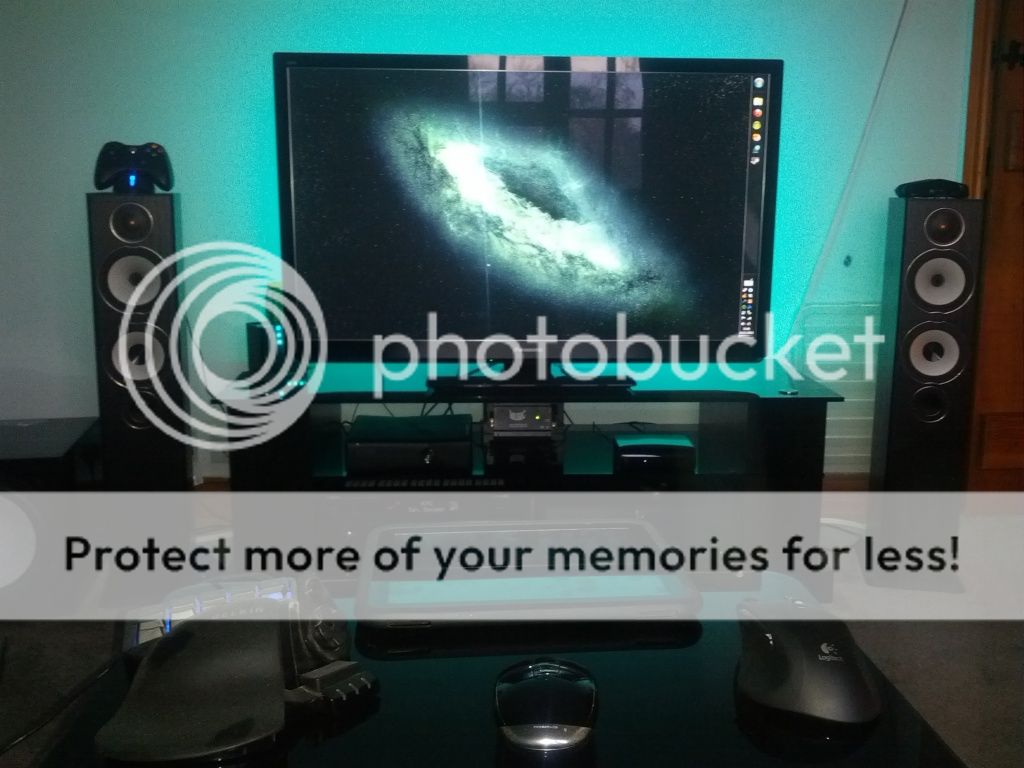
A pic. Sorry about bad quality
IMG_20121114_154229.jpg
 
nice setup. So have you dumped desktop gaming completely in favor of the front room?
Edit. Sorry this could be your bedroom for all I know :)
 
Awesome thanks Moothead2. I'll have a good read of this once the kids are in bed and start creating my Christmas list :)

And I see what you mean about the pre game menu's. Just launched Skyrim and wham - no controller support. A small annoyance, but like you say there are ways around it.

Al4x. Yeah my plan would be to have something similar too.

Heh, mini ITX builds just look awesome down by the TV :D. Skyrim has actually had an .exe made for it that simulates the mouse click. It's on the Nexus just so you know should you want it :).

 
How do you try it? I got the update but the button it says I need to press doesn't seem to be there. :confused:

Edit: Got it working. Plugged in a PS3 controller and restarted Steam.
 
Last edited:
I was more interested in the patch notes about this.

"Games managed by the new content system can select alternate installation locations other than the Steam folder (Windows)"

Which if im right we can now install wherever we want instead of a steam folder now, per game.
 
How big is the update?

Seems to be taking forever here & it's only downloading at 60k/sec :eek:

I had to go into safemode to get initial exe changes, then I had to do the re-auth thing via email (was getting worried but hope it's just something from this update)
Now I'm on steam & it says downloading client update :(
 
I was more interested in the patch notes about this.

"Games managed by the new content system can select alternate installation locations other than the Steam folder (Windows)"

Which if im right we can now install wherever we want instead of a steam folder now, per game.

Yes pick a game from your uninstalled list and you can specify the location
 
How do you try it? I got the update but the button it says I need to press doesn't seem to be there. :confused:

Edit: Got it working. Plugged in a PS3 controller and restarted Steam.

Same thing happened. I restarted Steam. Adverts there, but no button. Restarted Steam again and it appeared.
 
nice setup. So have you dumped desktop gaming completely in favor of the front room?
Edit. Sorry this could be your bedroom for all I know :)

unintentionally yes.
My main PC was having a lot of problems since i changed to an SSD so i was going to reformat it etc but neveer got round to it. at the same time i had just finished my HTPC.
seeing as reformatting and installing everything is such a PITA i just havent got round to it.
 
Back
Top Bottom