• Competitor rules

    Please remember that any mention of competitors, hinting at competitors or offering to provide details of competitors will result in an account suspension. The full rules can be found under the 'Terms and Rules' link in the bottom right corner of your screen. Just don't mention competitors in any way, shape or form and you'll be OK.

Stripped screw on 4090

Soldato
Joined
26 Aug 2004
Posts
5,180
Location
South Wales
I noticed my 4090 was spinning up fairly loudly (pretty much max fan speed) if left at default performance bios, this was being in a simple game menu or even in game, the game being S&box. This happens in under 30 seconds, I switched to quiet bios mode and it still spins up a lot. So I decided to check the hotspot temps and it was hitting at least 115c.

I don't think it's the fact the frame rate was at default 200, I did lower it to 90 and it seemed to stop the fans spinning up loud but I'm pretty sure it's not usual behaviour even at default. So I have a feeling that the thermal paste is dried out on the GPU.

I took the fans off the card, tried to remove the heatsink and.. I accidentally stripped a bit of one of the screws, can't unscrew it.

Anyone else done anything like this and how would I remove it now?

There is a local computer shop a couple of miles down the road but it looks like they're shut today. I don't really want to mess with it too much so I might just wait for a response from them.

It had to happen on a small screw.. I did this to one of my Vita's before and couldn't open it.
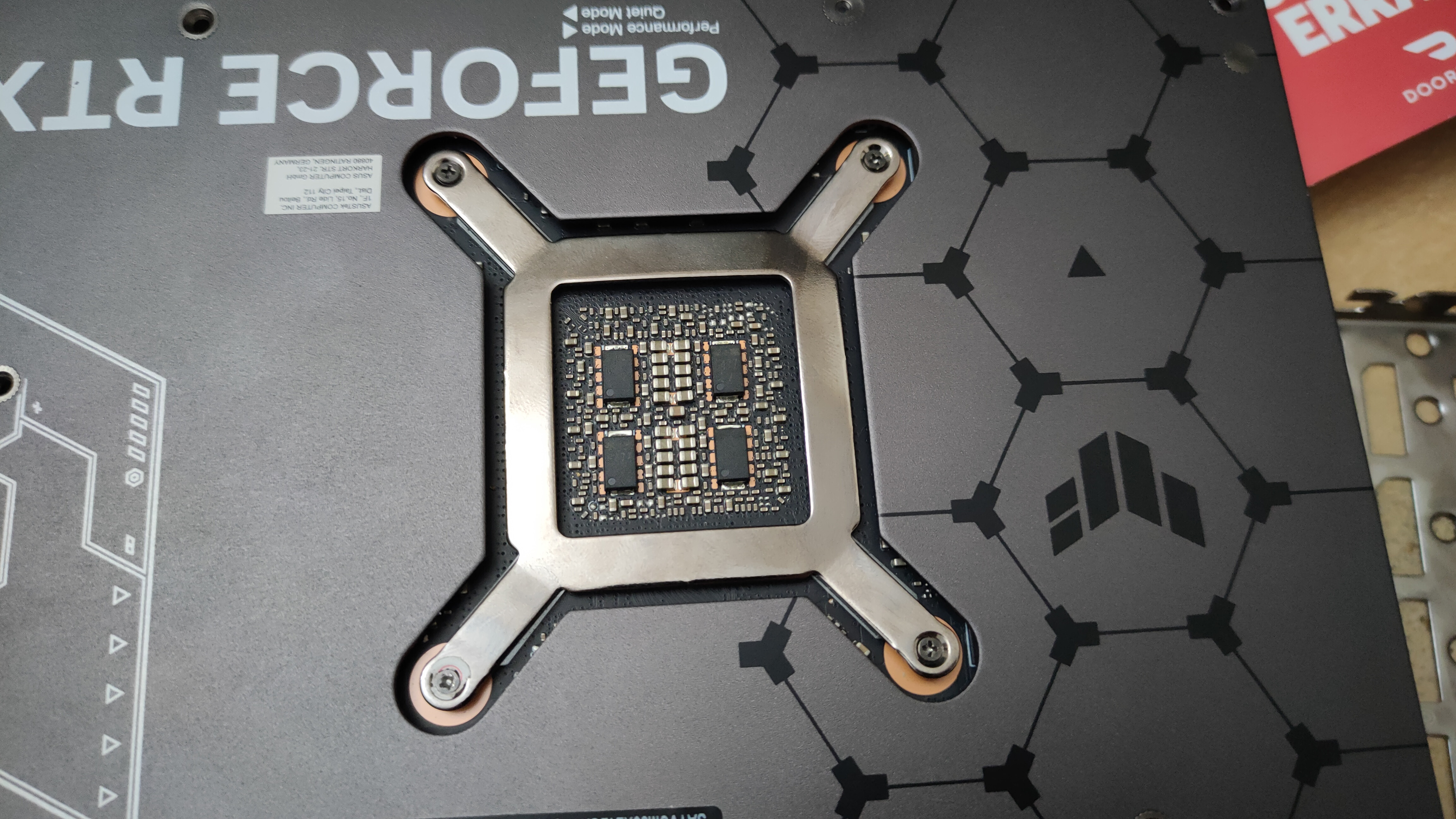
 
Damaging a tension screw is unlucky. Have you damaged the threads or just the screw head? Looks like you have managed to get it at an angle somehow. Those screws should not be hard to remove if you are using the correct precision screw driver.

If its just the screw head you could replace the screw. You could try to carefully remove it with a magnetic precision screwdriver and/or a small pair of pliars.

Once you have it out you could use a replacement screw (or one of the other screws) to try and re-thread the threads by very carefully screing and unscrewing it. Probably easier when you have the heatsink off.
 
I've had it happen, even with the correct driver these things can happen due to too much force, wrong angle etc.

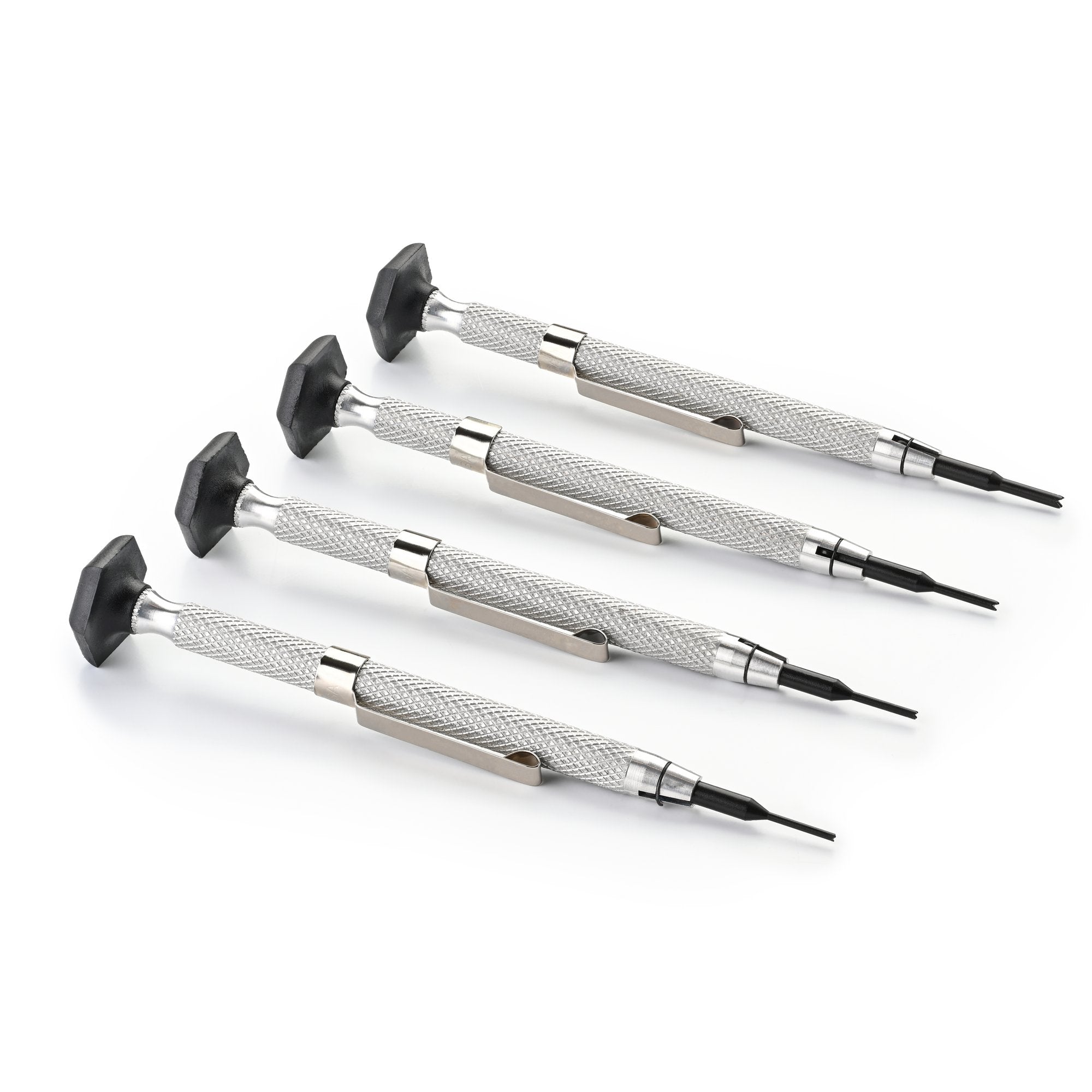
Before taking it to a repair shop I'd spend a bit of money on something like this, you'll have it in the future too if you ever need it.

 
You can also try a flat head of the same width to try and catch 2 opposite slots. If you feel like trying that on such a small screw.
 
Take the back plate off

Get the correct size quality screwdriver and undo the other 3 screws

Carefully turn the whole tension bracket to release tension on the stripped screw. Be careful of all the components on the back of the card

Should then be able to unwind it and replace it when you reassemble
 
Last edited:
might sound stupid, but try to glue screwdriver to the screw and try to unscrew once dry - epoxy or superglue
Other option is cut a slit for flat screwdriver if you have Dremel like tool
Also worth exploring screw extractors
 
I've had it happen, even with the correct driver these things can happen due to too much force, wrong angle etc.

Before taking it to a repair shop I'd spend a bit of money on something like this, you'll have it in the future too if you ever need it.


I picked up an iFixit Mako Precision Bit Set for around £30 awhile back, the thing is a godsend if you need to fiddle around with electronics.
 
I picked up an iFixit Mako Precision Bit Set for around £30 awhile back, the thing is a godsend if you need to fiddle around with electronics.

iFixit stuff is pretty good. I bought the Pro Tech kit a few years ago on sale (paid about 50 something) and the bits are all good quality. There's always something in there that I've needed. Even random stuff like pressing the PCIe latch or accessing the bios switch on the motherboard with the metal spudger, or using the sim eject tool when I've lost the one that came with the phone.
 
What I did when this happened to me is I titled the screwdriver in such a way that only the edge of the screwdriver made contact with the screw. Then start unscrewing slowly and it may start coming off.

Otherwise you’re….errr….screwed
 
Shop had it a couple of days, said there wasn't anything wrong with it. I still think the fans aren't supposed to ramp up that much? It's just the screw head that's stripped a bit.

Anyway, thanks for the suggestions but I didn't want to mess with it so I might just either leave it as it is or set frame rate limitations. I found a couple of other options, there are pliers made to extract exposed screws called Vampliers which might work. The other thing is there's this stuff which works like cold welding, similar to glue.. Maybe weld a small nut to it and get it off that way.

I'll probably just set limitations in the 90-100FPS range or maybe power limits, otherwise like I said I have a feeling it needs a re-pasting or something as I'm pretty certain temps are not supposed to get that high.
 
Shop had it a couple of days, said there wasn't anything wrong with it. I still think the fans aren't supposed to ramp up that much? It's just the screw head that's stripped a bit.

Anyway, thanks for the suggestions but I didn't want to mess with it so I might just either leave it as it is or set frame rate limitations. I found a couple of other options, there are pliers made to extract exposed screws called Vampliers which might work. The other thing is there's this stuff which works like cold welding, similar to glue.. Maybe weld a small nut to it and get it off that way.

I'll probably just set limitations in the 90-100FPS range or maybe power limits, otherwise like I said I have a feeling it needs a re-pasting or something as I'm pretty certain temps are not supposed to get that high.
They're not and it does need repasting. The shop was probably just looking at the main GPU temperature, which will look just fine, and didn't bother to investigate further. From the picture in the OP, it looks like an Asus TUF model. I had this exact same issue with my Asus 4070 Ti Super TUF recently (an extreme hot spot temperature that is). Same symptoms with the fans ramping to obnoxious levels after 30 seconds or so of heavy load. Checking in GPU-Z I was seeing a hot spot peak of ~109 degrees and over a 35 degree delta compared to the main core temperature. I really didn't want to have to service it whilst it's still in warranty, but in the end I bit the bullet after coming to terms with what a hassle it'd be to RMA it. After taking the cooler off, the thermal paste situation was a disgrace really. There was very little left on the GPU die with some essentially bare spots. It'd clearly been badly-applied at the factory in the first place, as there was even some splashed on one of the memory thermal pads. Honestly about the level of quality control I'd expect from Asus. I wouldn't normally touch their products, but the deal on it was too good to pass up at the time.

I ended up buying a Thermal Grizzly PhaseSheet PTM pad as a replacement (which is either PTM7950 or a close equivalent, but the cheapest legit source I could find). It was a little tricky to apply - specifically getting the top layer of plastic off once the pad was on, which I eventually coaxed off with a tiny flathead screwdriver - but the results were worth it. After letting it bed in for a few days (10 thermal cycles are recommended for these phase change pads to achieve best performance), during extended stress testing the peak hot spot temperature I've recorded is 80 degrees, with a maximum delta of 12 degrees relative to the main core temperature. An even more impressive result when you consider that the peak fan speed during said stress testing was ~1150RPM, whereas it was hitting well over 2000RPM before. During more realistic gaming scenarios where it was still instantly hitting 109 degrees before it now sits in the upper 70s. The results speak for themselves really. Personally, I went with the phase change pad option as the pump out effect is a real nuisance with standard paste for GPUs, and likely what happened to my (and your) card, as it didn't behave that way when I first got it.

Honestly, I wouldn't leave it. I was managing mine for a while with framerate caps and avoiding playing anything too stressful, but aside from that being a ridiculous state of affairs for such expensive cards, it's obviously not healthy for the GPU to be running with little to no thermal paste on parts of the die. Given current prices and the outlook for the GPU market, the last thing you want is to kill it with heat stress over time. You're likely already boned warranty-wise with the broken security seal and stripped screw (and Asus being legendarily awful about RMAs), so there's nothing to lose on that front. Finners' suggestion is a good one. Take out the other three screws and use the tension bracket itself to turn the stripped one. I've done that with cards in the past and it worked a treat.
 
Last edited:
Back
Top Bottom