

-
Competitor rules
Please remember that any mention of competitors, hinting at competitors or offering to provide details of competitors will result in an account suspension. The full rules can be found under the 'Terms and Rules' link in the bottom right corner of your screen. Just don't mention competitors in any way, shape or form and you'll be OK.
You are using an out of date browser. It may not display this or other websites correctly.
You should upgrade or use an alternative browser.
You should upgrade or use an alternative browser.
Upgrading to HDMI Graphics
- Thread starter yart
- Start date
More options
Thread starter's posts
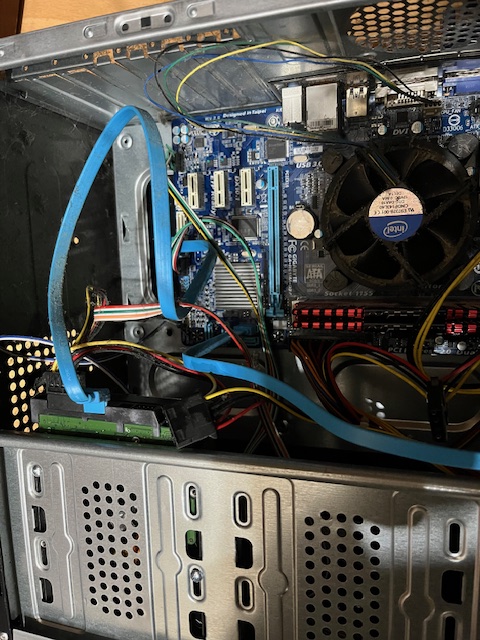
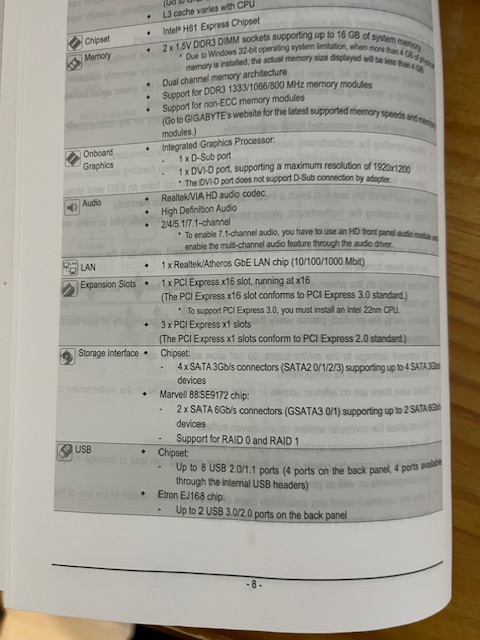
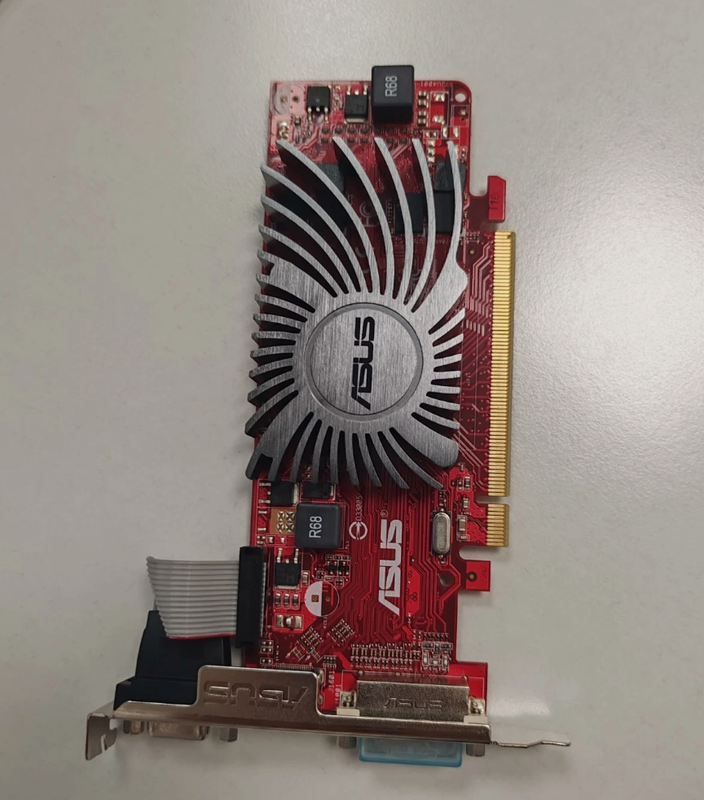

Many tbanks for your help, appreciated.Yes that should work fine, it'll go into the light blue PCI-E socket. You'll need to break off the metal backplate in the slot it lines up with before fitting.

I am buying a second hand hndmi card for 10 quid, what's this DVI devcie called?Phwoar, hdmi!
On another note, that board has DVI and you can buy adapters or cables for this, which would remove the need for said Asus card.
On the rear of the motherboard (from the manual you showed us a pic of, under onboard graphics), it has VGA and DVI (usually this is white).I am buying a second hand hndmi card for 10 quid, what's this DVI devcie called?
DVI is a digital connector, the same as HDMI and they can be used interchangeably (... sort of, it can have limitations).
So, you can buy a cable or an adapter that converts HDMI to DVI and vice versa.
That said, the £10 card isn't much more than a cable, so it doesn't matter that much.

Soldato
- Joined
- 6 Sep 2016
- Posts
- 15,381
yeah DVI to HDMI adapters.
Or you could buy DVI to HDMI cables I've used those
Or you could buy DVI to HDMI cables I've used those
It looks like a 5450 or R3 230. They're pretty good on compatibility. Except, it may not work well with UEFI if CSM is disabled (I doubt you're running UEFI mode anyway).I ordered the Asus card, hope will work which should. This PC is hardly used, only to back up data to its hard disk once a quarter.
It's the Asus EAH5450 HD 5450 1GB DDR3.It looks like a 5450 or R3 230. They're pretty good on compatibility. Except, it may not work well with UEFI if CSM is disabled (I doubt you're running UEFI mode anyway).
In my days, we used to have 1MB total systyem memory and 20MB hard disk, two floppy drives and DOS OS.

Soldato
- Joined
- 22 May 2015
- Posts
- 2,968
- Location
- Manchester
I don't know why people need more than that nowadaysIn my days, we used to have 1MB total systyem memory and 20MB hard disk, two floppy drives and DOS OS.



With the prices of ram these days maybe we be going back to having only 1MBI don't know why people need more than that nowadays

Think Tetras was meaning a cable like this.I am buying a second hand hndmi card for 10 quid, what's this DVI devcie called?
https://www.overclockers.co.uk/ocuk-value-3m-dvi-to-hdmi-gold-plated-cable-cdldv-303-cb-018-ok.html