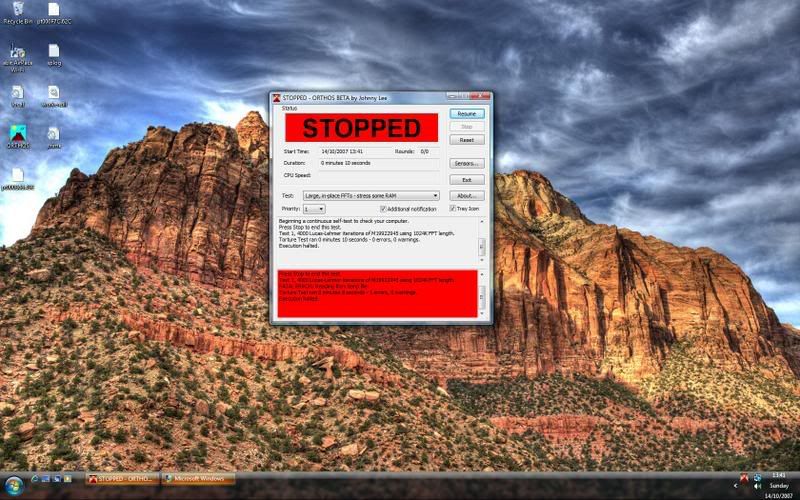
can anybody help me find which bit of hardware is at fault please.

Permabanned
Joined
26 Jul 2007
Posts
3,583
Location
Coventry
I've been through setting up my new system with stickroad on msn, and he reckons the erros I keep getting are due to instability/faulty hardware.

for more background info of my problem view this thread http://forums.overclockers.co.uk/showthread.php?t=17784815&page=4

I've ran memtest86 for 5:30 hours, and it had no errors, ran prime95 for an hour, no errors. But I've just ran the western digital diagnostic tool and got the following error...
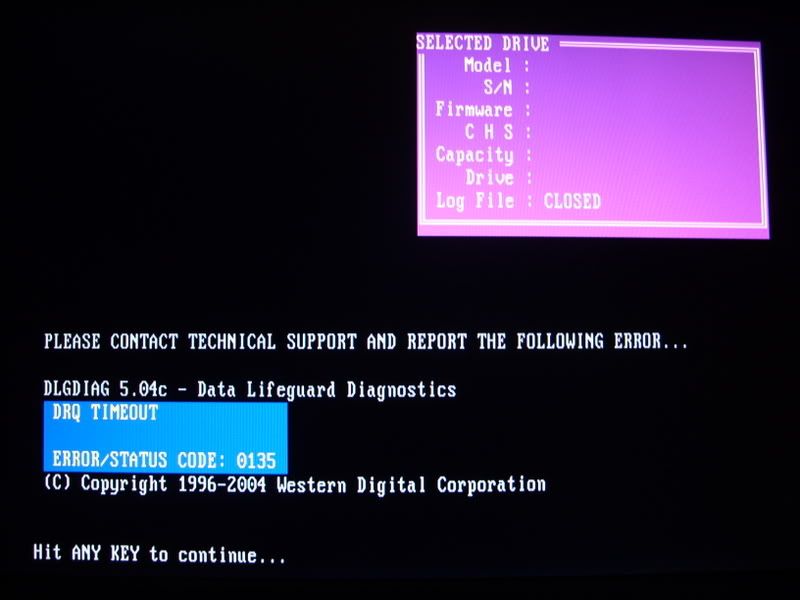

SS851023.jpg


also thought I'd post a pic of the inside of my case, so you can see if I've done anything wrong, as it is my first build.
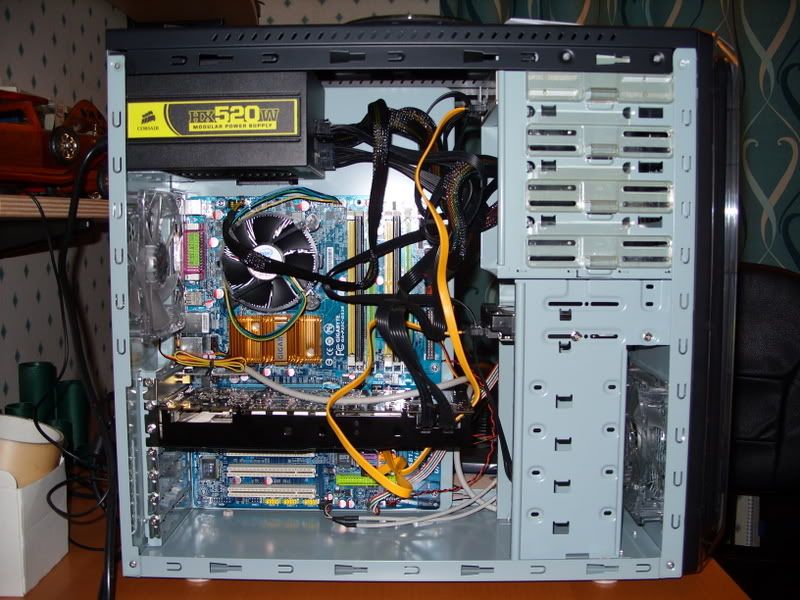

SS851025.jpg


specs of system are as follows,

Q6600 G0
Gigabyte ga-p35c-ds3r
corsair xms2 4-4-4-12 pc5400 ram
oem nvidia gefore 8800gtx
wd 3200aaks
corsair hx 520w
akasa zen
lite-on dvd-rw
abit airpace wifi pci-e card.

thanks
Yantorsen.

 
do i need to give people more infomation?? please reply, i only have like a week left until I wont' be able to take anything faulty back.
 
On the WD site it says for that error -

Timeout from checking Data ReQuest Timeout (DRQ) bit. The drive has not responded back in the time allotted. This may be due to a defect with the drive or a bad connection. Check cable & retest. Replace the drive if the error repeats.
 
On the WD site it says for that error -

Timeout from checking Data ReQuest Timeout (DRQ) bit. The drive has not responded back in the time allotted. This may be due to a defect with the drive or a bad connection. Check cable & retest. Replace the drive if the error repeats.

tried it in all the different sata ports, and tried two different sata cables. :(
 
try and re-set the bios

I've tryed that many a time, i pretty sure it's hardware related, I've tryed anything obvious.

I've just taken an old dvd rom drom another machine and connected it to my new one, but it's an IDE drive, and I can't get it to go as the 1st boot priority.
 
I wouldn't want to waste your time, but I had some similarly coloured cables with my latest. can't remember if they came with the Abit IP35 Pro, or the 150GB raptor, but it didn't get picked up initially, so I removed the cable to check, and the cable endpoint literally came apart in my hand.
If you have some other sata cables to try, i.e. not the ones you got originally. I know its a reach, but maybe...
Other than that, I noticed your previous post where the chipset drivers wouldn't load - did you ever get past that? did the chipset drivers ever load for you? Failing that you might want to consider rma. best of luck, mate :).
 
might be a drive failure - take the drive round a friends house and get them too run the same tool/test on their pc using their cables. if it works ok, borrow the cable and use it on your pc. if its fine - cable was at fault, if drive faulty at friends, drive faulty, if it works at friends but not yours its either mobo/hdd incompatibility (try the SATA1 force jumper) or a duff mobo.
 
I wouldn't want to waste your time, but I had some similarly coloured cables with my latest. can't remember if they came with the Abit IP35 Pro, or the 150GB raptor, but it didn't get picked up initially, so I removed the cable to check, and the cable endpoint literally came apart in my hand.
If you have some other sata cables to try, i.e. not the ones you got originally. I know its a reach, but maybe...
Other than that, I noticed your previous post where the chipset drivers wouldn't load - did you ever get past that? did the chipset drivers ever load for you? Failing that you might want to consider rma. best of luck, mate :).

cheers for the reply

I've tryed the sata cables that came with the mobo, and i tryed ones that same with the psu. the hdd didn't come with any, and i have no more, as it's my first sata device, I've only used ide before.

I did get the chipset drivers to work, in the end, but i could not get the wifi card's drivers to work, and i was getting random errors the whole time. That was on vista 64-bit. I had it all up and running on xp pro, i as playing medieval total war 2 and everything, but then the device manager wouldn't open, and then after a while nothing would open without saying it had an error, and i could not even go into safe mode to restore because the restore tool was corrupted.
 
cheers for the reply

I've tryed the sata cables that came with the mobo, and i tryed ones that same with the psu. the hdd didn't come with any, and i have no more, as it's my first sata device, I've only used ide before.

I did get the chipset drivers to work, in the end, but i could not get the wifi card's drivers to work, and i was getting random errors the whole time. That was on vista 64-bit. I had it all up and running on xp pro, i as playing medieval total war 2 and everything, but then the device manager wouldn't open, and then after a while nothing would open without saying it had an error, and i could not even go into safe mode to restore because the restore tool was corrupted.

drive is dead. it looks as tho it was killing data files/couldn't read thm for a while before and then just totally gave in the go. RMA / buy a new one. solid state is the way to go ;)
 
I could not get and futuremark things to work

I've ran the wd hdd test and it passed, and i've passed memtest86.

I've ran all the tests on orthos and prime95 foro a few hours each, and had no erros, until i did this test....

error.jpg


does this mean that the hdd is faulty or the ram?

Thanks
Yanto.
 
Back
Top Bottom