Un-installer Battlefield 2

Soldato
Joined
1 Mar 2007
Posts
4,795
Location
Portsmouth
Just trying to un-install this game from my old PC running SP Pro on it, Ive gone to the start, EA Games, Battlefield 2, Un-install.

Its starts the un-install then clears the screen and nothing happens :confused:

Anyone know off a way to get rid off this game?

 
Just delete the main folder. All it'll leave behind are a couple (if that) of registry entries, and maybe a folder in your Windows profile folder somewhere. Then just delete the shortcuts.
 
Unistall features uses the apps unistall feature. You could try reinstalling it then unstalling it.

Or CCleaner to manually delete and get it to tidy the registry.
 
[DW]Muffin;10638421 said:
Unistall features uses the apps unistall feature. You could try reinstalling it then unstalling it.

Or CCleaner to manually delete and get it to tidy the registry.

Tried the DVD in both my drives, then click install goes into setup..... then back to the desktop.

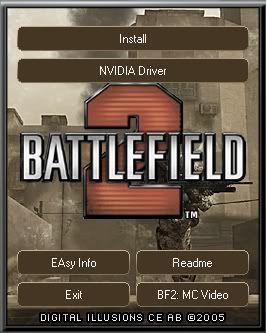
This is the options when the DVD is inserted, cant see an un-install option there.

bn.jpg


Not tried ccleaner yet.
 
Looking here, http://www.quartertothree.com/game-talk/archive/index.php?t-23427.html

Its saying,

Try manually deleting the files and related items.

1. Delete your BF2 directory.
2. Delete the "c:\Program Files\InstallShield Installation Information\{04858915-9F49-4B2A-AED4-DC49A7DE6A7B}" - or wherever your Program Files directory is.
3. Delete the "HKEY_LOCAL_MACHINE\SOFTWARE\Electronic Arts\EA GAMES\Battlefield 2" registry entry.
4. Delete the "HKEY_LOCAL_MACHINE\SOFTWARE\Microsoft\Windows\CurrentVersion\Uninstall\{04858915-9F49-4B2A-AED4-DC49A7DE6A7B}" registry entry.

Ive done the first 2 points, on point 3 what does it mean by 'registry entry'?

Can someone confirm for me please?
 
Back
Top Bottom