


Associate
- Joined
- 28 Mar 2007
- Posts
- 74
As stated in another thread I thought I'd post regarding my new case as well as post some pics and thoughts about my new build.
So the case arrives early. Shouldn't have been here till Saturday, but my mrs had the day off work, as my graphics card was being delivered next day
So I was surprised when she phones me up and said that my case had come. She also had a little moan regarding how big it was. Asking “Do I really need a case that big?”
For this, I sent her in her cupboard under the stairs with no supper!
To My surprise when I get in, the case wasn’t that big at all. I thought it would have been bigger, but I didn’t check the dimensions b4 hand, so I wasn’t to know. But it’s a lot smaller than my CoolerMaster Stacker 830.
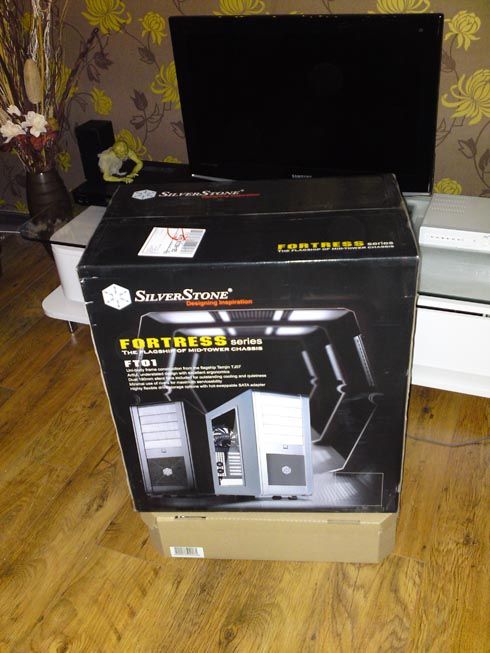
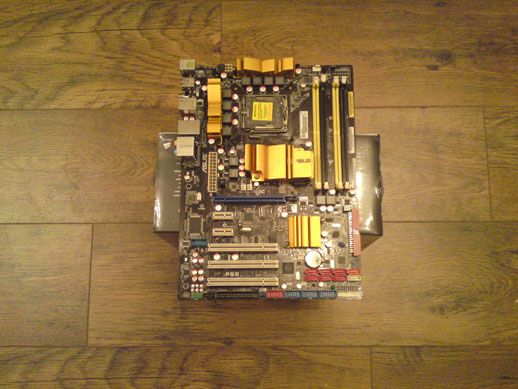
That's the Box the graphics card came in underneeth, so you can see how big it was!
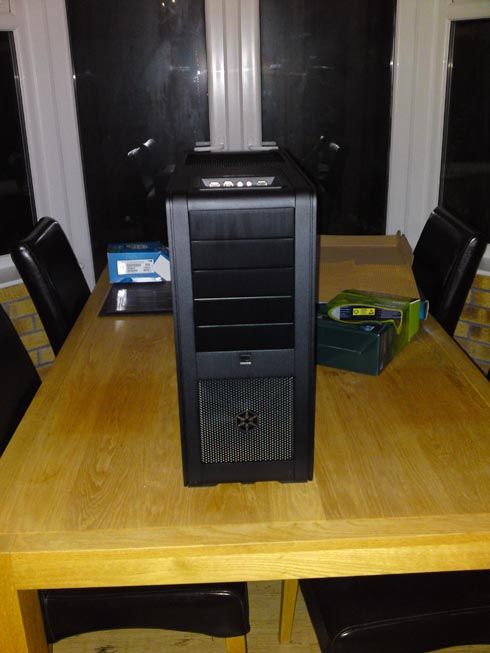
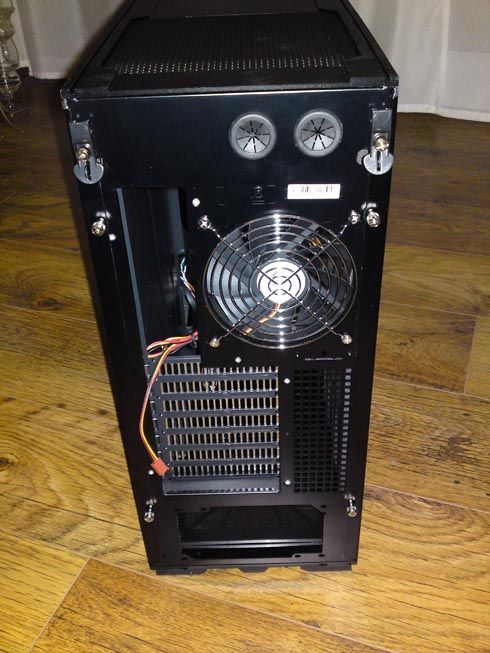
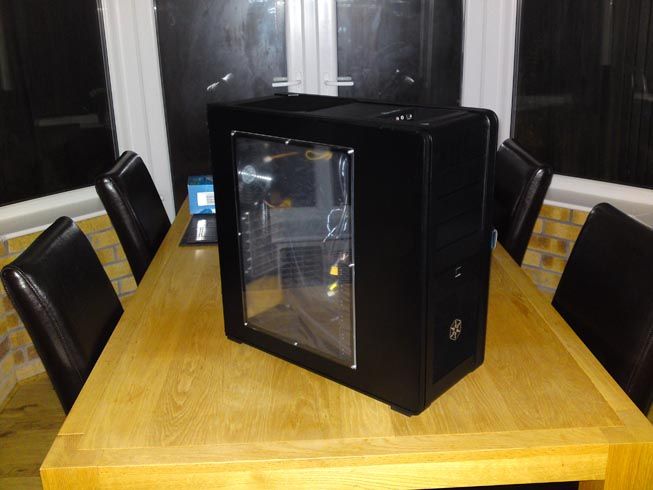
As you can see, it looks very aesthetic and has a brushed steel look to it (But In Black) which I like. However, it does show hot thumb prints on it!
Which brings me to my 1st gripe about this case. Having read a review where some guy had rubbed every edge of the case with his scrotum or something , inside and out and it was all smooth as a babies arse. WELL!!
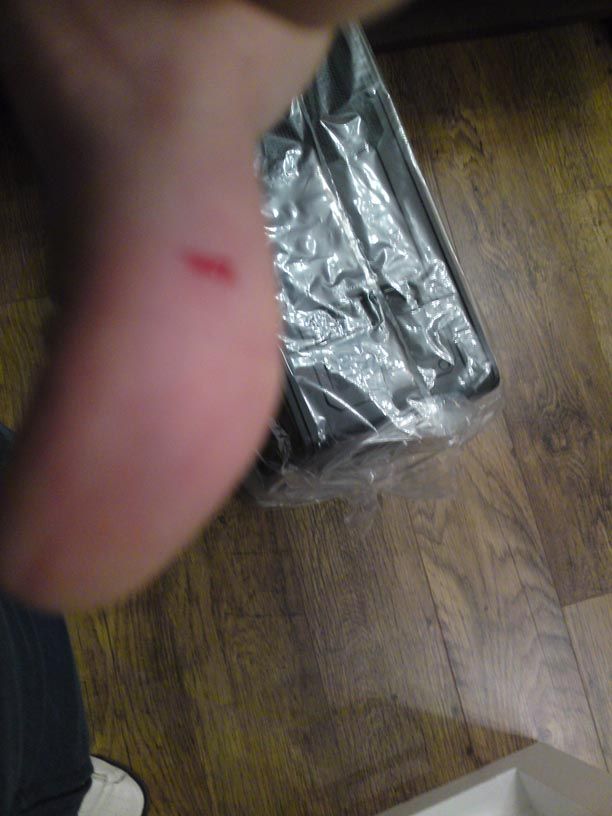
The first bloody time I picked the case up I cut my thumb like a numpty. I didn’t even get chance to unwrap the thing and it bit me...
The inside of the case is pretty normal, BUT the top HDD tray is set with an internal sata plug so you don’t have to arse about with lots of cables. The bays are also set horizontal to the case, so all cables can be hidden behind the motherboard tray for the Hard Drives.
Easy to install the HDD into the trays. Just push and they click in.
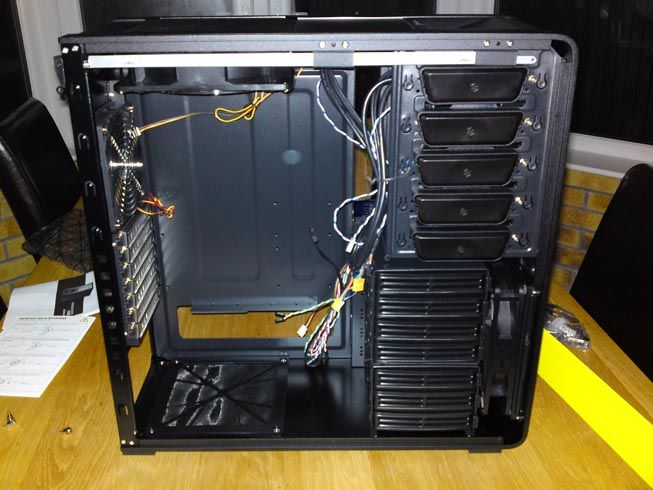
The DVD Drive bay is also cool, as you just press in the oval things and it holds your DVD Drive in place, so you don’t have to arse about with screws and all that lark.
The cooling inside the case is also pretty fine. With a big fan that rests above heatsink and fan of the CPU, sucking any hot air out which rises to the top of your case.
There’s a big vent at the bottom of the case, which your PSU sits on, a normal rear Fan and a fan at the front of the case near the bottom that sucks air in and blows on to your HDD bays.
Although I haven’t installed anything on to the computer yet besides Vista, the MOBO readings inside the BIOS said that the temp was 28C for the motherboard.
However, I’ll have to a test regarding temps and all that, when I post some benchmarks of the whole rig.
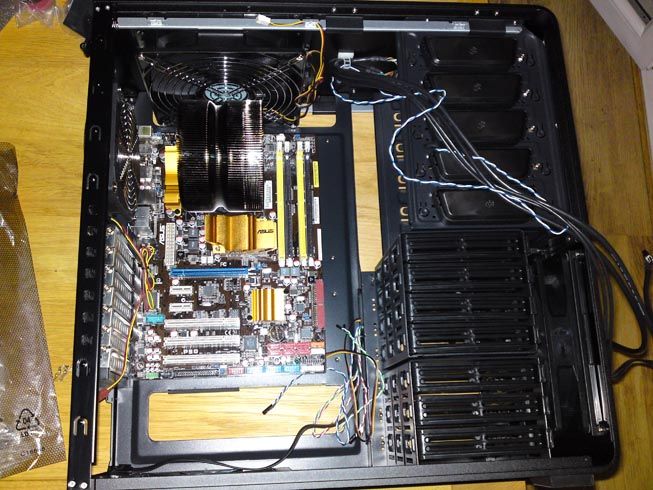
Motherboard has plenty of room and as you can see the large top case fan sits just above the CPU HS and fan. The CPU Cooler also blows the warm air directly onto the rear case fan, that sucks all the hot air from the case.
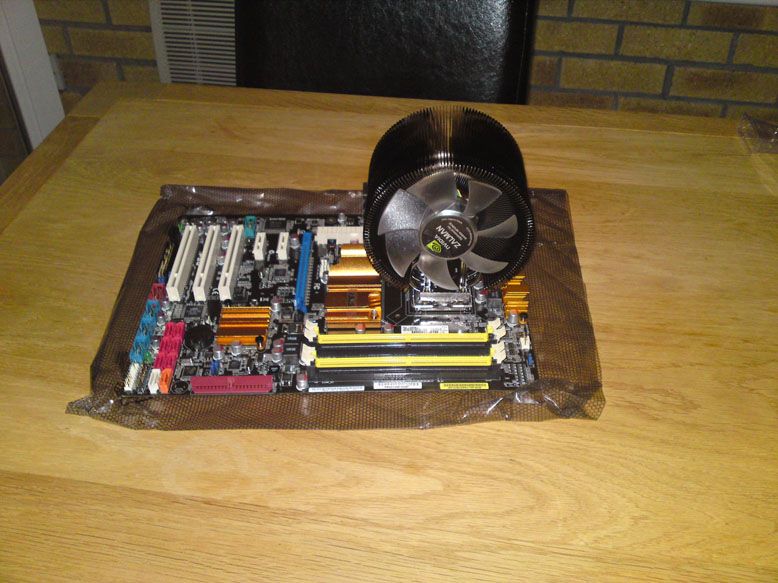
The CPU Heat sink fitted well and you can see the size of the thing to the rest of the MOBO!
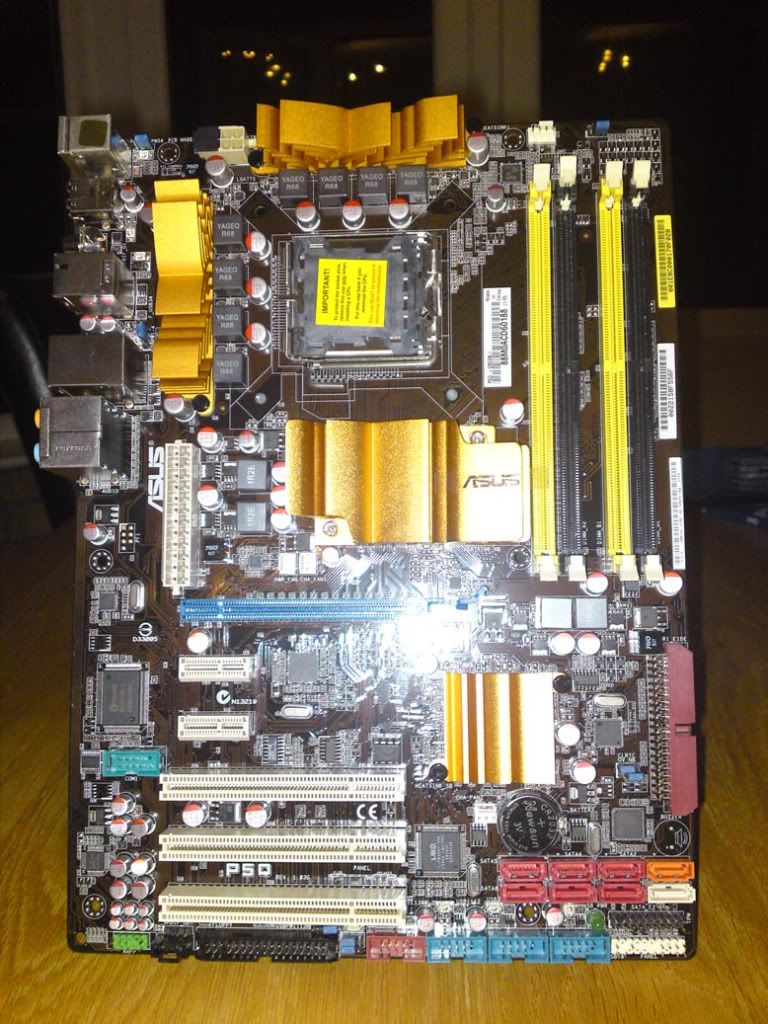
Close Up of The MOBO
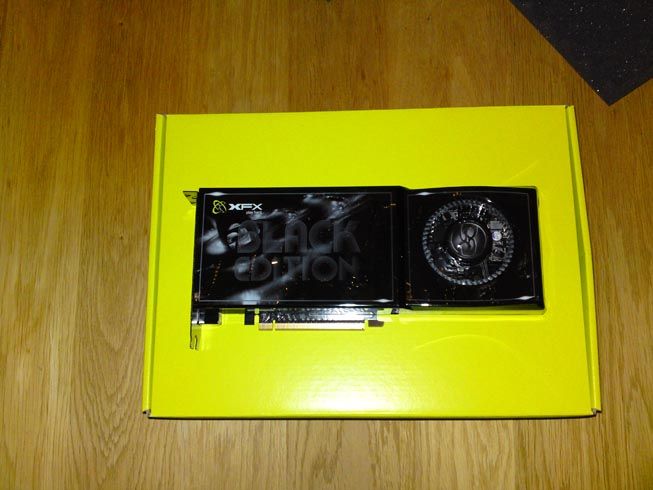
With The large GPU (Nvidia GTX 260 Black Edition) in place, there's slim chance that any PCI-E soundcard will fit, without cramming it right up to the GPU.
The 1st PCI-E Slot is totally covered by the GPU and the second one is very very close. You probably could squeeze one in, but you may have problems. I don't fully know for sure, as I haven't tried.
I was going to go with the Xonar PCI-E Card, but im just going for the D2 PCI
Then after installing the RAM with the little fan thing on top of it and the GPU, everything went **** up. I'd spent ages making sure the wires didnt show too much and trying to get that "Good Cable Management" that many people speak of on here.
After the PSU went in and I found that I had to put wires in places they couldn't be hid.... I thought SOD IT! and left it like this till I can be arsed to find a way to make everything look tidy.
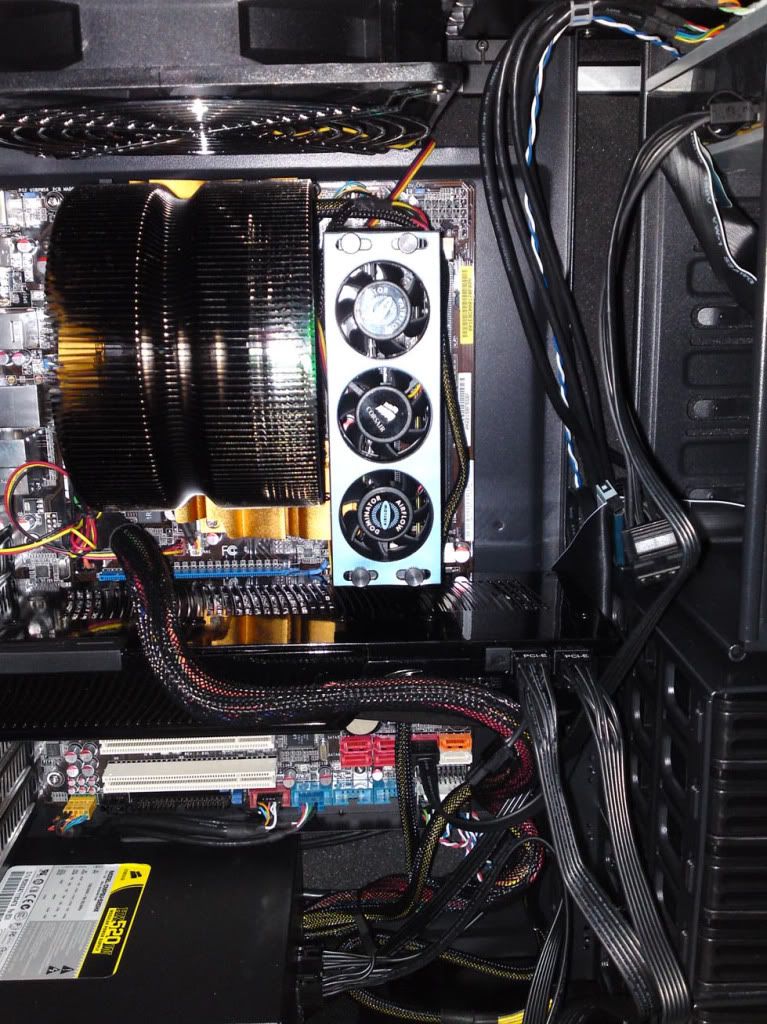
The cables at the side can all be tied, so too can the small ones at the bottom, but the great big one that fits in the middle of the MOBO spoils it all.
this is about as far as I've got up to. I Installed Vista and then tried the Mobo drivers, but the DVD I got with the Mobo wouldn't load and crashed.
That's about it. More to come. Bit of a ***** build/review sorta thing, but you have some pretty pictures (albiet dark) to have a gander over.
Gonna look to install the Mobo drivers tonight and some other bits and bobs after training.
I have had one problem, which I'll post about in the right forum section, but the power to the upstairs sockets shorted twice when I was checking bits in the bios and also once when I was in Vista.
Don't know the reasons why this could have happened. I'll post in the Mobo section if anyone can help.
Also I need to know a little more on how to set everything up in the bios regarding voltages and what numbers to have....
Cheers....
So the case arrives early. Shouldn't have been here till Saturday, but my mrs had the day off work, as my graphics card was being delivered next day
So I was surprised when she phones me up and said that my case had come. She also had a little moan regarding how big it was. Asking “Do I really need a case that big?”
For this, I sent her in her cupboard under the stairs with no supper!
To My surprise when I get in, the case wasn’t that big at all. I thought it would have been bigger, but I didn’t check the dimensions b4 hand, so I wasn’t to know. But it’s a lot smaller than my CoolerMaster Stacker 830.
That's the Box the graphics card came in underneeth, so you can see how big it was!
As you can see, it looks very aesthetic and has a brushed steel look to it (But In Black) which I like. However, it does show hot thumb prints on it!
Which brings me to my 1st gripe about this case. Having read a review where some guy had rubbed every edge of the case with his scrotum or something , inside and out and it was all smooth as a babies arse. WELL!!
The first bloody time I picked the case up I cut my thumb like a numpty. I didn’t even get chance to unwrap the thing and it bit me...
The inside of the case is pretty normal, BUT the top HDD tray is set with an internal sata plug so you don’t have to arse about with lots of cables. The bays are also set horizontal to the case, so all cables can be hidden behind the motherboard tray for the Hard Drives.
Easy to install the HDD into the trays. Just push and they click in.
The DVD Drive bay is also cool, as you just press in the oval things and it holds your DVD Drive in place, so you don’t have to arse about with screws and all that lark.
The cooling inside the case is also pretty fine. With a big fan that rests above heatsink and fan of the CPU, sucking any hot air out which rises to the top of your case.
There’s a big vent at the bottom of the case, which your PSU sits on, a normal rear Fan and a fan at the front of the case near the bottom that sucks air in and blows on to your HDD bays.
Although I haven’t installed anything on to the computer yet besides Vista, the MOBO readings inside the BIOS said that the temp was 28C for the motherboard.
However, I’ll have to a test regarding temps and all that, when I post some benchmarks of the whole rig.
Motherboard has plenty of room and as you can see the large top case fan sits just above the CPU HS and fan. The CPU Cooler also blows the warm air directly onto the rear case fan, that sucks all the hot air from the case.
The CPU Heat sink fitted well and you can see the size of the thing to the rest of the MOBO!
Close Up of The MOBO
With The large GPU (Nvidia GTX 260 Black Edition) in place, there's slim chance that any PCI-E soundcard will fit, without cramming it right up to the GPU.
The 1st PCI-E Slot is totally covered by the GPU and the second one is very very close. You probably could squeeze one in, but you may have problems. I don't fully know for sure, as I haven't tried.
I was going to go with the Xonar PCI-E Card, but im just going for the D2 PCI
Then after installing the RAM with the little fan thing on top of it and the GPU, everything went **** up. I'd spent ages making sure the wires didnt show too much and trying to get that "Good Cable Management" that many people speak of on here.
After the PSU went in and I found that I had to put wires in places they couldn't be hid.... I thought SOD IT! and left it like this till I can be arsed to find a way to make everything look tidy.
The cables at the side can all be tied, so too can the small ones at the bottom, but the great big one that fits in the middle of the MOBO spoils it all.
this is about as far as I've got up to. I Installed Vista and then tried the Mobo drivers, but the DVD I got with the Mobo wouldn't load and crashed.
That's about it. More to come. Bit of a ***** build/review sorta thing, but you have some pretty pictures (albiet dark) to have a gander over.
Gonna look to install the Mobo drivers tonight and some other bits and bobs after training.
I have had one problem, which I'll post about in the right forum section, but the power to the upstairs sockets shorted twice when I was checking bits in the bios and also once when I was in Vista.
Don't know the reasons why this could have happened. I'll post in the Mobo section if anyone can help.
Also I need to know a little more on how to set everything up in the bios regarding voltages and what numbers to have....
Cheers....






