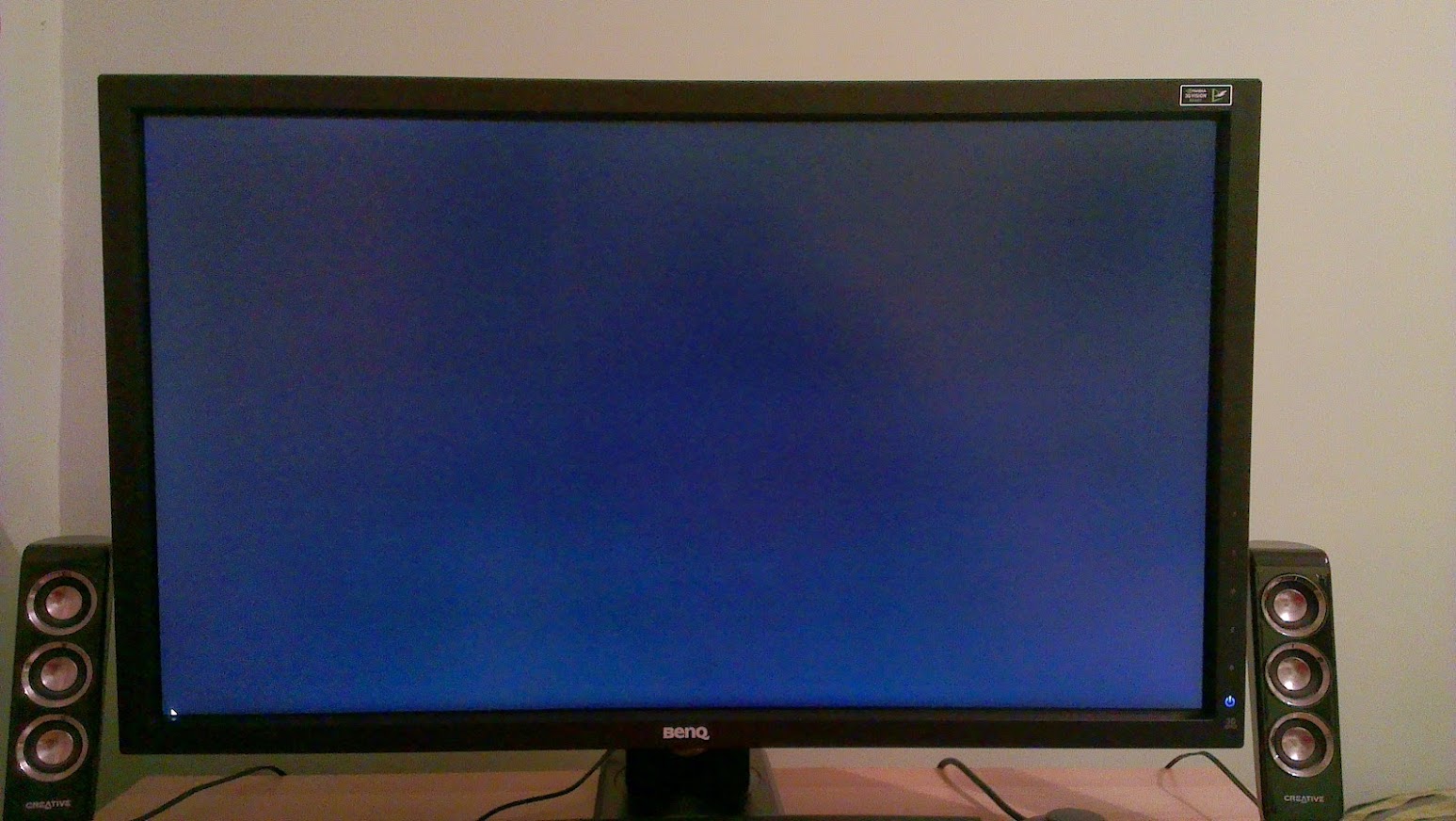
BenQ XL2720Z - is this what to expect with motion blur?

Associate
Joined
14 Jan 2014
Posts
1,612
Location
The Matrix
Received my new monitor last week; once hooked up, couldn't believe the different coming from 60hz to 144hz, the smoothness is very noticeable :cool: why I didn't do this years ago is beyond me! lol

However, it does seem to have large amounts of backlight bleeding which to be honest, I only really noticed when carrying out a few tests.

Night with zero lights on:
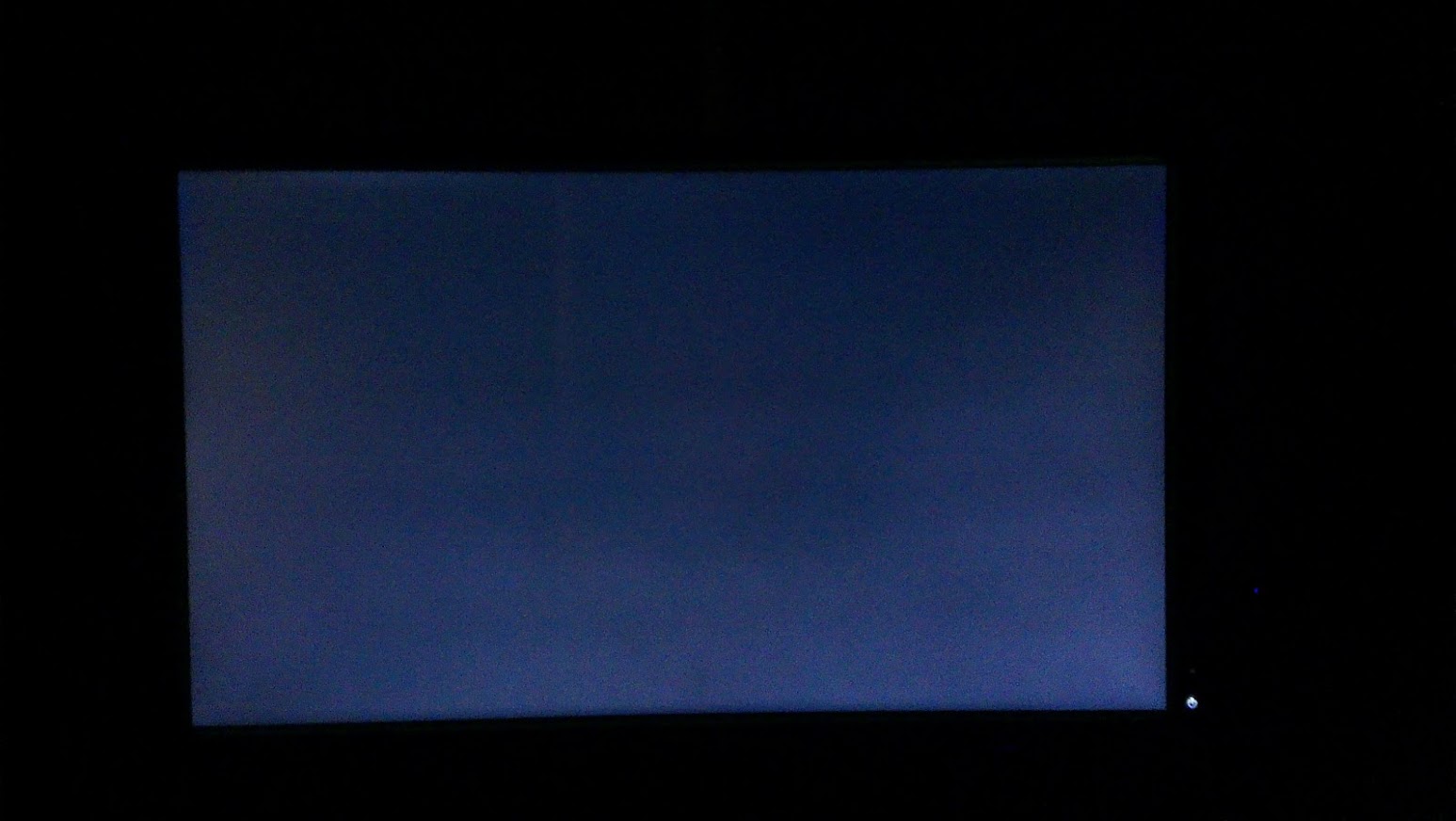
IMAG0427.jpg


Center room light on:

IMAG0429.jpg


Game play:

IMAG0425.jpg


Reading up on lightboost/motion blur technology it might be expected with these panels.

Quote from Chief blur buster
"This isn't backlight bleed, but actually a normal artifact of LightBoost. LightBoost pushes the limitations of LCD more aggressively, which creates some amplified "backlight-bleed-style" artifacts similar to these."

It did get me concerned at first and was contemplating returning it, but after reading from the experts, i'm not too sure.

Anyone else get similar results? or do I really need to return this monitor?

Cheers :)
 
Last edited:
i dont think that is severe backlight bleed at all, and we noticed a similar lighter section along the bottom edge of the XL2720Z when we tested it. Not something to worry about at all i don't think. blur reduction and other features of the gaming panel shouldn't impact backlight uniformity/bleed though
 
By any chance does your monitor crash the screen and PC if you try run a video on it through flash player? I can't seem to use the newest flash player version cause it crashes my PC so I have to use google chromes flash player built in, please if anyone has a fix to this would be greatly appreciated.
 
i dont think that is severe backlight bleed at all, and we noticed a similar lighter section along the bottom edge of the XL2720Z when we tested it. Not something to worry about at all i don't think. blur reduction and other features of the gaming panel shouldn't impact backlight uniformity/bleed though

Thanks for the re-assurance Baddass :)

By any chance does your monitor crash the screen and PC if you try run a video on it through flash player? I can't seem to use the newest flash player version cause it crashes my PC so I have to use google chromes flash player built in, please if anyone has a fix to this would be greatly appreciated.

I've tried it and had no problems dazoO. You also have the XL2720Z? how do you find it?
 
sorry no i have the XL2411T, gutted i didn't wait for the Z versions but does anyone have a fix for this flash player issue, it only crashes PC when you put the video in full screen, on normal view it's just black on the video and you can hear the sound.
 
Taken from Adobe's website
Could be hardware related "Hardware Acceleration..."
right click a movie or flash content and uncheck the box in the first tab in Settings. quit out of the browser and try fullscreen again.
 
sorry no i have the XL2411T, gutted i didn't wait for the Z versions but does anyone have a fix for this flash player issue, it only crashes PC when you put the video in full screen, on normal view it's just black on the video and you can hear the sound.

not sure how that would be related to the monitor?! have you tried the same setup with a different screen?

if it really is only doing it on the XL2411T, you could try checking you have the monitor driver installed, try a different video connection, maybe try different refresh rate settings (60, 120 and 144hz)
 
Tried everything, it's in DVI-D and tried different refresh rates, it only happens on latest version of flash player, i've disabled hardware accelleration and still the issue happens. Now with googles built in flash player when watching a video on youtube if i put it full screen it stays the original size of the video but the whole screen is than covered with white.
 
think it could be gfx drivers related? I might just format and start again frm scratch see if it fixes it as the benq disc it comes with the monitor has no drivers as theres no drivers for the monitor, it's showing as "plug and play" monitor.
 
think it could be gfx drivers related? I might just format and start again frm scratch see if it fixes it as the benq disc it comes with the monitor has no drivers as theres no drivers for the monitor, it's showing as "plug and play" monitor.

Try searching the disc, you should find the drivers on there. It's what I did with my Monitor.

Also, you can find the driver here: http://benq.co.uk/page/?pageid=4&plid=5&pid=2036&key=XL2411T&s=1
 
Only thing on the disc is some test on a website it leads you to, but that does nothing for me when i run the test its all pixelated on the screen and there's nothing i can do other than stopping the test.
 
I'll try the drivers when I get home from work, if that doesn't fix it i'm gonna format and start from scratch hopefully that fixes it.
 
sorry to bring a zombie thread up but im having the exact same issue. Massive backlight bleed in all corners and it spreads into the middle of scrren. Have tried settings to reduce but its not having it?

Im using the HDMI input for my PS4 and its just so awful in games i cant cope! Is the monitor faulty?
 
If I ordered one of these and it looked like that, it would be going straight back. That is beyond terrible. Wow

Have to agree, I just took some pics of my XL2411Z (smaller version of the XL27) with a black background and whilst not fully black it is nowhere near as bright the 1 above. Send it back.

noiuz9.jpg
 
Back
Top Bottom