Check my Spec Build Please - Newbie

Soldato
Joined
7 Nov 2006
Posts
5,682
Location
Stockton on Tees
Hey Guys,

Been out the building game for a long time now and looking to upgrade.
First off these are my main uses (im not a power user):

- AutoCAD work
- Watching Movies
- Running a Plex server so transcoding 1080p movies being sent to TV
- Basic office and internet surfacing

BUT I DO WANT TO FUTURE PROOF FOR A FEW YEARS HENCE NEED SOMETHING MID RANGE POWER!

This is what i have come up with:

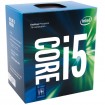
CPU - Core i5-7600K 3.80GHz (Kaby Lake) Socket LGA1151 Processor - Retail
MOBO - MSI Z270 Gaming Pro Carbon Intel Z270 (Socket 1151) DDR4 ATX Motherboard
SATA HDD - 850 EVO Series M.2 250GB SATA 6Gbps Solid State Drive (MZ-N5E250BW)
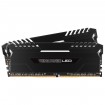
RAM - Vengeance 32GB (4x8GB) DDR4 PC4-21300C16 2666MHz Quad Channel Kit - Red (CMK32GX4M4A2666C16R
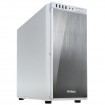
CASE - Dark Base 900 Full Tower Gaming Case - Silver
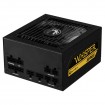
PSU - be Quiet! Pure Power 10 500W CM 80 Plus Silver Modular Power Supply
GPU - OcUK GeForce GTX 1060 "Reference Design" 6144MB GDDR5 PCI-Express Graphics Card
STORAGE - Red Pro 8TB 7200rpm SATA 6Gb/s 128MB Cache HDD (8001FFWX)

TOTAL: £ 1,600.00

Now! I would like to get this down to around £1,200 as £1,600 is way too much. I dont even know if some of the above are compatible anyway (as im a newbie!).

Ive got a monitor, s/c and keyboard and mouse and Windows 10 so they are not needed.

Can someone help and try to get it to come in budget but satisfying my requirements in the process?

 
Do you even need a GPU? Can any of your daily tasks take advantage of CUDA? If not you can ditch the GPU completely.

Why don't you ditch the GPU and go with a 7700K? It has decent integrated graphics. You can overclock it to near 5Ghz.

If you want to go the AMD route (my guess is more threads=better for your uses?) then consider a Ryzen 7 1700, also overclocked, to 4Ghz, along with a very cheap $50 graphics card (The Ryzen 1700 has no iGPU)

Not sure you really need an (expensive) full tower. The 850 EVO m.2 kind of sucks the 960 is better. Look at a Superflower Golden Green HX powersupply.

What do you want to do cooling wise? I suggest a Noctua cooler. They are quiet. Also they are super high quality.
 
Do you even need a GPU? Can any of your daily tasks take advantage of CUDA? If not you can ditch the GPU completely.

Its for CAD work and watching 4k content (future proofing)

Why don't you ditch the GPU and go with a 7700K? It has decent integrated graphics. You can overclock it to near 5Ghz.

I will look at this.

If you want to go the AMD route (my guess is more threads=better for your uses?) then consider a Ryzen 7 1700, also overclocked, to 4Ghz, along with a very cheap $50 graphics card (The Ryzen 1700 has no iGPU)

Not sure you really need an (expensive) full tower. The 850 EVO m.2 kind of sucks the 960 is better. Look at a Superflower Golden Green HX powersupply.

The full tower is for all my HDD's as i have about 4 SATA and 2 SSD's already which i use to back up and archive stuff.

What do you want to do cooling wise? I suggest a Noctua cooler. They are quiet. Also they are super high quality.

Ye Noctua it will be
 
There are MANY mid tower cases that will take your 6 drives. As far as 4K content, the Kaby Lake integrated graphics can handle that without issue, saving you some money. If your CAD program is ok without the GPU, save the money and spend it elsewhere.

Also, the integrated graphics on Kaby Lake (7700/7700K and etc etc) can do 4K netflix, which is relatively new to the PC and was the domain of smart TV's and media boxes.

I assure you, you will get excellent 4K playback with Kaby Lake and no GPU. Lots of people do it.
 
If you're adding yet another HDD (Red Pro 8TB) to your 6 drives, the number of motherboard SATA ports will be an issue. If that is the case, recommend looking at other boards, and also how the M.2 (if you do get one too) works on the board. Some work in PCIe mode without cancelling 1 or 2 SATA ports, some don't. I can help have a look for alternatives tomorrow, if you confirm I've understood correctly.
 
There are MANY mid tower cases that will take your 6 drives. As far as 4K content, the Kaby Lake integrated graphics can handle that without issue, saving you some money. If your CAD program is ok without the GPU, save the money and spend it elsewhere.

Also, the integrated graphics on Kaby Lake (7700/7700K and etc etc) can do 4K netflix, which is relatively new to the PC and was the domain of smart TV's and media boxes.

I assure you, you will get excellent 4K playback with Kaby Lake and no GPU. Lots of people do it.

Will the integrated graphics handle a 4K monitor through display port? I will be looking at adding one in the future but currently have a Dell 27" 1440p monitor that I will use with the build...I suppose I could always add a gpu in the future when I do get a 4K monitor so it isn't needed in the build.

I don't have six drives at the moment. I have 2x SSD And 2x SATA drives so I might have been a little premature. I will in theory only need a case which has space for 3 SATA drives and 2 SSD Drives. What midi case do you recommend?
 
Last edited:
If you're adding yet another HDD (Red Pro 8TB) to your 6 drives, the number of motherboard SATA ports will be an issue. If that is the case, recommend looking at other boards, and also how the M.2 (if you do get one too) works on the board. Some work in PCIe mode without cancelling 1 or 2 SATA ports, some don't. I can help have a look for alternatives tomorrow, if you confirm I've understood correctly.

See my reply above about my HDD situation.

I will need a mobo which can take 3 SATA & 2 SSD (or 1 SSD if using an M.2)
 
See my reply above about my HDD situation.

I will need a mobo which can take 3 SATA & 2 SSD (or 1 SSD if using an M.2)

I see.

AutoCad doesn't need all that much memory. 8GB is what they recommend. Get yourself 16GB to cover demanding complexity/size drawings/future stuff. RAM costs a bomb right now anyway, so if you ever need more then hopefully cost will be lower in a year or two. i5 is ok, couple fast cores better than more slow cores for this. In fact, even an i3-7350K would be a great choice and save some money.

If you can't wait till October for the new Intel CoffeeLake CPUs:

My basket at Overclockers UK:

Total: £1,191.44
(includes shipping: £14.10)


No GPU to begin with. I'd see how it goes. If needed, add something like a GTX 1050Ti later (£130-ish).

Case has room for seven drives. PSU has SATA for eight. Seven-year warranty and better than the BeQuiet Silver. 450W more than enough.

Nice cooler to overclock that 7600K.

Cheapest available 3200MHz DDR4 memory.

Move the two Antec stock fans to front, use Noiseblocker on rear to exhaust.

Motherboard has everything you need. Six SATA ports and you can use both M.2 sockets in PCIe mode while using all six SATA ports.
 
Was just getting some food and remembered I still need to check the Display Port requirement for your monitor.

You'll get more cores for 'about' the same money with CoffeeLake, not really a huge deal for AutoCad. So in your case it's not essential to wait unless you can do so just to get the latest.
 
Was just getting some food and remembered I still need to check the Display Port requirement for your monitor.

You'll get more cores for 'about' the same money with CoffeeLake, not really a huge deal for AutoCad. So in your case it's not essential to wait unless you can do so just to get the latest.

Ahh okay. Will coffeelake be existing socket or is it a new architecture? thinking about future-proofing....
Its a Dell U2750H 1440p
 
Ahh okay. Will coffeelake be existing socket or is it a new architecture? thinking about future-proofing....
Its a Dell U2750H 1440p

CoffeeLake won't work on Z270 boards even though it's not new architecture as such. They'll require new boards. Probably best to wait if possible if you want to future-proof a little. If you ever need a more powerful CPU for some reason, the six core CoffeeLakes won't run on Z270.
 
CoffeeLake won't work on Z270 boards even though it's not new architecture as such. They'll require new boards. Probably best to wait if possible if you want to future-proof a little. If you ever need a more powerful CPU for some reason, the six core CoffeeLakes won't run on Z270.

I might be better off waiting till Oct in that case to see what CoffeeLake brings to the table. The 6-Core looks like the way to go
 
Will the integrated graphics handle a 4K monitor through display port? I will be looking at adding one in the future but currently have a Dell 27" 1440p monitor that I will use with the build...I suppose I could always add a gpu in the future when I do get a 4K monitor so it isn't needed in the build.

I don't have six drives at the moment. I have 2x SSD And 2x SATA drives so I might have been a little premature. I will in theory only need a case which has space for 3 SATA drives and 2 SSD Drives. What midi case do you recommend?

In terms of what the integrated graphics will handle, yes they will handle a 4K screen. As far as having DP out, that is motherboard dependant. If you have the 7700K and the apropriate board, yes, you can do 4K via DP.
As far as the boards go, Coffee Lake will (reportedly by the rumor mill) need a new board with a new socket, likely Z370. There is no upgrade path from 7700K to 8700K.
 
In terms of what the integrated graphics will handle, yes they will handle a 4K screen. As far as having DP out, that is motherboard dependant. If you have the 7700K and the apropriate board, yes, you can do 4K via DP.
As far as the boards go, Coffee Lake will (reportedly by the rumor mill) need a new board with a new socket, likely Z370. There is no upgrade path from 7700K to 8700K.

In that case, for teh sake of a month i might aswell wait and get the latest and then I am atleast future-proof for a while.
 
Back
Top Bottom