For 4K gaming what do I need to upgrade?

Two pre-builds, former not 32GB bit would have to ask the. To make it 32gb

My basket at Overclockers UK:
  • 1 x OcUK Gaming Osmium Overclocked Gaming PC - Intel Core i5 9600K @ 4.9GHz = £2,470.99
    • CPU:Intel Core i9-9900K 3.6GHz (Coffee Lake) Socket LGA1151 Processor - OEM
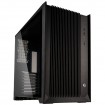
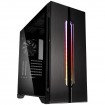
    • Case:Lian-Li Lancool One Digital Midi Tower - Black Window
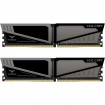
    • Memory:Team Group Vulcan T-Force 16GB (2x8GB) DDR4 PC4-19200C14 2400MHz Dual Channel Kit - Grey (TLGD416G24
    • Solid State Drive (Primary):TeamGroup 480GB L5 Lite SSD 2.5" SATA 6Gbps 3D NAND Solid State Drive
    • Solid State Drive (Secondary):Unwanted
    • Storage Drive:Seagate 2TB BarraCuda 7200RPM 256MB Cache HDD *System Stock*
    • WIFI:Unwanted
    • Operating System:Microsoft Windows 10 Home Advanced - Systems
    • Security Software:Unwanted
    • Graphics Card:palit GeForce RTX 2080 Ti Gaming Pro OC 11264MB GDDR6 PCI-Express Graphics Card
  • 1 x OcUK Tech Labs Coffee Lake Pro Gaming Configurator = £2,638.82
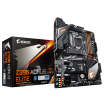
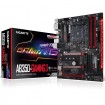
    • Motherboard:Gigabyte Z390 Gaming SLI Intel Z390 (Socket 1151) DDR4 ATX Motherboard
    • Processor:Intel Core i9-9900K 3.6GHz (Coffee Lake) Socket LGA1151 Processor - OEM
    • CPU Cooler:be quiet! Dark Rock Pro 4 CPU Cooler
    • Memory:Team Group Vulcan T-Force 32GB (2x16GB) DDR4 PC4-19200C14 2400MHz Dual Channel Kit - Grey (TLGD432G2
    • M.2 Solid State Drive **For Operating System If Selected**:Unwanted
    • Solid State Drive 1:Samsung 1TB 860 EVO SSD 2.5" SATA 6Gbps 64 Layer 3D V-NAND Solid State Drive (MZ-76E1T0B/EU)
    • Solid State Drive 2:Unwanted
    • Mechanical Hard Drive 1:Seagate BarraCuda 1TB 7200RPM SATA 6Gb/s 64MB Cache HDD - *System Stock*
    • Mechanical Hard Drive 2:Unwanted
    • Optical Drive **Please Check Chassis Support**:Unwanted
    • Power Supply:Seasonic Focus Plus 850W 80 Plus Platinum Modular Power Supply
    • Soundcard:Unwanted
    • Network Adapter:Unwanted
    • Case Lighting:Unwanted
    • Operating System:Microsoft Windows 10 Home Advanced - Systems
    • Security Software:Unwanted
    • Build Time:Standard Build Systems - Dispatched in approx 7 working days
    • Headset:Unwanted
    • Keyboard:Unwanted
    • Mouse:Unwanted
    • Speakers:Unwanted
    • Monitor:Unwanted
    • Gaming Chair:Unwanted
    • Case:phanteks Enthoo Pro M Glass RGB Special Edition - Black/White
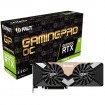
    • Graphics:palit GeForce RTX 2080 Ti Gaming Pro OC 11264MB GDDR6 PCI-Express Graphics Card
    • Graphics 2 (SLI/Crossfire):Unwanted
Total: £5,132.92 (includes shipping: £23.10)


Vs self build .. but could save cash reusing parts etc

My basket at Overclockers UK:
Total: £2,440.81 (includes shipping: £14.10)
Decent build just the processor I’m not considering. I wanted an i9 X cpu rather than just a K. As I do want the cpu to be future proof meaning I want it to hold up for the next 4-5 years. I will post my build shortly, let me know what you think of it.

 
This is my planned build but I could change the cpu. This is without a 4K monitor, speakers or 4k capture card.

Case
CORSAIR GRAPHITE SERIES™ 780T FULL TOWER CASE
Overclocked CPU
Overclocked Intel® Core™ i9-9940X 14 Core (3.30GHz @ up to 4.4GHz)
Motherboard
ASUS® ROG STRIX X299-E GAMING: ATX, USB 3.1, SATA 6 GB/s, WIFI - RGB Ready
Memory (RAM)
32GB Corsair VENGEANCE RGB DDR4 3000MHz (2 x 16GB)
Graphics Card
11GB NVIDIA GEFORCE RTX 2080 Ti - HDMI, 3x DP GeForce - RTX VR Ready!

https://www.************.co.uk/images/global/down_right_arrow.gifGet Battlefield V -AND- Anthem with select NVIDIA GeForce RTX GPUs!
1st Storage Drive
1TB WD Blue™ 3D NAND 2.5" SSD, (upto 560MB/sR | 530MB/sW)
2nd Storage Drive
2TB WD Blue™ 3D NAND 2.5" SSD, (upto 560MB/sR | 530MB/sW)
3rd Storage Drive
4TB SEAGATE BARRACUDA PRO 3.5", 7200 RPM 128MB CACHE
DVD/BLU-RAY Drive
16x BLU-RAY WRITER DRIVE, 16x DVD ±R/±RW & SOFTWARE
Power Supply
CORSAIR 1200W HX SERIES™ MODULAR 80 PLUS® PLATINUM, ULTRA QUIET
Power Cable
1 x 1 Metre UK Power Cable (Kettle Lead)
Processor Cooling
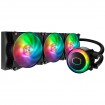
Corsair H115i PRO Cooler w/ PCS Ultra Quiet Fans
Thermal Paste
COOLER MASTER MASTERGEL MAKER THERMAL COMPOUND
Sound Card
Creative Sound Blaster Z 5.1 PCI-E Soundcard - OEM
Wireless/Wired Networking
10/100/1000 GIGABIT LAN PORT (Wi-Fi NOT INCLUDED)
USB/Thunderbolt Options
MIN. 2 x USB 3.0 & 6 x USB 2.0 PORTS @ BACK PANEL + MIN. 2 FRONT PORTS
Operating System
Genuine Windows 10 Home 64 Bit - inc. Single Licence [KUK-00001]

Price: £4777
With the acer predator x27 monitor costing £1760 the total amount will be: £6537

The problem I may have is there may be no space left on the mobo for a pci-e 4k capture card as the rtx 2080 ti takes up 3 slots on the mobo. The solution for this is to get the external 4k cap card that can stream at 4k 30fps but not 60fps. Let me know your thoughts guys.
 
Right. Board has lots of slots. 7 in total . 4k capture takes a x4 slot .

Meaning you can place it in the 2nd or 3rd full length slots .

Middle would run at x8 or x16 and bottom is x4 so your fine

8 core 9900k will still beat it in gaming, specially at 5ghz all cores. You'd be wanting to push that CPU to 4.6ghz all cores plus .
Might need to delid .

Cores are good... If your going to use them !

Also, since you've currently got a PC, I'd use that as a stream rig . Slap the capture card in that , use onboard iGPU and off you go .
 
4k is more of a strain on the gpu so if you're streaming happily at ultrawide you'll be able to do so at 4k without a cpu change so all you really need for now is a gpu upgrade & there isn't much choice from AMD the VII releases in February & from Nvidia there's the 2080 or 2080ti if you're willing to spend around £1300 on the gpu.
 
Right. Board has lots of slots. 7 in total . 4k capture takes a x4 slot .

Meaning you can place it in the 2nd or 3rd full length slots .

Middle would run at x8 or x16 and bottom is x4 so your fine

8 core 9900k will still beat it in gaming, specially at 5ghz all cores. You'd be wanting to push that CPU to 4.6ghz all cores plus .
Might need to delid .

Cores are good... If your going to use them !

Also, since you've currently got a PC, I'd use that as a stream rig . Slap the capture card in that , use onboard iGPU and off you go .

A 9900k is not really future proof though. An i9 9940x because it has high cores will be future proof and last 4-5 years before being needed to upgrade again.

4k is more of a strain on the gpu so if you're streaming happily at ultrawide you'll be able to do so at 4k without a cpu change so all you really need for now is a gpu upgrade & there isn't much choice from AMD the VII releases in February & from Nvidia there's the 2080 or 2080ti if you're willing to spend around £1300 on the gpu.

I have 2 gtx 980 tis in sli in my current rig so my second gpu is used for streaming. For my new build i’ll only have 1 rtx 2080 ti. Which I doubt can stream and play from the same card. I will buy an external 4k capture card which I think will take the load off the cpu & gpu. But I’m unsure of this because I’ve never used a capture card to stream or record on pc. Maybe someone can tell the answer for this.
 
Last edited:
A 9900k is not really future proof though. An i9 9940x because it has high cores will be future proof and last 4-5 years before being needed to upgrade again.


if your going by that logic , your core count is already beaten and x299 LGA 2011 might have one more generation on their if 10nm ever comes around compared to 2 more TR Gens

24 cores - handle 4.2ghz all cores

BB CODE
My basket at Overclockers UK:
Total: £2,051.02 (includes shipping: £11.10)

vs

14 - can handle 4.6ghz all cores

BB CODE
My basket at Overclockers UK:
Total: £2,030.43 (includes shipping: £10.50)

if your PURE Gaming , then half of the cores will be sat doing zero workload for the next 5 years.
Two things have made multicore coding process for PC Gaming.... Consoles - due to being 8 cores currently and pretty underwhelming, so the need for 8 cores - and then next gen using 8 core Ryzen chips .
But still half the games are ported over badly.

second is DX12 but that still has such a low take up volume ! also with vulkan

now if your doing workstation loads/video editing etc etc then hgih core count helps :)

and again, most pro streams use a dual system set up and intel flagship or ryzen 8 core when intel only had 4/6 core units for single PC use .

Thread Ripper 24 is capped though due to memory allocation and and Windows kernel .
16 core is the better option and believe can be clocked
 
Last edited:
if your going by that logic , your core count is already beaten and x299 LGA 2011 might have one more generation on their if 10nm ever comes around compared to 2 more TR Gens

24 cores - handle 4.2ghz all cores

BB CODE
My basket at Overclockers UK:
Total: £2,051.02 (includes shipping: £11.10)

vs

14 - can handle 4.6ghz all cores

BB CODE
My basket at Overclockers UK:
Total: £2,030.43 (includes shipping: £10.50)

if your PURE Gaming , then half of the cores will be sat doing zero workload for the next 5 years.
Two things have made multicore coding process for PC Gaming.... Consoles - due to being 8 cores currently and pretty underwhelming, so the need for 8 cores - and then next gen using 8 core Ryzen chips .
But still half the games are ported over badly.

second is DX12 but that still has such a low take up volume ! also with vulkan

now if your doing workstation loads/video editing etc etc then hgih core count helps :)

and again, most pro streams use a dual system set up and intel flagship or ryzen 8 core when intel only had 4/6 core units for single PC use .

Thread Ripper 24 is capped though due to memory allocation and and Windows kernel .
16 core is the better option and believe can be clocked

I do render and edit videos so the i9 9940x will be a big help over the 9900k. And the 9940x is faster than 98% of cpus in both gaming and being a workstation. But the build I posted will last 4-5 years for sure right? And for streaming I can dedicate an external capture card rather than use my gpu or cpu. I’m still unsure whether if I use a capture card for streaming it will take the complete load off cpu & gpu. I use OBS for streaming and I don’t think you can use a dedicated capture card to stream/record from. I will double check soon.

What do you think of my build overall? I really appreciate all of your help btw buddy!
 
@2K4KGamer

Strix x299 is 7+1 phase design , IR3555 each 60A so 420amps across the VCore - bare in mind flagship Aorus and MSI use 10-16 phases for i9 9900 to run at 5ghz all cores with AVX workloads ..

also, Strix E is being replaced with XE- same baord, just redesigned heatsink to cope with with newer I9 CPUs and the heat they bring


would personally push Aorus X299 Master at 12 phase for VRM , ISL99227BF each 60A for 720 amps across the VCore . Also UK RMA and rep support on here

http://www.xanxogaming.com/reviews/...espanol/#Foto_de_Thermal_Pad_pads_disipadores

or MSI Pro Carbon which is 10 phase design , IR3555 each 60A so 600amps across VCore. MSI does have the nicer bios to Gigabte/aorus and matches the Asus BIOS in terms of use .

both boards not at OCUK though

Will ask Corsair about playing at 4k and streaming at 1080 via 4k capture card on a single PC-
 
Honestly, the advice in this thread is insane - spending other people's money with no regard.

OP just get a new GPU it will be fine, and stream with NVENC. Your system is good otherwise.

 
Honestly, the advice in this thread is insane - spending other people's money with no regard.

OP just get a new GPU it will be fine, and stream with NVENC. Your system is good otherwise.


read thread fully carefully, see OP been told of cheaper alts. also OP edits videos , so 4 core 8 thread potentially doing 4k work isn't the best although 14 core would be a bit overkill

also depends on quality of stream , seems NVENC holds up again Very Fast , wondering how Fast and Medium would hold up as well as kbps your streaming at

still why Pro streamers use two systems- normally sponsored them anyways
 
Can you not get a capture card to stream @ 1080p whilst you game natively at 3440x1440 or am I missing something?

I actually laughed when I read your response lol. If only life went by that logic. The problem with that is I would have to force the 16:9 ratio or 1080p on the video/stream which will pretty much be unwatchable. The result of that would make the video stretched or with black bars. Even when removing the black bars I would either have to cut out a decent portion of the video and again it would also look stretched. Ultrawide has the ratio of 21:9 which literally makes it the worst format for videos/streams. Since 99% of the internet pushes the 16:9 video ratio format. Even TV channels. So the only real solution for ones stream or video to look in proportion and normal is by lowering the resolution to 2560x1440 which is a 16:9 res btw, and just recording or streaming either that resolution or in 1080p. Which wouldn’t be a problem because any 16:9 resolution can upscale or downscale to another 16:9 resolution easily and the outcome would still look very good.

I have decided guys I’m going with a 9940X CPU build with an rtx 2080 ti and the predator x27 monitor. As that monitor is the only monitor on the market right now that actually can do “real HDR”. Along with ASUS’ model I’m guessing. I will have both builds at the table :D yes it will cost an arm and a leg but to be able to game/edit in 4K smoothly you just have to go all out. This build should last me 4-5 years. As I’d imagine a 14 core CPU should hold up very well within the 4-5 year range.

As for the sound. Is a sound card really required or can I just plug my current razer leviathan soundbar optical cable directly into the new builds motherboard? As I could get an internal pci-e capture card instead of fitting in a new sound card in my new build. Advice on this would be appreciated. Thanks again for the continued help and support guys and specifically orbitalwalsh for being a veteran trooper always replying every day :D this is why I come to these forums for help, because I know there are such knowledgable people in the pc gaming scene. Which can be a very confusing topic especially when building a new rig.
 
@2K4KGamer

Strix x299 is 7+1 phase design , IR3555 each 60A so 420amps across the VCore - bare in mind flagship Aorus and MSI use 10-16 phases for i9 9900 to run at 5ghz all cores with AVX workloads ..

also, Strix E is being replaced with XE- same baord, just redesigned heatsink to cope with with newer I9 CPUs and the heat they bring


would personally push Aorus X299 Master at 12 phase for VRM , ISL99227BF each 60A for 720 amps across the VCore . Also UK RMA and rep support on here

http://www.xanxogaming.com/reviews/...espanol/#Foto_de_Thermal_Pad_pads_disipadores

or MSI Pro Carbon which is 10 phase design , IR3555 each 60A so 600amps across VCore. MSI does have the nicer bios to Gigabte/aorus and matches the Asus BIOS in terms of use .

both boards not at OCUK though

Will ask Corsair about playing at 4k and streaming at 1080 via 4k capture card on a single PC-

I wont lie, I barely understood what you said about which mobo to choose lol. It’s a bit to technical for me haha! But I’m interested to understand what you said. Which mobo is best to choose for the i9 9940x cpu?
 
I wont lie, I barely understood what you said about which mobo to choose lol. It’s a bit to technical for me haha! But I’m interested to understand what you said. Which mobo is best to choose for the i9 9940x cpu?

Would go with the Aorus or MSI over the Strix .
Specially if your going to be doing a lot of video editing software over long periods etc

Plus the sound quality on the Aorus is unmatched. Local DAC onboard so would drive your speakers nicely. Just trying to find that board is hard...very hard
 
Would go with the Aorus or MSI over the Strix .
Specially if your going to be doing a lot of video editing software over long periods etc

Plus the sound quality on the Aorus is unmatched. Local DAC onboard so would drive your speakers nicely. Just trying to find that board is hard...very hard

Oh right. I have the rog strix for my build. You’re right it is hard to find. I have done builds on other sites and cant seem to find a site which offers the Aorus or MSI version. I’m sure it wont be much difference right?

And as for the sound card, for the strix would you say it’s needed then?
 
Oh right. I have the rog strix for my build. You’re right it is hard to find. I have done builds on other sites and cant seem to find a site which offers the Aorus or MSI version. I’m sure it wont be much difference right?

if your not running AVX . should be fine - though if intel so release another Gen on X299 and increase the core count. wouldn't use it with that board. If your going strix then go XE version due to better designed Heatsink - board design is still the same though .
 
if your not running AVX . should be fine - though if intel so release another Gen on X299 and increase the core count. wouldn't use it with that board. If your going strix then go XE version due to better designed Heatsink - board design is still the same though .

X299-E you’re referring to right? And is that a yes on no sound card and get a capture card instead? Also using OBS to stream on my 2080 Ti in 1080p and play in 4K. It would be fine right? Unless I can stream on my current pc and just game on my new build.

Btw I totally forgot this from the beginning but should I get the build liquid/water cooled or just go with the regular air cooled? Really need advice on this!
 
Back
Top Bottom